
MCP Manager for Claude Desktop
About
simple web ui to manage mcp (model context protocol) servers in the claude app
Details
- Author
- zueai
- GitHub stars
- 290
- Downloads
- 794
- Categories
- AI
Jump to
- Easy-to-use interface for managing MCP servers
- Runs entirely client-side – data never leaves your computer
- Quick setup for popular MCP servers (20+ options)
- Simple configuration of environment variables and settings
- One-click copying of terminal commands for installation
- Built with React, TypeScript, Vite, and TailwindCSS

Setting up with Highlight
This MCP is not yet compatible with Highlight’s one-click setup. However, you can still use it with Highlight by following these steps:
- Download and install Highlight from highlightai.com/download
- Navigate to the plugins tab and select "Add Custom Plugin"
-
Configure the plugin with the settings below
Plugin Name
MCP Manager for Claude DesktopCommand (node, npx, python, etc.)Please refer to the README for specific instructions on how to obtain API keys or other required environment variables.
- Enable "Start Automatically" if you want the plugin to start when Highlight launches





From the repository
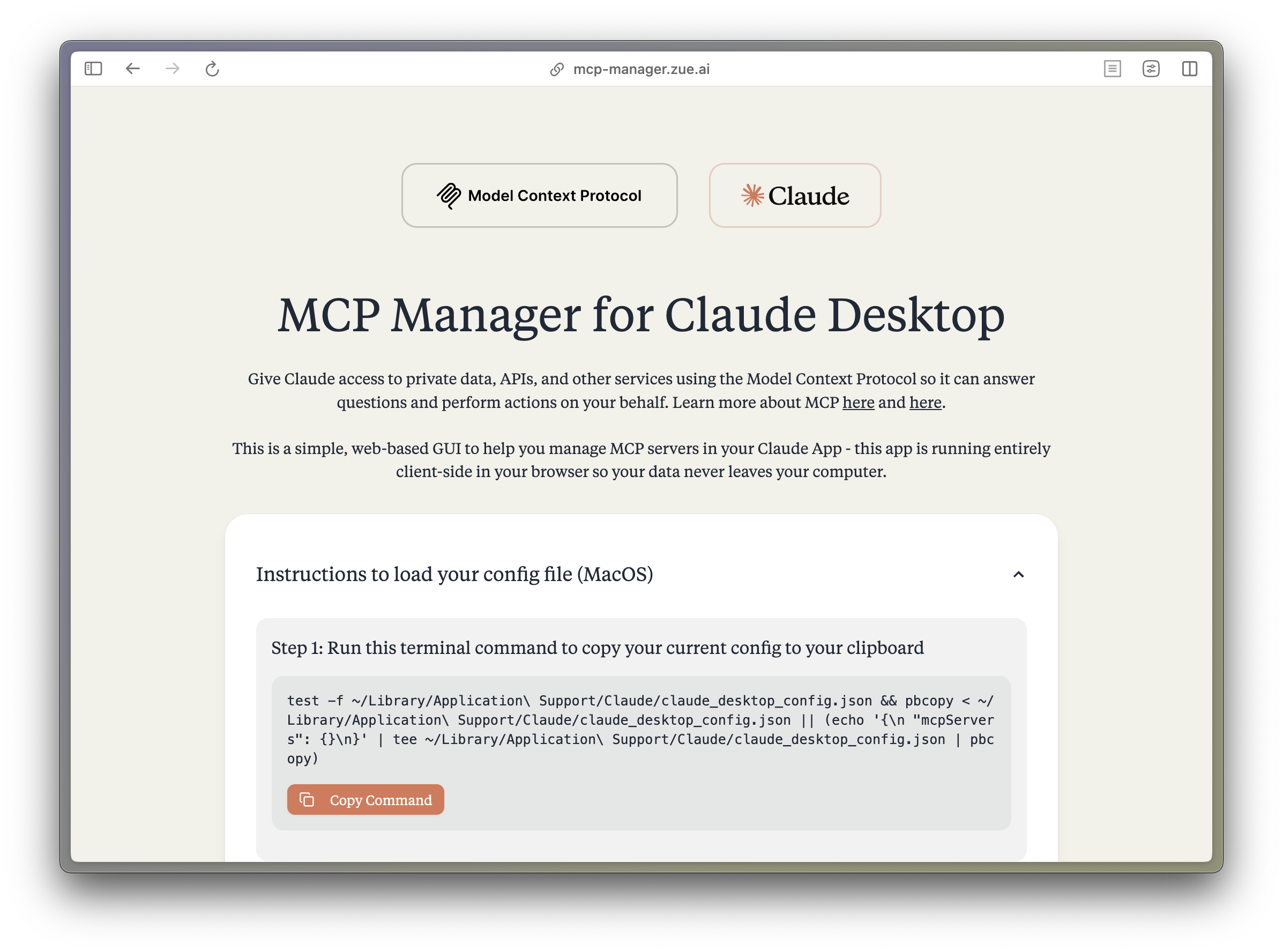
Use the hosted web interface or run locally with bun install and bun dev. Select from preconfigured MCP servers, set environment variables, and copy the generated terminal commands to your Mac.
Claude Desktop / Cursor
Paste into your MCP client config file to install this server.
{
    "mcpServers": {
        "mcp manager for claude desktop": {
            "mcp-manager": {
                "command": "bun",
                "args": [
                    "dev"
                ]
            }
        }
    }
}McpServers
{
    "mcp-manager": {
        "command": "bun",
        "args": [
            "dev"
        ]
    }
}
<h1 align="center">MCP Manager for Claude Desktop</h1>
<p align="center">A simple web GUI to manage Model Context Protocol (MCP) servers for the Claude Desktop app on MacOS easily. Just follow the instructions and paste a few commands to give your Claude app instant superpowers. </p>
What is MCP?
The Model Context Protocol (MCP) enables Claude to access private data, APIs, and other services to answer questions and perform actions on your behalf. Learn more about MCP at:
- modelcontextprotocol.io
- Anthropic's MCP Announcement
Features
- 🚀 Easy-to-use interface for managing MCP servers
- 🔒 Runs entirely client-side - your data never leaves your computer
- ⚡️ Quick setup for popular MCP servers:
- Apple Notes - Access and search your Apple Notes
- AWS Knowledge Base - Access and query AWS Knowledge Base for information retrieval
- Brave Search - Search the web with Brave Search API
- Browserbase - Let Claude explore the web with Browserbase
- Cloudflare - Manage your Cloudflare workers and account resources
- Everart - Interface with Everart API for digital art and design tools
- Exa - Search the web with Exa
- Filesystem - Access and manage local filesystem
- GitHub - Access your GitHub repositories
- GitLab - Manage GitLab repositories and resources
- Google Drive - Access and search files in your Google Drive
- Google Maps - Access Google Maps API for location services
- Memory - Give Claude memory of previous conversations
- Obsidian - Read and search files in your Obsidian vault
- Perplexity - Search the web with Perplexity API
- PostgreSQL - Connect and interact with PostgreSQL databases
- Puppeteer - Automate browser interactions
- Sequential Thinking - Enable step-by-step reasoning
- Slack - Access your Slack workspace
- SQLite - Manage SQLite databases
- Todoist - Access and search your Todoist tasks
- YouTube Transcript - Access and search YouTube transcripts
- 🛠 Simple configuration of environment variables and server settings
- 📋 One-click copying of terminal commands for installation
Tech Stack
- Frontend Framework: React 18 with TypeScript
- Build Tool: Vite
- Styling:
- TailwindCSS for utility-first CSS
- DaisyUI for component styling
- Tiempos Font to match the Anthropic Design Language
- Package Manager: Bun
- Deployment: Cloudflare Pages for <60s build times
Project Structure
src/
├── components/ # React components
│ ├── server-configs/ # Server-specific configuration components
│ └── ...
├── assets/ # Static assets and fonts
├── App.tsx # Main application component
├── server-configs.ts # MCP server configurations
└── utils.ts # Utility functions
Development
1. Install dependencies:
bun install
2. Start the dev server:
bun dev
3. Build for production:
bun run build
Contributing
Contributions are extremely welcome! Please open a PR with new MCP servers or any other improvements to the codebase.
PS. I wasnt able to get fetch, time, and sentry working, if you can help me out, that would be great!
Disclaimer
This project is not affiliated with Anthropic. All logos are trademarks of their respective owners.
License
Apache 2.0
---
<br/>
<br/>
<p align="center">
<a href="https://zue.ai#gh-light-mode-only">

</a>
<a href="https://zue.ai#gh-dark-mode-only">

</a>
</p>
<p align="center">
<a href="https://zue.ai/talk-to-us">Contact us</a> for custom AI automation solutions and product development.
</p>
Sign in to leave a review
Use Google, GitHub, or an email account so ratings stay tied to real people.
No reviews posted yet.



