Mcp Langchain Bridge
About
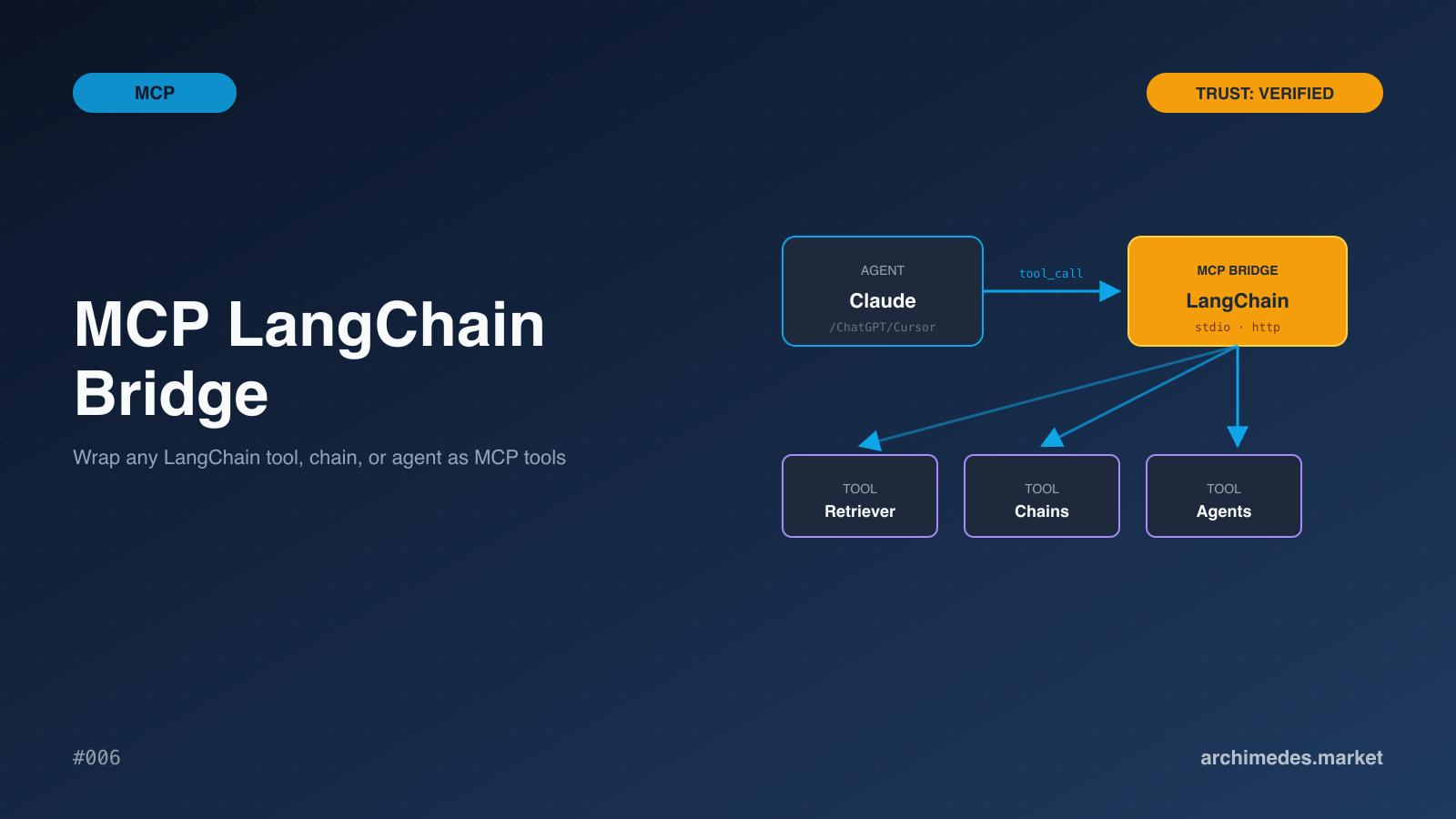
Expose any LangChain chain, agent, or tool as an MCP server. Schema-aware tool registration, tool-call tracing, retry and timeout policies, and structured output validation. Bridges the LangChain ecosystem into Claude / ChatGPT / Cursor without rewri
Details
- Author
- archimedes-market
- Downloads
- 348
- Categories
- AI
Jump to
- Auto‑schema: each LangChain tool’s args_schema becomes the MCP tool’s input schema (Pydantic v2).
- Configurable retry/backoff per tool with circuit‑breaker behavior.
- Per‑tool execution timeout, configurable via decorator or environment variable.
- OpenTelemetry tracing on every tool call; integrates with LangSmith when LANGSMITH_API_KEY is set.
- Output validation against Pydantic schemas before returning results to the agent.

Setting up with Highlight
This MCP is not yet compatible with Highlight’s one-click setup. However, you can still use it with Highlight by following these steps:
- Download and install Highlight from highlightai.com/download
- Navigate to the plugins tab and select "Add Custom Plugin"
-
Configure the plugin with the settings below
Plugin Name
Mcp Langchain BridgeCommand (node, npx, python, etc.)Please refer to the README for specific instructions on how to obtain API keys or other required environment variables.
- Enable "Start Automatically" if you want the plugin to start when Highlight launches





From the repository
Import the bridge module from mcp_langchain_bridge, then call bridge.create_server() with a server name, a list of LangChain BaseTool instances (or any subclass), and optional retry and timeout settings. The server is started with .run().
Claude Desktop / Cursor
Paste into your MCP client config file to install this server.
{
    "mcpServers": {
        "mcp langchain bridge": {
            "langchain-bridge": {
                "command": "mcp-langchain-bridge",
                "args": [
                    "serve"
                ]
            }
        }
    }
}McpServers
{
    "langchain-bridge": {
        "command": "mcp-langchain-bridge",
        "args": [
            "serve"
        ]
    }
}
MCP LangChain Bridge
Expose any LangChain chain, agent, or tool as an MCP server. The point is to take orchestration logic that already exists in LangChain — RAG chains, agentic workflows, custom tools — and make it agent-callable from Claude Desktop, Cursor, or any MCP client.
What you get
- Auto-schema: each LangChain tool's args_schema becomes the MCP tool's input schema. Pydantic v2 generation built in.
- Retry policies: configurable retry/backoff per tool, with circuit-breaker behavior on persistent failures.
- Timeouts: per-tool execution timeout, configurable via decorator or env var.
- Tracing: OpenTelemetry spans on every tool call. Drops into LangSmith if LANGSMITH_API_KEY is set.
- Output validation: results validated against Pydantic schemas before returning to the agent.
Usage
from mcp_langchain_bridge import bridge
from langchain_community.tools import DuckDuckGoSearchRun, WikipediaQueryRun
server = bridge.create_server(

    name="research-tools",

    tools=[

        DuckDuckGoSearchRun(),

        WikipediaQueryRun(),

        # Any LangChain BaseTool subclass works

    ],

    retry={"max_attempts": 3, "backoff": "exponential"},

    timeout=30.0,

)
server.run()
Why this matters
LangChain has the largest tool ecosystem in the agent space. MCP has the cleanest agent-host integration. Bridging the two avoids rewriting in either direction:
- You don't need to port your retrieval chain to native MCP tool definitions
- You don't need to abandon Claude Desktop because your existing stack is LangChain
- LangGraph state machines remain unchanged — the MCP layer wraps the entrypoint
Limitations
- Streaming responses from chains are buffered into the MCP response (MCP spec doesn't yet support streaming for tool calls). Long-running chains should be checkpointed externally.
- LangChain custom callback handlers fire as expected, but UI updates targeted at notebook environments won't surface to the MCP client.
License
MIT.
Sign in to leave a review
Use Google, GitHub, or an email account so ratings stay tied to real people.
No reviews posted yet.



