
Logicmonitor MCP
About
Logicmonitor MCP is a Model Context Protocol server for LogicMonitor that enables AI assistants to interact with LogicMonitor monitoring data and operations. It provides 125 MCP tools (73 read-only, 52 write) for comprehensive LogicMonitor management.
Details
- Author
- monitoringartist
- Downloads
- 299
- Categories
- Other, Infrastructure
Jump to
- 125 MCP tools (73 read-only, 52 write)
- Multiple transport modes: STDIO, SSE, HTTP
- Flexible authentication: none, bearer token, OAuth/OIDC
- Read-only mode enabled by default for safe monitoring
- Automatic CSRF protection for session-based authentication
- Tool filtering, rate limiting, and smart batching

Setting up with Highlight
This MCP is not yet compatible with Highlight’s one-click setup. However, you can still use it with Highlight by following these steps:
- Download and install Highlight from highlightai.com/download
- Navigate to the plugins tab and select "Add Custom Plugin"
-
Configure the plugin with the settings below
Plugin Name
Logicmonitor MCPCommand (node, npx, python, etc.)Please refer to the README for specific instructions on how to obtain API keys or other required environment variables.
- Enable "Start Automatically" if you want the plugin to start when Highlight launches





From the repository
Install via npx (npx logicmonitor-mcp-server) or Docker. Configure using environment variables (LM_COMPANY, LM_BEARER_TOKEN), a .env file, or CLI flags. Run locally with STDIO transport for Claude Desktop, or remotely with SSE/HTTP transport for web-based access.
Claude Desktop / Cursor
Paste into your MCP client config file to install this server.
{
    "mcpServers": {
        "logicmonitor mcp": {
            "github": {
                "command": "docker",
                "args": [
                    "run",
                    "-i",
                    "--rm",
                    "-e",
                    "LM_COMPANY",
                    "-e",
                    "LM_BEARER_TOKEN",
                    "monitoringartist/logicmonitor-mcp-server"
                ],
                "env": {
                    "LM_COMPANY": "<YOUR_LOGICMONITOR_COMPANY>",
                    "LM_BEARER_TOKEN": "<YOUR_LOGICMONITOR_TOKEN>"
                }
            }
        }
    }
}McpServers
{
    "github": {
        "command": "docker",
        "args": [
            "run",
            "-i",
            "--rm",
            "-e",
            "LM_COMPANY",
            "-e",
            "LM_BEARER_TOKEN",
            "monitoringartist/logicmonitor-mcp-server"
        ],
        "env": {
            "LM_COMPANY": "<YOUR_LOGICMONITOR_COMPANY>",
            "LM_BEARER_TOKEN": "<YOUR_LOGICMONITOR_TOKEN>"
        }
    }
}
LogicMonitor MCP Server
Model Context Protocol (MCP) server for LogicMonitor - enables AI assistants to interact with your LogicMonitor.






Features
- 125 MCP Tools for comprehensive LogicMonitor operations (73 read-only, 52 write)
- Unified Server: Single server implementation supporting all transport modes (STDIO, SSE, HTTP)
- Multiple Transport Modes: STDIO for local use, SSE/HTTP for remote access
- Flexible Authentication: No auth (dev), bearer token, or OAuth/OIDC
- CSRF Protection: Automatic CSRF protection for session-based authentication
- Read-Only Mode: Safe monitoring without modification capabilities (enabled by default)
- Flexible Configuration: CLI flags, environment variables, or .env file
- Debug Logging: JSON or human-readable formats with detailed request/response logging
- Tool Filtering: Enable specific tools or disable search functionality
- Rate Limiting: Automatic retry with exponential backoff
- Batch Operations: Process multiple resources efficiently
- Smart Batching: Adaptive concurrency that automatically adjusts to API rate limits
- TLS/HTTPS Support: Optional TLS for secure remote access
Images
Cursor Prompt - Resource Check Demo
High‑level demonstration of using the LogicMonitor MCP server in Cursor, showing how to execute a
LogicMonitor resource check using an MCP prompt with the argument "www.google.com" (a resource in LogicMonitor).
The agent has knowledge about available MCP tools and uses them in a self‑correcting way:

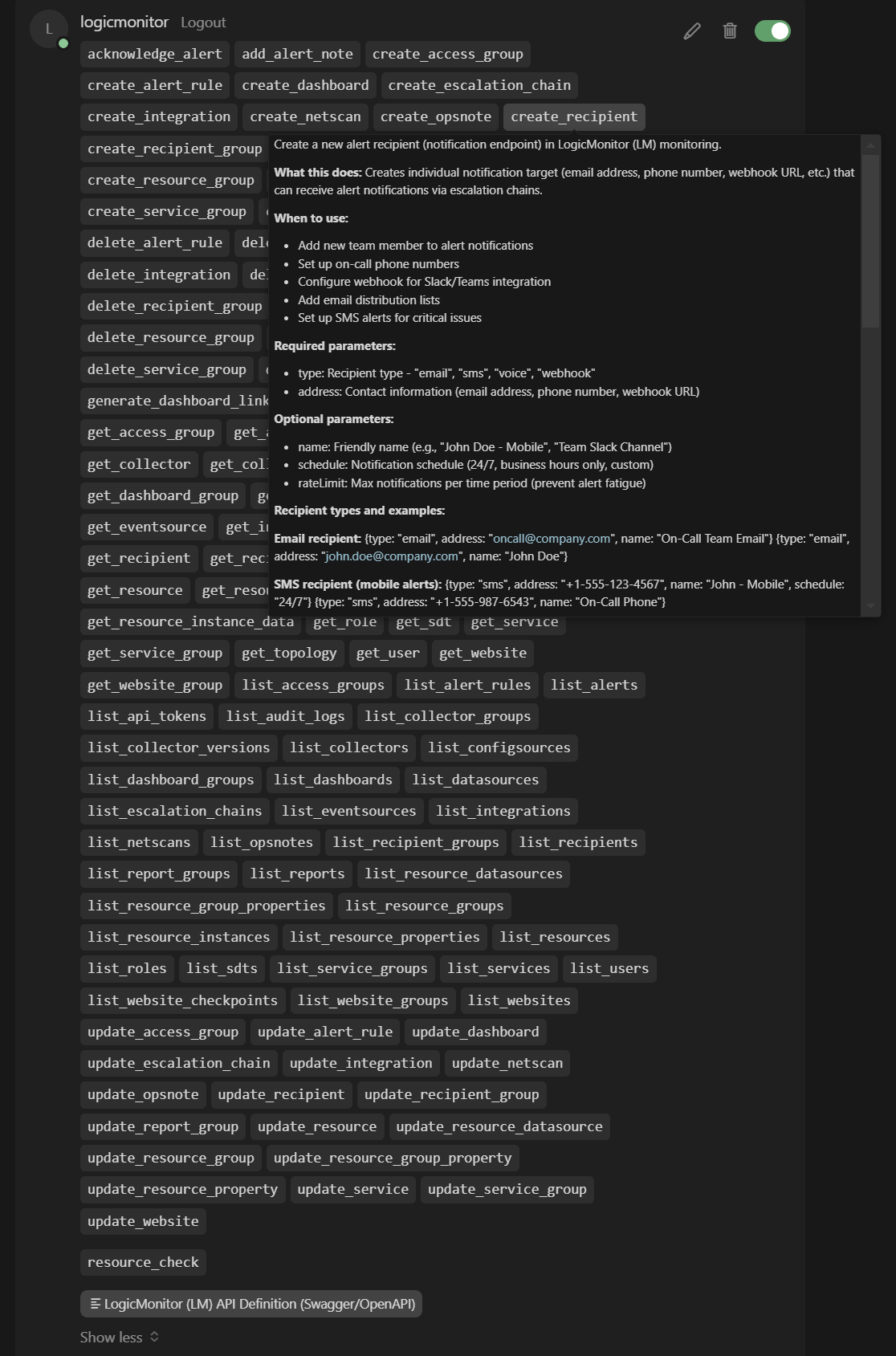
Cursor Tools
Screenshot showing the available LogicMonitor MCP tools within Cursor:
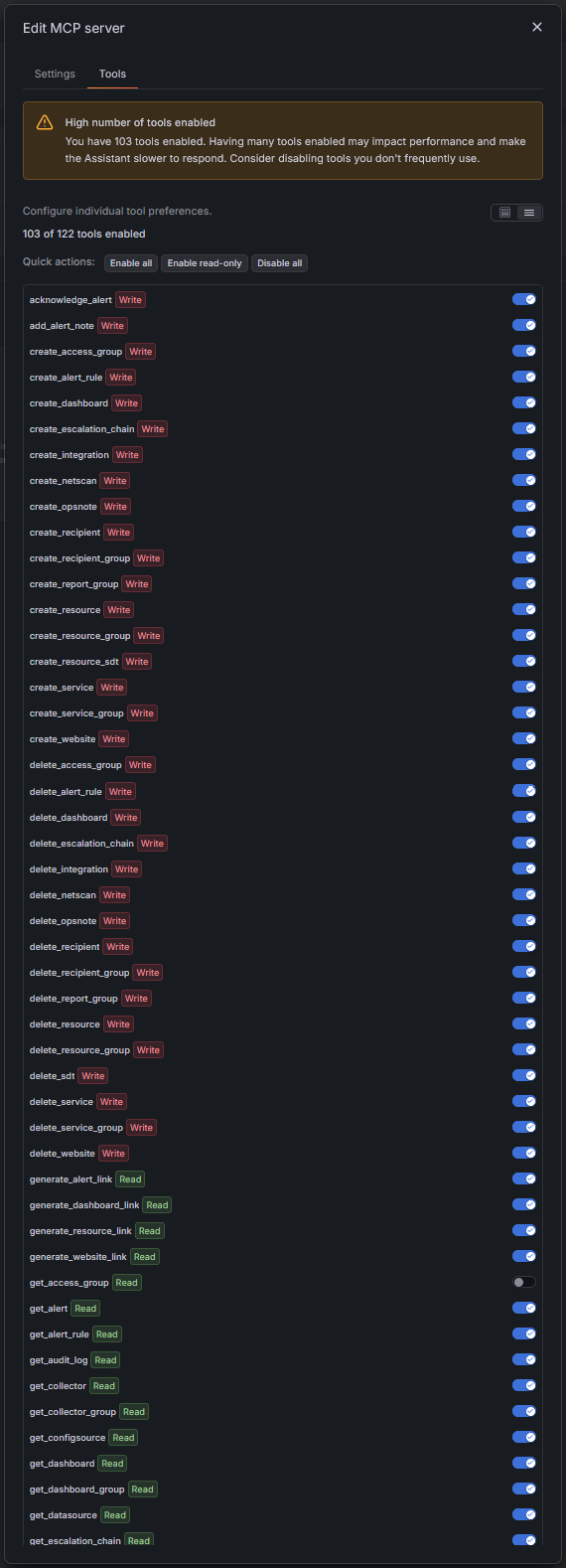
Grafana Assistant Tools
Screenshot showing the available LogicMonitor MCP tools within Grafana Assistant:
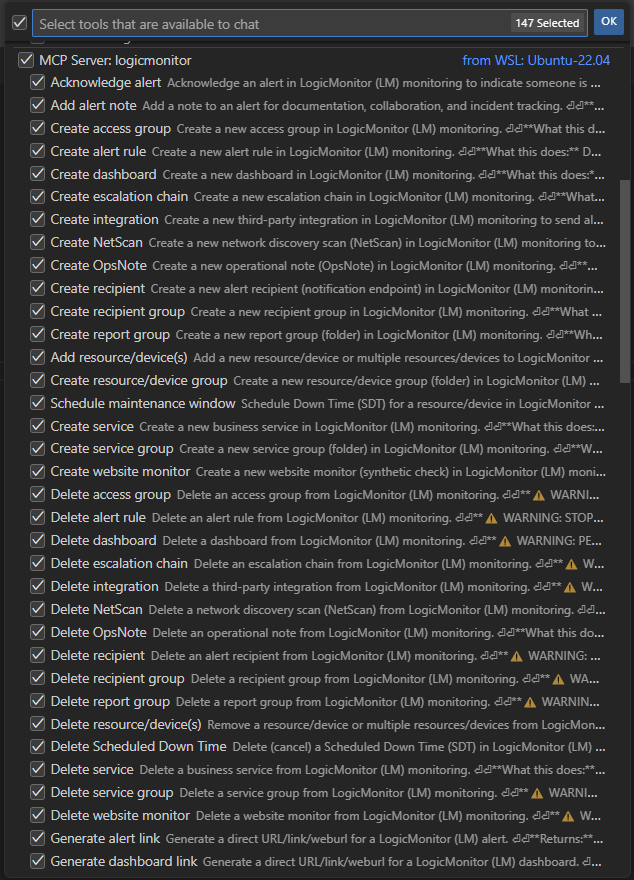
VS Code Tools
Screenshot showing the available LogicMonitor MCP tools within Visual Studio Code:
Installation Options
Local LogicMonitor MCP server
Run LogicMonitor MCP Server locally with STDIO transport for Claude Desktop:






```bash
Sign in to leave a review
Use Google, GitHub, or an email account so ratings stay tied to real people.
No reviews posted yet.





