
LLM SSE MCP Demo
About
This project demonstrates the integration between LLM clients and MCP (Model Context Protocol) servers using Server-Sent Events (SSE) for real-time communication.
Details
- Author
- nlinhvu
- GitHub stars
- 14
- Downloads
- 176
- Categories
- AI
Jump to
- OAuth 2.0 authorization for MCP services
- Mathematical tools: addition and multiplication
- Date/time tools: current time and alarm setting
- SSE-based real-time client-server communication
- Multi-provider LLM support (Claude, GPT, Gemini, Ollama)
- Integrated observability with Grafana, Prometheus, Tempo, Loki

Setting up with Highlight
This MCP is not yet compatible with Highlight’s one-click setup. However, you can still use it with Highlight by following these steps:
- Download and install Highlight from highlightai.com/download
- Navigate to the plugins tab and select "Add Custom Plugin"
-
Configure the plugin with the settings below
Plugin Name
LLM SSE MCP DemoCommand (node, npx, python, etc.)Please refer to the README for specific instructions on how to obtain API keys or other required environment variables.
- Enable "Start Automatically" if you want the plugin to start when Highlight launches





From the repository
Start the observability stack (Prometheus, Tempo, Loki, Grafana) with Docker Compose, then run each Spring Boot app via ./gradlew bootRun in order: authorization server (port 9000), MCP server (port 8080), LLM client (port 10101). Set environment variables for cloud LLM API keys as needed. Open a browser to http://localhost:10101 to send queries like math operations or time requests.
Claude Desktop / Cursor
Paste into your MCP client config file to install this server.
{
    "mcpServers": {
        "llm sse mcp demo": {
            "llm-sse-mcp-demo-2025": {
                "command": "docker",
                "args": [
                    "compose",
                    "up",
                    "-d"
                ]
            }
        }
    }
}McpServers
{
    "llm-sse-mcp-demo-2025": {
        "command": "docker",
        "args": [
            "compose",
            "up",
            "-d"
        ]
    }
}
LLM SSE MCP with Observability (Prometheus/Metrics, Tempo/Traces, Loki/Logs, Grafana)
This project demonstrates the integration between LLM clients and MCP (Model Context Protocol) servers using Server-Sent Events (SSE) for real-time communication. It consists of three Spring Boot applications that showcase OAuth 2.0 security, tool calling capabilities with various LLM models, and secure authentication services.
Project Structure
1. Authorization Server Demo (authorization-server-demo)
A Spring Boot application that implements OAuth 2.0 authorization server functionality, providing secure authentication and authorization services.
Features:
- OAuth 2.0 Authorization Server: Issues access tokens and validates them
Port: 9000
2. SSE MCP Server Demo (sse-mcp-server-demo)
A Spring Boot application that serves as an MCP server, exposing mathematical and date/time tools via SSE endpoints.
Features:
- Math Tools: Addition and multiplication operations
- DateTime Tools: Current time retrieval and alarm setting
- SSE Support: Real-time communication via Server-Sent Events
- MCP Protocol: Implements Model Context Protocol for tool discovery and execution
Available Tools:
- sumNumbers(int, int) - Adds two numbers
- multiplyNumbers(int, int) - Multiplies two numbers
- getCurrentDateTime() - Gets current date/time in user's timezone
- setAlarm(String) - Sets an alarm for specified ISO-8601 time
Port: 8080 (default)
3. LLM MCP Client Demo (llm-mcp-client-demo)
A Spring Boot web application that connects to the MCP server and provides an interactive chat interface with multiple LLM providers.
Features:
- Multiple LLM Support: Anthropic Claude, OpenAI GPT, Google Gemini, Ollama
- Interactive Web Chat: Real-time chat interface using Thymeleaf
- MCP Integration: Connects to SSE MCP server for tool calling
- Tool Discovery: Automatically discovers and uses available tools from MCP server
Supported LLM Models:
- Anthropic Claude: claude-sonnet-4-20250514
- OpenAI: o4-mini-2025-04-16
- Google Gemini: gemini-2.5-flash-preview-05-20
- Ollama: qwen3:8b (local)
Port: 10101
Prerequisites
- Java 17 or higher
- Gradle
- API keys for cloud LLM providers (optional)
- Ollama installed locally (for local models)
- Docker & Docker Compose
Environment Variables
For the LLM client, set the following environment variables for cloud providers:
export ANTHROPIC_API_KEY=your_anthropic_key
export OPENAI_API_KEY=your_openai_key
export GOOGLE_PROJECT_ID=your_google_project_id
export GOOGLE_ZONE=your_google_zone
Quick Start
1. Start Prometheus, Tempo, Loki, Grafana
docker compose up -d
2. Start the Authorization Server
cd authorization-server-demo
./gradlew bootRun
3. Start the MCP Server
cd sse-mcp-server-demo
./gradlew bootRun
4. Start the LLM Client
cd llm-mcp-client-demo
./gradlew bootRun
5. Access the Chat Interface
Open your browser and navigate to:http://localhost:10101
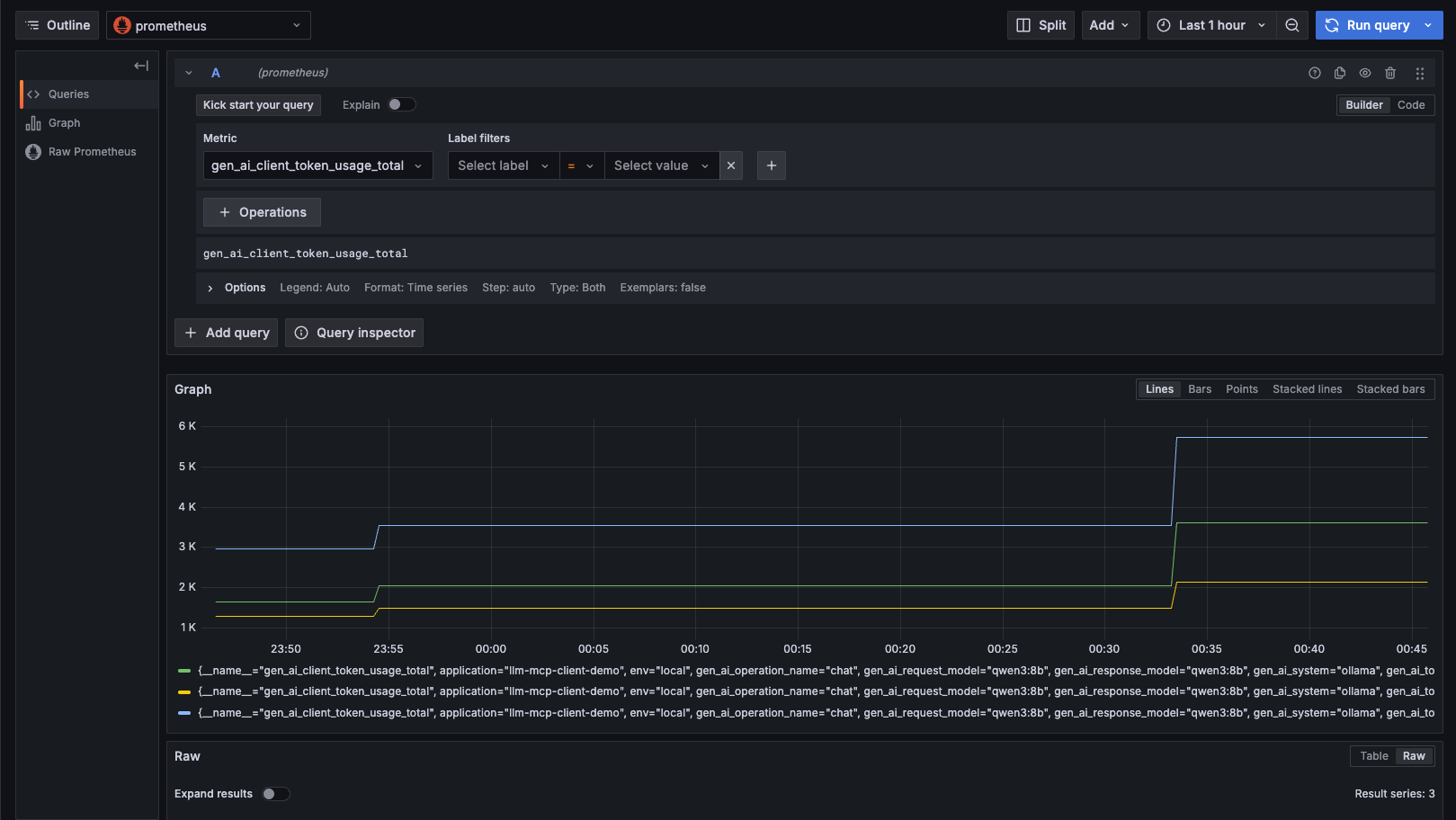
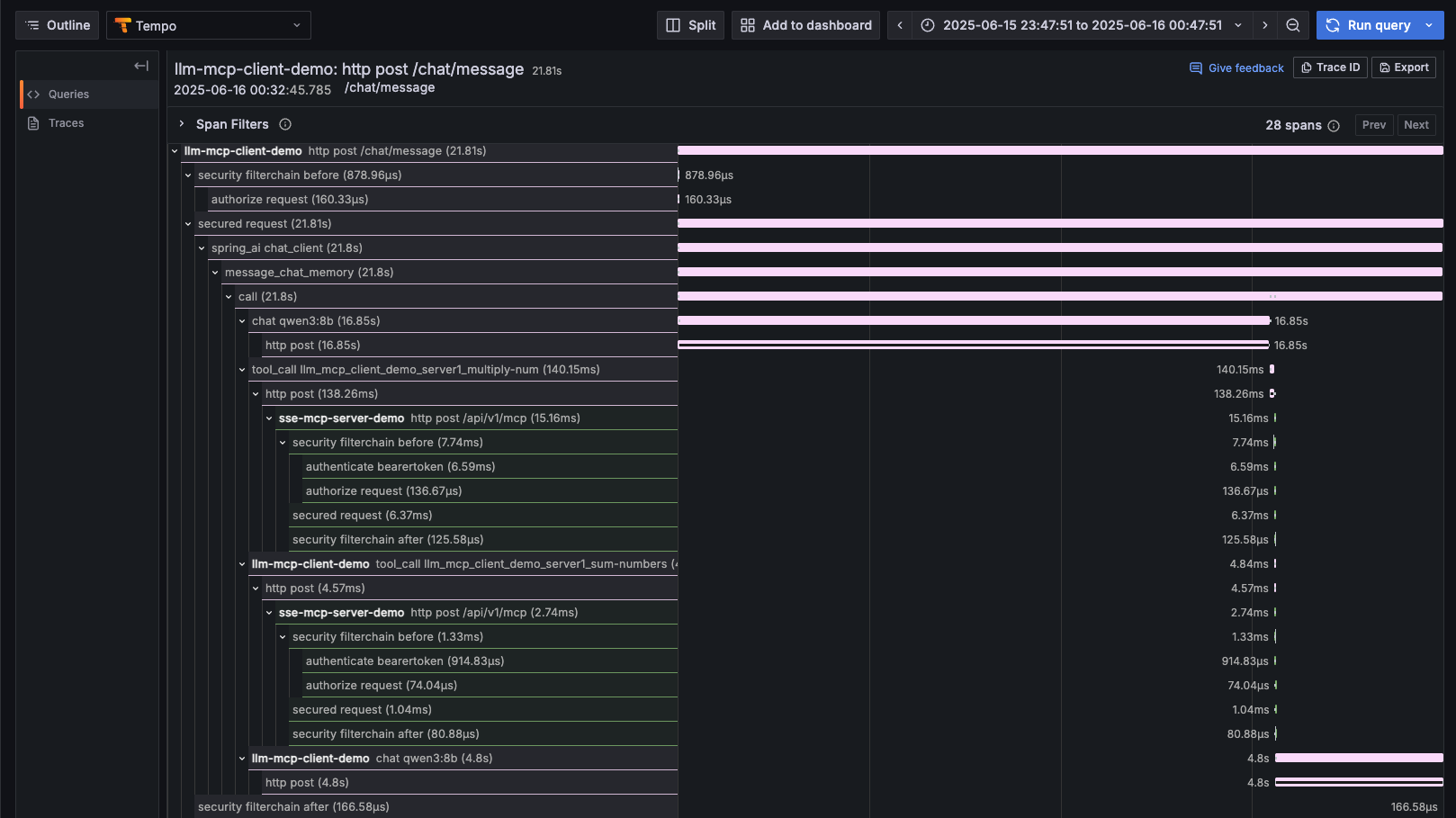
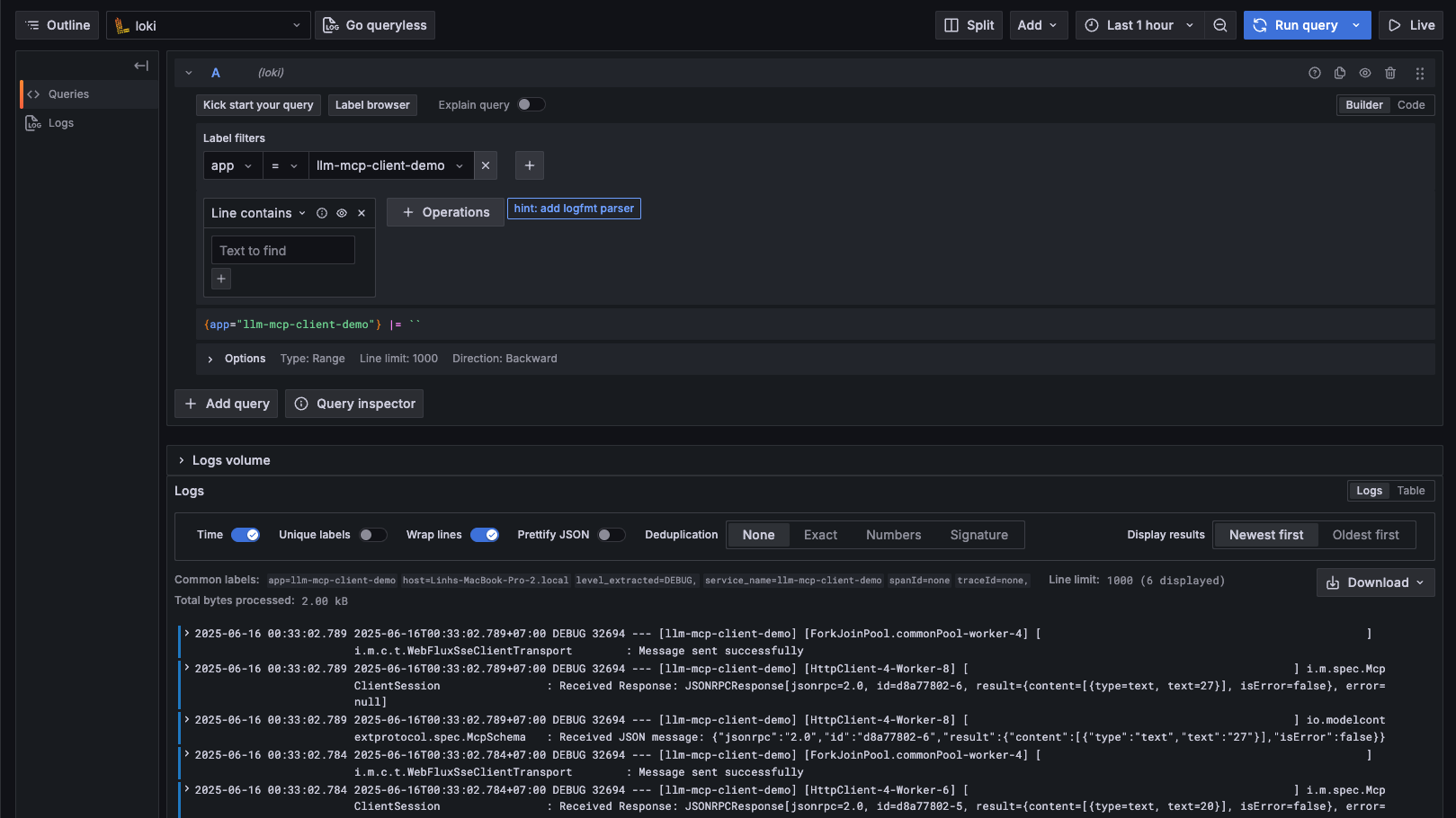
6. Access Grafana and explore Prometheus, Tempo, Loki
Open your browser and navigate to:http://localhost:3000
> Data sources -> Prometheus -> Explore
> Data sources -> Tempo -> Explore
> Data sources -> Loki -> Explore
Usage
1. Start both services in the order specified above
2. Open the web interface at http://localhost:9090
3. Send messages that require mathematical operations or time queries
4. Watch the LLM automatically discover and use the available tools
Example queries:
- "What's 5 times 4 plus 7?"
- "What time is it?"
- "Set an alarm for 2025-01-01T10:00:00"
Technology Stack
- Spring Boot 3.x
- Spring Security OAuth2
- Spring AI - LLM integration framework
- Model Context Protocol (MCP) - Tool discovery and execution
- Server-Sent Events (SSE) - Real-time communication
- Thymeleaf - Web templating
- Gradle - Build system
Configuration
All applications use YAML configuration files:
- Authorization server configuration in authorization-server-demo/src/main/resources/application.yml
- MCP server configuration in sse-mcp-server-demo/src/main/resources/application.yml
- LLM client configuration in llm-mcp-client-demo/src/main/resources/application.yml
Development
The project demonstrates:
- MCP Protocol Implementation using Spring AI
- SSE-based Real-time Communication
- Multi-provider LLM Integration
- Tool Calling and Discovery
- Interactive Web Interfaces
- MCP Authorization with OAuth2
- Observation with Spring Actuator and Micrometer(OpenTelemetry, Prometheus, Tempo, Loki, Grafana)
This demo serves as a foundation for building more complex LLM-powered applications with external tool capabilities.
Sign in to leave a review
Use Google, GitHub, or an email account so ratings stay tied to real people.
No reviews posted yet.



