
Lite Mcp Client
About
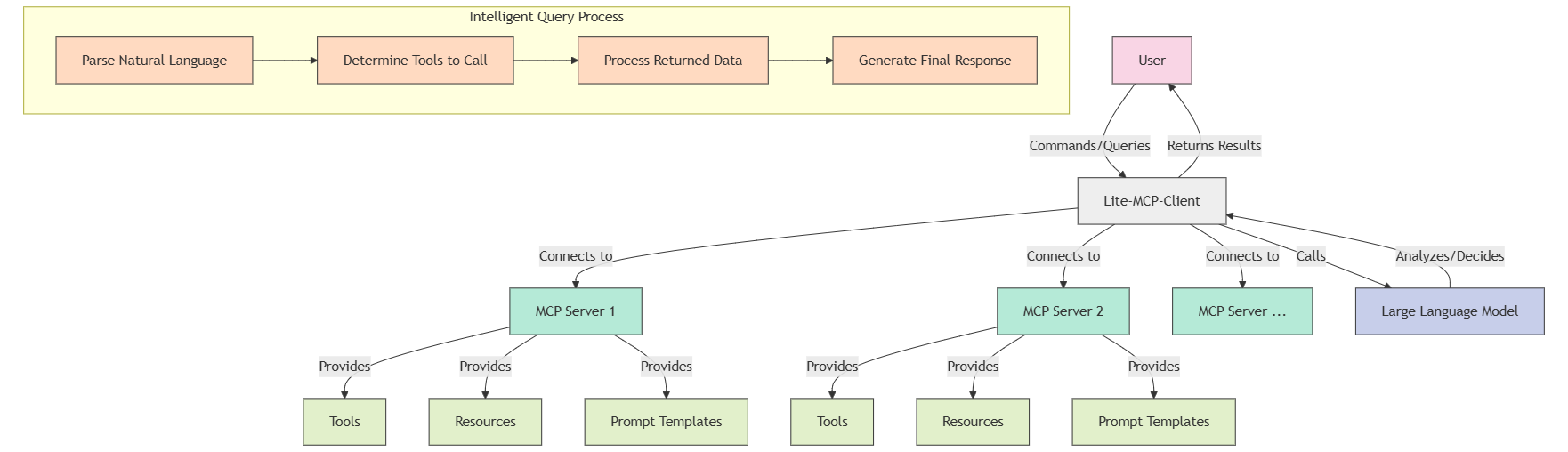
Lite Mcp Client is a lightweight, command-line-based MCP (Model-Chat-Prompt) client that connects to multiple MCP servers, enabling users to call tools, access resources, and use prompt templates. It supports integration with large language models (LLMs) for intelligent…
Details
- Author
- sligter
- GitHub stars
- 16
- Downloads
- 170
- Categories
- Other
Jump to
- Multi-server connection management
- Supports STDIO and SSE server types
- Tool, resource, and prompt template access
- Natural language intelligent queries with auto tool selection
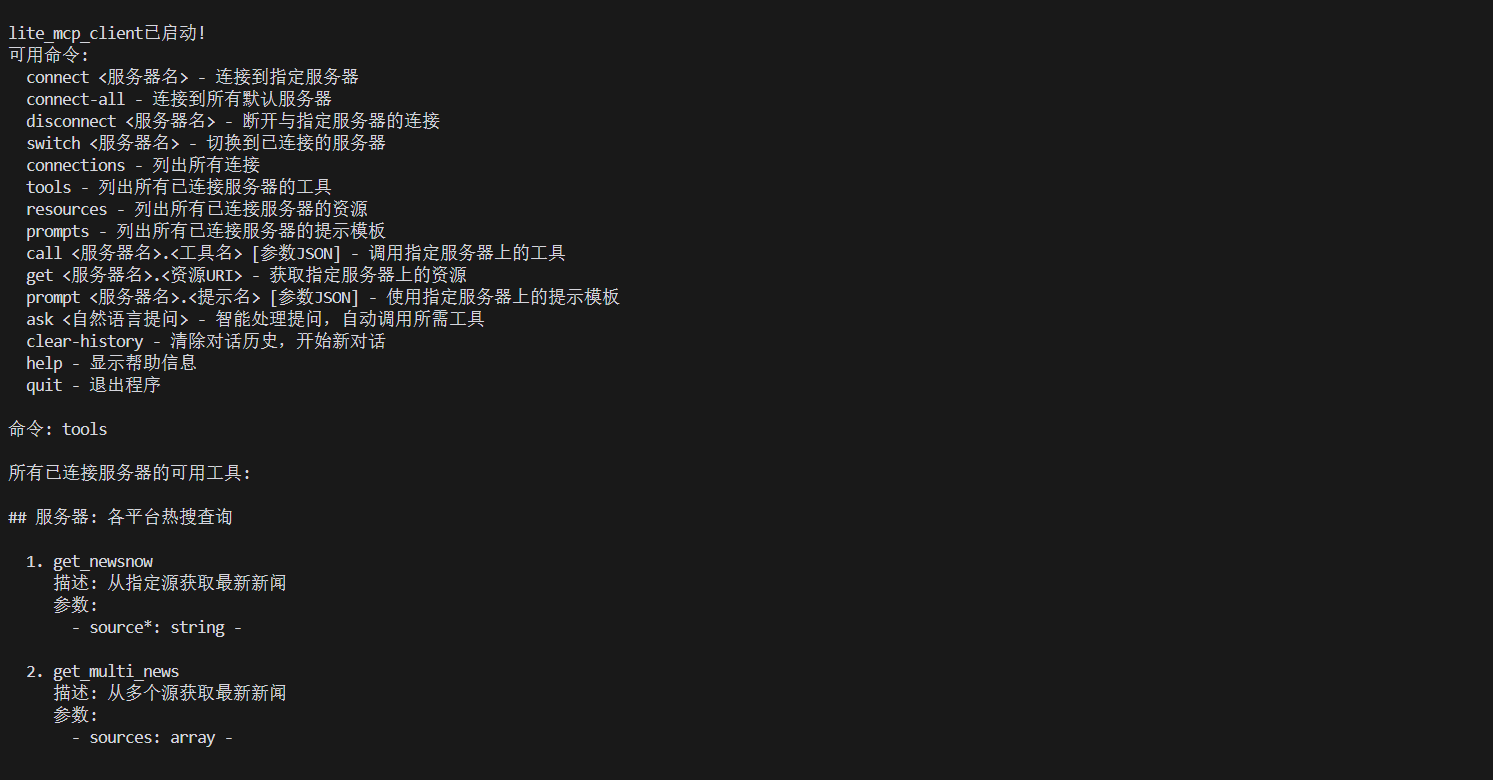
- Interactive terminal mode with rich commands
- Session-based conversation history

Setting up with Highlight
This MCP is not yet compatible with Highlight’s one-click setup. However, you can still use it with Highlight by following these steps:
- Download and install Highlight from highlightai.com/download
- Navigate to the plugins tab and select "Add Custom Plugin"
-
Configure the plugin with the settings below
Plugin Name
Lite Mcp ClientCommand (node, npx, python, etc.)Please refer to the README for specific instructions on how to obtain API keys or other required environment variables.
- Enable "Start Automatically" if you want the plugin to start when Highlight launches





From the repository
Install via pip install lite-mcp-client or from source with uv sync. Configure a mcp_config.json file (or use .env.example for environment variables). Invoke via the lite-mcp-client command with flags like --interactive, --query "question", --call "server.tool", or directly with a query string.
Claude Desktop / Cursor
Paste into your MCP client config file to install this server.
{
    "mcpServers": {
        "lite mcp client": {
            "lite-mcp-client": {
                "command": "uv",
                "args": [
                    "pip",
                    "install",
                    "lite-mcp-client"
                ]
            }
        }
    }
}McpServers
{
    "lite-mcp-client": {
        "command": "uv",
        "args": [
            "pip",
            "install",
            "lite-mcp-client"
        ]
    }
}
Lite-MCP-Client
📝 项目介绍
Lite-MCP-Client是一个基于命令行的轻量级MCP客户端工具,可以连接到多种MCP(Model-Chat-Prompt)服务器,帮助用户轻松调用服务器提供的工具、资源和提示模板。该客户端支持与大型语言模型集成,实现智能化查询和处理。
✨ 主要特点
- 多服务器连接管理:同时连接并管理多个MCP服务器
- 支持多种服务器类型:兼容STDIO和SSE类型的服务器
- 工具调用:轻松调用服务器提供的各种工具
- 资源获取:访问服务器提供的资源
- 提示模板使用:使用服务器定义的提示模板
- 智能查询:通过自然语言查询,自动决定使用哪些工具和资源
- 灵活的交互模式:支持命令行参数和交互式终端界面
- 智能化对话历史管理:维护会话上下文,实现连续对话
🚀 安装指南
前提条件
- Python 3.11+
- pip 或 uv 包管理器
安装方式
方式一:从PyPI安装
```bash
Sign in to leave a review
Use Google, GitHub, or an email account so ratings stay tied to real people.
No reviews posted yet.





