
Xueqiu (Chinese Stock Market)
About
Integrates with Xueqiu (雪球) financial platform to provide real-time Chinese stock market data, company financials, and investor sentiment analysis for comprehensive equity research and market trend tracking.
Details
- Author
- liqiongyu
- Repository
- liqiongyu/xueqiu_mcp
- GitHub stars
- 2
- Downloads
- 320
- License
- MIT License
- Categories
- AI, Design, Developer Tools, Search, Frontend, API, Knowledge Base, Infrastructure, Other
Jump to
- Fetch real-time stock quotes
- Query index returns
- Retrieve Shenzhen–Hong Kong / Shanghai–Hong Kong northbound data
- Access fund-related data
- Search stock codes by keyword

Setting up with Highlight
This MCP is not yet compatible with Highlight’s one-click setup. However, you can still use it with Highlight by following these steps:
- Download and install Highlight from highlightai.com/download
- Navigate to the plugins tab and select "Add Custom Plugin"
-
Configure the plugin with the settings below
Plugin Name
Xueqiu (Chinese Stock Market)Command (node, npx, python, etc.)uvArguments-
Argument 1
--directory -
Argument 2
/path/to/xueqiu_mcp -
Argument 3
run -
Argument 4
main.py
Environment-
XUEQIU_TOKEN
您的雪球token
Please refer to the README for specific instructions on how to obtain API keys or other required environment variables.
-
Argument 1
- Enable "Start Automatically" if you want the plugin to start when Highlight launches





From the repository
Install dependencies with uv venv && uv pip install -e . after cloning the repository. Obtain a Xueqiu token and store it in a .env file as XUEQIU_TOKEN. Start the service by running uv --directory /path/to/xueqiu_mcp run main.py or by configuring a Claude Desktop MCP client with the same uv command.
Claude Desktop / Cursor
Paste into your MCP client config file to install this server.
{
    "mcpServers": {
        "xueqiu (chinese stock market)": {
            "env": {
                "XUEQIU_TOKEN": "\u60a8\u7684\u96ea\u7403token"
            },
            "args": [
                "--directory",
                "/path/to/xueqiu_mcp",
                "run",
                "main.py"
            ],
            "command": "uv"
        }
    }
}Linux
{
    "env": {
        "XUEQIU_TOKEN": "\u60a8\u7684\u96ea\u7403token"
    },
    "args": [
        "--directory",
        "/path/to/xueqiu_mcp",
        "run",
        "main.py"
    ],
    "command": "uv"
}
Macos
{
    "env": {
        "XUEQIU_TOKEN": "\u60a8\u7684\u96ea\u7403token"
    },
    "args": [
        "--directory",
        "/path/to/xueqiu_mcp",
        "run",
        "main.py"
    ],
    "command": "uv"
}
Windows
{
    "env": {
        "XUEQIU_TOKEN": "\u60a8\u7684\u96ea\u7403token"
    },
    "args": [
        "--directory",
        "/path/to/xueqiu_mcp",
        "run",
        "main.py"
    ],
    "command": "uv"
}
Xueqiu MCP
基于雪球API的MCP服务,让您通过Claude或其他AI助手轻松获取股票数据。
项目简介
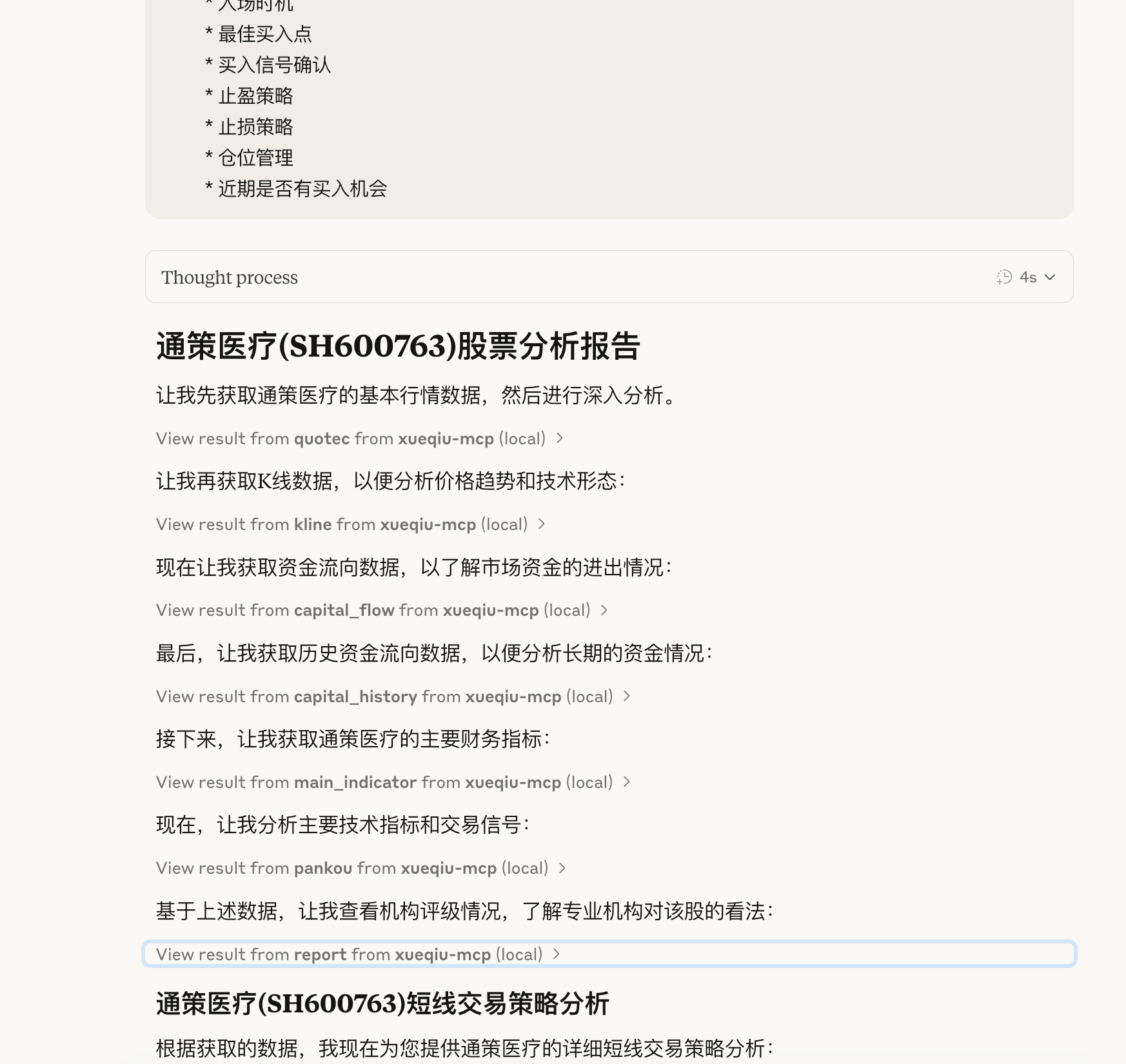
本项目基于pysnowball封装了雪球API,并通过MCP协议提供服务,使您能够在Claude等AI助手中直接查询股票数据。
安装方法
本项目使用uv进行依赖管理。请按照以下步骤进行安装:
# 克隆仓库
git clone https://github.com/liqiongyu/xueqiu_mcp.git
cd xueqiu_mcp
使用uv安装依赖
uv venv && uv pip install -e .
配置
配置雪球Token
1. 在项目根目录创建.env文件
2. 添加以下内容:
XUEQIU_TOKEN=您的雪球token
- 快捷方式:
echo 'XUEQIU_TOKEN="xq_a_token=xxxxx;u=xxxx"' > .env
关于如何获取雪球token,请参考pysnowball文档。
运行服务
使用以下命令启动MCP服务:
uv --directory /path/to/xueqiu_mcp run main.py
或者,如果您已经配置了Claude Desktop:
"xueqiu-mcp": {
  "args": [
    "--directory",
    "/path/to/xueqiu_mcp",
    "run",
    "main.py"
  ],
  "command": "uv"
}
功能特性
- 获取股票实时行情
- 查询指数收益
- 获取深港通/沪港通北向数据
- 基金相关数据查询
- 关键词搜索股票代码
展示图

致谢
- pysnowball - 雪球股票数据接口的Python版本
- fastmcp - MCP服务框架
许可证
MIT License2a:["$","div",null,{"className":"my-8 pb-8 h-full max-w-5xl mx-auto","children":["$","div",null,{"className":"grid grid-cols-1 md:grid-cols-3 gap-6","children":["$","$L31",null,{"mcp":{"id":"mcp_k6cYAus58U2F","name":"Xueqiu (Chinese Stock Market)","description":"Integrates with Xueqiu (雪球) financial platform to provide real-time Chinese stock market data, company financials, and investor sentiment analysis for comprehensive equity research and market trend tracking.","logo":"https://avatars.github
Sign in to leave a review
Use Google, GitHub, or an email account so ratings stay tied to real people.
No reviews posted yet.





