
Layered Code
About
An AI-assisted web development tool for creating, modifying, and deploying code through natural language conversations.
Details
- Author
- layered-flow
- GitHub stars
- 1
- Downloads
- 236
- Categories
- Developer Tools, Infrastructure, Other
Jump to
- Natural language to code via AI assistants
- MCP integration for local file access
- File management (list, read, write, edit, move, delete, copy)
- Vite and Next.js project scaffolding
- Package management with pnpm/npm
- Git integration for automatic deployments
- Bundled ripgrep for fast text search
Install via Homebrew (macOS/Linux), install script, or pre-built binaries. Configure the MCP server in Claude Desktop’s claude_desktop_config.json with the command pointing to the layered-code binary and args: ["mcp_server"]. Optionally set the LAYERED_APPS_DIRECTORY environment variable for a custom apps folder. Then start a conversation in Claude Desktop, describing your project in natural language.
🔍 What is Layered Code?
Layered Code transforms web development into a seamless conversation-to-deployment workflow. You chat with your preferred AI assistant through MCP-compatible tools like Claude Desktop, describing what you want to build in natural language. The AI creates and modifies your code in real-time, while modern development frameworks like Vite and Next.js provide instant hot module replacement to show changes automatically. When you're satisfied with the results, just ask the AI to commit your changes to a git repository and deploy directly to production servers — all without memorizing complex commands or navigating intricate development tools.
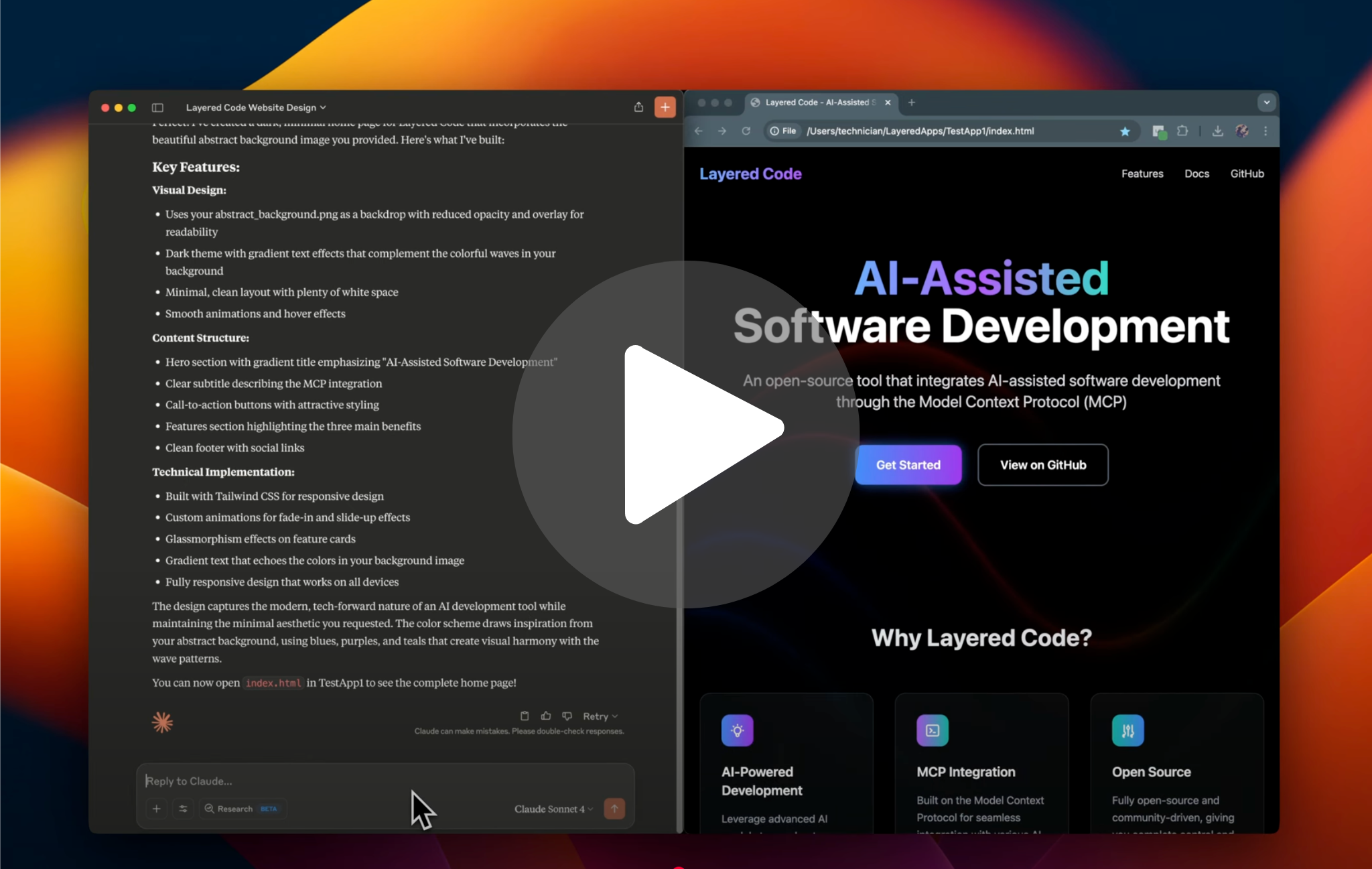
Watch a quick overview of Layered Code in action
Primary interaction method:
- 🗣️ Natural language conversations with AI assistants like Claude Desktop
- 🔌 MCP integration provides the AI with direct access to your project files on your local machine
- 🎯 Intent-driven development - describe your goals, and the AI handles the technical implementation
- 🚀 Git integration for automatic deployments - commit changes and deploy to production through conversational commands
Example conversation:
> User: "I want to create a basic web page with a dark theme to describe my new AI project called 'SmartFlow'. It should have a clean hero section with the project name, a brief description, and some key features listed below."
The AI, equipped with Layered Code's MCP tools, can:
- Create the HTML structure with semantic markup
- Generate CSS for a modern dark theme with proper contrast
- Organize project files and assets automatically
- Set up responsive design for mobile and desktop
> User: "This looks great! Can you add a contact section at the bottom and make the feature cards have a subtle hover effect?"
The AI seamlessly:
- Updates the HTML to include a contact section
- Enhances the CSS with smooth hover animations
- Your development server automatically refreshes to show the changes
> User: "Perfect! Now commit these changes and deploy to production."
The AI handles version control and deployment:
- Commits changes with a descriptive message
- Triggers your configured deployment pipeline
- Confirms successful deployment to your production server
While a CLI interface is available for direct tool access, the conversational AI experience through MCP is where Layered Code truly shines - enabling you to focus on what you want to build rather than how to build it.
Sign in to leave a review
Use Google, GitHub, or an email account so ratings stay tied to real people.
No reviews posted yet.





