
Image Dimensions
About
Retrieves image dimensions from URLs and local files with optional compression capabilities through the Tinify API for image analysis and processing tasks.
Details
- Author
- kshern
- Repository
- kshern/image-tools-mcp
- GitHub stars
- 2
- Downloads
- 307
- License
- MIT License
- Categories
- Developer Tools, File Management, Productivity, Design, AI, Media, Project Management, API, Frontend, Infrastructure
Jump to
- Retrieve image dimensions from URLs
- Get image dimensions from local files
- Compress images from URLs using TinyPNG API
- Compress local images using TinyPNG API
- Convert images to different formats (webp, jpeg/jpg, png)
- Returns width, height, type, MIME type, and compression information

Setting up with Highlight
This MCP is not yet compatible with Highlight’s one-click setup. However, you can still use it with Highlight by following these steps:
- Download and install Highlight from highlightai.com/download
- Navigate to the plugins tab and select "Add Custom Plugin"
-
Configure the plugin with the settings below
Plugin Name
Image DimensionsCommand (node, npx, python, etc.)npxArguments-
Argument 1
image-tools-mcp
Environment-
TINIFY_API_KEY
<YOUR_TINIFY_API_KEY> -
FIGMA_API_TOKEN
<YOUR_FIGMA_API_TOKEN>
Please refer to the README for specific instructions on how to obtain API keys or other required environment variables.
-
Argument 1
- Enable "Start Automatically" if you want the plugin to start when Highlight launches





From the repository
{
"mcpServers": {
"image-tools": {
"command": "npx",
"args": ["image-tools-mcp"],
"env": {
"TINIFY_API_KEY": "<YOUR_TINIFY_API_KEY>",
"FIGMA_API_TOKEN": "<YOUR_FIGMA_API_TOKEN>"
}
}
}
}
- TINIFY_API_KEY - Required for image compression functionality. Get your API key from TinyPNG
- When not provided, the compression tools (compress_image_from_url and compress_local_image) will not be registered
- FIGMA_API_TOKEN - Required for fetching image links from Figma API. Get your API token from Figma
- When not provided, the Figma tool (figma) will not be registered
get_image_size
Get dimensions of remote images. Parameters: imageUrl (string) - URL of the image to retrieve dimensions for.
get_local_image_size
Get dimensions of local images. Parameters: imagePath (string) - Absolute path to the local image file.
compress_image_from_url
Compress remote images using TinyPNG API. Parameters: imageUrl (string) - URL of the image to compress, outputFormat (optional string) - Specify output format (image/webp, image/jpeg, image/jpg, image/png).
compress_local_image
Compress local images using TinyPNG API. Parameters: imagePath (string) - Absolute path to the local image file, outputPath (optional string) - Absolute path for the compressed output image, outputFormat (optional string) - Specify output format (image/webp, image/jpeg, image/jpg, image/png).
figma
Fetch image links from Figma API and compress them using TinyPNG API. Parameters: figmaUrl (string) - URL of the Figma file to fetch image links from.
Claude Desktop / Cursor
Paste into your MCP client config file to install this server.
{
    "mcpServers": {
        "image dimensions": {
            "env": {
                "TINIFY_API_KEY": "<YOUR_TINIFY_API_KEY>",
                "FIGMA_API_TOKEN": "<YOUR_FIGMA_API_TOKEN>"
            },
            "args": [
                "image-tools-mcp"
            ],
            "command": "npx"
        }
    }
}Linux
{
"env": {
"TINIFY_API_KEY": "<YOUR_TINIFY_API_KEY>",
"FIGMA_API_TOKEN": "<YOUR_FIGMA_API_TOKEN>"
},
"args": [
"image-tools-mcp"
],
"command": "npx"
}Macos
{
"env": {
"TINIFY_API_KEY": "<YOUR_TINIFY_API_KEY>",
"FIGMA_API_TOKEN": "<YOUR_FIGMA_API_TOKEN>"
},
"args": [
"image-tools-mcp"
],
"command": "npx"
}Windows
{
"env": {
"TINIFY_API_KEY": "<YOUR_TINIFY_API_KEY>",
"FIGMA_API_TOKEN": "<YOUR_FIGMA_API_TOKEN>"
},
"args": [
"/c",
"npx",
"image-tools-mcp"
],
"command": "cmd"
}Image Tools MCP
A Model Context Protocol (MCP) service for retrieving image dimensions and compressing images, supporting both URL and local file sources.
_中文文档_
Features
- Retrieve image dimensions from URLs
- Get image dimensions from local files
- Compress images from URLs using TinyPNG API
- Compress local images using TinyPNG API
- Convert images to different formats (webp, jpeg/jpg, png)
- Returns width, height, type, MIME type, and compression information
Example Results
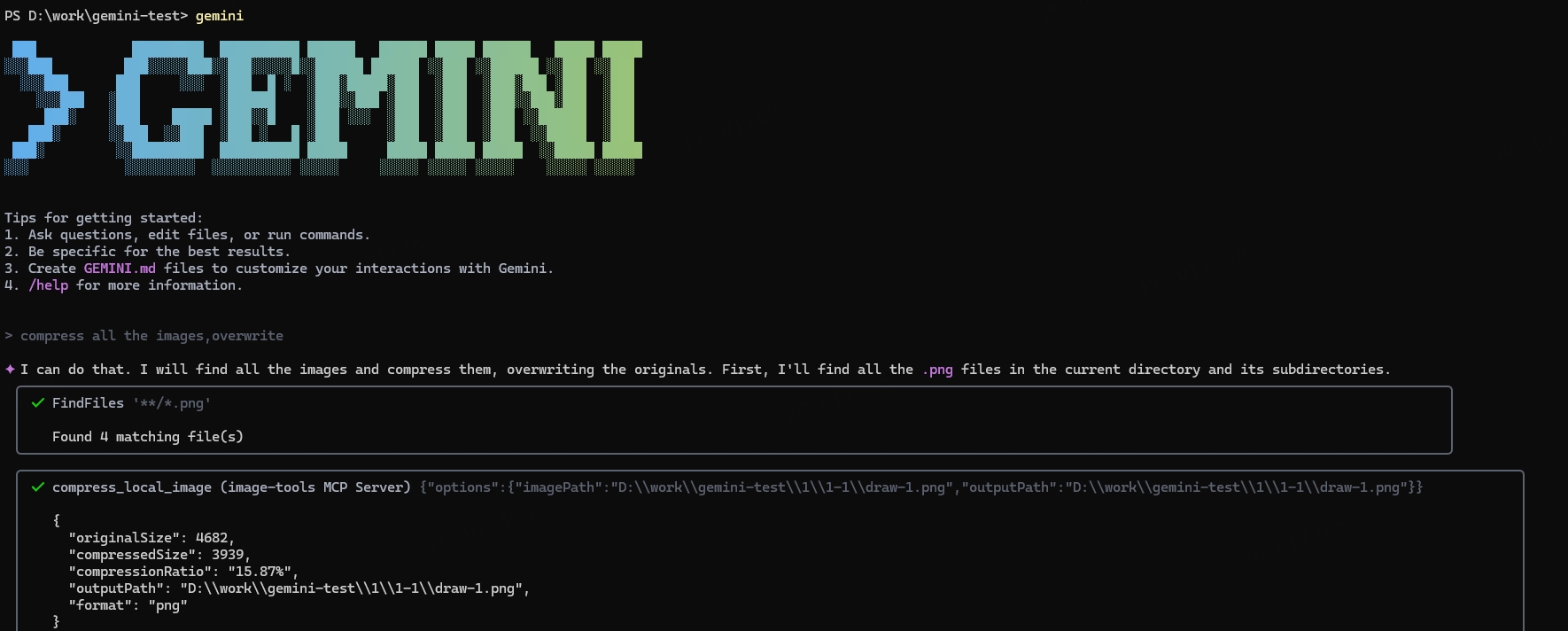
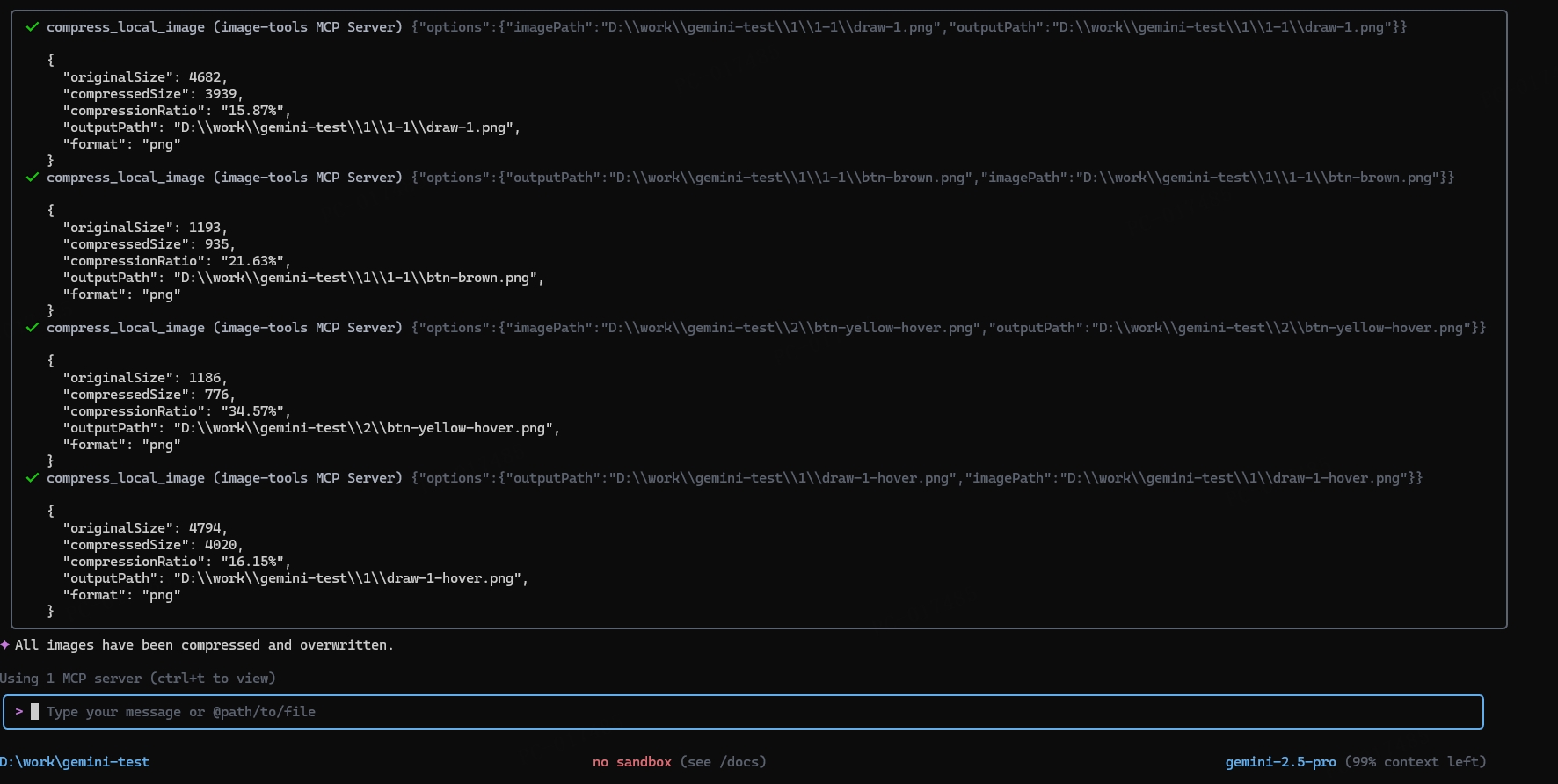
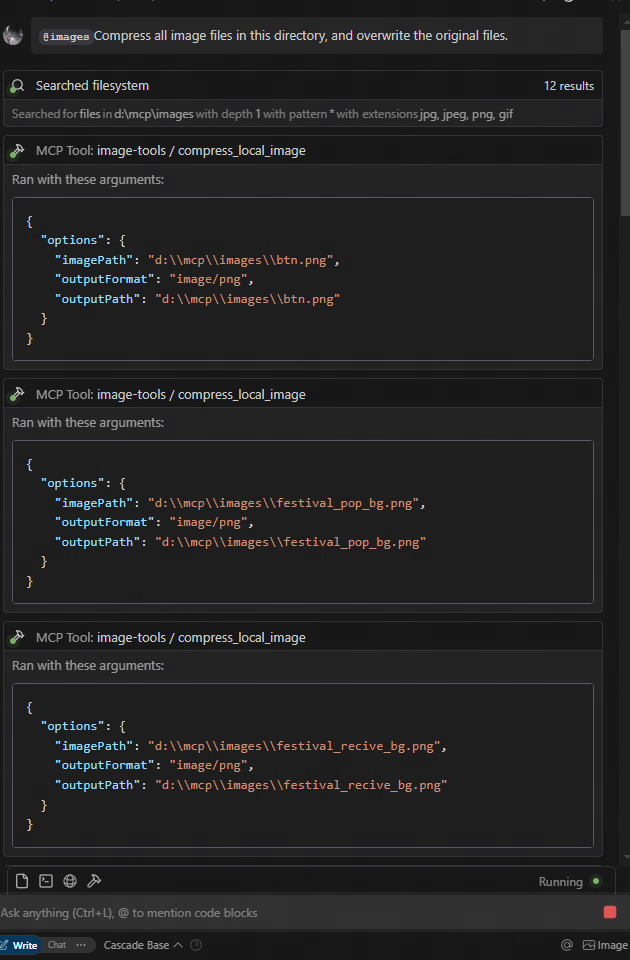
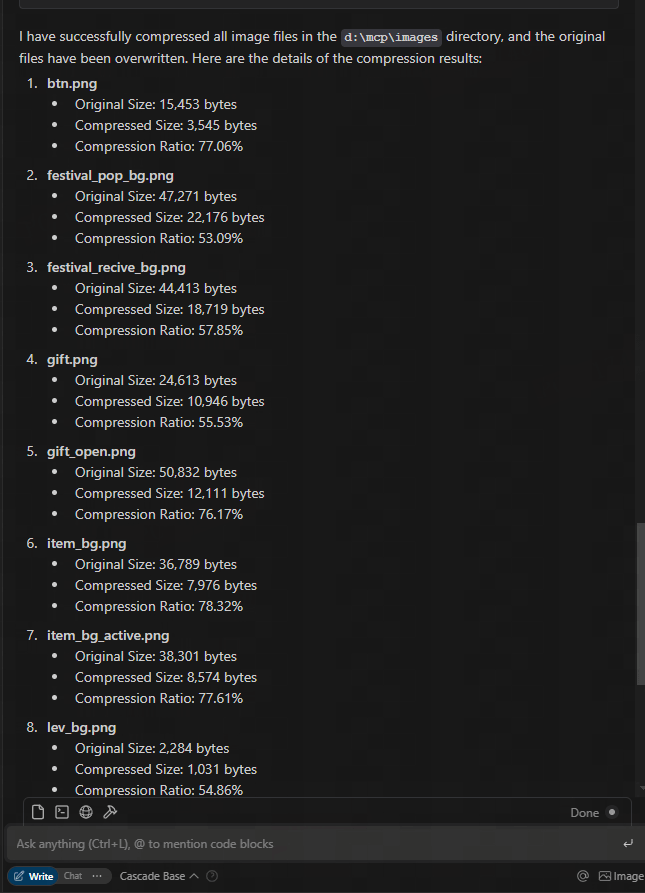
download from figma url and compress
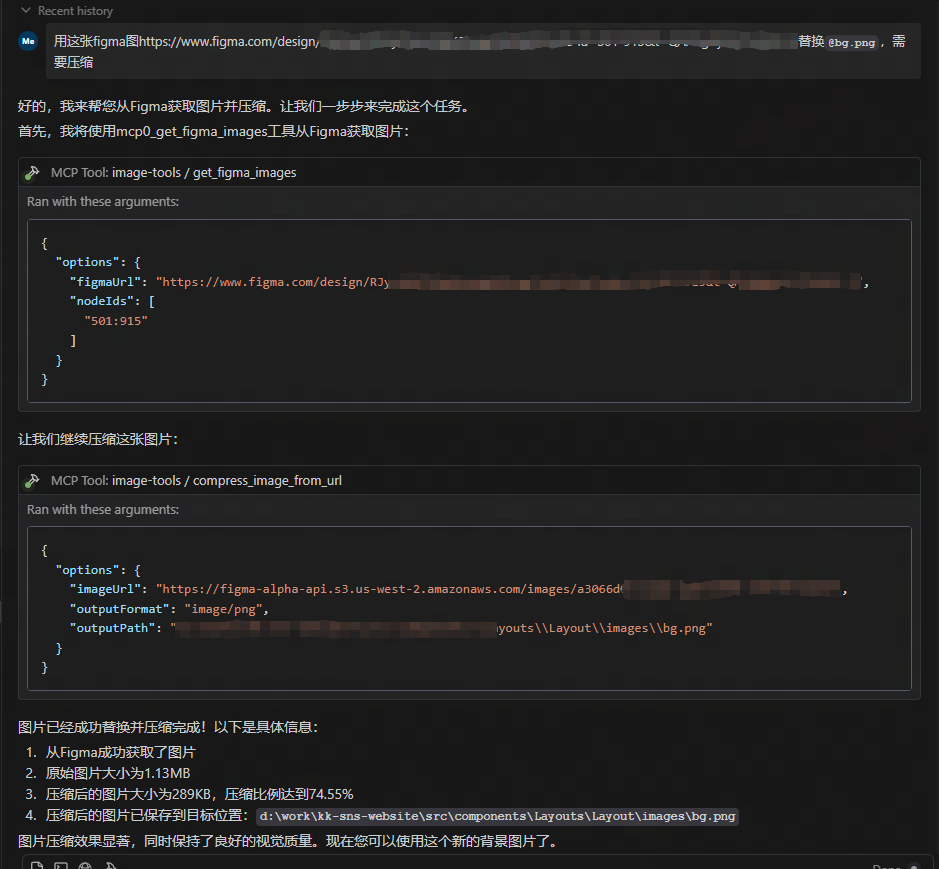
Usage
Using as an MCP Service
This service provides five tool functions:
1. get_image_size - Get dimensions of remote images
2. get_local_image_size - Get dimensions of local images
3. compress_image_from_url - Compress remote images using TinyPNG API
4. compress_local_image - Compress local images using TinyPNG API
5. figma - Fetch image links from Figma API and compress them using TinyPNG API
Client Integration
To use this MCP service, you need to connect to it from an MCP client. Here are examples of how to integrate with different clients:
Usage
{
  "mcpServers": {
    "image-tools": {
      "command": "npx",
      "args": ["image-tools-mcp"],
      "env": {
        "TINIFY_API_KEY": "<YOUR_TINIFY_API_KEY>",
        "FIGMA_API_TOKEN": "<YOUR_FIGMA_API_TOKEN>"
      }
    }
  }
}
Using with MCP Client Library
import { McpClient } from "@modelcontextprotocol/client";
// Initialize the client
const client = new McpClient({
transport: "stdio" // or other transport options
});
// Connect to the server
await client.connect();
// Get image dimensions from URL
const urlResult = await client.callTool("get_image_size", {
options: {
imageUrl: "https://example.com/image.jpg"
}
});
console.log(JSON.parse(urlResult.content[0].text));
// Output: { width: 800, height: 600, type: "jpg", mime: "image/jpeg" }
// Get image dimensions from local file
const localResult = await client.callTool("get_local_image_size", {
options: {
imagePath: "D:/path/to/image.png"
}
});
console.log(JSON.parse(localResult.content[0].text));
// Output: { width: 1024, height: 768, type: "png", mime: "image/png", path: "D:/path/to/image.png" }
// Compress image from URL
const compressUrlResult = await client.callTool("compress_image_from_url", {
options: {
imageUrl: "https://example.com/image.jpg",
outputFormat: "webp" // Optional: convert to webp, jpeg/jpg, or png
}
});
console.log(JSON.parse(compressUrlResult.content[0].text));
// Output: { originalSize: 102400, compressedSize: 51200, compressionRatio: "50.00%", tempFilePath: "/tmp/compressed_1615456789.webp", format: "webp" }
// Compress local image
const compressLocalResult = await client.callTool("compress_local_image", {
options: {
imagePath: "D:/path/to/image.png",
outputPath: "D:/path/to/compressed.webp", // Optional
outputFormat: "image/webp" // Optional: convert to image/webp, image/jpeg, or image/png
}
});
console.log(JSON.parse(compressLocalResult.content[0].text));
// Output: { originalSize: 102400, compressedSize: 51200, compressionRatio: "50.00%", outputPath: "D:/path/to/compressed.webp", format: "webp" }
// Fetch image links from Figma API
const figmaResult = await client.callTool("figma", {
options: {
figmaUrl: "https://www.figma.com/file/XXXXXXX"
}
});
console.log(JSON.parse(figmaResult.content[0].text));
// Output: { imageLinks: ["https://example.com/image1.jpg", "https://example.com/image2.jpg"] }
Tool Schemas
get_image_size
typescript
{
options: {
imageUrl: string // URL of the image to retrieve dimensions for
}
}
get_local_image_size
{
options: {
imagePath: string; // Absolute path to the local image file
}
}
compress_image_from_url
{
options: {
imageUrl: string // URL of the image to compress
outputFormat?: "image/webp" | "image/jpeg" | "image/jpg" | "image/png" // Optional output format
}
}
compress_local_image
{
options: {
imagePath: string // Absolute path to the local image file
outputPath?: string // Optional absolute path for the compressed output image
outputFormat?: "image/webp" | "image/jpeg" | "image/jpg" | "image/png" // Optional output format
}
}
figma
{
options: {
figmaUrl: string; // URL of the Figma file to fetch image links from
}
}
``
Changelog
- 2025-05-12: Updated Figma API to support additional parameters, including 2x image scaling.
Technical Implementation
This project is built on the following libraries:
- probe-image-size - For image dimension detection

- tinify - For image compression via the TinyPNG API

- figma-api - For fetching image links from Figma API
Environment Variables
-
TINIFY_API_KEY - Required for image compression functionality. Get your API key from TinyPNG
- When not provided, the compression tools (compress_image_from_url and compress_local_image) will not be registered
- FIGMA_API_TOKEN - Required for fetching image links from Figma API. Get your API token from Figma
- When not provided, the Figma tool (figma`) will not be registeredSign in to leave a review
Use Google, GitHub, or an email account so ratings stay tied to real people.
No reviews posted yet.





