
KiMCP (Korea-integrated Model Context Protocol)
About
MCP server enabling LLMs to use Korean APIs (Naver, Kakao, etc.)
Details
- Author
- zeikar
- GitHub stars
- 8
- Downloads
- 509
- Categories
- Other
Jump to

Setting up with Highlight
This MCP is not yet compatible with Highlight’s one-click setup. However, you can still use it with Highlight by following these steps:
- Download and install Highlight from highlightai.com/download
- Navigate to the plugins tab and select "Add Custom Plugin"
-
Configure the plugin with the settings below
Plugin Name
KiMCP (Korea-integrated Model Context Protocol)Command (node, npx, python, etc.)Please refer to the README for specific instructions on how to obtain API keys or other required environment variables.
- Enable "Start Automatically" if you want the plugin to start when Highlight launches





From the repository
Clone
Claude Desktop / Cursor
Paste into your MCP client config file to install this server.
{
    "mcpServers": {
        "kimcp (korea-integrated model context protocol)": {
            "kimcp": {
                "command": "uv",
                "args": [
                    "sync"
                ]
            }
        }
    }
}McpServers
{
    "kimcp": {
        "command": "uv",
        "args": [
            "sync"
        ]
    }
}
KiMCP (Korea-integrated Model Context Protocol)

<p align="center">
<a href="README.en.md">🇺🇸 English</a> |
<a href="README.md">🇰🇷 한국어</a>
</p>
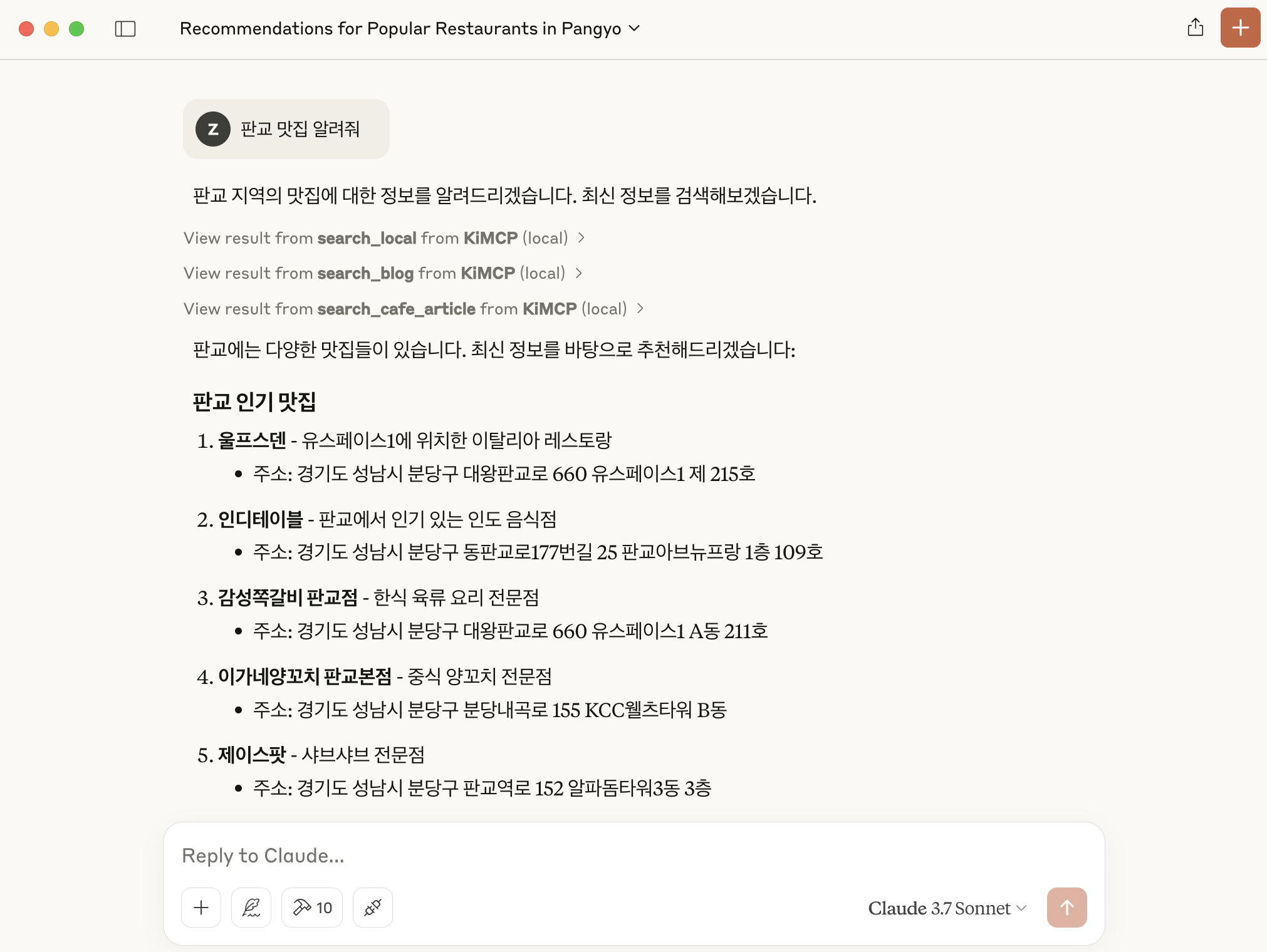
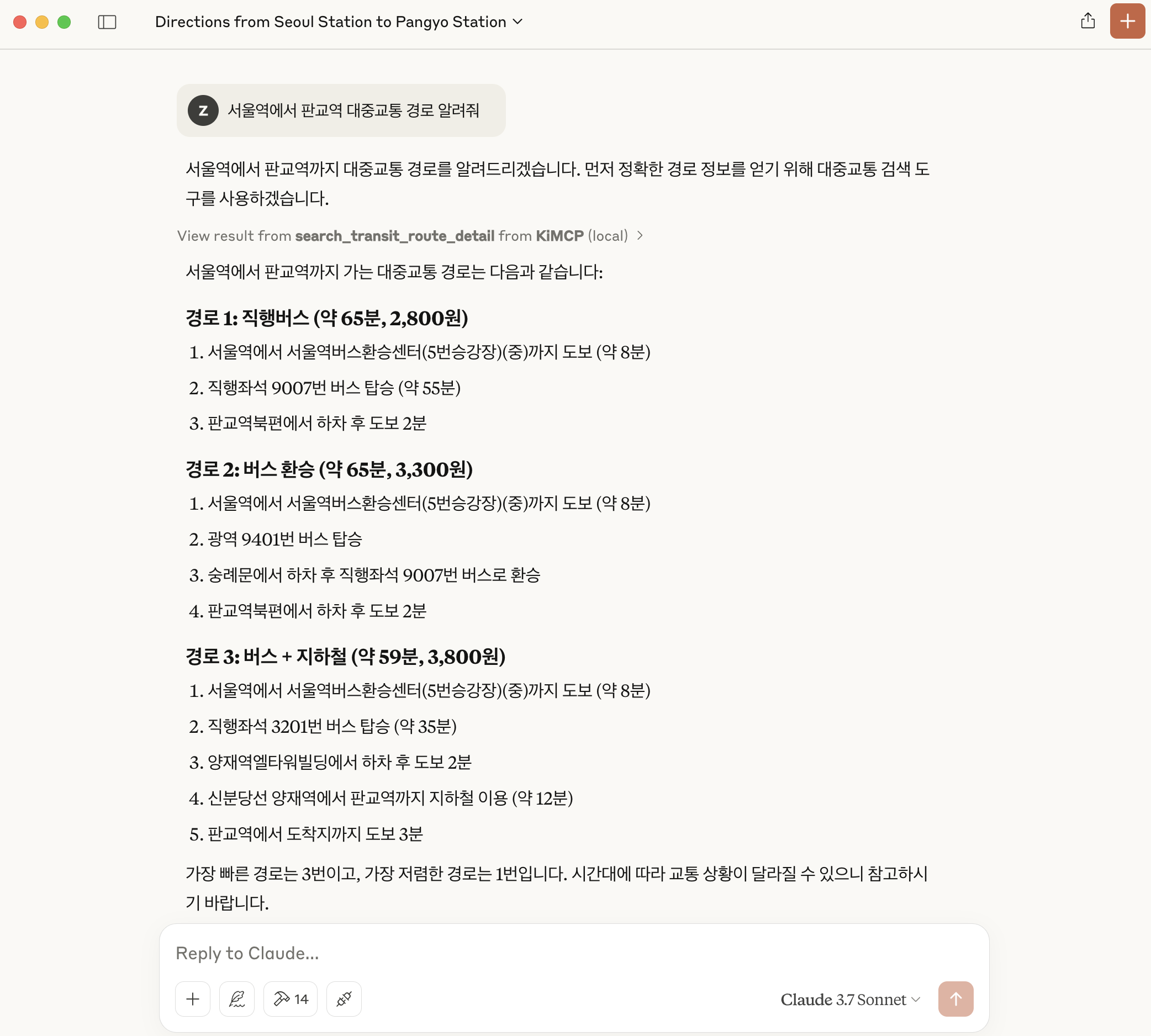
KiMCP는 Model Context Protocol (MCP)를 활용하여 네이버, 카카오, TMAP과 같은 국내 API들을 LLM 애플리케이션에서 사용할 수 있는 MCP 서버입니다.
<p align="center">
</p>
Features
- 네이버 블로그 검색: 네이버에서 블로그 콘텐츠 검색
- 네이버 뉴스 검색: 네이버에서 뉴스 기사 검색
- 네이버 카페 검색: 네이버 카페 커뮤니티에서 게시물 검색
- 네이버 지식iN 검색: 네이버 지식iN에서 Q&A 게시물 검색
- 네이버 지역 검색: 지역 업체 및 장소 정보 검색
- 네이버 이미지 검색: 네이버에서 이미지 검색
- 네이버 쇼핑 검색: 네이버 쇼핑에서 상품 검색 및 가격 비교
- 다음 블로그 검색: 다음 블로그에서 블로그 콘텐츠 검색
- 다음 카페 검색: 다음 카페에서 게시물 검색
- 카카오맵 검색: 카카오맵에서 장소 및 업체 정보 검색
- 자동차 길찾기: 카카오맵을 사용하여 자동차 길찾기 정보 제공
- 대중교통 길찾기: TMAP을 사용하여 대중교통 길찾기 정보 제공
현재 개발 중...
Prerequisites
- Claude Desktop
- uv (Python 패키지 관리자)
- 네이버 API Key
- 카카오 API Key
- SK Open API Key
Installation
1. 저장소 복제
   git clone https://github.com/zeikar/kimcp
   cd kimcp
2. Python 의존성 설치
uv sync
3. 환경 변수 설정
프로젝트 루트에 제공된 .env.example 파일을 참고하여 .env 파일을 생성하세요:
   # .env.example 파일을 .env로 복사
   cp .env.example .env
# 생성된 .env 파일 편집

   vi .env   # 또는 원하는 텍스트 에디터 사용
.env 파일에 다음과 같이 API 키를 입력하세요:
   NAVER_CLIENT_ID=your_naver_client_id
   NAVER_CLIENT_SECRET=your_naver_client_secret
   KAKAO_REST_API_KEY=your_kakao_rest_api_key
   SK_APP_KEY=your_sk_app_key
> 참고:
>
> - 네이버 API 키는 네이버 개발자 센터에서 발급 받을 수 있습니다.
> - 카카오 API 키는 카카오 Developers에서 발급 받을 수 있습니다.
> - TMAP (SK Open API) 키는 SK Open API에서 발급 받을 수 있습니다.
> - 필요한 API만 사용하는 경우, 해당 API 키만 설정해도 됩니다.
> - API 키를 입력하지 않으면 해당 MCP 도구가 자동으로 비활성화됩니다. 예를 들어, 네이버 API 키만 입력하고 카카오 API 키를 입력하지 않으면 네이버 관련 도구만 사용 가능합니다.
4. Claude Desktop에 설치
uv run mcp install main.py -f .env
5. 변경 사항을 적용하려면 Claude Desktop 재시작
Development
테스트 및 개발을 위한 MCP inspector 실행:
uv run mcp dev main.py
Roadmap
- ✅ 네이버 API 통합
- ✅ 카카오 API 통합
- ✅ SK Open API 통합
- ⬜ 기상청(KMA) 통합
- 기타 등등
License
이 프로젝트는 MIT 라이센스를 따릅니다. 자세한 내용은 LICENSE 파일을 참조하세요.
Acknowledgements
- py-mcp-naver
- MCP
- MCP Python SDK
- 네이버 개발자 센터
- 카카오 Developers
- TMAP
- Claude Desktop
Sign in to leave a review
Use Google, GitHub, or an email account so ratings stay tied to real people.
No reviews posted yet.





