

🚀 ⚡️ k6-mcp-server
About
k6-mcp-server is a Model Context Protocol (MCP) server implementation for running k6 load tests. It allows users to execute performance tests via natural language prompts from an MCP‑compatible client.
Details
- Author
- QAInsights
- GitHub stars
- 25
- Downloads
- 321
- Categories
- Other
Jump to
- Simple integration with the Model Context Protocol framework
- Support for custom test durations and virtual users (VUs)
- Easy-to-use API for running k6 load tests
- Configurable through environment variables
- Real-time test execution output

Setting up with Highlight
This MCP is not yet compatible with Highlight’s one-click setup. However, you can still use it with Highlight by following these steps:
- Download and install Highlight from highlightai.com/download
- Navigate to the plugins tab and select "Add Custom Plugin"
-
Configure the plugin with the settings below
Plugin Name
🚀 ⚡️ k6-mcp-serverCommand (node, npx, python, etc.)Please refer to the README for specific instructions on how to obtain API keys or other required environment variables.
- Enable "Start Automatically" if you want the plugin to start when Highlight launches





From the repository
Install Python 3.12+, the k6 load testing tool, and the uv package manager. Clone the repository and run uv pip install -r requirements.txt. Optionally set the K6_BIN environment variable. Configure the server in your MCP client (e.g., Claude Desktop, Cursor) with the command /path/to/bin/uv run k6_server.py. Then ask the LLM to run a test; the server uses the execute_k6_test tool (default: 30s duration, 10 VUs) or execute_k6_test_with_options for custom duration and VUs.
Claude Desktop / Cursor
Paste into your MCP client config file to install this server.
{
    "mcpServers": {
        "\ud83d\ude80 \u26a1\ufe0f k6-mcp-server": {
            "k6-mcp-server": {
                "command": "uv",
                "args": [
                    "pip",
                    "install",
                    "-r",
                    "requirements.txt"
                ]
            }
        }
    }
}McpServers
{
    "k6-mcp-server": {
        "command": "uv",
        "args": [
            "pip",
            "install",
            "-r",
            "requirements.txt"
        ]
    }
}
🚀 ⚡️ k6-mcp-server
A Model Context Protocol (MCP) server implementation for running k6 load tests.
✨ Features
- Simple integration with Model Context Protocol framework
- Support for custom test durations and virtual users (VUs)
- Easy-to-use API for running k6 load tests
- Configurable through environment variables
- Real-time test execution output
🔧 Prerequisites
Before you begin, ensure you have the following installed:
- Python 3.12 or higher
- k6 load testing tool (Installation guide)
- uv package manager (Installation guide)
📦 Installation
1. Clone the repository:
git clone https://github.com/qainsights/k6-mcp-server.git
2. Install the required dependencies:
uv pip install -r requirements.txt
3. Set up environment variables (optional):
Create a .env file in the project root:
K6_BIN=/path/to/k6 # Optional: defaults to 'k6' in system PATH
🚀 Getting Started
1. Create a k6 test script (e.g., test.js):
import http from "k6/http";
import { sleep } from "k6";
export default function () {

  http.get("http://test.k6.io");

  sleep(1);

}
2. Configure the MCP server using the below specs in your favorite MCP client (Claude Desktop, Cursor, Windsurf and more):
{
  "mcpServers": {
    "k6": {
      "command": "/path/to/bin/uv",
      "args": [
        "--directory",
        "/path/to/k6-mcp-server",
        "run",
        "k6_server.py"
      ]
    }
  }
}
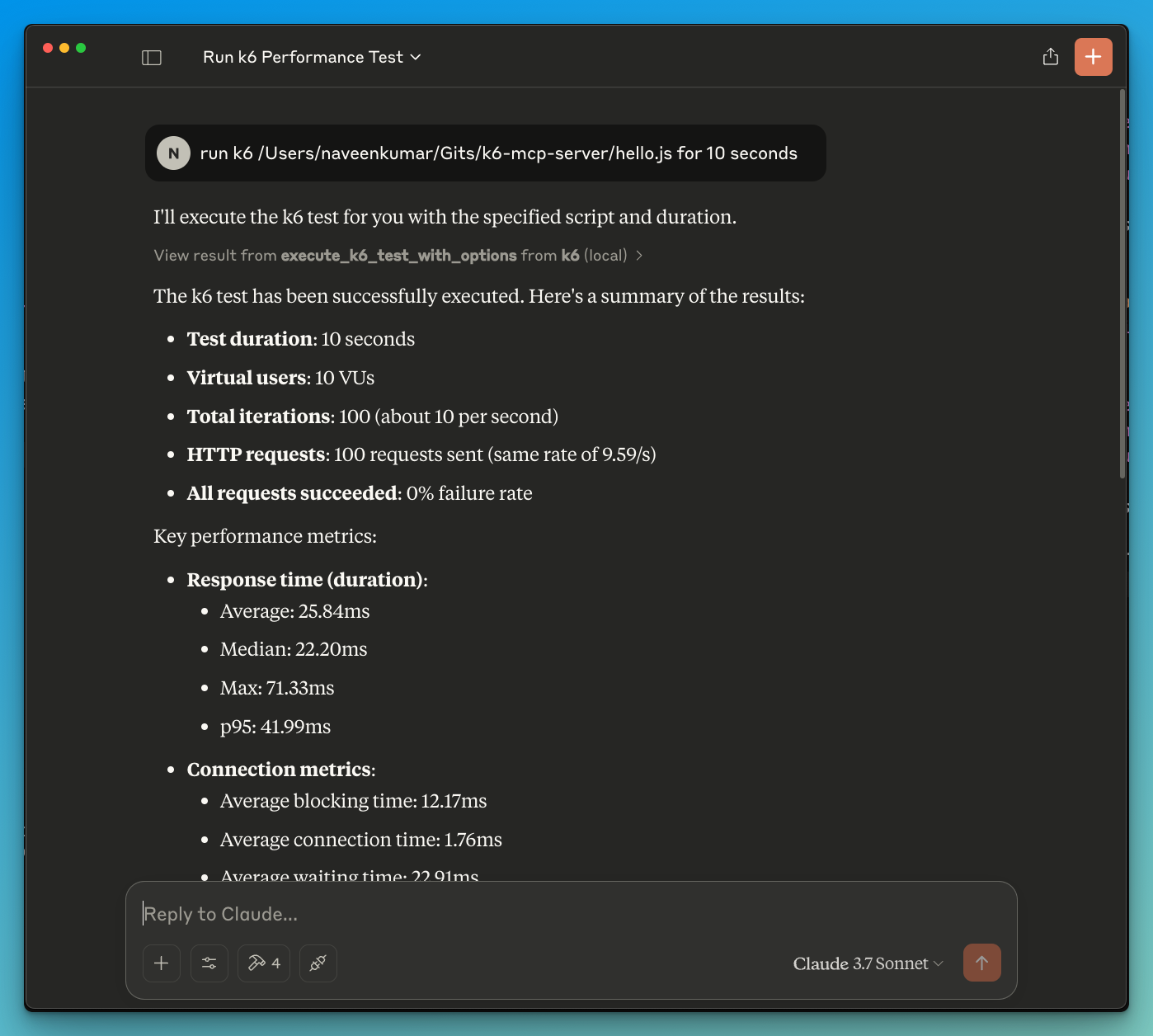
3. Now ask the LLM to run the test e.g.
run k6 test for hello.js. The k6 mcp server will leverage either one of the below tools to start the test.
- execute_k6_test: Run a test with default options (30s duration, 10 VUs)
- execute_k6_test_with_options: Run a test with custom duration and VUs
📝 API Reference
Execute K6 Test
execute_k6_test(
    script_file: str,
    duration: str = "30s",  # Optional
    vus: int = 10          # Optional
)
Execute K6 Test with Custom Options
execute_k6_test_with_options(
    script_file: str,
    duration: str,
    vus: int
)
✨ Use cases
- LLM powered results analysis
- Effective debugging of load tests
🤝 Contributing
Contributions are welcome! Please feel free to submit a Pull Request.
📄 License
This project is licensed under the MIT License - see the LICENSE file for details.
Sign in to leave a review
Use Google, GitHub, or an email account so ratings stay tied to real people.
No reviews posted yet.





