
IOD App
About
IOD App is a desktop application that enables one-click installation of MCP servers directly into your Claude Desktop Application.
Details
- Author
- iodmcp
- GitHub stars
- 7
- Downloads
- 304
- Categories
- Other
Jump to
- One-click install of MCP servers into Claude Desktop.
- Search for MCP servers via the IOD website.
- Provides configuration forms with default values.
- Auto-installs servers and restarts Claude Desktop.
- Shows a success notification upon completion.
First, install the Claude Desktop Application and the IOD Application. Then open the IOD App, click the "go to website" button, search for the desired MCP server on the IOD website, click "Install", fill in any required configuration, and finally click "Auto-Install". The IOD App will install the server and restart Claude Desktop.
IOD App
IOD App is a desktop application enabling one-click install of MCP servers in your Claude Desktop Application.
Usage
Prerequisites
1. Install the Claude Desktop Application from here.
2. Install the IOD Application from here.
Instructions
1. Open the IOD App and click on the "go to website" button.

this will open the IOD website in another window.
2. In the IOD website window search for the MCP server you are interested in.
3. Click on the "Install" button next to it.

Some servers requires some configuration to be provided. A form will be displayed for you to complete any missing information.
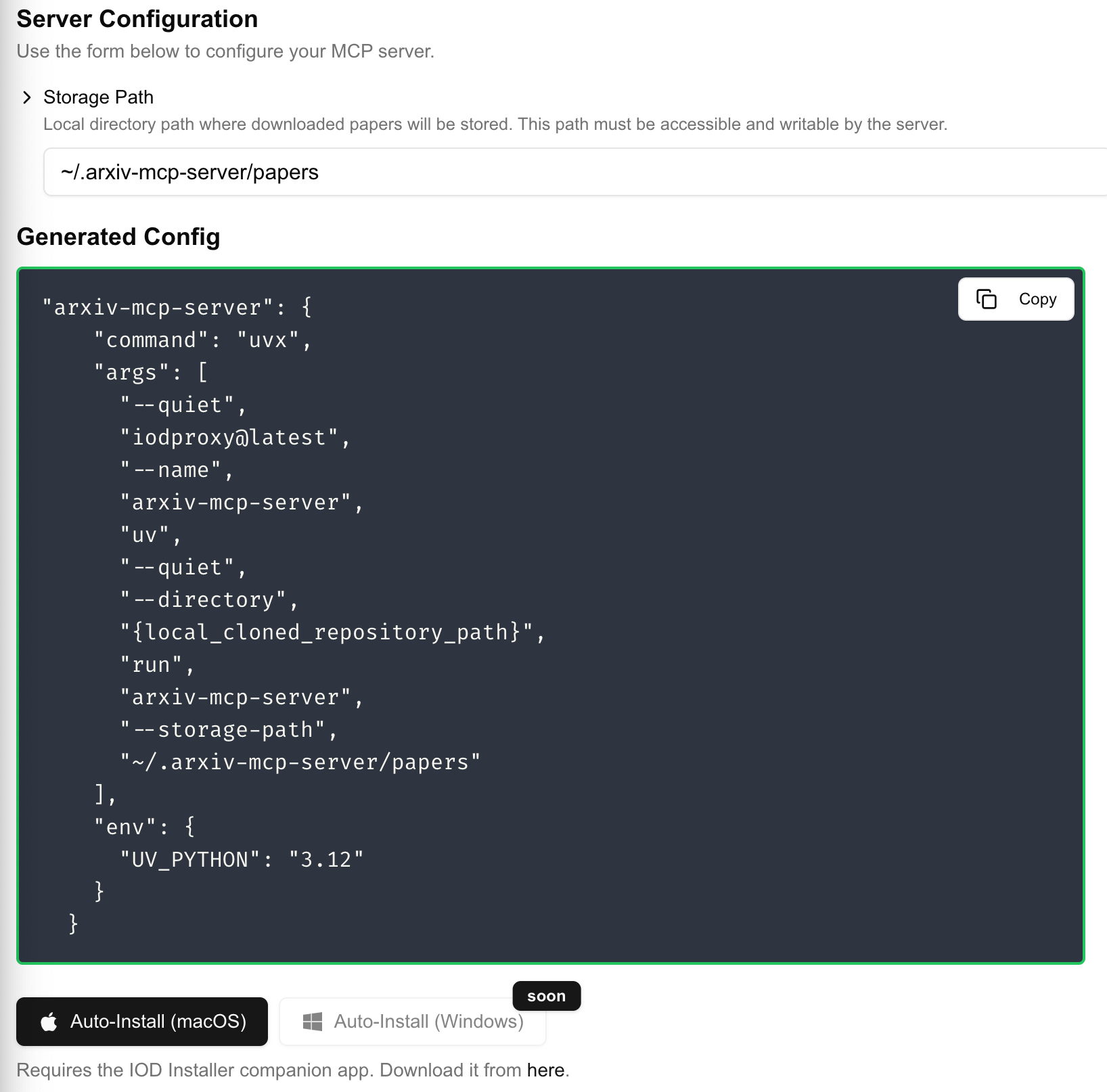
In that instance for the arxiv mcp server a storage path to a folder is required. Note that a default value is provided and works in most cases.
4. Finally click on the 'Auto-Install' button at the bottom of the form. This will trigger the iod application to install the MCP server for you in your Claude Desktop Application.
Once the server is installed by iod, the application should show a success notification. The Claude Desktop App will restart to complete the installation.
Contributions
We welcome contributions to this project. Please feel free to open a PR or an issue if you have any suggestions or improvements.
Sign in to leave a review
Use Google, GitHub, or an email account so ratings stay tied to real people.
No reviews posted yet.





