
HR Policy Chatbot
About
Enables HR departments to provide workplace policy information through a RAG-based chatbot that indexes, retrieves, and generates answers from PDF documentation with email sending capabilities.
Details
- Author
- imvirtue
- Repository
- ImVirtue/RagChatbot_MCPServer
- GitHub stars
- 4
- Categories
- Developer Tools, Design, Workplace, File Management, AI, Community, Search, Knowledge Base, Frontend, Infrastructure
Jump to
- MCP Tool Integration:
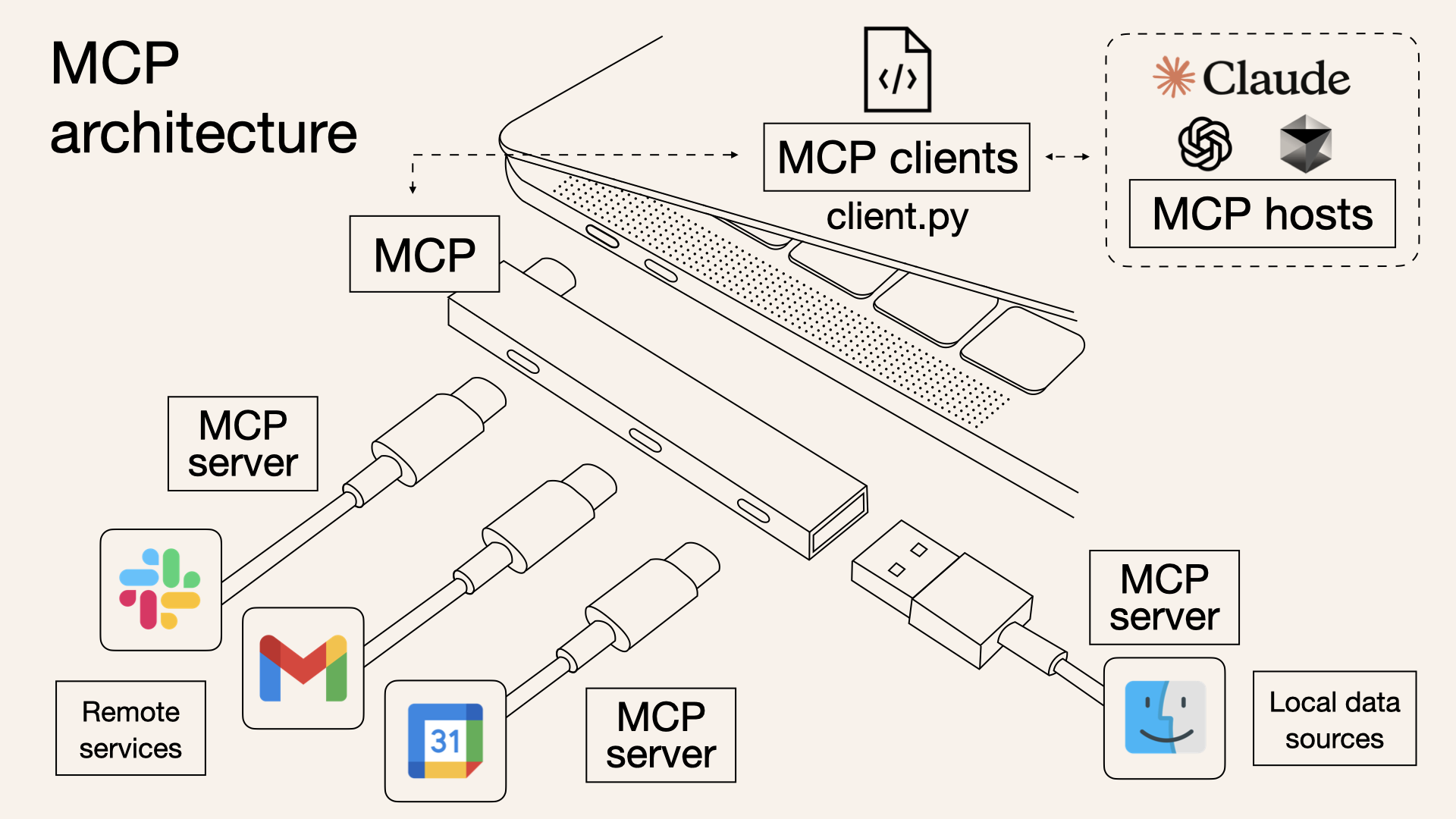
Tool orchestration with MCP ensures smooth communication between document indexing, retrieval, and answer generation. The backend tools can be extended or replaced easily as new functionalities are added.
- PDF Upload and Parsing:
Upload a PDF file which is then parsed using PDFPlumberLoader to extract text content.
- Text Chunking:
The extracted text is split into smaller chunks using RecursiveCharacterTextSplitter to facilitate efficient indexing and retrieval.
- Document Indexing:
Chunks are indexed in an in-memory vector store with embeddings generated via OpenAIEmbeddings.
- Similarity Search (Consine Similarity):
When a user submits a query, the chatbot performs a similarity search to retrieve the most relevant document chunks based on the query.
- Prompt-Based Answer Generation:
A custom prompt template combines the user question with retrieved context, and a GPT-4 powered LLM (using ChatOpenAI) generates the final answer.
- Interactive Interface:
The application uses Streamlit to provide an interactive, chat-like interface where user questions and bot responses are displayed.

Setting up with Highlight
This MCP is not yet compatible with Highlight’s one-click setup. However, you can still use it with Highlight by following these steps:
- Download and install Highlight from highlightai.com/download
- Navigate to the plugins tab and select "Add Custom Plugin"
-
Configure the plugin with the settings below
Plugin Name
HR Policy ChatbotCommand (node, npx, python, etc.)npxArguments-
Argument 1
-y -
Argument 2
@highlight/mcp-server
Please refer to the README for specific instructions on how to obtain API keys or other required environment variables.
-
Argument 1
- Enable "Start Automatically" if you want the plugin to start when Highlight launches





Claude Desktop / Cursor
Paste into your MCP client config file to install this server.
{
    "mcpServers": {
        "hr policy chatbot": {
            "env": {},
            "args": [
                "-y",
                "@highlight/mcp-server"
            ],
            "command": "npx"
        }
    }
}Linux
{
    "env": [],
    "args": [
        "-y",
        "@highlight/mcp-server"
    ],
    "command": "npx"
}
Macos
{
    "env": [],
    "args": [
        "-y",
        "@highlight/mcp-server"
    ],
    "command": "npx"
}
Windows
{
    "env": [],
    "args": [
        "/c",
        "npx",
        "-y",
        "@highlight/mcp-server"
    ],
    "command": "cmd"
}
Rag chatbot with a localhost MCP server
Building a RAG-based HR chatbot for providing rules in the workplace with the localhost MCP server as a function-calling hub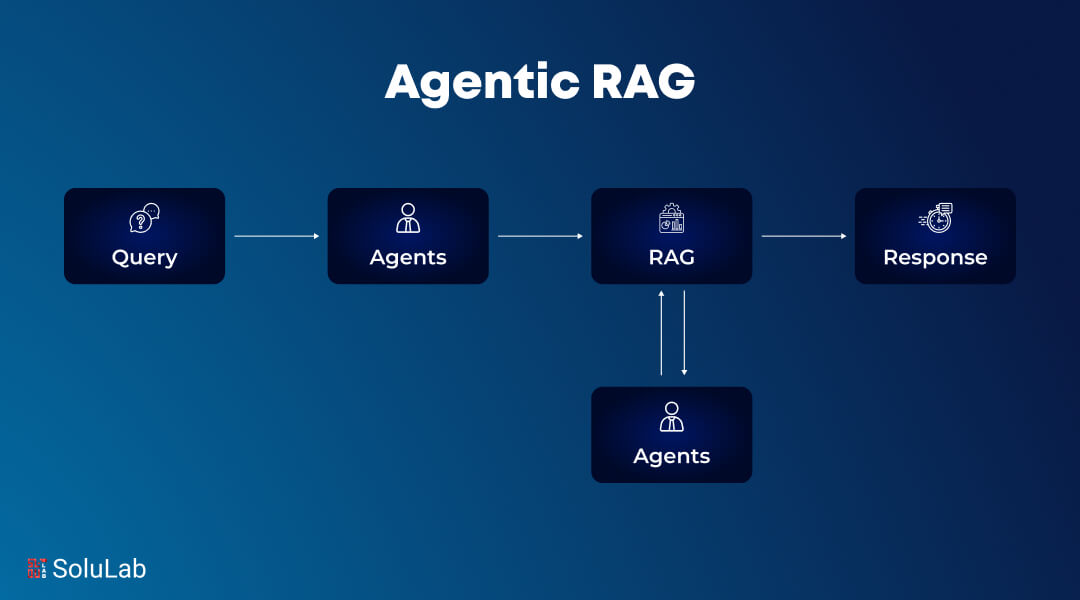
Overview
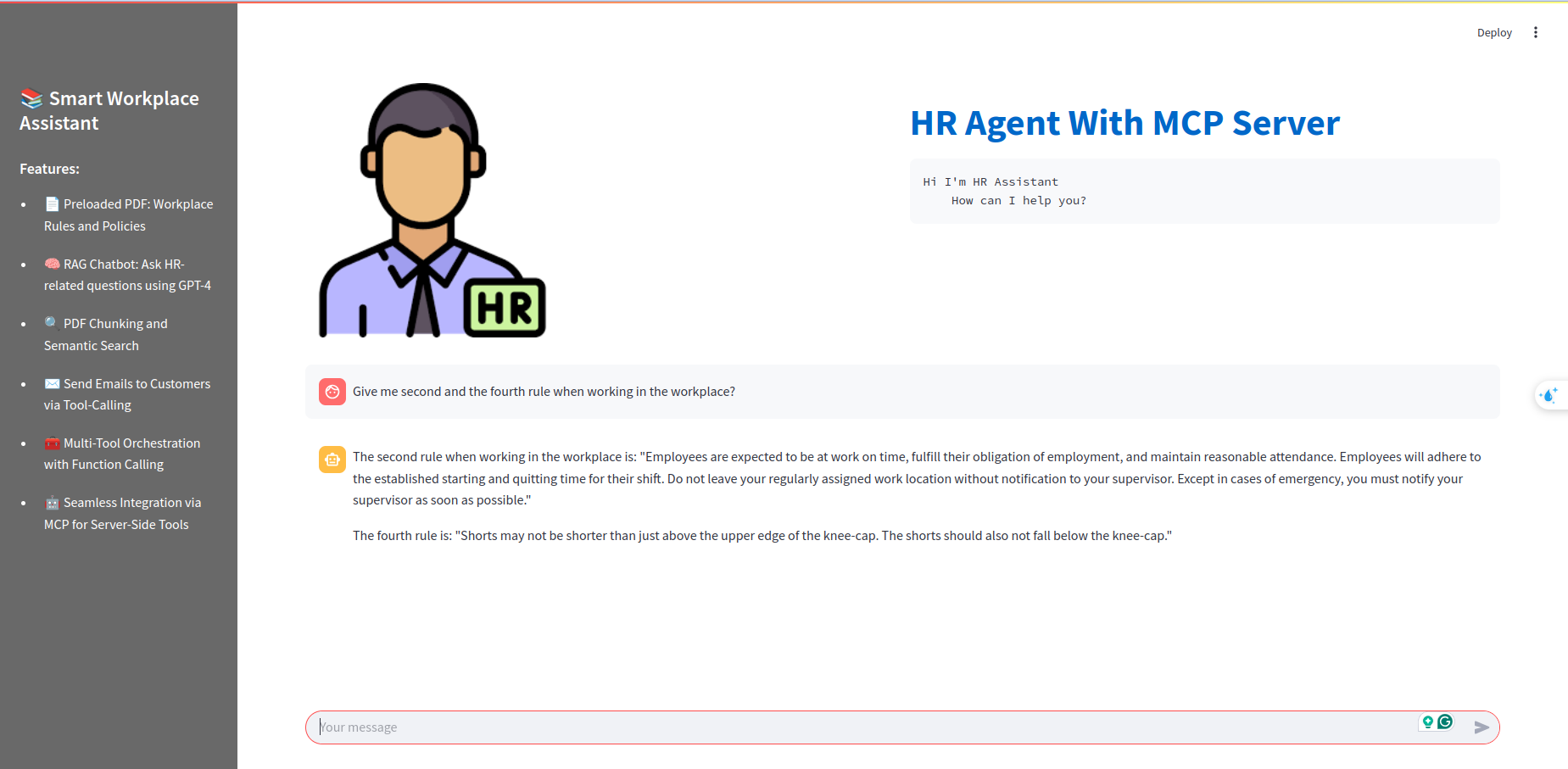
This project implements a Retrieval-Augmented Generation (RAG) chatbot using Streamlit and the MCP server. Users can upload PDF files, and the chatbot retrieves relevant information from the PDFs to answer natural language questions. The system leverages OpenAI models, LangChain utilities, and an in-memory vector store for efficient document retrieval.Features
- MCP Tool Integration: Tool orchestration with MCP ensures smooth communication between document indexing, retrieval, and answer generation. The backend tools can be extended or replaced easily as new functionalities are added. - PDF Upload and Parsing: Upload a PDF file which is then parsed usingPDFPlumberLoader to extract text content.
- Text Chunking:
The extracted text is split into smaller chunks using RecursiveCharacterTextSplitter to facilitate efficient indexing and retrieval.
- Document Indexing:
Chunks are indexed in an in-memory vector store with embeddings generated via OpenAIEmbeddings.
- Similarity Search (Consine Similarity):
When a user submits a query, the chatbot performs a similarity search to retrieve the most relevant document chunks based on the query.
- Prompt-Based Answer Generation:
A custom prompt template combines the user question with retrieved context, and a GPT-4 powered LLM (using ChatOpenAI) generates the final answer.
- Interactive Interface:
The application uses Streamlit to provide an interactive, chat-like interface where user questions and bot responses are displayed.
Result
Sign in to leave a review
Use Google, GitHub, or an email account so ratings stay tied to real people.
No reviews posted yet.





