
Dify Workflow
About
Transforms Dify workflow applications into function-enabled endpoints, allowing AI tools to interact with custom functions through a simple setup process that bridges Dify's capabilities with external systems.
Details
- Author
- hjlarry
- Repository
- hjlarry/dify-plugin-mcp_server
- GitHub stars
- 15
- Downloads
- 238
- Categories
- Productivity, Design, AI, Infrastructure, Frontend, Developer Tools
- Tags
- #integration
Jump to
- Converts a Dify app into an MCP server.
- Supports Streamable HTTP and legacy SSE protocols.
- Customizable input schema via JSON endpoint settings.
- Optional Bearer token authentication.
- Responds to MCP ping method for health checks.

Setting up with Highlight
This MCP is not yet compatible with Highlight’s one-click setup. However, you can still use it with Highlight by following these steps:
- Download and install Highlight from highlightai.com/download
- Navigate to the plugins tab and select "Add Custom Plugin"
-
Configure the plugin with the settings below
Plugin Name
Dify WorkflowCommand (node, npx, python, etc.)npxArguments-
Argument 1
-y -
Argument 2
@highlight/mcp-server
Please refer to the README for specific instructions on how to obtain API keys or other required environment variables.
-
Argument 1
- Enable "Start Automatically" if you want the plugin to start when Highlight launches





From the repository
Create a simple workflow app in Dify, add an endpoint selecting this app, define the input schema (include a query field for chat apps), then copy the endpoint URL to an MCP client. Optionally set an Auth Bearer Token for security.
Claude Desktop / Cursor
Paste into your MCP client config file to install this server.
{
    "mcpServers": {
        "dify workflow": {
            "env": {},
            "args": [
                "-y",
                "@highlight/mcp-server"
            ],
            "command": "npx"
        }
    }
}Linux
{
    "env": [],
    "args": [
        "-y",
        "@highlight/mcp-server"
    ],
    "command": "npx"
}
Macos
{
    "env": [],
    "args": [
        "-y",
        "@highlight/mcp-server"
    ],
    "command": "npx"
}
Windows
{
    "env": [],
    "args": [
        "/c",
        "npx",
        "-y",
        "@highlight/mcp-server"
    ],
    "command": "cmd"
}
MCP Server
Author: hjlarry
Version: 0.0.4
Type: extension
Repo: https://github.com/hjlarry/dify-plugin-mcp_server
Feature Request: issues
A Dify endpoint plugin that change a dify app to a mcp server.
To keep your data secure, use this plugin exclusively within your private network.
Get Started
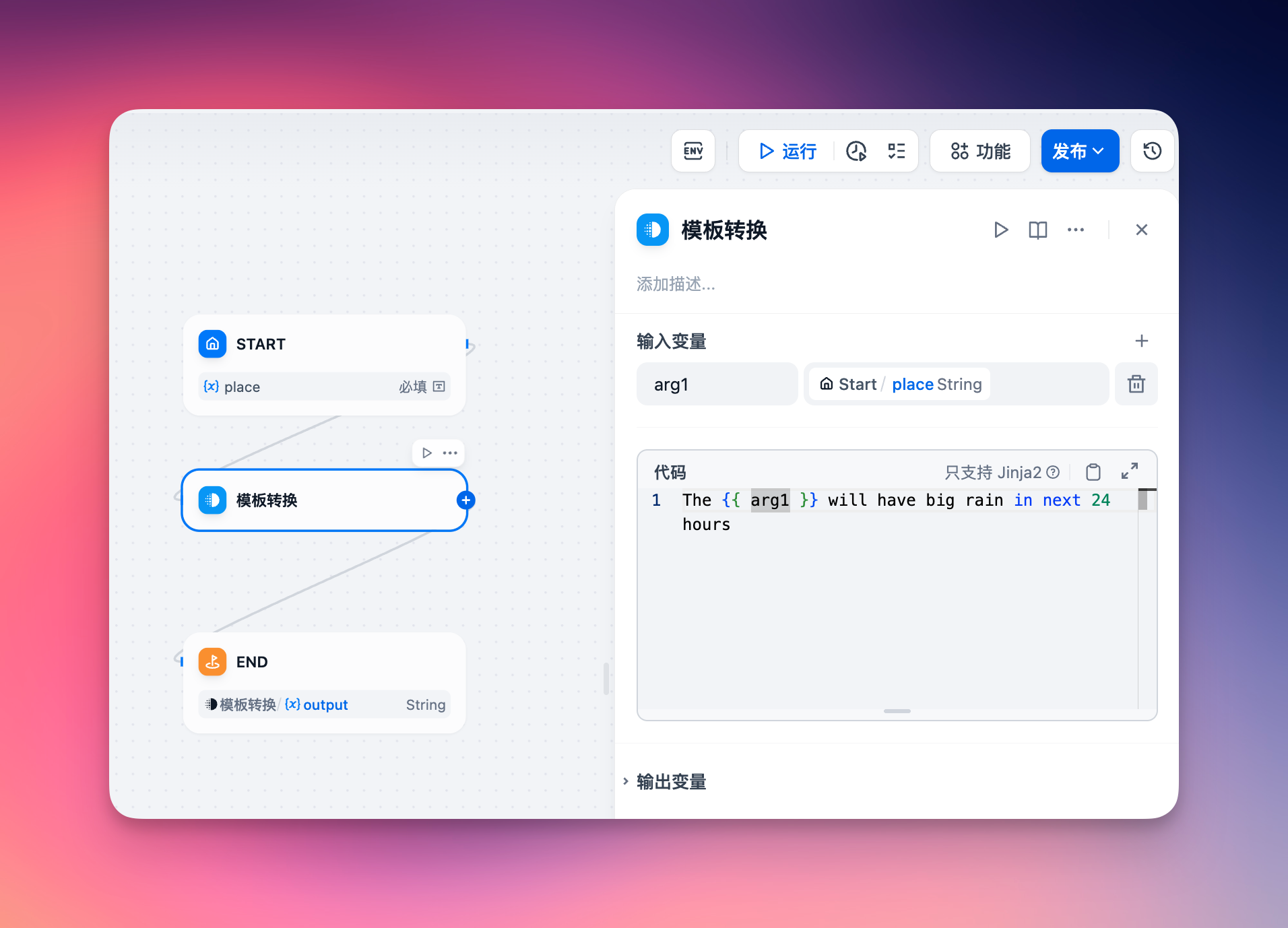
1. create a simple workflow app in dify.
2. add a endpoint and select this app.
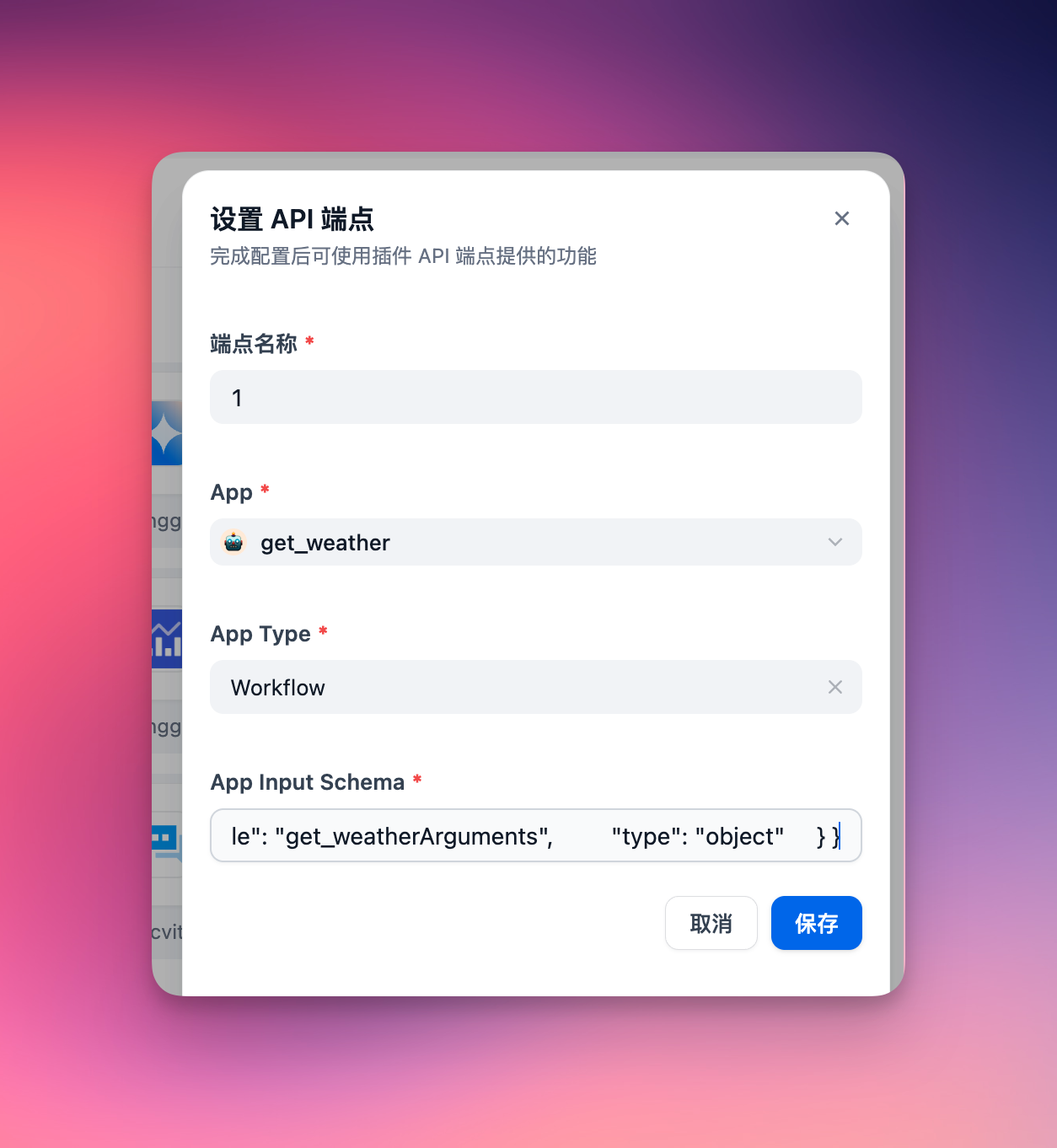
The app's input schema must define its input parameters. For a chat dify app, ensure to include a query field in the input schema, formatted as follows:
{

    "name": "get_weather",

    "description": "Get weather status for a place.",

    "inputSchema": {

        "properties": {

            "place": {"title": "Place", "type": "string"}

        },

        "required": ["place"],

        "title": "get_weatherArguments",

        "type": "object"

    }

}
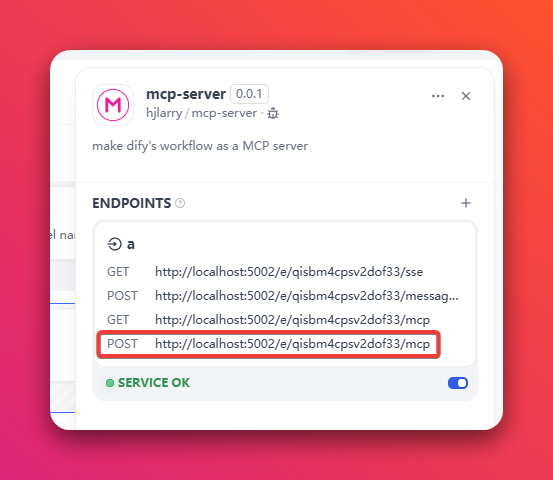
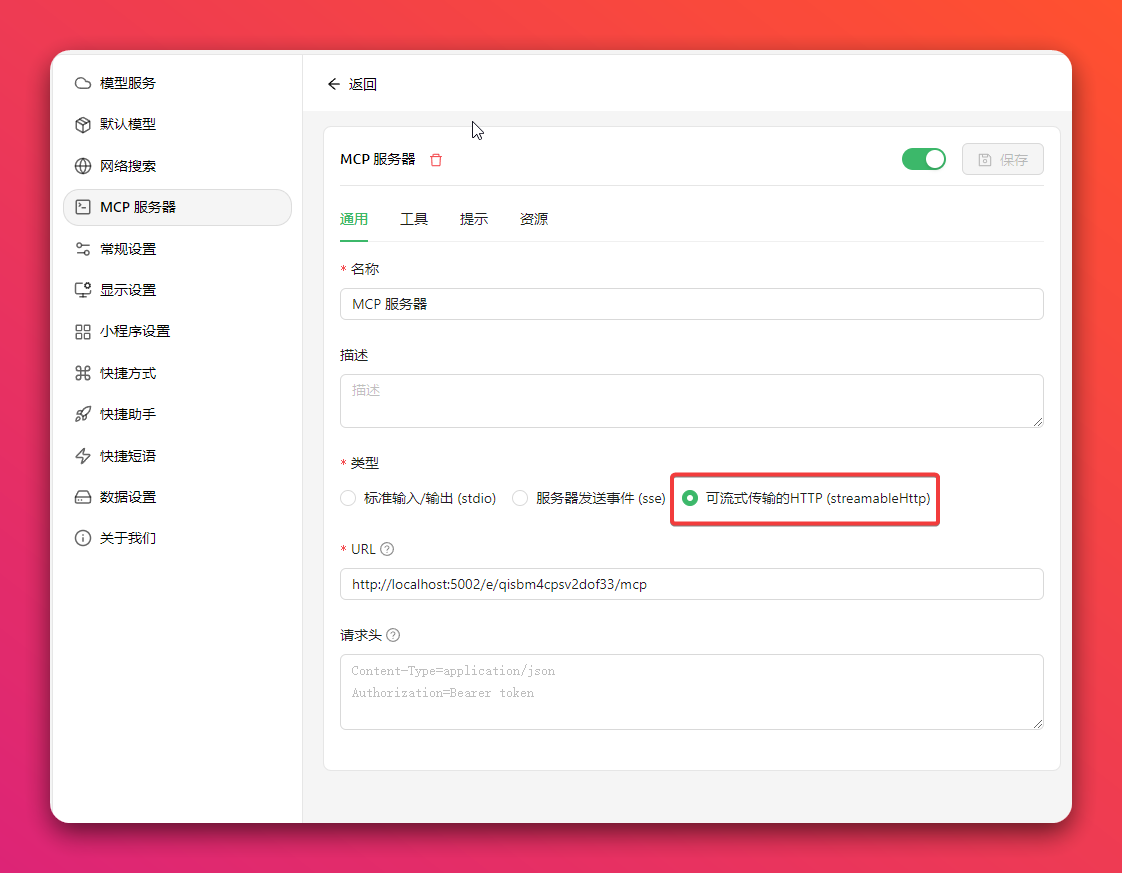
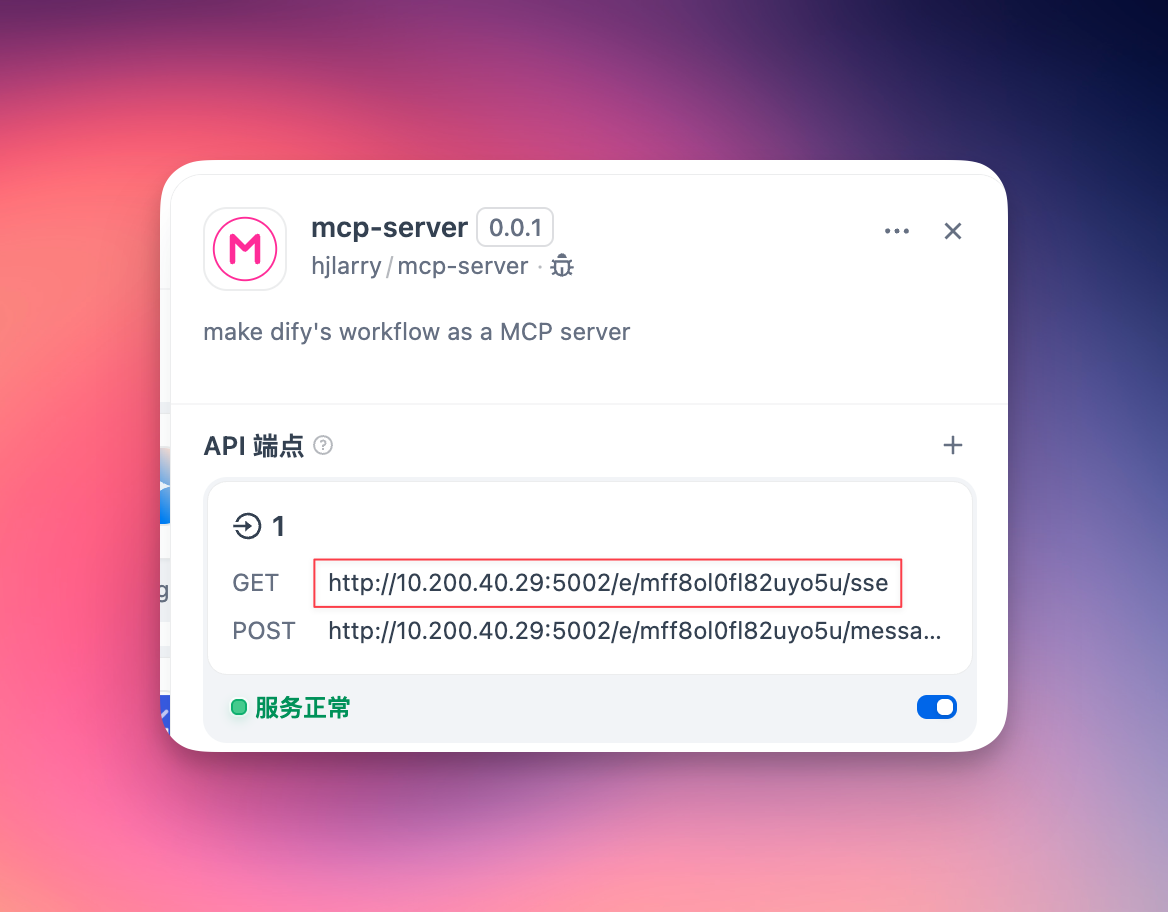
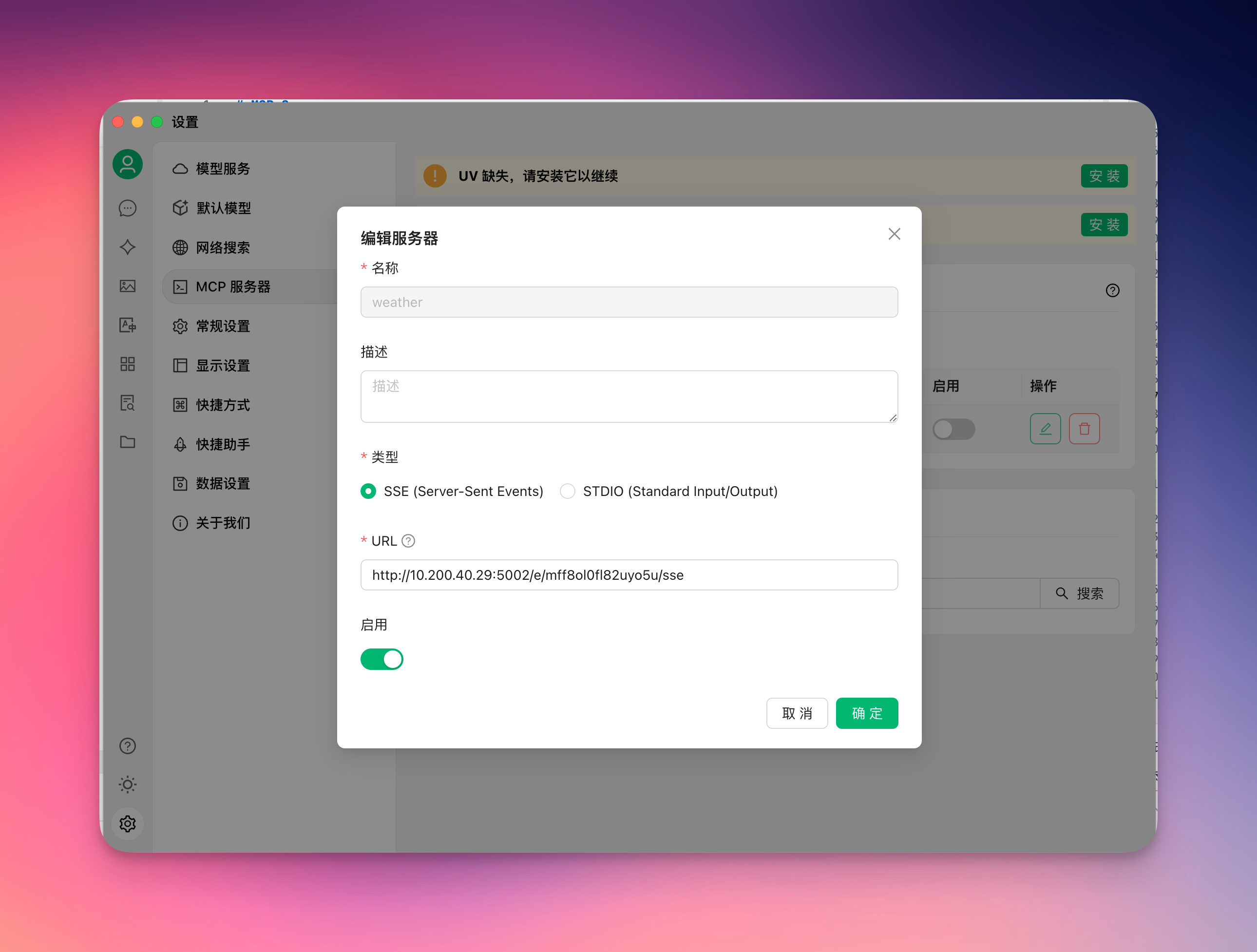
3. copy the endpoint url to your mcp client, like Cherry Studio
Option 1: Use the newest Streamable HTTP protocol (Recommended)
Option 2: Use the legacy SSE protocol
4. enjoy it!
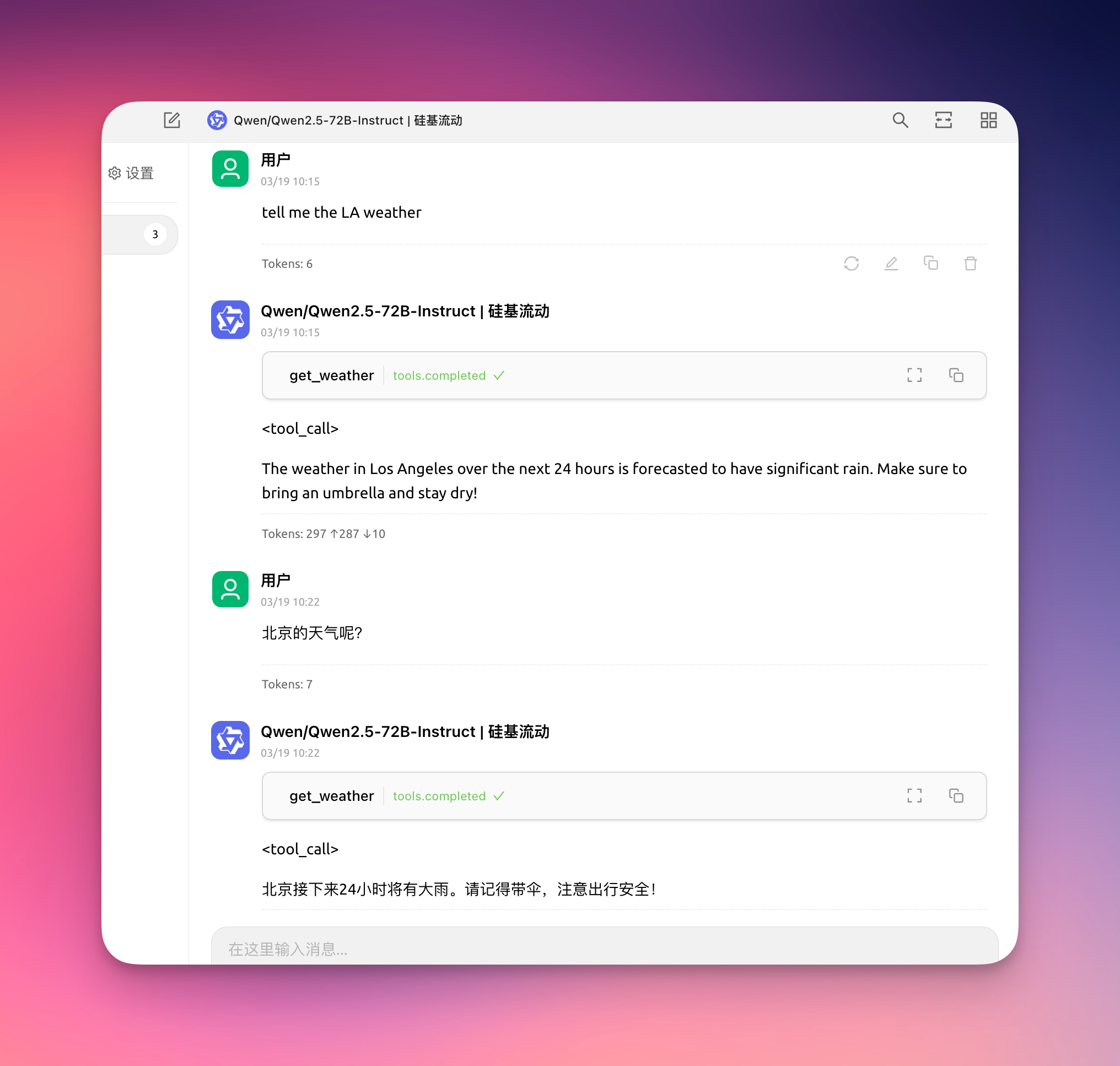
5. To keep your data secure, you can add a Auth Bearer Token on the endpoint setting.
For example, if your Auth Bearer Token is setting to sk-abcdefgh, then the request header of MCP client must add Authorization: Bearer sk-abcdefgh
Changelog
0.0.4
- Add response to theping method of MCP client, some clients use this method to check server health
- Add Authorization: Bearer token validator
- Fix some log incorrect
0.0.3
- To fix sse get non-exist key get lots error logs on the plugin daemon. - Add logs to help debug problems. - Streamable http support response object and array.0.0.2
- Add a new Streamable HTTP protocol. - Update dify-plugin-sdk version.Sign in to leave a review
Use Google, GitHub, or an email account so ratings stay tied to real people.
No reviews posted yet.




