
Hevy MCP
About
A TypeScript MCP Server for interacting with Hevy Workout App in LLMs
Details
- Author
- amilz
- Downloads
- 308
- Categories
- Other
Jump to
- Retrieves user workout history from the Hevy API
- Implements the Model Context Protocol for AI assistant integration
- Simple setup with configurable options
- Provides the getWorkouts tool with pagination support

Setting up with Highlight
This MCP is not yet compatible with Highlight’s one-click setup. However, you can still use it with Highlight by following these steps:
- Download and install Highlight from highlightai.com/download
- Navigate to the plugins tab and select "Add Custom Plugin"
-
Configure the plugin with the settings below
Plugin Name
Hevy MCPCommand (node, npx, python, etc.)Please refer to the README for specific instructions on how to obtain API keys or other required environment variables.
- Enable "Start Automatically" if you want the plugin to start when Highlight launches





From the repository
Clone the repository, install dependencies (npm install), and build the TypeScript code (npm run build). Configure your Hevy API key in your LLM’s MCP settings (e.g., Claude Desktop’s claude_desktop_config.json), restart the LLM, and then ask queries like “Summarize my last 5 workouts.”
Claude Desktop / Cursor
Paste into your MCP client config file to install this server.
{
    "mcpServers": {
        "hevy mcp": {
            "hevy": {
                "command": "node",
                "args": [
                    "/path/to/hevy-mcp/build/src/index.js"
                ],
                "env": {
                    "HEVY_API_KEY": ""
                }
            }
        }
    }
}McpServers
{
    "hevy": {
        "command": "node",
        "args": [
            "/path/to/hevy-mcp/build/src/index.js"
        ],
        "env": {
            "HEVY_API_KEY": ""
        }
    }
}
Hevy MCP
A TypeScript Model Context Protocol (MCP) server implementation for interacting with the Hevy workout tracking API.
Overview
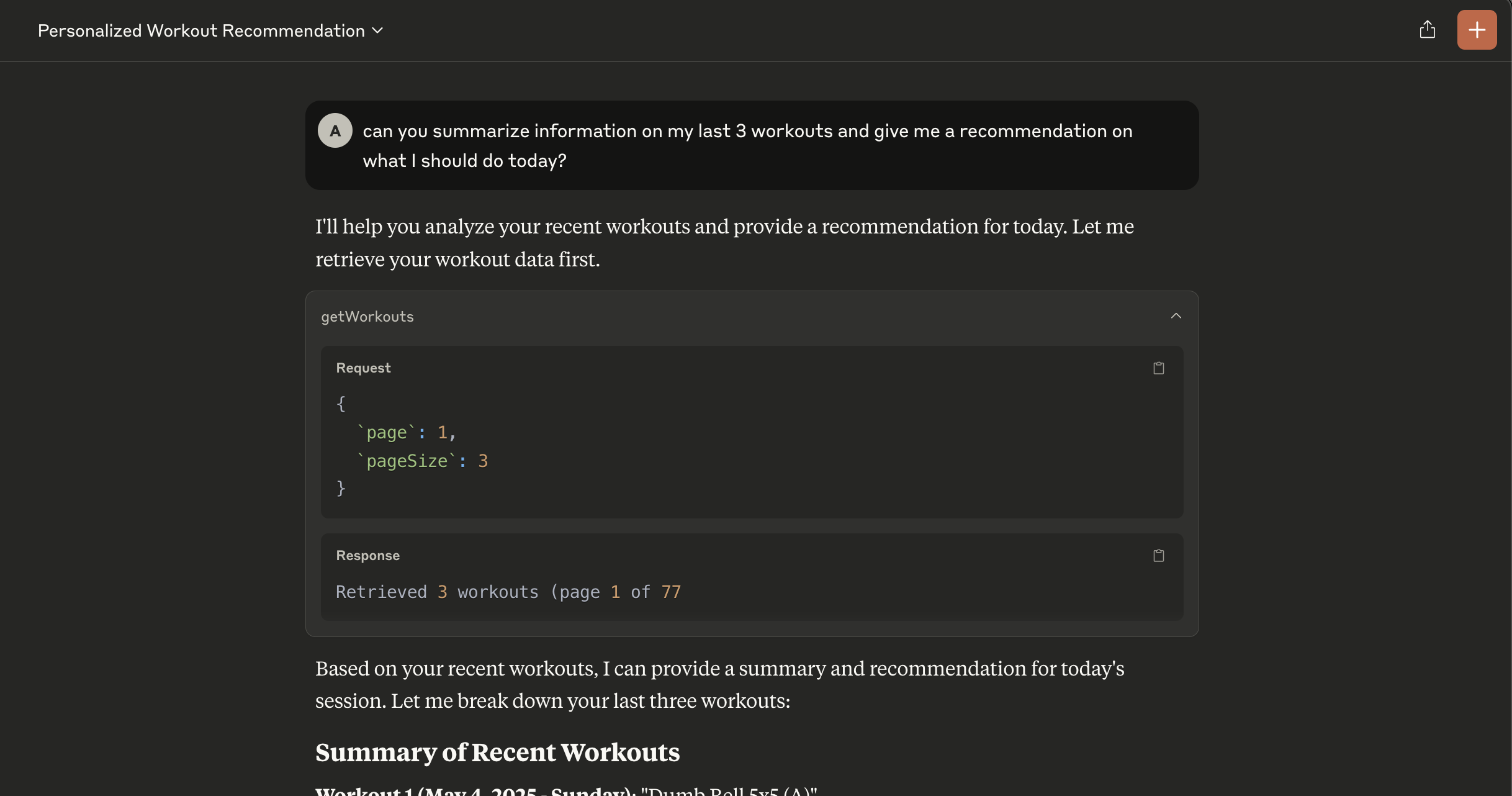
Hevy MCP provides AI assistants with access to your Hevy workout data through the Model Context Protocol. This server enables AI tools to retrieve and analyze your workout history, helping you gain insights into your fitness journey.
Features
- Retrieves workout history from Hevy API
- Implements the Model Context Protocol for AI assistant integration
- Simple setup with configurable options
API Tools
At present, the MCP server provides the following tools:
- getWorkouts: Retrieve user workouts with pagination
(I haven't convinced myself that additional methods will be useful with the LLM--if you have ideas/thoughts, drop an issue or PR!)
Requirements
- Node.js (v18 or higher)
- Hevy API key (Hevy Settings)
- An LLM that supports the Model Context Protocol (e.g., Claude Desktop)
Installation
Clone the repository
git clone https://github.com/amilz/hevy-mcp.git && cd hevy-mcp
Install dependencies
npm install
Build the TypeScript code:
npm run build
Configuration
Before using the application, you need to set up your Hevy API key in your LLM (example for Claude Desktop). Your Claude Desktop config file should look like this:
{
    "mcpServers": {
        "hevy": {
            "command": "node",
            "args": [
                "/path/to/hevy-mcp/build/src/index.js"
            ],
            "env": {
                "HEVY_API_KEY": "xyz"
            }
        }
    }
}
Usage
Restart your LLM Environment to apply the changes. Try a simple query like "Summarize my last 5 workouts" or "based on my last 10 workouts, could you recommend a workout for today?"
Dependencies
- @modelcontextprotocol/sdk: MCP SDK for creating model context protocol servers
- zod: TypeScript-first schema validation
Sign in to leave a review
Use Google, GitHub, or an email account so ratings stay tied to real people.
No reviews posted yet.





