MemoryPlugin
About
Give your AI the ability to remember key facts and everything you've ever discussed
Details
- Author
- Unknown
- Categories
- Productivity, AI, Knowledge Base
Jump to
Connect any MCP client to MemoryPlugin's hosted server over HTTP or SSE, with OAuth sign-in and no install
export const ArticleInfo = ({author, lastUpdated}) => { const authorAvatar = author === 'Alara' ? '/images/author-alara.jpg' : author === 'asad' ? '/images/author-alara.jpg' : null; const formatDate = dateInput => { if (!dateInput) return ''; if (typeof dateInput === 'string' && !dateInput.match(/^\d{4}-\d{2}-\d{2}/)) { return dateInput; } try { const date = new Date(dateInput); const now = new Date(); const diffTime = Math.abs(now - date); const diffDays = Math.floor(diffTime / (1000 60 60 * 24)); if (diffDays === 0) return 'today'; if (diffDays === 1) return '1 day ago'; if (diffDays < 7) return${diffDays} days ago; if (diffDays < 30) return${Math.ceil(diffDays / 7)} week${Math.ceil(diffDays / 7) > 1 ? 's' : ''} ago; if (diffDays < 365) return${Math.ceil(diffDays / 30)} month${Math.ceil(diffDays / 30) > 1 ? 's' : ''} ago; return${Math.ceil(diffDays / 365)} year${Math.ceil(diffDays / 365) > 1 ? 's' : ''} ago; } catch { return dateInput; } }; return <div style={{ display: "flex", alignItems: "center", gap: "8px", marginBottom: "16px", padding: "8px 12px", backgroundColor: "var(--ifm-color-emphasis-100)", borderRadius: "6px", fontSize: "14px", color: "var(--ifm-color-content-secondary)", border: "1px solid var(--ifm-color-emphasis-200)", opacity: "0.8" }}> <div style={{ width: "40px", height: "40px", borderRadius: "50%", background: authorAvatar || "linear-gradient(45deg, #4F46E5, #7C3AED)", display: "flex", alignItems: "center", justifyContent: "center", color: "white", fontWeight: "bold", fontSize: "18px" }}> {authorAvatar ? : author?.[0]?.toUpperCase()}
Connect an MCP client to MemoryPlugin without running anything on your machine. The hosted Remote MCP server accepts connections over HTTPS, handles sign-in with OAuth 2.0 (PKCE), and supports Dynamic Client Registration (DCR) so most clients register themselves on the first connect.
This is the recommended way to use MemoryPlugin over MCP. Compared with thelocal MCP server, there is no Node.js to install and no token to paste into a config file: you connect by URL and approve access in your browser. Reach for the local server only when you specifically want the process on your own machine, or when your client cannot do the browser OAuth flow. The tools and data are identical.
Account email independence: Your MemoryPlugin sign‑in email does not need to match the email you use on ChatGPT, Claude, TypingMind, or any other tool. Access and permissions are tied to your MemoryPlugin account (and API key when applicable), not third‑party logins.
https://www.memoryplugin.com/api/mcp/mcp
https://www.memoryplugin.com/api/mcp/sse
Most clients want the full endpoint path. Some only need the base URL and will auto-discover the rest.
The Remote MCP server uses OAuth 2.0 with PKCE and supports Dynamic Client Registration. What this means for you:
- Clients that support DCR register themselves during the first connect. There is nothing to set up in advance.
- You do not hand out any long-lived secret. The client gets tokens after you approve access.
- Your client stores those tokens under its own security model, for example the OS keychain.
Do not paste raw API keys into third-party clients unless their own docs tell you to. Use the built-in OAuth flow when it is available.
<Frame caption="The MemoryPlugin consent screen: review the requested permissions, confirm the redirect URL, and continue."> 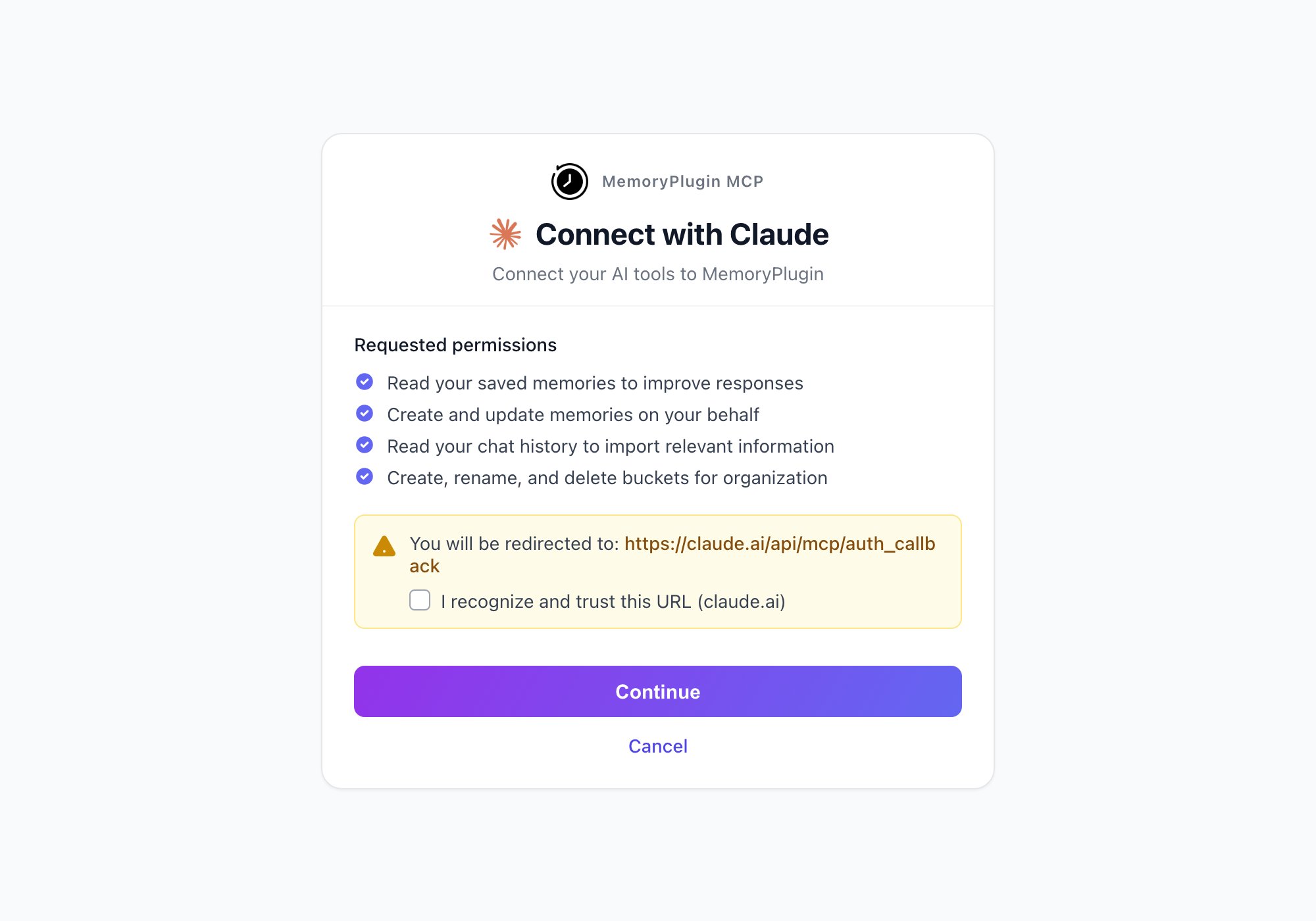 </Frame>
Each client has its own config schema for remote servers. Use these as a starting point and check your client's docs for exact keys.
- macOS:~/Library/Application Support/Claude/claude_desktop_config.json
- Windows:%APPDATA%/Claude/claude_desktop_config.json
- Linux:~/.config/Claude/claude_desktop_config.json
{ "mcpServers": { "memoryplugin-remote": { "type": "http", "url": "https://www.memoryplugin.com/api/mcp/mcp" } } }
Claude Desktop handles OAuth with Dynamic Client Registration on the first connection. No keys or tokens go in the config.
{ "servers": { "memoryplugin-remote": { "type": "http", "url": "https://www.memoryplugin.com/api/mcp/mcp" } } }
VS Code supports both HTTP and SSE. It tries HTTP first and falls back to SSE if needed. OAuth with DCR is automatic.
- Look for "Remote MCP", "HTTP transport", or "Add server" in your client's settings.
- Try these URLs in order:
- https://www.memoryplugin.com/api/mcp/mcp(full HTTP endpoint)
- https://www.memoryplugin.com(base URL with auto-discovery)
If your client cannot talk to a remote MCP server yet, run a local proxy likemcp-remote:
{ "mcpServers": { "memoryplugin-remote": { "command": "npx", "args": [ "mcp-remote", "https://www.memoryplugin.com/api/mcp/sse" ] } } }
This starts a local proxy that forwards to the remote server, so it looks like a local MCP server to your client.
Once connected, the Remote MCP server exposes the same tools as thelocal MCP server, plus a chat-history overview:
- Memoriesto store, retrieve, and search across buckets
- Smart Memorycategories and summaries
- Chat Historysearch and synthesized context from your imported conversations
- File searchover your uploaded documents
- Chat History Overview, an AI-generated summary of your chat history that is shared with the AI automatically for richer context
See theMCP Serverpage for the full tool list.
Local-first cross-agent memory MCP. 6-layer structured brain (goal/context/emotion/impl/caveat/learning) with token-saving file diff cache (86% measured savings on re-reads)
Centralized note store across AI clients: Claude, ChatGPT, Cursor, Codex, Windsurf. Save in one client, access in another instantly. Across devices — phone, desktop, everywhere. Cross-session context: 'catch me up' surfaces plans and findings from any prior session. AES-256-GCM encryption at rest, per-user key isolation. Soft delete with 30-day recovery window. Pin notes to exempt from cleanup and prioritize. Tag notes for categorization and filtering ('tag: auth'). Your mctx account is your identity — instant access from any AI tool.
An AI capability enhancement system providing professional roles, memory management, and knowledge systems for applications like Claude and Cursor.
AI conversation memory that works everywhere — save and recall across Claude, ChatGPT, Gemini, Cursor, and all MCP-compatible platforms. 11 tools including shared community memories.
Hebbian memory for AI agents — learns file access patterns, builds neural pathways, predicts next tools/files, saves tokens
Mnemex is a Python MCP server that provides AI assistants with human-like memory dynamics through temporal decay and natural spaced repetition, storing memories locally in human-readable JSONL and Markdown formats.
Persistent AI memory across tools — remember your preferences, code standards, and decisions across Claude Code, Cursor, Codex, and any MCP tool. Local-first, zero-cloud.
One memory URL. Every AI tool. Your rules, lessons, and context — recalled automatically, every conversation.
Portable knowledge layer about you, connected to AI tools via MCP. Learns from how you work. Travels across Claude, ChatGPT, Cursor, and more.
Sign in to leave a review
Use Google, GitHub, or an email account so ratings stay tied to real people.
No reviews posted yet.





