
Hello MCP Go 👋
About
Hello MCP Go 👋 is a demonstration MCP (Model Context Protocol) server written in Go. It provides two tools (hello and calculate) and serves as a starting point for developers building their own MCP servers.
Details
- Author
- softchris
- GitHub stars
- 5
- Downloads
- 158
- Categories
- Other
Jump to
- hello tool accepting Submitter and Content parameters
- calculate tool accepting A and B numeric parameters
- Built entirely in Go
- Ready-to-run example for MCP protocol exploration
- Integrates with GitHub Copilot Agent mode
Clone the repository, run go mod tidy, then build with go build -ldflags="-s -w" -o server main.go (adjust for Linux). Run the binary, then configure it in GitHub Copilot’s mcp.json by setting the command to the absolute path of the executable. Use Copilot Agent mode to invoke the hello tool (with parameters Submitter and Content) or the calculate tool (with parameters A and B; e.g., “calculate 2 and 4”).
Hello MCP Go 👋
Welcome to the Hello MCP Go repository! 🚀 This project demonstrates how to build an MCP (Model Context Protocol) server in Go. Whether you're a Go enthusiast or just curious about MCP, you're in the right place! 🛠️
<div>

</div>
What is this? 🤔
This repository showcases:
- How to build an MCP server using Go 🐹.
- A simple and fun way to explore MCP Protocol 🎮.
- A starting point for your own custom MCP server adventures! 🌟
Tools 🌟
- hello, takes the parameters Submitter and Content.
- calculate, takes the parameters A and B. Example use is "calculate 2 and 4".
Quick Start 🚀
- Clone
- Install
- Build
- Run
1. Clone the repository:
    git clone https://github.com/your-username/hello-mcp-go.git

    cd hello-mcp
2. Install dependencies:
go mod tidy
3. Build the project:
go build -ldflags="-s -w" -o server.exe main.go
or for Linux:
go build -ldflags="-s -w" -o server main.go
You will use this later when you want to consume it from Visual Studio Code.
1. Run the server:
./server
Consuming the Server with GitHub Copilot Agent Mode 🍴
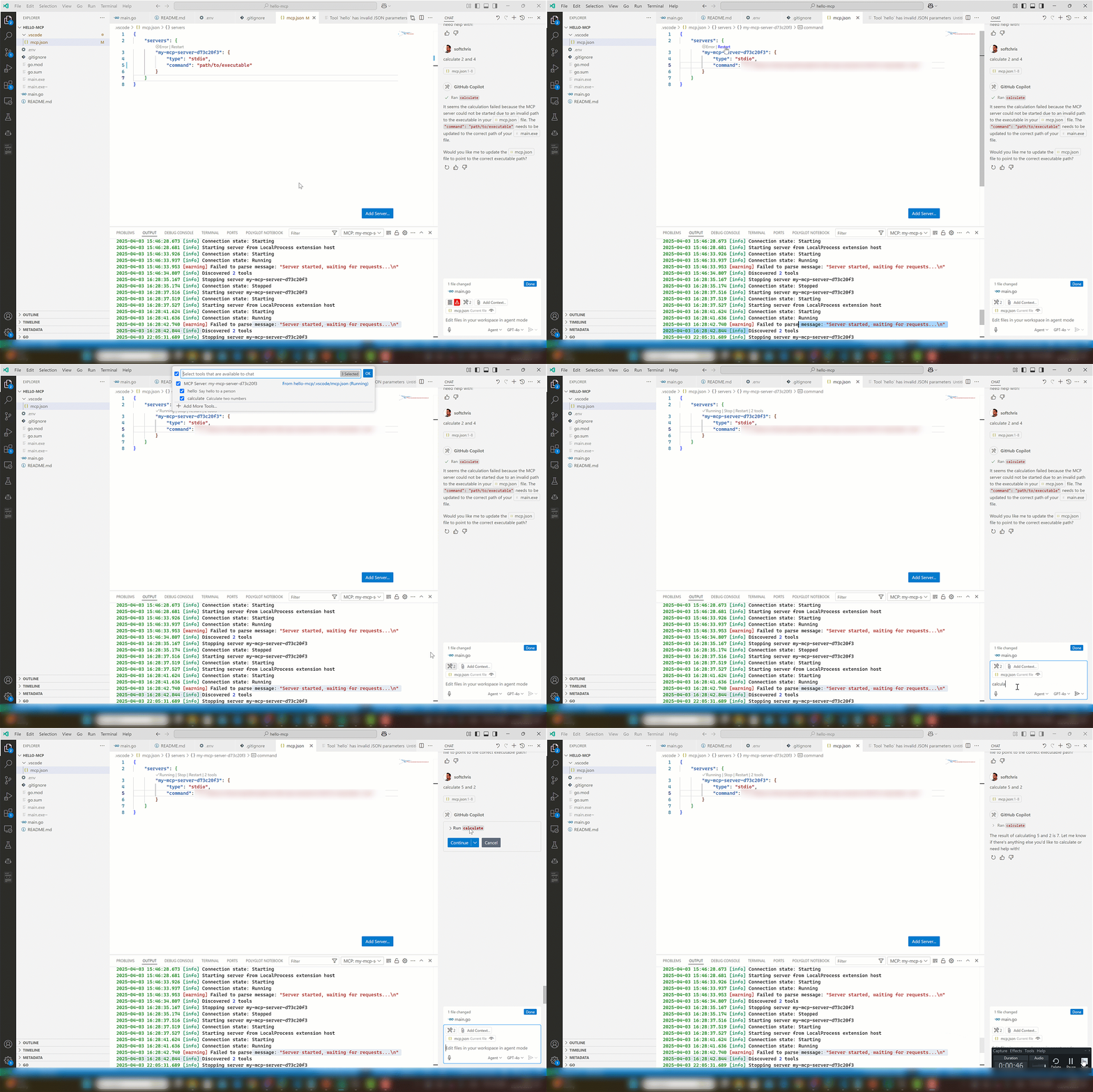
1. Place yourself in mcp.json, make sure the server has been built (right now it's adjusted).
1. Adjust the "command" to point to the absolute path of your executable.
   {
     "servers": {
        "my-mcp-server-d73c20f3": {
            "type": "stdio",
            "command": "/path/to/your/executable"
        }
     }
   }
1. Open Copilot and select Agent in dropdown
1. Select the play icon.
You should see the tool icon showing two tools.
1. Test it with a phrase like so "calculate 2 and 4". This should present a button that invokes the tool on the server.
Have Fun! 🎉
This project is all about learning and having fun. Feel free to experiment, break things, and create something amazing! 🌈
Happy coding! 💻
Sign in to leave a review
Use Google, GitHub, or an email account so ratings stay tied to real people.
No reviews posted yet.





