
Google Trends MCP
About
A production-grade Google Trends MCP server for AI workflow integration. Supports batch research of up to 50 keywords with cross-batch normalization, compare up to 5 keywords precisely, async task support, and REST API + GPT Actions. Compatible with 7 major AI clients: Claude Des
Details
- Author
- Eason-Gao3
- Downloads
- 443
- Categories
- Other, Search
Jump to
- Four MCP tools: compare_keywords, research_keywords, research_keywords_async, get_research_task
- Cross-batch normalization using an anchor keyword for comparability
- Supports up to 50 keywords in a single research request
- Multiple access methods: MCP protocol, REST API, and GPT Actions
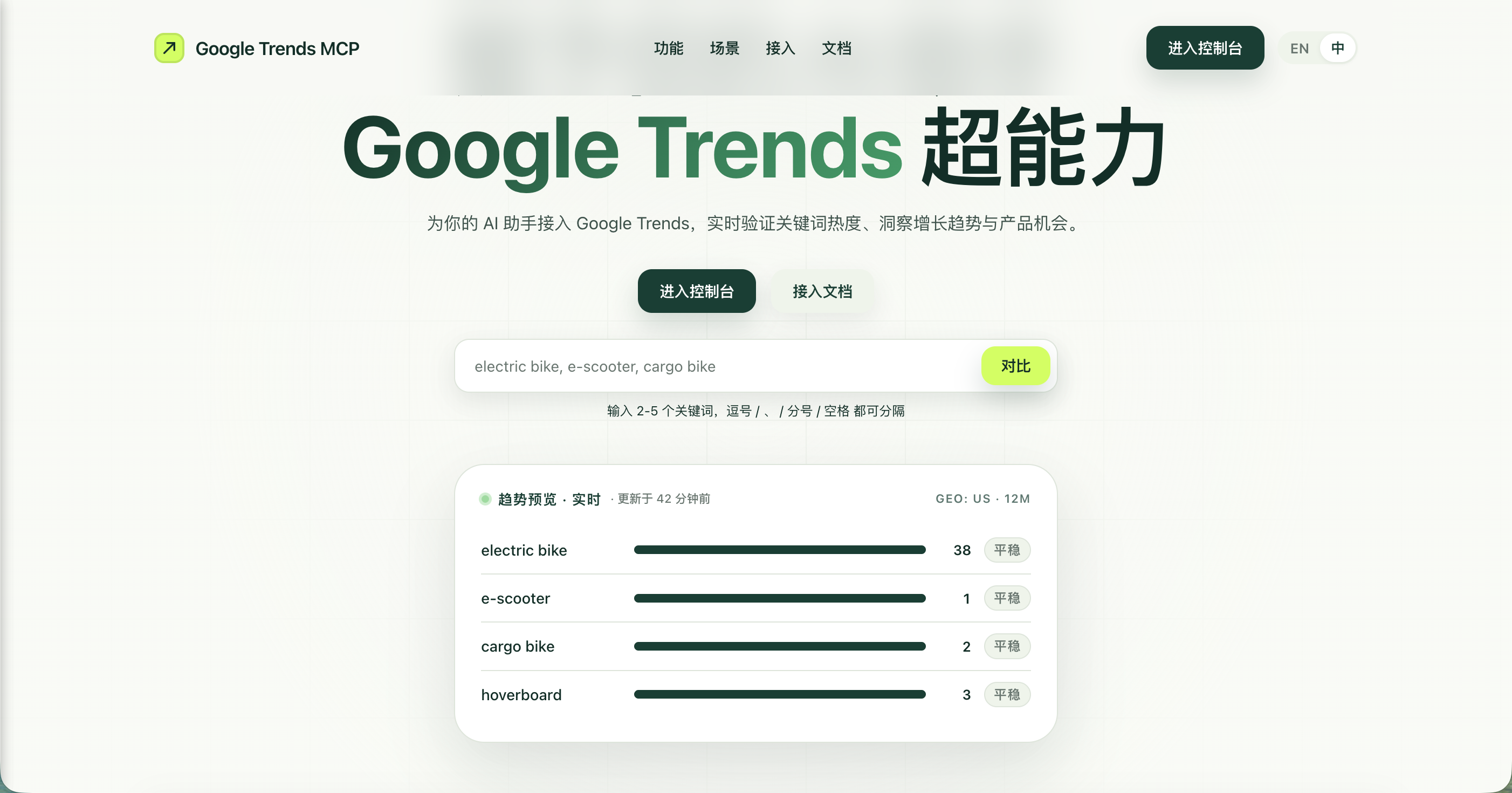
- Production-grade frontend with bilingual SaaS landing page, dashboard, and documentation
- Docker Compose deployment with automatic HTTPS and Google OAuth authentication

Setting up with Highlight
This MCP is not yet compatible with Highlight’s one-click setup. However, you can still use it with Highlight by following these steps:
- Download and install Highlight from highlightai.com/download
- Navigate to the plugins tab and select "Add Custom Plugin"
-
Configure the plugin with the settings below
Plugin Name
Google Trends MCPCommand (node, npx, python, etc.)Please refer to the README for specific instructions on how to obtain API keys or other required environment variables.
- Enable "Start Automatically" if you want the plugin to start when Highlight launches





From the repository
Install Python 3.11+, clone the repo, create a virtual environment, install dependencies, then run python server.py for local stdio mode. For a web service, use --transport streamable-http with host and port. Deploy publicly with Docker Compose. Configure client MCP entries with the endpoint URL and an API key (obtained from the dashboard after Google OAuth login).
Claude Desktop / Cursor
Paste into your MCP client config file to install this server.
{
    "mcpServers": {
        "google trends mcp": {
            "google-trends": {
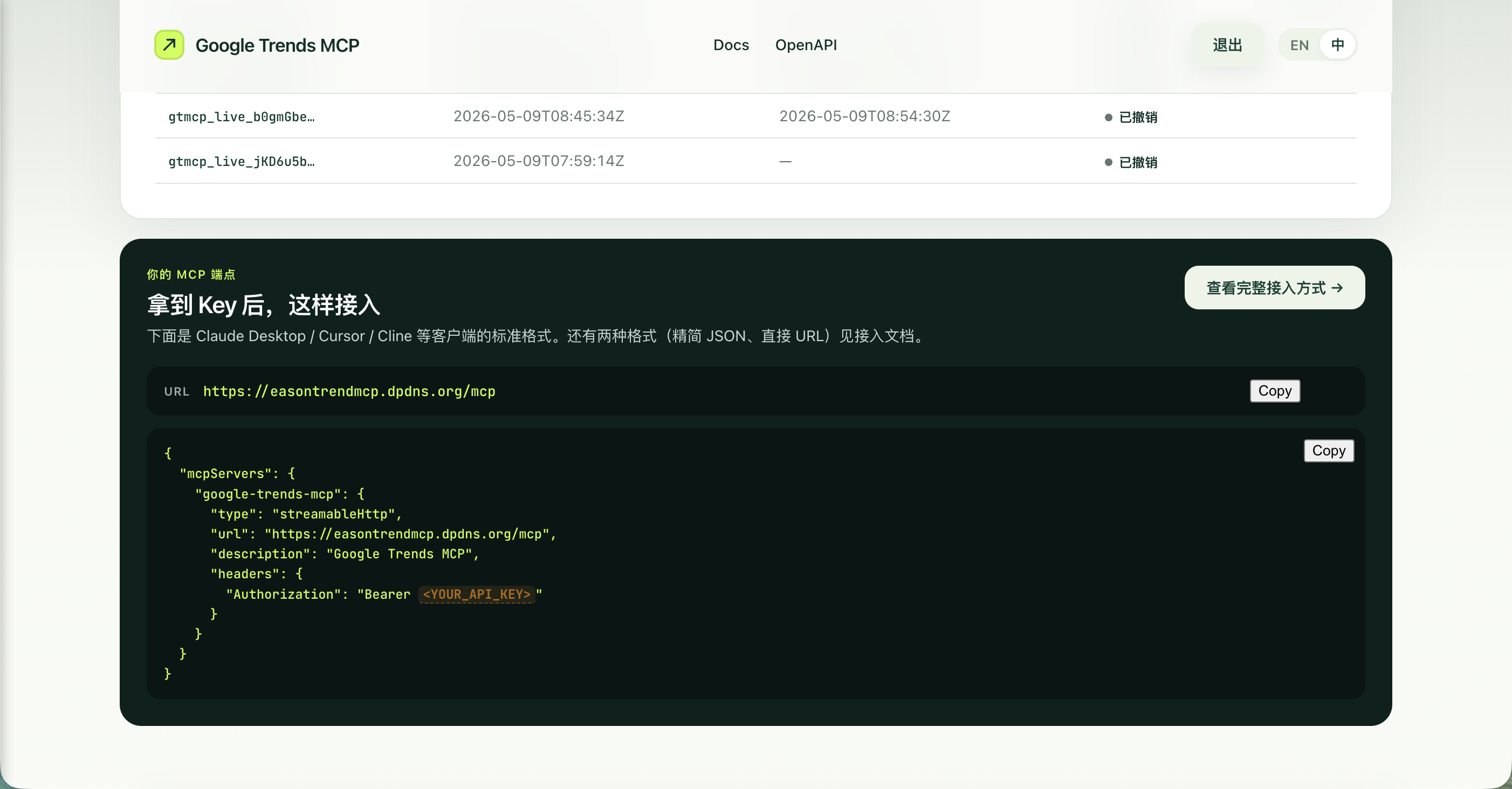
                "url": "https://easontrendmcp.dpdns.org/mcp",
                "headers": {
                    "Authorization": "Bearer gtmcp_live_your-api-key"
                }
            }
        }
    }
}McpServers
{
    "google-trends": {
        "url": "https://easontrendmcp.dpdns.org/mcp",
        "headers": {
            "Authorization": "Bearer gtmcp_live_your-api-key"
        }
    }
}
Google Trends MCP





> 让 AI 助手获得结构化 Google Trends 数据能力 — 支持单次 50 关键词批量调研、跨批次归一化、生产级 SaaS 部署。一次 Google 登录,Claude / ChatGPT / Cursor / Perplexity 等 7 大主流客户端即插即用。
🌐 Live Demo:<https://easontrendmcp.dpdns.org/> | 📖 接入文档:<https://easontrendmcp.dpdns.org/docs> | 🔌 OpenAPI:<https://easontrendmcp.dpdns.org/openapi.json>
<p align="center">
</p>
<p align="center">
</p>
---
✨ Highlights
- 🧩 MCP 原生:基于 FastMCP,4 个工具开箱即用(compare_keywords / research_keywords / research_keywords_async / get_research_task)
- 📊 跨批次归一化:单次最多 50 关键词,自动以 anchor 关键词拉通批次间可比性
- ⚡ 多端接入:MCP 协议、REST API、GPT Actions 三套接入方式,覆盖 7 大 AI 客户端
- 🎨 生产级前端:双语(中/英)SaaS 落地页 + 控制台 + 文档站,Apple 风格设计系统
- 🐳 一键部署:Docker Compose + Caddy 自动 HTTPS,Google OAuth 用户系统 + 每用户 API Key 管理
项目结构
google-trends-mcp/
├── server.py                 # 主程序入口(3049 行),包含所有后端逻辑
├── requirements.txt          # Python 依赖列表
├── .env.example              # 环境变量模板(Docker 部署用)
├── AGENTS.md                 # AI Agent 工程契约
├── Dockerfile                # Docker 镜像构建文件
├── Caddyfile                 # Caddy 反向代理配置
├── docker-compose.yml        # Docker Compose 部署配置
├── README.md                 # 本文档
│
├── templates/                # 前端模板文件(独立于 server.py)
│   ├── base.html             # HTML 页面骨架
│   ├── styles.css            # 完整设计系统 CSS(~1721 行)
│   └── scripts.js            # 前端交互 JavaScript(~245 行)
│
├── data/                     # 运行时数据(SQLite 数据库)
│   └── google-trends-mcp.sqlite3
│
└── design-system/            # 设计系统参考文件(非运行时依赖)
    └── Google Trends MCP Design System (Remix) (Remix)/
        ├── colors_and_type.css        # 设计令牌
        ├── standalone/                # 可交互预览页面(marketing / dashboard / docs)
        └── ui_kits/                   # JSX 原型组件
            ├── _shared/               # Nav、Footer、Lang 共享组件
            ├── marketing/             # 营销落地页组件
            ├── dashboard/             # 控制台组件
            └── docs/                  # 文档页组件
功能概述
MCP 工具
| 工具名称 | 说明 | 关键词上限 |
|----------|------|-----------|
| compare_keywords | 少量关键词精确对比 | 5 个 |
| research_keywords | 多关键词批量调研(同步) | 50 个 |
| research_keywords_async | 多关键词批量调研(异步) | 50 个 |
| get_research_task | 查询异步任务状态/结果 | — |
REST API
| 端点 | 方法 | 说明 |
|------|------|------|
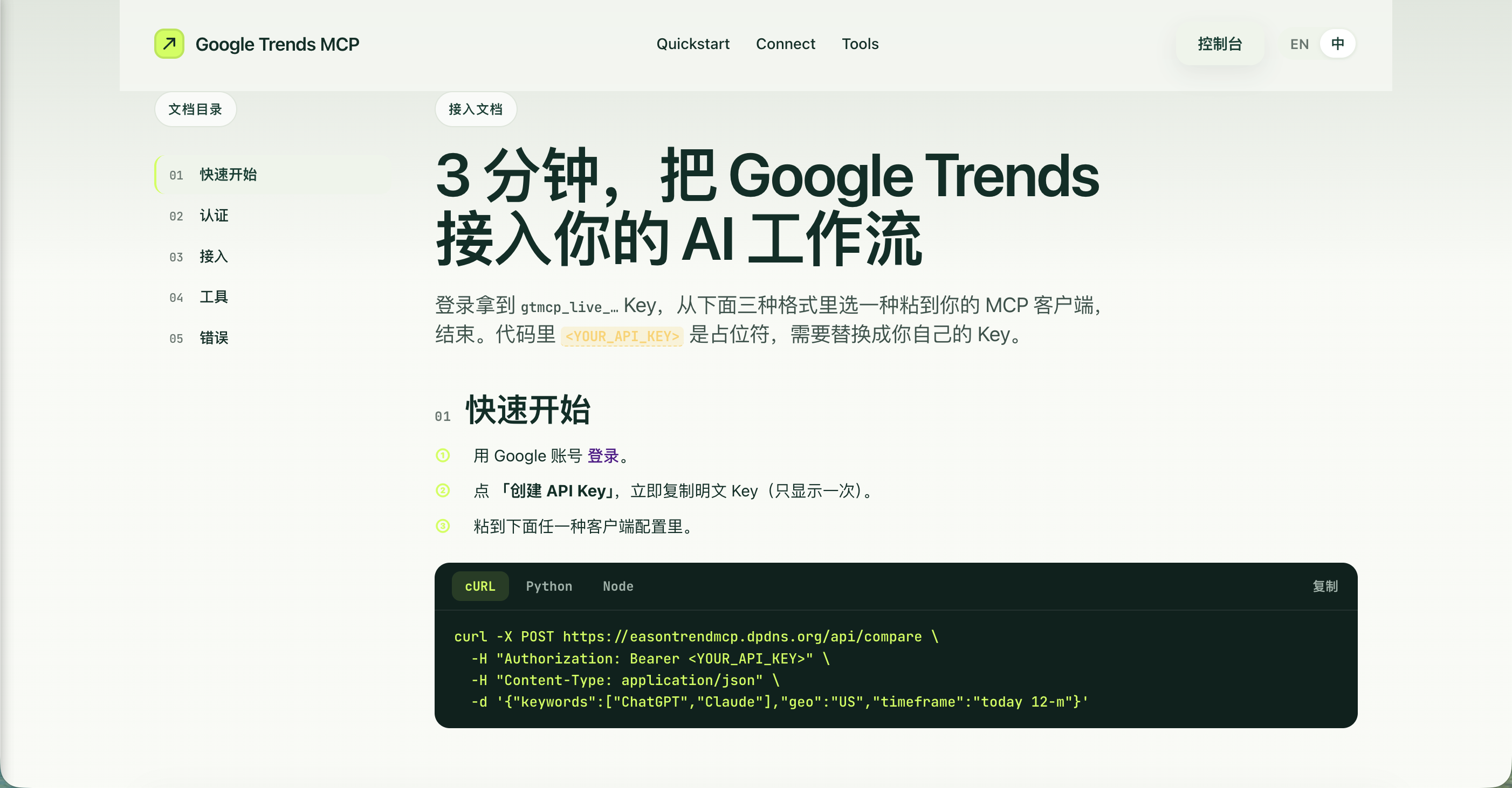
| /api/compare | POST | 关键词对比 |
| /api/research | POST | 关键词调研 |
| /api/demo-trends | GET | 公开 demo 数据预览 |
| /openapi.json | GET | OpenAPI Schema(供 GPT Actions) |
Web 页面
| 路径 | 说明 |
|------|------|
| / | 双语(中/英)SaaS 营销落地页,含实时趋势预览、Features 代码块、3 种接入配置卡片 |
| /login | Google OAuth 登录页 |
| /dashboard | API Key 管理控制台(创建/复制/吊销),含 MCP 端点快速接入卡片 |
| /docs | 接入文档(5 节侧边栏布局:快速开始 / 认证 / 接入 / 工具参考 / 错误码) |
安装步骤
环境要求
- Python 3.11+
- macOS / Linux
安装依赖
```bash
cd google-trends-mcp
Sign in to leave a review
Use Google, GitHub, or an email account so ratings stay tied to real people.
No reviews posted yet.





