
ForkMind
About
🧠 Local-first LLM state branching & debugging. Capture, visualize, branch, and regression-test LLM calls as a DAG. Free & local via Ollama, any OpenAI-compatible API, MCP for agents. Zero config.
Details
- Author
- Medhovarsh
- GitHub stars
- 2
- Downloads
- 177
- Categories
- AI
Jump to
- Local-first LLM state branching and debugging.
- Conversation visualized as a Directed Acyclic Graph.
- Branch from any point with alternative prompts or models.
- Compatible with any OpenAI-compatible API or Anthropic.
- MCP server for AI agents to query their own history.
- Plain JSON storage, no database or telemetry.

Setting up with Highlight
This MCP is not yet compatible with Highlight’s one-click setup. However, you can still use it with Highlight by following these steps:
- Download and install Highlight from highlightai.com/download
- Navigate to the plugins tab and select "Add Custom Plugin"
-
Configure the plugin with the settings below
Plugin Name
ForkMindCommand (node, npx, python, etc.)Please refer to the README for specific instructions on how to obtain API keys or other required environment variables.
- Enable "Start Automatically" if you want the plugin to start when Highlight launches





From the repository
Install ForkMind via npm (npx forkmind init, npx forkmind start) or globally (npm install -g forkmind). Quick start: install Ollama, pull a model, run the CLI to start a proxy on http://localhost:4500, then point your code at that proxy. ForkMind provides a drop-in SDK for Node.js (ForkMindOpenAI), adapters for LangChain.js and Vercel AI SDK, and a Claude Code plugin. Any language can capture calls by setting the client’s base URL to http://localhost:4500/v1 and passing the x-forkmind-upstream and x-forkmind-parent headers.
forkmind_recent
List the most recent captured LLM turns (newest first), compact. Use to recall what was just tried.
forkmind_get_node
Fetch one node by id with full request + response payloads.
forkmind_lineage
Return the full conversation path from the root to the given node — the exact context that produced it. Use to understand how a state was reached.
forkmind_children
List the alternative continuations (branches) that fork from a node. Use to compare what different prompts/params produced from the same point.
forkmind_search
Case-insensitive substring search across all captured requests/responses. Use to find prior attempts mentioning a term, error, or tool.
forkmind_stats
Summary of the conversation tree: totals, roots, leaves, providers.
forkmind_context_save
Offload conversation context into an immutable, encrypted DAG on disk. Pass the items to archive plus a short digest YOU write (the retrieval key you keep in your window; omit for private capsules). After the id comes back, verify with forkmind_context_digest, THEN drop the material from your working context — never before.
forkmind_context_list
Compact list of saved capsules (title, digest, size, age). Optional substring filter over title + digest.
forkmind_context_digest
Cheap probe: full digest and DAG structure for one capsule, no decryption of content. Use before restoring to decide whether you need the whole capsule or one segment. Also serves as the durability check after a save, before you compact your window.
forkmind_context_restore
Decrypt and return capsule content (integrity-verified first). Pass segmentIds for a partial restore — pull back only what you need.
forkmind_context_forget
IRREVERSIBLY destroy a capsule: its encryption key is shredded and the id tombstoned. You must echo the capsule id in `confirm`. Only call when the user explicitly asks to forget.
forkmind_context_stats
Aggregate stats across all capsules: count, bytes, estimated tokens freed from the window, how many have a digest, forgotten count, and replica health.
forkmind_context_export
Export a capsule as a passphrase-encrypted, self-contained bundle that can move to another project or machine — it carries its own key material and does not depend on this project's local master key. The passphrase is never stored in the bundle; the caller must keep it to import later. Returns the bundle JSON — write it to a file.
forkmind_context_import
Import a bundle produced by forkmind_context_export. Every segment is independently re-verified (id, hash, parent graph, acyclicity) before anything is written — the bundle is never trusted blindly. Re-wraps the capsule under this project's local master key.
forkmind_context_replicas
Status of redundant capsule storage: each replica target with reachability and coverage. Optionally sync (push all capsules + propagate tombstones) before reporting.
Claude Desktop / Cursor
Paste into your MCP client config file to install this server.
{
    "mcpServers": {
        "forkmind": {
            "forkmind": {
                "command": "npx",
                "args": [
                    "-y",
                    "forkmind",
                    "mcp"
                ]
            }
        }
    }
}McpServers
{
    "forkmind": {
        "command": "npx",
        "args": [
            "-y",
            "forkmind",
            "mcp"
        ]
    }
}
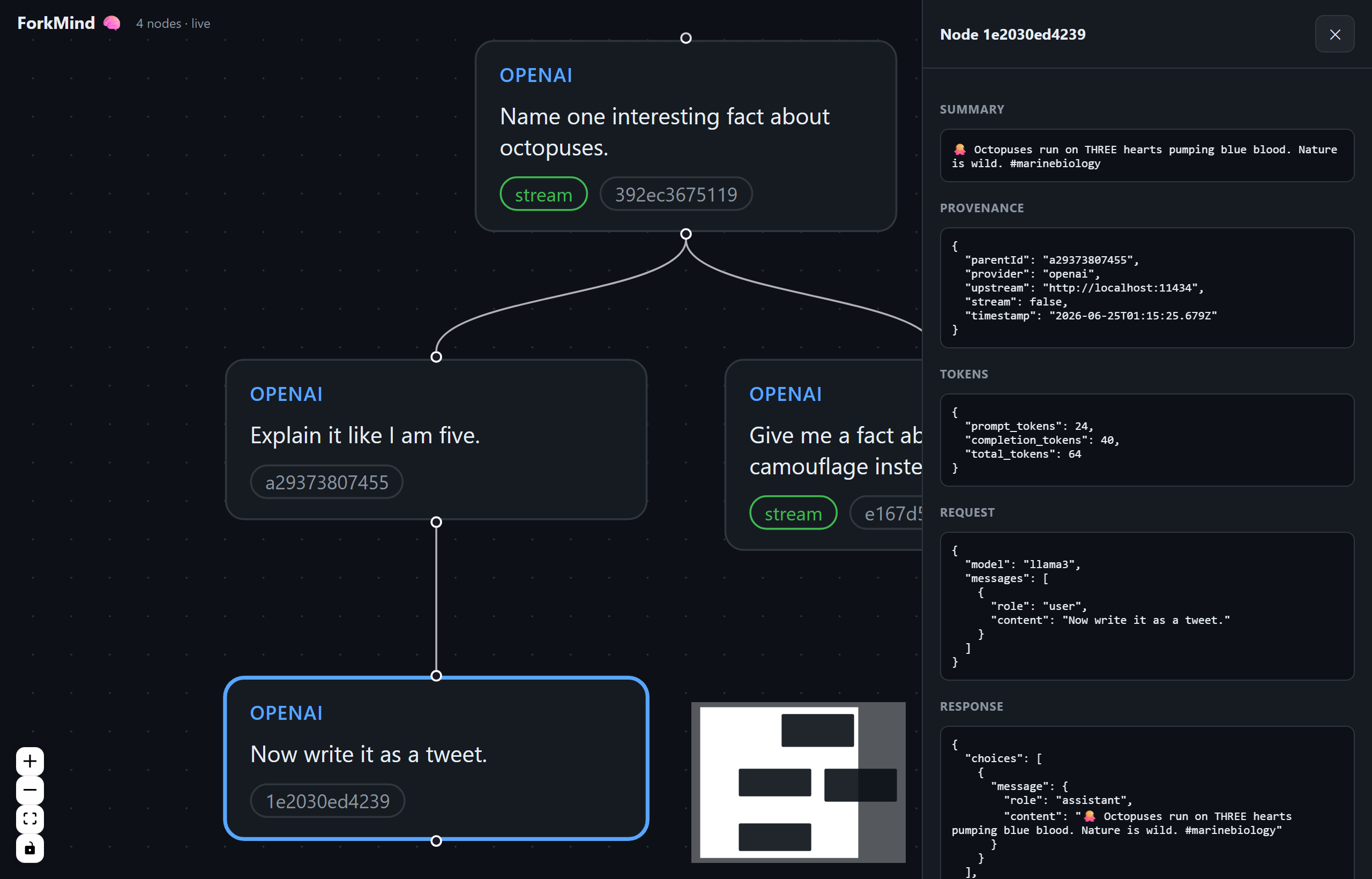
ForkMind 🧠





Local-first LLM state branching & debugging. ForkMind treats AI context
windows like a Git repository: it captures every LLM call into a local
.forkmind/ directory, visualizes the conversation as a Directed Acyclic Graph
(DAG), and lets you branch alternative prompts or model params from any point
in the history — all on your machine, no cloud, no account.
Works with any OpenAI-compatible API, defaulting to free, open-source
models via Ollama. Also supports Anthropic and any
hosted free tier (Groq, OpenRouter, Together, vLLM, LM Studio).
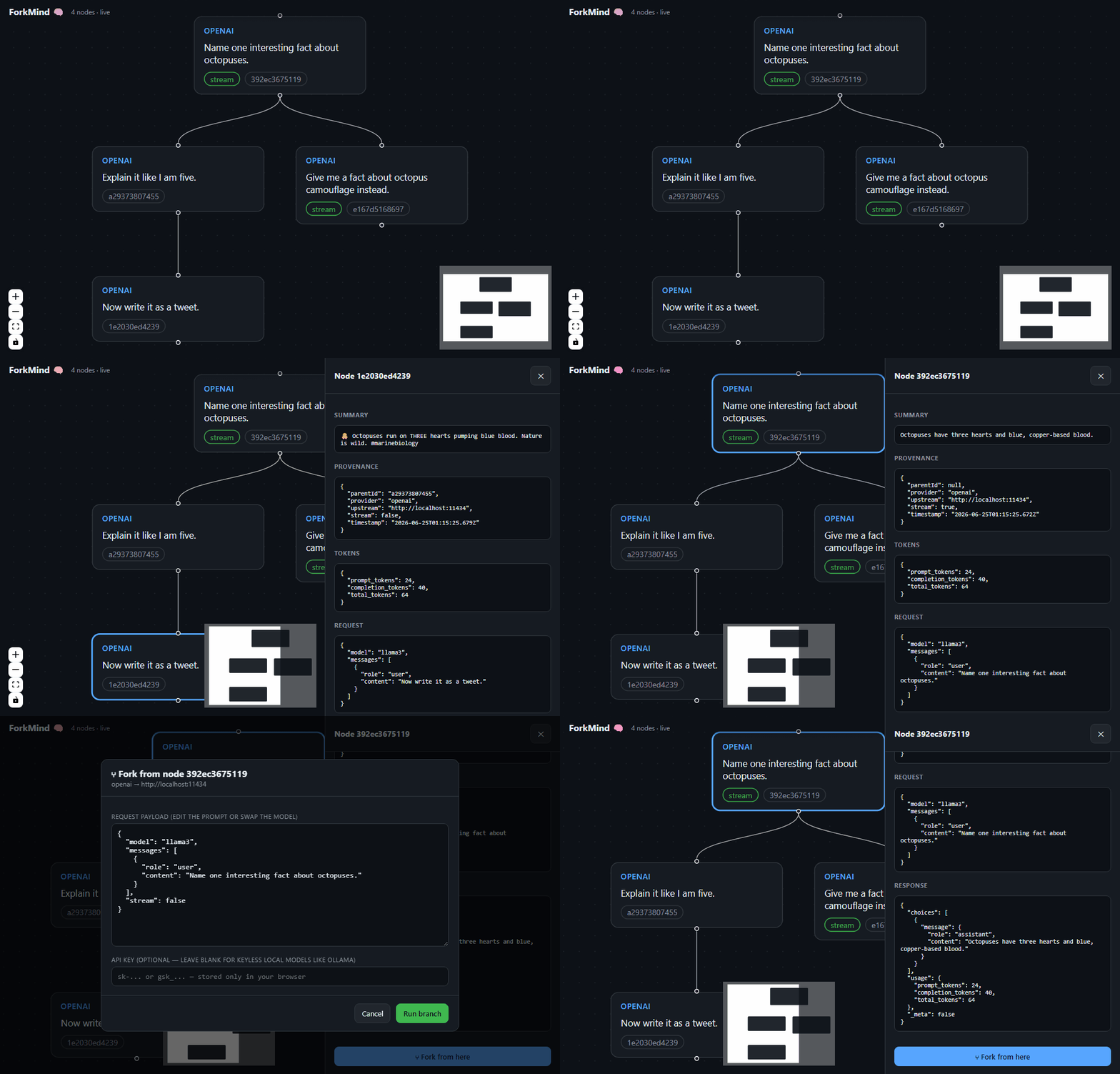
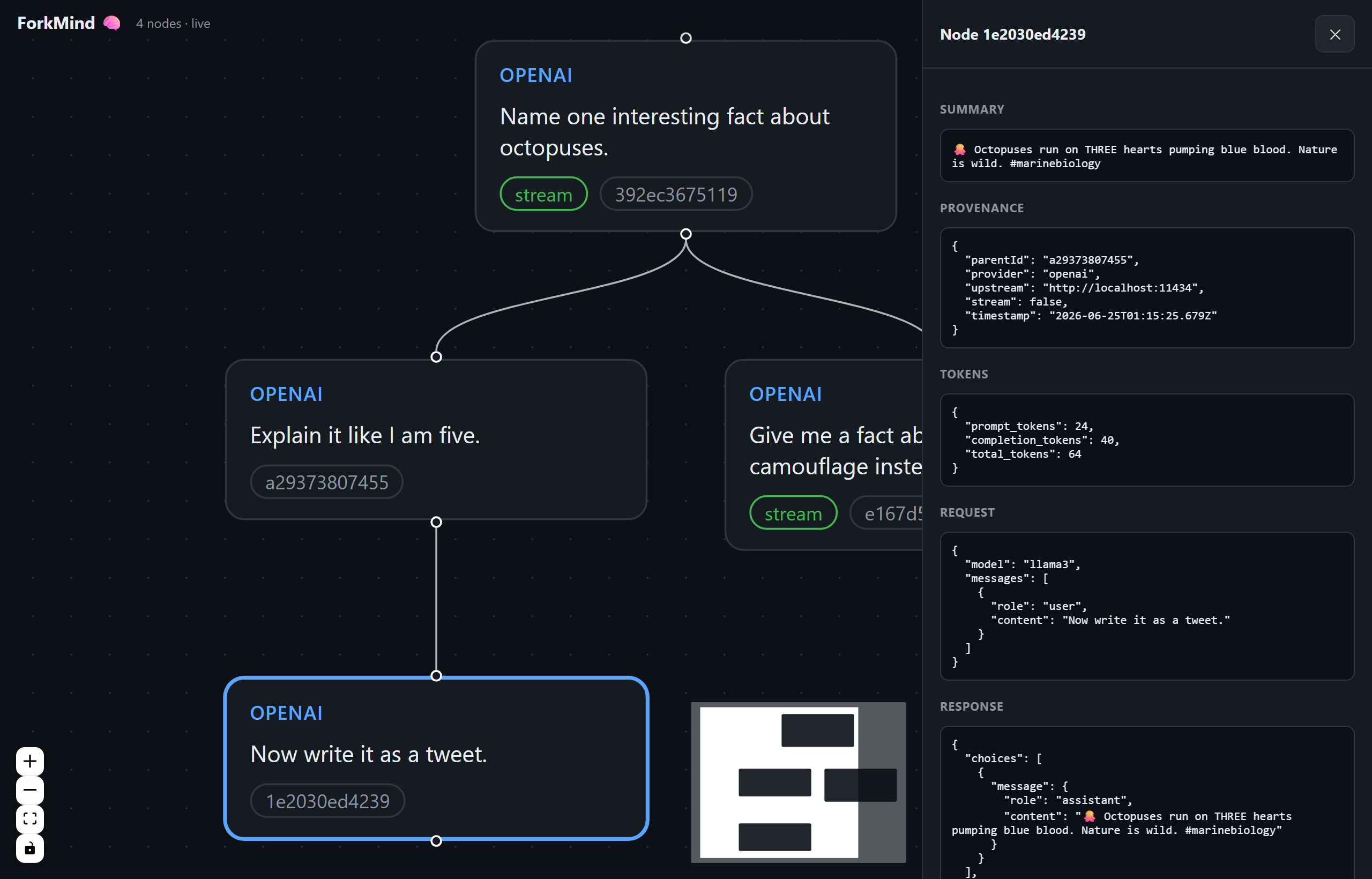
> Live demo: a conversation tree with a branch off the root, the node inspector
> (request/response, tokens, provenance), and the Fork from here dialog.
<details>
<summary>Static screenshot</summary>
</details>
---
Why
Debugging agentic / tool-calling flows means re-running the same prompt with
tiny tweaks over and over. ForkMind records each run as a node, so you can:
- See the whole conversation tree, including tool calls and token usage.
- Branch from any historical turn — edit the prompt, swap the model, re-run.
- Compare outcomes visually instead of scrolling through terminal logs.
Everything is plain JSON on disk. No database. No telemetry.
---
Install
```bash
Sign in to leave a review
Use Google, GitHub, or an email account so ratings stay tied to real people.
No reviews posted yet.



