
Example MCP SSE Server
Description
# Example MCP SSE Server A Model Context Protocol (MCP) server implementation, enabling server-sent events (SSE) based communication. ## Overview Example MCP SSE Server provides a Model Context Protocol implementation that allows for real-time communication using Server-Sent…
About
# Example MCP SSE Server A Model Context Protocol (MCP) server implementation, enabling server-sent events (SSE) based communication. ## Overview Example MCP SSE Server provides a Model Context Protocol implementation that allows for real-time communication using Server-Sent Events (SSE). It's designed to work with…
Details
- Author
- yunusemredilber
- GitHub stars
- 16
- Downloads
- 338
- Categories
- Developer Tools
Jump to
- Implements the Model Context Protocol (MCP)
- Uses Server-Sent Events (SSE) for real-time communication
- Provides resource templating and management
- Simple development and production startup scripts
Clone the repository, run yarn install, then start the server with yarn dev (development, includes MCP inspector) or yarn start (production). The SSE endpoint is at /sse and the message endpoint at /messages. Change the default port (3001) by setting the PORT environment variable.
Example MCP SSE Server
A Model Context Protocol (MCP) server implementation, enabling server-sent events (SSE) based communication.
Overview
Example MCP SSE Server provides a Model Context Protocol implementation that allows for real-time communication using Server-Sent Events (SSE).
It's designed to work with applications and provides a standardized way of managing and communicating with models and resources.
Features
- Model Context Protocol (MCP) implementation
- Server-Sent Events (SSE) for real-time communication
- Resource templating and management
Prerequisites
- Node.js (v14 or higher recommended)
- Yarn package manager (can be changed easily)
Installation
Clone the repository and install dependencies:
git clone git@github.com:yunusemredilber/express-mcp-sse-server.git
cd express-mcp-sse-server
yarn install
Usage
Starting the Server
To start the server in development mode:
yarn dev
This will run the server with the MCP inspector for debugging.
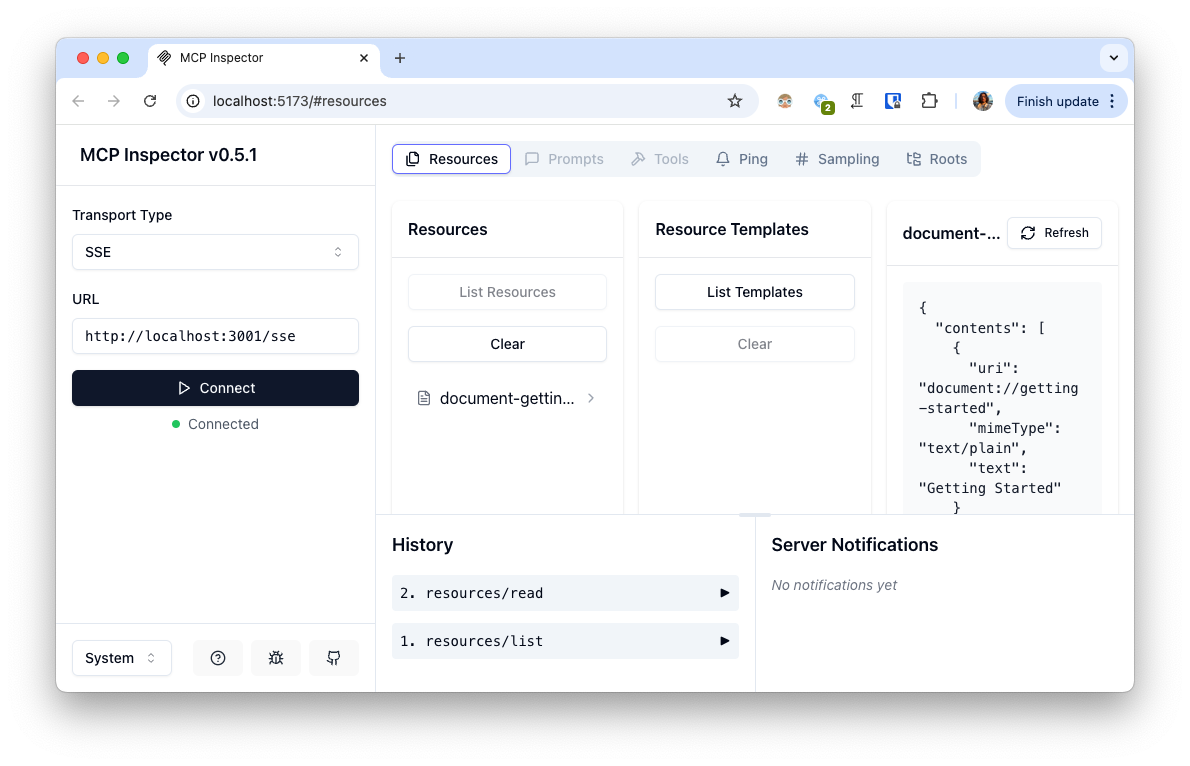
To start the server in production mode:
yarn start
By default, the server runs on port 3001. You can override this by setting the PORT environment variable:
PORT=5000 yarn start
Endpoints
- /sse - SSE endpoint for establishing persistent connections
- /messages - Endpoint for sending messages to the MCP server
Project Structure
- src/index.ts - Main entry point of the application
- src/mcp-server.ts - Implementation of the MCP server and resource definitions
- src/sse-server.ts - SSE server implementation using Express
Dependencies
- @modelcontextprotocol/sdk - SDK for Model Context Protocol
- Express - Web framework for Node.js
Sign in to leave a review
Use Google, GitHub, or an email account so ratings stay tied to real people.
No reviews posted yet.





