

DeployStack
About
Open source MCP hosting - deploy MCP servers to HTTP endpoints for n8n, Dify, Voiceflow, and any MCP client.
Details
- Author
- deploystackio
- GitHub stars
- 58
- Downloads
- 349
- Categories
- Other
Jump to
- Deploys stdio MCP servers to HTTP endpoints in 30 seconds.
- Hierarchical router reduces token usage by 98%.
- Encrypted credential vault with automatic injection.
- Team management with role-based access control.
- Audit logging for complete tool interaction visibility.
- Works with any MCP client supporting HTTP/SSE.

Setting up with Highlight
This MCP is not yet compatible with Highlight’s one-click setup. However, you can still use it with Highlight by following these steps:
- Download and install Highlight from highlightai.com/download
- Navigate to the plugins tab and select "Add Custom Plugin"
-
Configure the plugin with the settings below
Plugin Name
DeployStackCommand (node, npx, python, etc.)Please refer to the README for specific instructions on how to obtain API keys or other required environment variables.
- Enable "Start Automatically" if you want the plugin to start when Highlight launches





From the repository
Sign up at cloud.deploystack.io, then deploy MCP servers from GitHub repositories or install from the curated catalog. Configure your MCP client with a single HTTP URL (e.g., https://satellite.deploystack.io/mcp) to access all team MCP tools. For self-hosting, run docker-compose up after cloning the repository.
Claude Desktop / Cursor
Paste into your MCP client config file to install this server.
{
    "mcpServers": {
        "deploystack": {
            "deploystack": {
                "type": "http",
                "url": "https://satellite.deploystack.io/mcp"
            }
        }
    }
}McpServers
{
    "deploystack": {
        "type": "http",
        "url": "https://satellite.deploystack.io/mcp"
    }
}
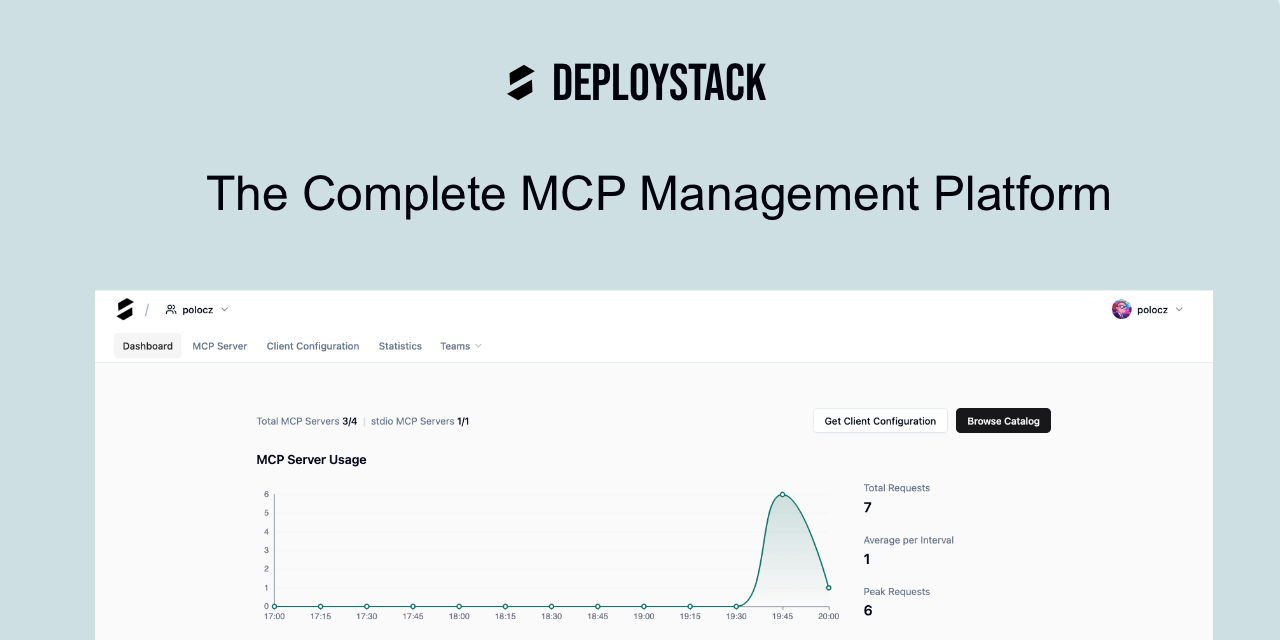
DeployStack - Open Source MCP Hosting Platform
<p align="center">
<a href="https://deploystack.io">
</a>
</p>
<p align="center">
<a href="https://opensource.org/licenses/AGPL-3.0"> </a>
</a>
<a href="https://github.com/deploystackio/deploystack/stargazers">
</p>
<p align="center">
<a href="https://cloud.deploystack.io">🚀 Try it out</a> ·
<a href="https://deploystack.io">🌐 Website</a> ·
<a href="https://docs.deploystack.io/">📚 Documentation</a> ·
<a href="https://github.com/deploystackio/deploystack?tab=readme-ov-file#roadmap"> Roadmap </a> ·
<a href="https://discord.gg/42Ce3S7b3b"> Discord</a>
</p>
---
Deploy MCP servers from GitHub to HTTP endpoints in 30 seconds. Works with n8n, Dify, Voiceflow, Langflow, Claude Code, Cursor, and any MCP client.
The Problem
Most MCP servers are stdio-only. But workflow automation platforms need HTTP endpoints.
| Platform | What They Need | The Problem |
| ------------- | ----------------------------- | --------------------------- |
| n8n | HTTP URLs for MCP Client node | stdio doesn't work |
| Dify | HTTP/SSE endpoints (v1.6+) | No stdio support |
| Voiceflow | Remote MCP endpoints | "Local MCP NOT supported" |
| Langflow | HTTP/SSE for production | Local processes won't scale |
Current workarounds are painful:
- mcp-remote requires local Node.js setup
- Docker containers need DevOps expertise
- DIY hosting (Fly.io, Railway) takes hours
And for teams, the problems multiply:
- Credentials scattered across Slack DMs and .env files
- No visibility into who uses which tools
- Onboarding new developers takes hours
- When someone leaves, good luck rotating all those API keys
Who DeployStack Is For
For AI Automation Builders
- n8n, Dify, Voiceflow, Langflow users: Get HTTP endpoints for MCP servers - no more stdio limitations
- No DevOps required: Skip the Docker containers and mcp-remote setup
- Deploy your custom MCP servers: Point at a GitHub repo, get a URL in 30 seconds
- Focus on workflows: Build automations, not infrastructure
For Automation Agencies
- Client-ready MCP hosting: Deploy MCP servers for client projects without managing infrastructure
- White-label ready: Team isolation keeps client data separate
- Scale without ops burden: Add more MCP servers without adding DevOps headcount
- Credential management: Secure vault for all your clients' API keys
For Platform / DevOps Teams
- End credential chaos: Move API keys from Slack DMs and .env files into an encrypted vault with automatic injection
- Control MCP access: Role-based permissions determine who can use which MCP servers and tools
- Prevent data exposure: Team isolation and audit logging show exactly what tools accessed what data
- Centralize configuration: One source of truth instead of N developers × M configurations
For Developers
- Zero setup: Add one URL to your MCP client, get access to all team MCP tools instantly
- No local installs: No npm install, no process management, no port conflicts
- Just works: Same configuration everywhere - no more "works on my machine" debugging
- Focus on code: Security and credentials are handled for you
For Engineering Managers
- 1-click team onboarding: New developer? They're productive with MCP tools in minutes, not hours
- Reduce AI costs: 98% token reduction means lower API bills and better LLM performance
- Full visibility: See which tools your team uses, how often, and what they access
- Offboarding safety: When someone leaves, revoke access instantly - no credential rotation nightmare
The Solution
DeployStack hosts MCP servers as HTTP endpoints. Two ways to use it:
Deploy from GitHub
Point DeployStack at any GitHub repo with an MCP server:
1. Connect your GitHub account
2. Select a repository
3. Get an HTTP endpoint that works immediately
Auto-deploys when you push. Like Vercel, but for MCP servers.
Use the Curated Catalog
Don't have your own MCP server? Browse our catalog of popular servers:
- One-click installation
- Pre-configured and tested
- Ready to use in seconds
Key Features
Deploy from GitHub
GitHub Repo → DeployStack → HTTP Endpoint → Your MCP Client
- Any stdio MCP server becomes an HTTP endpoint
- Auto-deploy on git push
- Branch deployments for testing
- Zero DevOps required
98% Token Reduction
Traditional MCP setup loads all tools into context:
- 10 servers × 15 tools = 150 tools = 75,000 tokens consumed
DeployStack's hierarchical router exposes only 2 meta-tools:
- discover_mcp_tools - find relevant tools
- execute_mcp_tool - run the tool you need
- Result: 1,372 tokens instead of 75,000
Scale to 100+ MCP servers without degrading LLM performance.
Credential Vault
Store API keys and secrets securely:
- Encrypted at rest
- Automatic injection at runtime
- No credentials in config files
- No secrets in Slack DMs
- Rotate once, update everywhere
Team Management & RBAC
Control access across your team:
- Invite team members with specific roles
- Define who can use which MCP servers
- Manage permissions from one dashboard
- Instant onboarding for new developers
Audit Logging
Full visibility into MCP usage:
- Track every tool interaction
- See who accessed what and when
- Export logs for compliance
- Debug issues with complete history
Works Everywhere
Compatible with any MCP client that supports HTTP/SSE:
| Workflow Platforms | AI Coding Tools | Other Clients |
| ------------------ | --------------- | ------------------- |
| n8n | Claude Code | Any HTTP MCP client |
| Dify | Cursor | Custom integrations |
| Voiceflow | VS Code | |
| Langflow | Windsurf | |
Architecture
┌─────────────┐     ┌─────────────────┐     ┌─────────────┐
│   GitHub    │────▶│   DeployStack   │────▶│  HTTP URL   │
│    Repo     │     │    Satellite    │     │   Endpoint  │
└─────────────┘     └─────────────────┘     └─────────────┘
                            │
                    ┌───────┴───────┐
                    │               │
              ┌─────▼───-──┐   ┌───-──▼──-───┐
              │ Credential │   │ Hierarchical│
              │   Vault    │   │   Router    │
              └──────────-─┘   └─--──────────┘
Two deployment options:
| Global Satellites | Team Satellites |
| -------------------------- | ----------------------------- |
| Managed by DeployStack | Deploy on your infrastructure |
| Zero setup | Full data control |
| Free tier available | Enterprise security |
| satellite.deploystack.io | satellite.yourcompany.com |
Quick Start
1. Sign Up
Create a free account at cloud.deploystack.io
2. Add MCP Servers
Option A: Deploy from GitHub
- Connect your GitHub account
- Select a repository with an MCP server
- Click Deploy
Option B: Use Catalog
- Browse the MCP server catalog
- Click Install on any server
- Configure credentials if needed
3. Get Your Endpoint
Copy the HTTP endpoint URL from your dashboard.
4. Configure Your MCP Client
Add to your MCP client configuration:
{
  "mcpServers": {
    "deploystack": {
      "type": "http",
      "url": "https://satellite.deploystack.io/mcp"
    }
  }
}
That's it. All your MCP servers are now accessible via one URL.
Self-Hosting
DeployStack is open source (AGPL-3.0). Run it on your own infrastructure:
git clone https://github.com/deploystackio/deploystack
cd deploystack
docker-compose up
See Self-Hosting Documentation for detailed instructions.
Roadmap
Phase 1: Foundation (Completed)
- [x] Deployed cloud.deploystack.io hosted version with backend and frontend
- [x] Implemented secure user and team management system with roles and permissions
- [x] Integrated OAuth for secure logins (GitHub)
- [x] Created initial MCP Server Catalog for tool discovery
- [x] Established documentation and self-hosted Docker support
- [x] PostgreSQL-only database architecture for enterprise scalability
Phase 2: Enterprise Governance (Completed)
- [x] Auto-install MCP servers for new users with admin-controlled defaults
- [x] Featured MCP servers filtering for improved tool discovery
- [x] Global Event Bus System with plugin integration
- [x] Three-Tier MCP Configuration Architecture (template, team, user levels)
- [x] Multi-User Configuration Management with personalized device-specific configs
- [x] Advanced MCP Argument & Environment Variable Handling with schema validation
- [x] HTTP Headers & URL Query Parameters Support for HTTP/SSE transport
- [x] Selective Secret Masking in Satellite Logs
Phase 3: Satellite Infrastructure (Completed)
- [x] Global Satellite Infrastructure - managed MCP servers via HTTPS
- [x] Zero-Installation Experience - just add URL to your MCP client
- [x] OAuth Authentication with token-based auth
- [x] Satellite Pairing Security with JWT-based token registration
- [x] Public Launch - production satellite for community use
- [x] Resource Management - process isolation and limits
- [x] GitHub README and Stars Integration for MCP catalog
- [x] Background Job Queue System with PostgreSQL-based worker infrastructure
- [x] Cron Job Scheduling System with node-cron integration
- [x] MCP Registry Integration - official MCP Registry support
Phase 4: Context Window Optimization (Completed)
- [x] Hierarchical Router Implementation - 2-tool pattern achieving 98% token reduction
- [x] Semantic Tool Search with Fuse.js fuzzy matching (2-5ms performance)
- [x] Tool Discovery API with paths, descriptions, transport types, relevance scores
- [x] Smart Tool Execution with automatic routing to stdio or HTTP/SSE backends
- [x] MCP Tool Metadata Collection with token counting and event-driven sync
- [x] Tool Display & Analytics API for team-aware tool management
- [x] Token Analytics Dashboard with visual comparisons and per-installation breakdown
- [x] OAuth 2.1 Authentication for MCP Servers (Box, Linear, GitHub Copilot, etc.)
Phase 5: Advanced Governance (Completed)
- [x] Analytics dashboards for tool usage and performance
- [x] Per-tool access controls - team admins can disable individual tools
- [x] Improved searchable MCP Server Catalog with Featured page and categories
- [x] AI Instructions - ready-to-copy instruction files for AI coding assistants
Phase 6: Advanced Architecture (Completed)
- [x] Multi-Transport Support - SSE, Streamable HTTP, Direct HTTP protocols
- [x] Real-Time Command Orchestration with instant status feedback
- [x] Satellite Job System with JobManager and extensible architecture
- [x] Satellite Backend Events System with batch processing and JSON schema validation
- [x] MCP Client Activity Tracking across all components
- [x] Time-Series Metrics System with 15-minute bucket aggregation
- [x] Multi-region satellite deployment
Phase 7: GitHub Deployment (Completed)
- [x] Deploy MCP servers from any GitHub repository
- [x] Auto-deploy on git push via webhooks
- [x] Branch deployments for testing
- [x] Team Satellites - customer-deployed satellites for enterprise
Phase 8: In Progress
- [ ] Advanced Audit UI - detailed logging dashboard
- [ ] Python MCP Server Support - deploy Python-based MCP servers
Phase 9: Planned
- [ ] SSO Integration (SAML, OIDC)
- [ ] SOC 2 Type II certification
- [ ] AI-powered tool recommendations based on conversation context
- [ ] Per-team token budgets and cost attribution
Contributing
We welcome contributions. Here's how:
1. Fork the repository
2. Create a feature branch: git checkout -b feature/your-idea
3. Follow TypeScript and ESLint conventions
4. Add tests for new functionality
5. Submit a pull request
Areas where we need help:
- MCP server integrations
- Documentation improvements
- Satellite infrastructure
- Enterprise features
Links
- Platform: cloud.deploystack.io
- Documentation: docs.deploystack.io
- GitHub: github.com/deploystackio/deploystack
- Discord: Join the community
License
AGPL-3.0 - you can self-host, modify, and use DeployStack freely. If you offer it as a service, you must open-source your modifications.
Sign in to leave a review
Use Google, GitHub, or an email account so ratings stay tied to real people.
No reviews posted yet.





