DataFast MCP
About
The DataFast MCP server lets MCP-compatible clients such as Codex, Claude Code, and Cursor query your analytics and manage your account through natural language.
Details
- Author
- Unknown
- Categories
- Cloud Service, Other, AI, Knowledge Base
Jump to
- Query analytics overview— Ask for site-wide metrics like visitors, pageviews, and trends viadatafast_analytics_overview.
- List websites— Retrieve all websites your token can access withdatafast_websites_listfor quick reference.
- Manage goals and funnels— Create, update, or inspect conversion goals and funnels to track user journeys.
- Review visitor details— Pull individual visitor sessions and behavior data for deeper analysis.
- Check integration status— Verify whether payment or other integrations are connected, without exposing credentials.
- Preview sensitive actions— Request a dry-run preview of irreversible operations like deletes or key minting before confirming withconfirm: true.
The DataFast MCP server lets MCP-compatible clients such as Codex, Claude Code, and Cursor query your analytics and manage your account through natural language. It provides the same functionality, permissions, and safety checks as theREST APIandCLI.
It uses Streamable HTTP athttps://datafa.st/api/mcp.
Every MCP request uses the permissions and website access you selected for the token.
Save the copied token in aDATAFAST_TOKENenvironment variable, then add DataFast:
codex mcp add datafast \ --url https://datafa.st/api/mcp \ --bearer-token-env-var DATAFAST_TOKEN
claude mcp add --transport http datafast https://datafa.st/api/mcp \ --header "Authorization: Bearer dft_xxx"
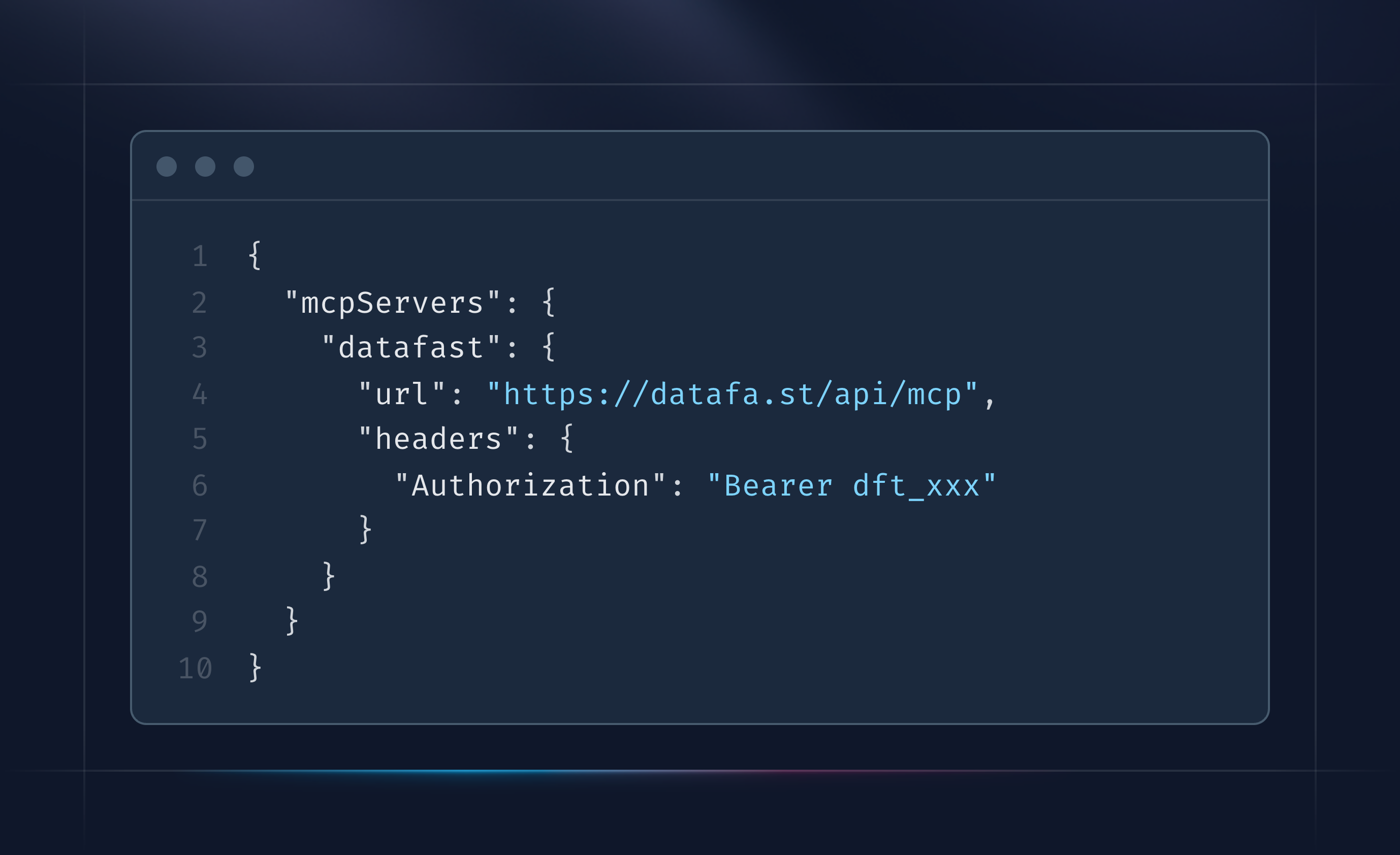
Cursor, Claude Desktop, and other config-based clients
{ "mcpServers": { "datafast": { "url": "https://datafa.st/api/mcp", "headers": { "Authorization": "Bearer dft_xxx" } } } }
{ "mcpServers": { "datafast": { "command": "npx", "args": [ "-y", "mcp-remote", "https://datafa.st/api/mcp", "--header", "Authorization: Bearer dft_xxx" ] } } }
- Confirmation gate:irreversible or credential-issuing tools (delete, roll, mint API keys/tokens) require an explicitconfirm: trueargument. Calling without it returns a preview of what would happen instead of doing it, so an agent can't fire a sensitive action on the first try.
- No secret exfiltration:listing endpoints for API keys and access tokens never return secret values, only metadata (id, name, prefix, dates) — same as the REST API.
- Website deletion is dashboard-only:there is no MCP tool to delete a website; deletion can't be automated by design.
- Payment connect/disconnect is dashboard-only:MCP can report integration status, but connecting or disconnecting payment providers (and handling their credentials) stays in the dashboard.
- Scoped by token, not by tool:every tool call re-validates permissions against the real route — the transport resolves the bearer once per request, then reuses that result for in-process auth (no elevated MCP-only privilege).
For a more restricted setup, use adf_website API key instead of an account token. It limits the client to one website and mostly read-only analytics. Create one from that website'sSettings → API / MCPpage and seeauthentication and scopesfor details.
Inkrun's remote MCP server lets AI agents like Claude turn Markdown into themed, consistent and reproducible on-brand PDFs with a single tool call
Transform your scattered documentation into AI-ready knowledge that works seamlessly with Claude, Cursor, VS Code, and other AI tools.
Autofill PDF is an MCP server that connects your Instafill.ai workspace to the Claude and ChatGPT MCP clients, allowing users to upload, search, and automatically fill PDF forms directly from chat.
Share your team's Coding Best Practices with Cursor, VS Code, Claude code, Windsurf, JetBrains IDEs and other coding tools supporting remote MCP connection.
A local MCP server that gives Claude Code, Cursor and Codex read access to your DynamoDB schema and items, with every write staged for human review.
Lance is an agent that runs on its own cloud Mac and handles everything on the App Store Connect side of shipping an iOS app. It connects to coding agents like Claude Code and Codex through MCP and takes over the parts they can't do: creating apps on App Store Connect, setting up notifications / widgets, filling out listing metadata, uploading builds to TestFlight, submitting for review, and responding to App Review feedback. Because it has its own Mac, it can also build, run, and test users' apps and capture screenshots.
Persistent AI memory shared across Claude, ChatGPT, coding agents, and compatible MCP clients.
Connect your Moodle LMS to ChatGPT, Claude and other MCP clients: build courses, upload content, review grades and pull reports from the chat.
Connect your Google, Outlook and iCloud calendars to Claude, ChatGPT and any MCP client through one secure server. Let your AI assistant read your schedule, check your availability, and create, update and delete events.
Sign in to leave a review
Use Google, GitHub, or an email account so ratings stay tied to real people.
No reviews posted yet.





