
create-mcp-server-app
About
A CLI tool for quickly scaffolding Model Context Protocol (MCP) server applications with TypeScript support and modern development tooling
Details
- Author
- boguan
- GitHub stars
- 57
- Downloads
- 313
- Categories
- Other
Jump to
- Instant project scaffolding for MCP server applications
- First-class TypeScript support with strict type checking
- Modern development toolchain (ESLint, Prettier, Husky)
- Extensible and customizable server template
- Monorepo architecture with Turborepo
- Built-in testing setup with Jest

Setting up with Highlight
This MCP is not yet compatible with Highlight’s one-click setup. However, you can still use it with Highlight by following these steps:
- Download and install Highlight from highlightai.com/download
- Navigate to the plugins tab and select "Add Custom Plugin"
-
Configure the plugin with the settings below
Plugin Name
create-mcp-server-appCommand (node, npx, python, etc.)Please refer to the README for specific instructions on how to obtain API keys or other required environment variables.
- Enable "Start Automatically" if you want the plugin to start when Highlight launches





From the repository
Run npx create-mcp-server-app@latest my-mcp-server to scaffold a new MCP server project. The project requires Node.js 16.x or later and pnpm 7.x or later for development.
Claude Desktop / Cursor
Paste into your MCP client config file to install this server.
{
    "mcpServers": {
        "create-mcp-server-app": {
            "create-mcp-server-app": {
                "command": "npx",
                "args": [
                    "create-mcp-server-app@latest",
                    "my-mcp-server"
                ]
            }
        }
    }
}McpServers
{
    "create-mcp-server-app": {
        "command": "npx",
        "args": [
            "create-mcp-server-app@latest",
            "my-mcp-server"
        ]
    }
}
create-mcp-app
A powerful scaffolding toolkit for creating Model Context Protocol (MCP) applications with modern development practices.
Overview
create-mcp-app is a monorepo project that provides tools and templates for building MCP applications. It uses modern development practices and tools to ensure a smooth development experience. The project is designed to help developers quickly set up and start building MCP applications with best practices and modern tooling.
Features
- 🚀 Instant project scaffolding for MCP applications
- 📦 First-class TypeScript support with strict type checking
- 🔧 Modern development toolchain with ESLint, Prettier, and Husky
- 🎯 Extensible and customizable templates for both server and client
- 🏗️ Monorepo architecture with Turborepo for efficient development
- 📝 Comprehensive documentation and examples
- 🔍 Built-in testing setup with Jest
- 🛠️ Development tools and utilities
Project Structure
This project is organized as a monorepo using Turborepo, containing:
create-mcp-app/
├── apps/                          # Application packages
│   ├── create-mcp-server-app/     # Server application template
│   │   ├── src/                   # Source code
│   │   ├── boilerplate/          # Template files
│   │   ├── docs/                 # Documentation
│   │   └── dist/                 # Build output
│   │
│   └── create-mcp-client-app/    # Client application template
│       ├── src/                   # Source code
│       ├── boilerplate/          # Template files
│       ├── docs/                 # Documentation
│       └── dist/                 # Build output
│
├── packages/                      # Shared packages and configurations
├── .vscode/                      # VS Code configuration
└── package.json                  # Root package configuration
Quick Start
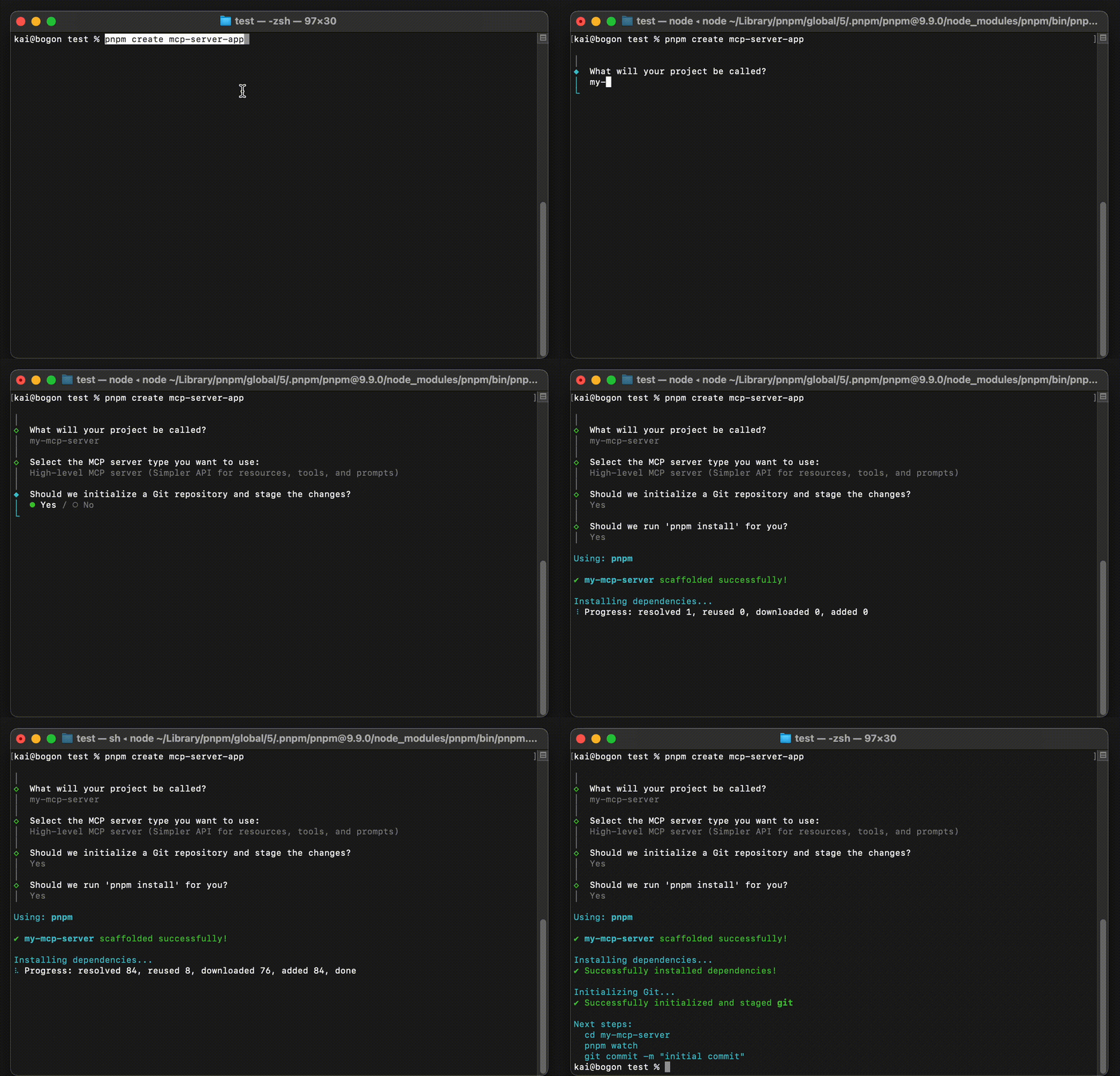
To create a new MCP server application (see detailed guide):
npx create-mcp-server-app@latest my-mcp-server
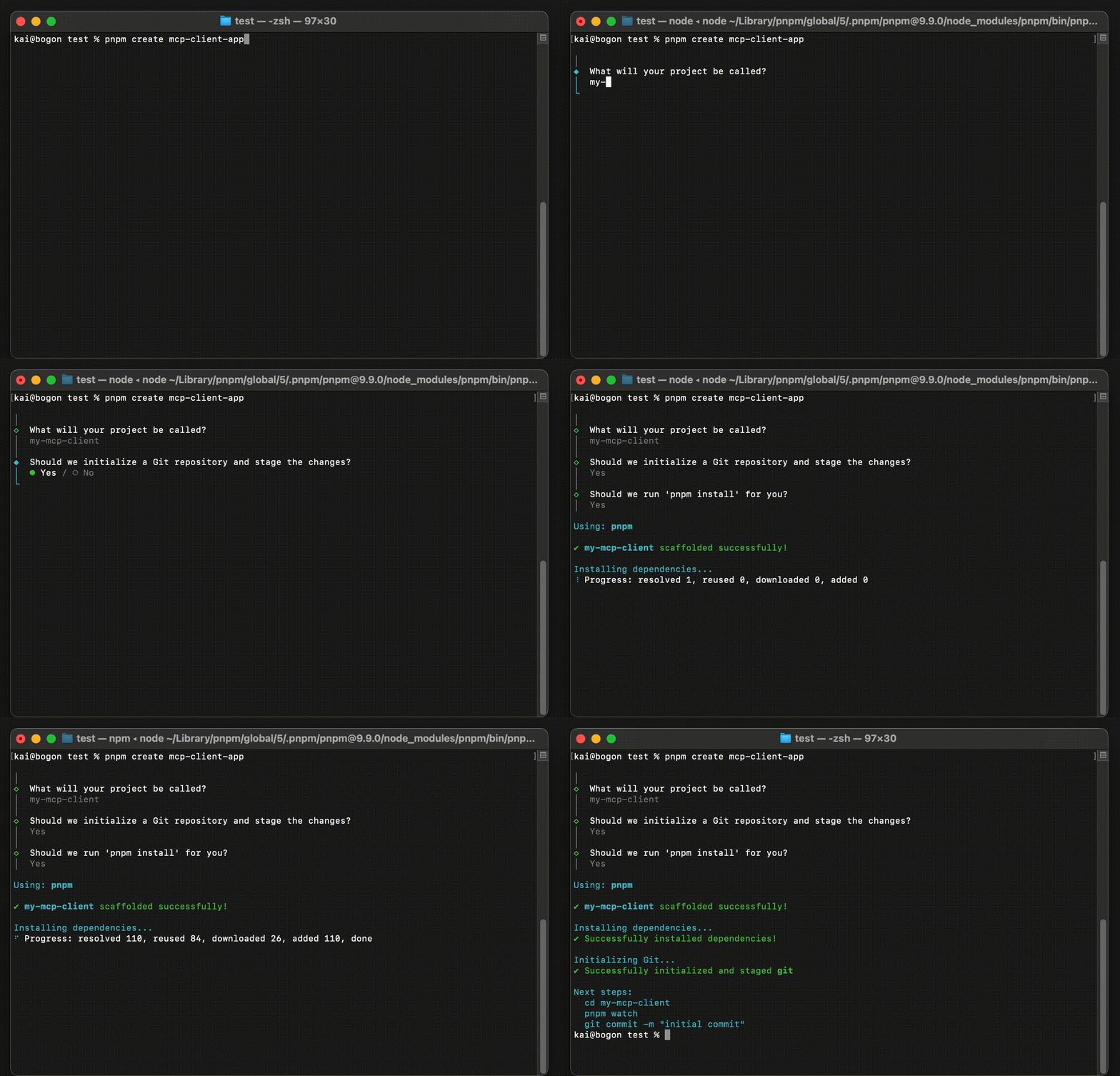
To create a new MCP client application (see detailed guide):
npx create-mcp-client-app@latest my-mcp-client
Development
Prerequisites
- Node.js 16.x or later
- pnpm 7.x or later
Package Management
This project uses pnpm for package management. To get started with development:
# Install dependencies
pnpm install
Build all packages
pnpm build
Run development environment
pnpm dev
Run tests
pnpm test
Lint code
pnpm lint
Contributing
We welcome contributions! Here's how you can help:
1. Fork the repository
2. Create your feature branch (git checkout -b feature/amazing-feature)
3. Commit your changes (git commit -m 'Add some amazing feature')
4. Push to the branch (git push origin feature/amazing-feature)
5. Open a Pull Request
Please make sure to:
- Follow the existing code style
- Add tests for new features
- Update documentation as needed
- Keep commits clean and well-described
Issues and Bugs
If you find a bug or have a suggestion:
- Open an issue
- Submit a pull request
License
This project is licensed under the terms of the license included in the LICENSE file.
Sign in to leave a review
Use Google, GitHub, or an email account so ratings stay tied to real people.
No reviews posted yet.





