
create-mcp-app
About
A CLI tool for quickly scaffolding Model Context Protocol (MCP) server applications with TypeScript support and modern development tooling
Details
- Author
- boguan
- GitHub stars
- 57
- Downloads
- 332
- Categories
- Other
Jump to
- Instant project scaffolding for MCP applications
- First-class TypeScript support with strict type checking
- Modern toolchain: ESLint, Prettier, and Husky
- Extensible templates for both server and client
- Monorepo architecture with Turborepo
- Built-in testing setup with Jest

Setting up with Highlight
This MCP is not yet compatible with Highlight’s one-click setup. However, you can still use it with Highlight by following these steps:
- Download and install Highlight from highlightai.com/download
- Navigate to the plugins tab and select "Add Custom Plugin"
-
Configure the plugin with the settings below
Plugin Name
create-mcp-appCommand (node, npx, python, etc.)Please refer to the README for specific instructions on how to obtain API keys or other required environment variables.
- Enable "Start Automatically" if you want the plugin to start when Highlight launches





From the repository
Create a new MCP server or client app by running one of the following commands in your terminal: npx create-mcp-server-app@latest my-mcp-server or npx create-mcp-client-app@latest my-mcp-client. Follow the prompts to scaffold your project with the chosen template.
Claude Desktop / Cursor
Paste into your MCP client config file to install this server.
{
    "mcpServers": {
        "create-mcp-app": {
            "create-mcp-app": {
                "command": "npx",
                "args": [
                    "create-mcp-server-app@latest",
                    "my-mcp-server"
                ]
            }
        }
    }
}McpServers
{
    "create-mcp-app": {
        "command": "npx",
        "args": [
            "create-mcp-server-app@latest",
            "my-mcp-server"
        ]
    }
}
create-mcp-app
A powerful scaffolding toolkit for creating Model Context Protocol (MCP) applications with modern development practices.
Overview
create-mcp-app is a monorepo project that provides tools and templates for building MCP applications. It uses modern development practices and tools to ensure a smooth development experience. The project is designed to help developers quickly set up and start building MCP applications with best practices and modern tooling.
Features
- 🚀 Instant project scaffolding for MCP applications
- 📦 First-class TypeScript support with strict type checking
- 🔧 Modern development toolchain with ESLint, Prettier, and Husky
- 🎯 Extensible and customizable templates for both server and client
- 🏗️ Monorepo architecture with Turborepo for efficient development
- 📝 Comprehensive documentation and examples
- 🔍 Built-in testing setup with Jest
- 🛠️ Development tools and utilities
Project Structure
This project is organized as a monorepo using Turborepo, containing:
create-mcp-app/
├── apps/                          # Application packages
│   ├── create-mcp-server-app/     # Server application template
│   │   ├── src/                   # Source code
│   │   ├── boilerplate/          # Template files
│   │   ├── docs/                 # Documentation
│   │   └── dist/                 # Build output
│   │
│   └── create-mcp-client-app/    # Client application template
│       ├── src/                   # Source code
│       ├── boilerplate/          # Template files
│       ├── docs/                 # Documentation
│       └── dist/                 # Build output
│
├── packages/                      # Shared packages and configurations
├── .vscode/                      # VS Code configuration
└── package.json                  # Root package configuration
Quick Start
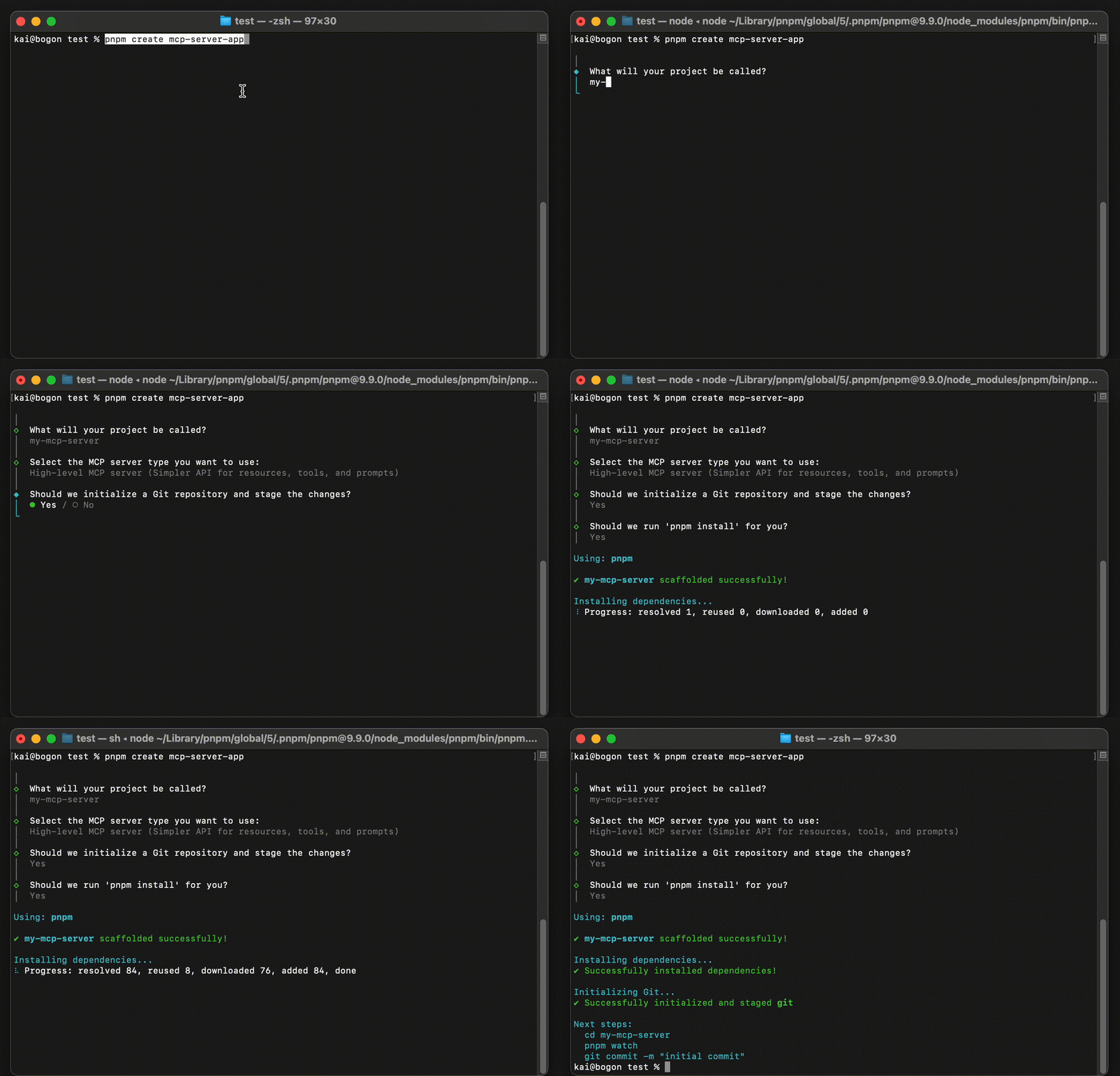
To create a new MCP server application (see detailed guide):
npx create-mcp-server-app@latest my-mcp-server
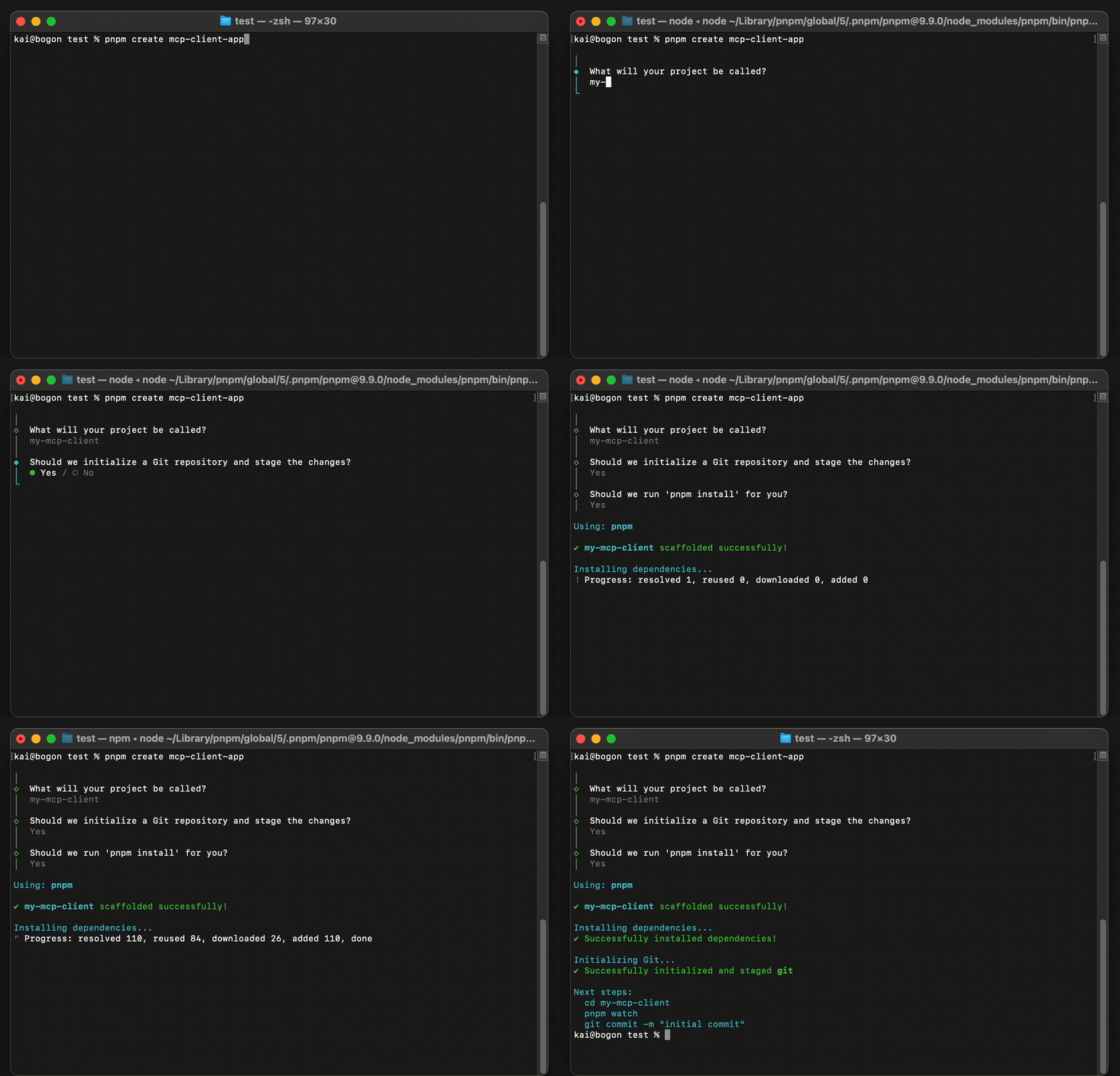
To create a new MCP client application (see detailed guide):
npx create-mcp-client-app@latest my-mcp-client
Development
Prerequisites
- Node.js 16.x or later
- pnpm 7.x or later
Package Management
This project uses pnpm for package management. To get started with development:
```bash
Sign in to leave a review
Use Google, GitHub, or an email account so ratings stay tied to real people.
No reviews posted yet.





