
ConvertAgent
About
File conversion built for AI agents. CLI, REST API, and MCP server.
Details
- Author
- vid-factory
- Downloads
- 116
- Categories
- Developer Tools
Jump to
- CLI, REST API, and MCP server from one unified engine.
- 20 conversion pairs across documents, images, and audio/video.
- Self-hosted: files never leave your infrastructure.
- Powered by open-source engines (FFmpeg, LibreOffice, ImageMagick, Pandoc).
- No cloud uploads, no API keys, no per-conversion fees.
- Real-file test matrix with 20/20 verified passing.

Setting up with Highlight
This MCP is not yet compatible with Highlight’s one-click setup. However, you can still use it with Highlight by following these steps:
- Download and install Highlight from highlightai.com/download
- Navigate to the plugins tab and select "Add Custom Plugin"
-
Configure the plugin with the settings below
Plugin Name
ConvertAgentCommand (node, npx, python, etc.)Please refer to the README for specific instructions on how to obtain API keys or other required environment variables.
- Enable "Start Automatically" if you want the plugin to start when Highlight launches





From the repository
Install by cloning the repository, then run npm install and npm run build. Ensure system dependencies (ffmpeg, libreoffice, imagemagick, pandoc) are installed. Use the CLI with convertagent convert <file> --to <format> or start the API server with node dist/api/server.js. For MCP integration, add the server configuration to your MCP client (e.g., Claude Desktop) pointing to http://localhost:3001/mcp or the local script.
Claude Desktop / Cursor
Paste into your MCP client config file to install this server.
{
    "mcpServers": {
        "convertagent": {
            "convertagent": {
                "url": "http://localhost:3001/mcp"
            }
        }
    }
}McpServers
{
    "convertagent": {
        "url": "http://localhost:3001/mcp"
    }
}
<p align="center">
</p>
<p align="center">
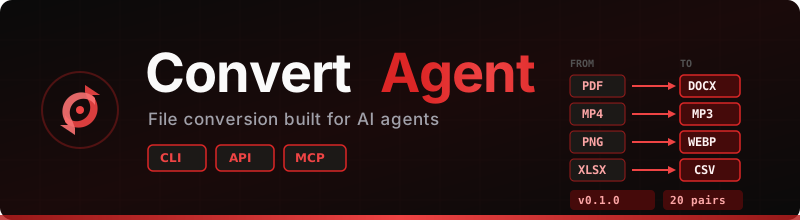
<strong>File conversion built for AI agents.</strong> CLI, REST API, and MCP server — all sharing one engine.
</p>
<p align="center">
</p>





<p align="center">
<a href="#-quick-start">Quick Start</a> ·
<a href="#-api-reference">API Reference</a> ·
<a href="#-mcp-server">MCP Server</a> ·
<a href="#-supported-conversions">Formats</a> ·
<a href="#%EF%B8%8F-architecture">Architecture</a> ·
<a href="#-roadmap">Roadmap</a>
</p>
---
ConvertAgent is a self-hosted, open-source file conversion toolkit designed for AI agents. Your files never leave your infrastructure — no cloud uploads, no API keys, no per-conversion fees, no usage limits. Just install, run, and convert. CLI for local agents, REST API for remote access, and MCP for the agent ecosystem.
> Self-hosted. Open source. Zero cost per conversion. Your agent converts files locally — no cloud, no limits, no vendor lock-in.
---
✨ Features
- 🖥️ CLI-first — convertagent convert file.pdf --to docx — the native interface for agents
- 🌐 REST API — POST /v1/convert for remote agents and web services
- 🔌 MCP Server — Discoverable by any MCP-compatible AI client (Claude, ChatGPT, Cursor, etc.)
- ⚡ One dispatcher — All three interfaces share the same conversion engine
- 📦 20 conversion pairs across documents, images, audio/video, and text
- 🔧 Open-source engines — FFmpeg, LibreOffice, ImageMagick, Pandoc under the hood
- 🚀 Self-hosted — Your files never leave your infrastructure
---
📋 Supported Conversions
| Category | Conversions |
|----------|------------|
| Documents | pdf→docx · docx→pdf · html→pdf · md→pdf · md→html · md→docx · xlsx→csv · csv→xlsx · pptx→pdf |
| Images | jpg→png · png→jpg · png→webp · webp→png · svg→png · image-resize · image-compress |
| Audio/Video | mp4→mp3 · wav→mp3 · mp4→gif · any-video→mp4 |
---
🚀 Quick Start
Prerequisites
# Install conversion engines (Ubuntu/Debian)
sudo apt-get update && sudo apt-get install -y ffmpeg libreoffice imagemagick pandoc
Install & Run
git clone https://github.com/vid-factory/convertagent.git
cd convertagent
npm install
npm run build
CLI Usage
# Convert a PDF to Word
convertagent convert report.pdf --to docx
Convert with custom output path
convertagent convert photo.png --to webp --output ./compressed.webp
Extract audio from video
convertagent convert video.mp4 --to mp3
List all supported formats
convertagent formats
Check engine health
convertagent health
Start the API Server
# Start on default port 3001
node dist/api/server.js
Or with custom port
PORT=8080 node dist/api/server.js
---
📡 API Reference
POST /v1/convert
Convert a file from one format to another.
Request:
{
  "action": "pdf-to-docx",
  "source": "/path/to/file.pdf",
  "options": {}
}
With URL source:
{
  "action": "html-to-pdf",
  "source_url": "https://example.com/page.html",
  "options": {}
}
With base64 source:
{
  "action": "jpg-to-png",
  "source_base64": "data:image/jpeg;base64,/9j/4AAQ...",
  "options": {}
}
Response:
{
  "success": true,
  "job_id": "a1b2c3d4",
  "artifact": {
    "path": "/output/a1b2c3d4.docx",
    "url": "/v1/artifacts/a1b2c3d4",
    "format": "docx",
    "size": 45231,
    "duration_ms": 1200
  }
}
GET /v1/formats
List all supported conversion pairs.
GET /health
Check engine availability.
{
  "ok": true,
  "service": "convertagent",
  "engines": {
    "ffmpeg": true,
    "libreoffice": true,
    "imagemagick": true,
    "pandoc": true
  }
}
---
🔌 MCP Server
ConvertAgent exposes an MCP server for integration with any MCP-compatible AI client.
Available Tools
| Tool | Description |
|------|------------|
| convert_file | Convert a file from one format to another |
| list_formats | List all supported conversion format pairs |
Connect via MCP
{
  "mcpServers": {
    "convertagent": {
      "url": "http://localhost:3001/mcp"
    }
  }
}
Example: Claude Desktop
Add to your Claude Desktop MCP config:
{
  "mcpServers": {
    "convertagent": {
      "command": "node",
      "args": ["/path/to/convertagent/dist/mcp/server.js"]
    }
  }
}
---
🏗️ Architecture
┌─────────────────────────────────────────────────────┐
│                    ConvertAgent                       │
│                                                       │
│  ┌─────────┐  ┌─────────┐  ┌─────────┐              │
│  │   CLI   │  │   API   │  │   MCP   │  ← Interfaces│
│  └────┬────┘  └────┬────┘  └────┬────┘              │
│       │            │            │                     │
│       └────────────┼────────────┘                     │
│                    │                                  │
│           ┌────────▼────────┐                         │
│           │   Dispatcher    │  ← Shared routing core  │
│           └────────┬────────┘                         │
│                    │                                  │
│    ┌───────┬───────┼───────┬────────┐                │
│    │       │       │       │        │                │
│  ┌─▼──┐ ┌─▼──┐ ┌──▼──┐ ┌─▼────┐   │                │
│  │ FF │ │ LO │ │ IM  │ │ Pan  │   │  ← Engines     │
│  │mpeg│ │    │ │     │ │ doc  │   │                 │
│  └────┘ └────┘ └─────┘ └──────┘   │                │
│                                     │                │
│  FF = FFmpeg    LO = LibreOffice    │                │
│  IM = ImageMagick  Pan = Pandoc     │                │
└─────────────────────────────────────────────────────┘
---
🐳 Docker (Coming Soon)
docker run -p 3001:3001 vid-factory/convertagent
---
🛠️ Development
# Clone
git clone https://github.com/vid-factory/convertagent.git
cd convertagent
Install dependencies
npm install
Build
npm run build
Run tests
npm test
Run the full 20-pair conversion test matrix
node scripts/run-tea-20.mjs
Project Structure
convertagent/
├── src/
│   ├── cli/              # CLI commands (convert, formats, health)
│   ├── api/              # REST API server (Fastify)
│   ├── mcp/              # MCP server (Streamable HTTP)
│   ├── core/             # Shared dispatcher + format registry
│   ├── engines/          # Engine adapters
│   │   ├── ffmpeg.ts     # Audio/video conversions
│   │   ├── libreoffice.ts# Document conversions
│   │   ├── imagemagick.ts# Image conversions
│   │   ├── pandoc.ts     # Text/markup conversions
│   │   └── shell.ts      # Shared shell runner with timeouts
│   └── tests/            # Unit + integration tests
├── scripts/              # TEA matrix runner, utilities
├── test-assets/          # Real input files for testing
├── test-artifacts/       # TEA results + parity evidence
├── deploy/               # systemd service file
├── package.json
├── tsconfig.json
└── README.md
---
📊 Test Results
ConvertAgent ships with a full real-file test matrix — no mocks.
| Pair | Status | Engine |
|------|--------|--------|
| pdf→docx | ✅ Pass | LibreOffice |
| docx→pdf | ✅ Pass | LibreOffice |
| html→pdf | ✅ Pass | Pandoc |
| md→pdf | ✅ Pass | Pandoc |
| md→html | ✅ Pass | Pandoc |
| md→docx | ✅ Pass | Pandoc |
| xlsx→csv | ✅ Pass | LibreOffice |
| csv→xlsx | ✅ Pass | LibreOffice |
| pptx→pdf | ✅ Pass | LibreOffice |
| jpg→png | ✅ Pass | ImageMagick |
| png→jpg | ✅ Pass | ImageMagick |
| png→webp | ✅ Pass | ImageMagick |
| webp→png | ✅ Pass | ImageMagick |
| svg→png | ✅ Pass | ImageMagick |
| image-resize | ✅ Pass | ImageMagick |
| image-compress | ✅ Pass | ImageMagick |
| mp4→mp3 | ✅ Pass | FFmpeg |
| wav→mp3 | ✅ Pass | FFmpeg |
| mp4→gif | ✅ Pass | FFmpeg |
| any-video→mp4 | ✅ Pass | FFmpeg |
20/20 passing — verified across CLI, API, and MCP interfaces with binary parity checks.
---
🗺️ Roadmap
- [x] CLI interface with 20 conversion pairs
- [x] REST API (/v1/convert, /v1/formats, /health)
- [x] MCP server with tool discovery + execution
- [x] Real-file TEA test matrix (20/20)
- [x] Cross-interface parity verification (CLI = API = MCP)
- [x] systemd deployment for persistence
- [ ] URL source intake (fetch remote files for conversion)
- [ ] Docker image for one-command deployment
- [ ] OpenClaw skill package (publish to ClawHub)
- [ ] Claw Mart marketplace listing
- [ ] Pipeline endpoint (chain multiple conversions)
- [ ] npm global install (npm install -g convertagent)
- [ ] Usage tracking + rate limiting
- [ ] Additional format pairs (50+)
---
🤝 Contributing
Contributions are welcome! Please follow these guidelines:
1. Fork the repository
2. Create a feature branch (git checkout -b feat/new-format-pair)
3. Write tests for new conversions (use real files, not mocks)
4. Run the full TEA matrix (node scripts/run-tea-20.mjs)
5. Commit with conventional commits (feat:, fix:, docs:, test:)
6. Open a Pull Request
Adding a New Conversion Pair
1. Add the format pair to src/core/formats.ts
2. Implement or extend the appropriate engine adapter in src/engines/
3. Add a real test input file to test-assets/input/
4. Add the pair to the TEA matrix in scripts/run-tea-20.mjs
5. Run tests and verify output
---
📄 License
MIT License — see LICENSE for details.
---
🙏 Acknowledgments
- FFmpeg — Audio/video processing
- LibreOffice — Document conversions
- ImageMagick — Image processing
- Pandoc — Universal document converter
- Model Context Protocol — The standard for AI tool integration
---
<p align="center">
Built by <a href="https://github.com/vid-factory">vid-factory</a> — Agent infrastructure for the AI era.
</p>
Sign in to leave a review
Use Google, GitHub, or an email account so ratings stay tied to real people.
No reviews posted yet.





