
Context Autopilot
Description
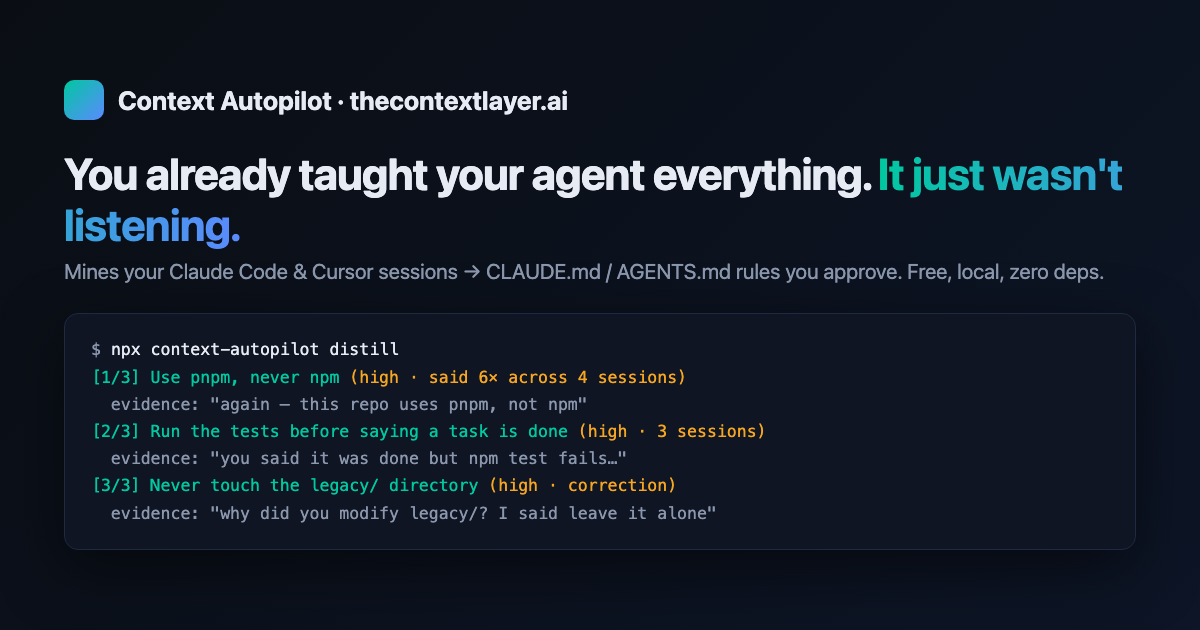
# Context Autopilot **Automated context collection for coding agents.** Mines your real agent sessions — every instruction you repeated, every correction you made, every tool call you rejected — and distills them into `CLAUDE.md` / `AGENTS.md` rules you approve. Part of [The…
About
# Context Autopilot **Automated context collection for coding agents.** Mines your real agent sessions — every instruction you repeated, every correction you made, every tool call you rejected — and distills them into `CLAUDE.md` / `AGENTS.md` rules you approve. Part of [The Context Layer](https://thecontextlayer.ai)…
Details
- Author
- ChiragBachani
- Downloads
- 246
- Categories
- Other, AI, Developer Tools
Jump to
- Mines session history for repeated instructions, corrections, and rejected tool calls.
- Distills signals into imperative, project-specific rules backed by verbatim evidence.
- Interactive approve/reject flow; never writes context files without your decision.
- Writes managed blocks into both CLAUDE.md and AGENTS.md.
- Global mode mines all projects for personal working preferences.
- Staleness check (ctxlayer stale) finds context file references the repo has outgrown.

Setting up with Highlight
This MCP is not yet compatible with Highlight’s one-click setup. However, you can still use it with Highlight by following these steps:
- Download and install Highlight from highlightai.com/download
- Navigate to the plugins tab and select "Add Custom Plugin"
-
Configure the plugin with the settings below
Plugin Name
Context AutopilotCommand (node, npx, python, etc.)Please refer to the README for specific instructions on how to obtain API keys or other required environment variables.
- Enable "Start Automatically" if you want the plugin to start when Highlight launches





From the repository
Install via npm install -g context-autopilot or use npx. Run ctxlayer scan to mine signals from local session transcripts (Claude Code and Cursor), ctxlayer distill to convert signals into proposals via your existing Claude CLI, and ctxlayer apply to review and write accepted rules. Also supports a Claude Code plugin and an MCP server for in-chat use.
list_observable_projects
List projects that have agent session history (Claude Code or Cursor) available for context mining.
find_stale_context
Check a project's CLAUDE.md / AGENTS.md for references the repo has outgrown: files that no longer exist and npm scripts that were removed. Returns findings as JSON.
apply_context_proposals
Apply the user's explicit decisions on pending context proposals. Call ONLY after the user has said in conversation which proposals to accept and/or reject — never decide for them. Pass the exact proposal titles. Accepted rules are written into the managed block of the context files; rejected ones are remembered and never re-proposed; unmentioned proposals stay pending.
scan_context_signals
Mine a project's agent-session history for durable context signals: instructions the user repeated across sessions, corrections they made, and tool calls they rejected. Returns the signals as JSON. Proactively call this when the user has corrected you more than once in a session, or when you notice them repeating an instruction they have given before — if strong signals come back, offer to distill them.
distill_global_context
Mine ALL of the user's projects for cross-project signals about how they like agents to work (verification effort, planning style, workflow preferences) and distill them into proposals for their personal global context file (~/.claude/CLAUDE.md). Proposals are saved to ~/.claude/.ctxlayer/proposals.json for review; nothing is applied automatically. Can take a minute.
promote_to_global
Scan the memory the user's agents have already saved per project (Claude Code auto-memory directories plus each project's CLAUDE.md/AGENTS.md) and find rules that belong in the user's GLOBAL ~/.claude/CLAUDE.md: how-the-user-works rules, and rules duplicated across 2+ projects. Additive only — project files are never edited. Proposals are saved to ~/.claude/.ctxlayer/proposals.json; NOTHING is applied until the user approves via apply_context_proposals with global=true. Can take a minute.
distill_context_proposals
Run the full Context Autopilot pipeline: scan session history, then distill the signals into evidence-backed CLAUDE.md/AGENTS.md proposals. Proposals are saved for review; NOTHING is written to context files until the user approves via apply_context_proposals. Can take a minute. Good moments to proactively suggest this: after the user corrects you repeatedly, or at the natural end of a substantial working session — ask first, then run.
Claude Desktop / Cursor
Paste into your MCP client config file to install this server.
{
    "mcpServers": {
        "context autopilot": {
            "context-autopilot": {
                "command": "npx",
                "args": [
                    "-y",
                    "-p",
                    "context-autopilot",
                    "ctxlayer-mcp"
                ]
            }
        }
    }
}McpServers
{
    "context-autopilot": {
        "command": "npx",
        "args": [
            "-y",
            "-p",
            "context-autopilot",
            "ctxlayer-mcp"
        ]
    }
}Sign in to leave a review
Use Google, GitHub, or an email account so ratings stay tied to real people.
No reviews posted yet.





