
Conduit
About
Conduit is a local-first gateway that puts every MCP server behind one endpoint shared by all your AI coding tools (Claude, Cursor, VS Code, Codex, and more). Set up and authenticate each server once, then connect every client to Conduit instead of re-adding servers everywhere. K
Details
- Author
- tsouth89
- Downloads
- 578
- Categories
- Developer Tools
Jump to
- Set up once, use across every AI client
- Lazy discovery keeps context flat with three meta-tools
- Per-agent scoping limits servers per client
- OAuth and API key auth stored in OS keychain
- Curated catalog and MCP Registry search
- No secrets in client configuration files
- Governance with per-tool toggles and audit log
- Full MCP support: tools, resources, and prompts

Setting up with Highlight
This MCP is not yet compatible with Highlight’s one-click setup. However, you can still use it with Highlight by following these steps:
- Download and install Highlight from highlightai.com/download
- Navigate to the plugins tab and select "Add Custom Plugin"
-
Configure the plugin with the settings below
Plugin Name
ConduitCommand (node, npx, python, etc.)Please refer to the README for specific instructions on how to obtain API keys or other required environment variables.
- Enable "Start Automatically" if you want the plugin to start when Highlight launches





From the repository
Install the desktop app from the Releases page (Windows and macOS, Linux in beta). In the app, add and authenticate MCP servers, create profiles, and connect AI clients. Each client launches the gateway binary (conduit-gateway) over stdio, which reads Conduit's registry and routes tool calls to downstream servers.
Claude Desktop / Cursor
Paste into your MCP client config file to install this server.
{
    "mcpServers": {
        "conduit": {
            "conduit": {
                "command": "/path/to/conduit-gateway"
            }
        }
    }
}McpServers
{
    "conduit": {
        "command": "/path/to/conduit-gateway"
    }
}
Conduit
One gateway for all your MCP servers, across every AI agent.

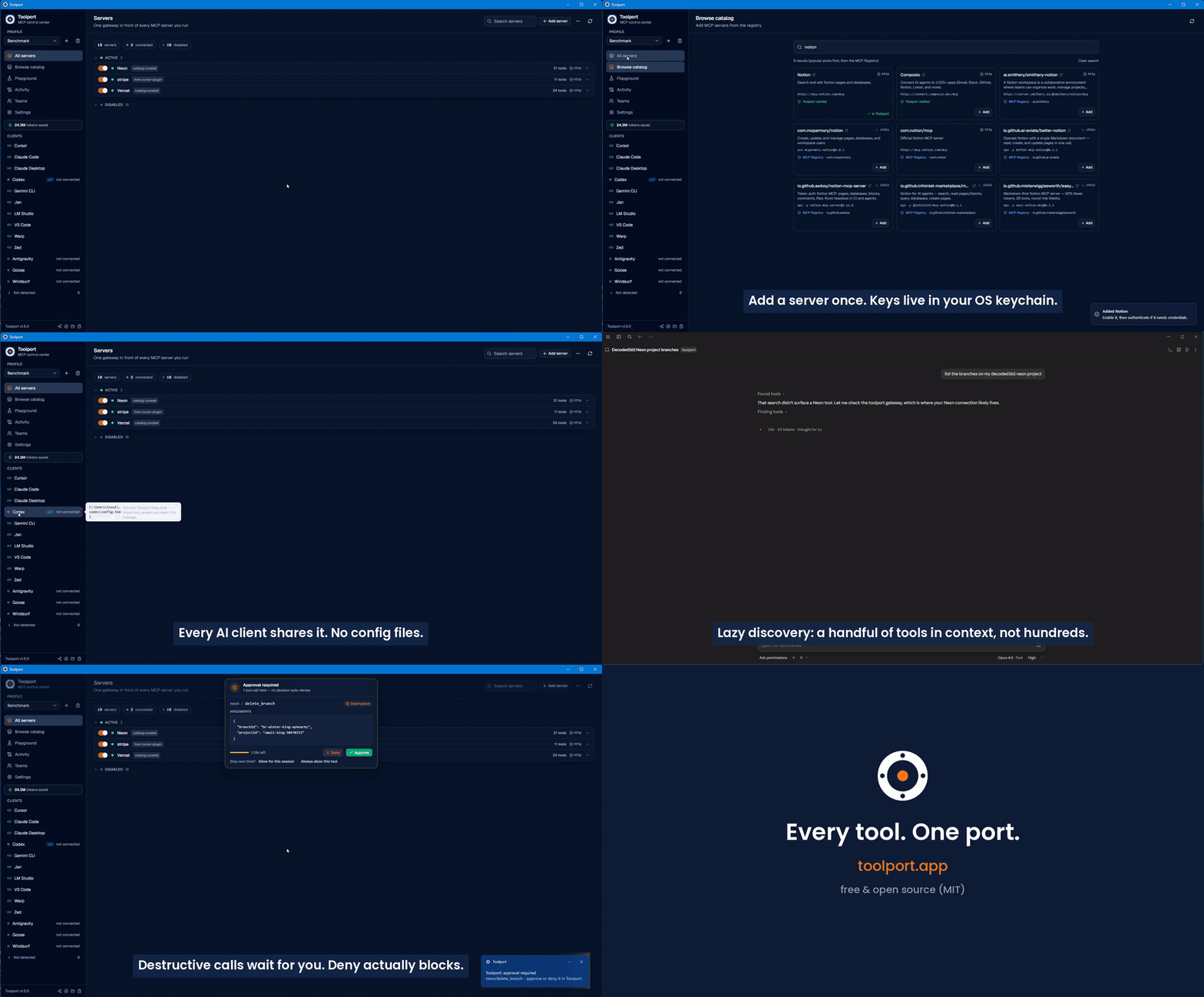
Conduit is a local MCP (Model Context Protocol) gateway and manager. You set up
and authenticate each MCP server once in Conduit, point your AI agents at the
single Conduit gateway, and every server is instantly available in all of them.
No more configuring the same servers separately in Cursor, Claude, Codex, and
the rest.
Built for people who use more than one AI coding tool and are tired of managing
MCP servers per app.
Screenshots
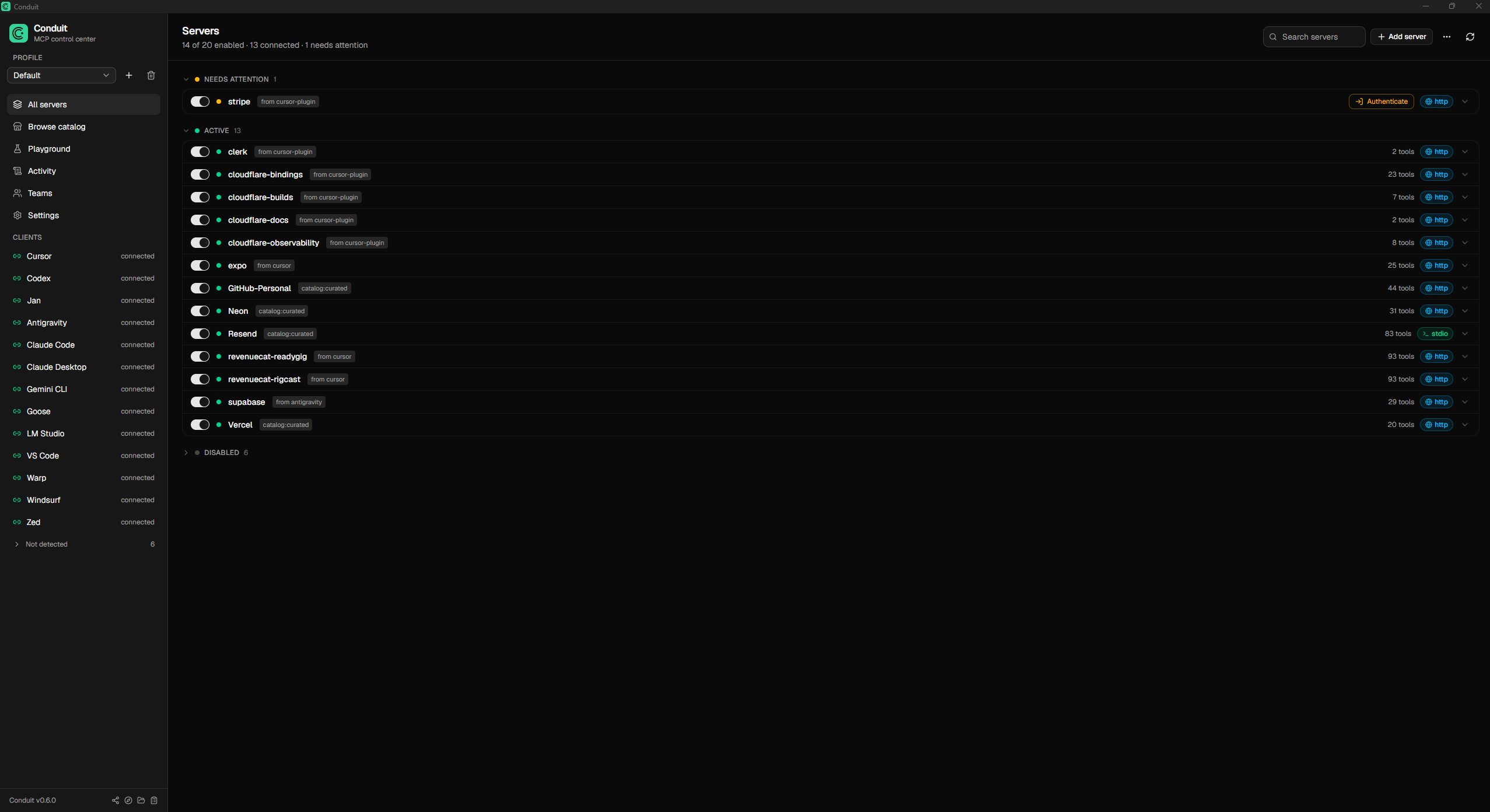
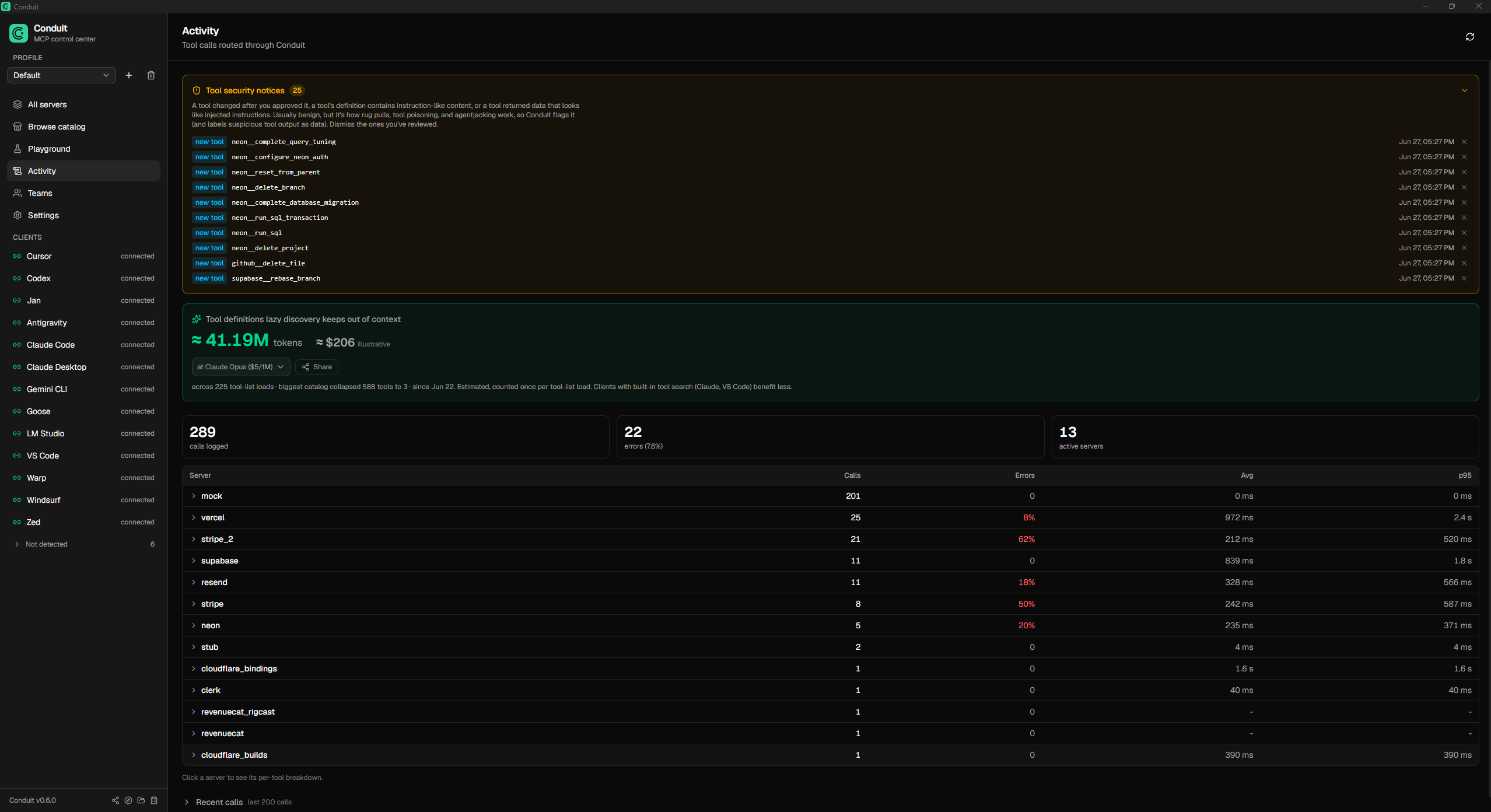
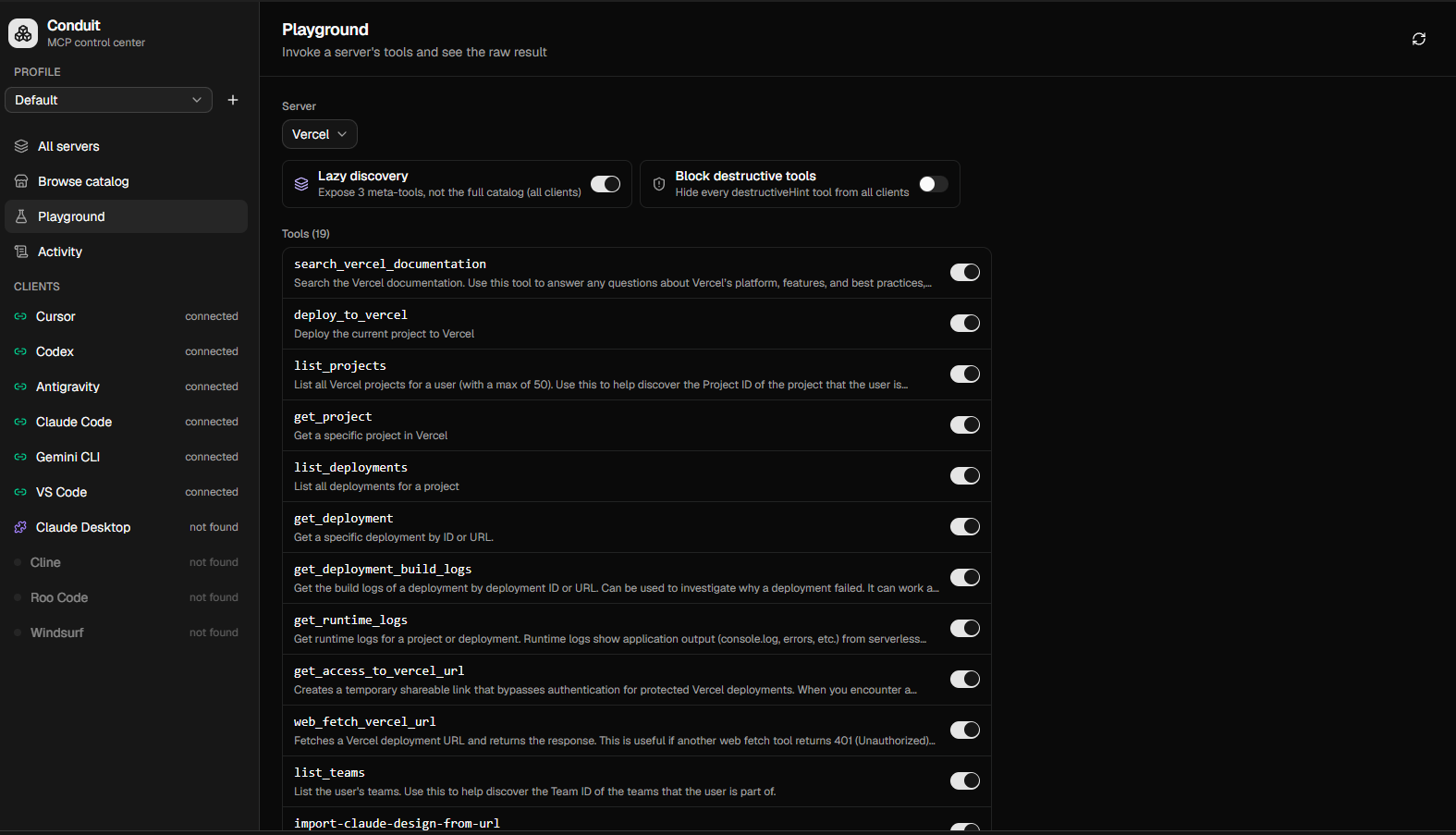
| Servers | Activity | Playground |
|---|---|---|
|  |
|  |
|  |
|
Why
Every AI client wants its own MCP configuration. Run a handful of agents and you
end up configuring the same servers several times, re-authenticating in each, and
drowning every agent in hundreds of tool definitions. Conduit fixes that:
- Set up once, use everywhere. Each client points at one Conduit gateway.
Add a server and authenticate it a single time; it appears in every client.
- Small context, not hundreds of tools. In lazy-discovery mode the gateway
advertises three meta-tools (conduit_status, conduit_search_tools,
conduit_call_tool) instead of the full catalog. The agent searches and calls
on demand, so context stays flat no matter how many servers you connect.
- Per-agent scoping. Give each client only the servers it should see. A
coding agent literally cannot call a billing tool that is not in its profile.
- Obvious auth. OAuth or API key, stored once in the OS keychain. Status is
shown per server; a single click authenticates. Newly-authed servers propagate
to connected clients without a restart.
- A catalog to grow. Add popular servers from a curated list or search the
official MCP Registry, then authenticate through the same flow.
- No secrets in client configs. Clients only ever say "talk to Conduit." Keys
live in the OS keychain and are injected at runtime.
- Governance built in. Toggle any tool on or off, or flip one switch to hide
every destructive tool from every client at once. Every tool call is recorded
in an audit log, with per-server latency and error rates.
- Full MCP, not just tools. Tools, resources, and prompts are all proxied.
- Test before you wire it up. A built-in playground invokes any tool with a
form generated from its schema, so you can confirm a server works without
configuring a client first.
How it works
Conduit has two pieces:
1. The desktop app (Tauri + React) where you manage servers, profiles,
credentials, and which clients are connected.
2. The gateway binary (conduit-gateway) that each AI client launches over
stdio. It reads Conduit's registry, connects to the enabled downstream servers
(stdio or remote HTTP/SSE), and routes tool calls to the right one. Tool names
are namespaced per server (stripe__list_charges) so they never collide.
AI client (Cursor / Claude / Codex / Antigravity / ...)
        │  stdio MCP
        ▼
  conduit-gateway  ──reads──►  registry.json + OS keychain
        │  routes tools/calls
        ▼
  downstream MCP servers (Stripe, Supabase, GitHub, ...)
The registry is the shared source of truth; the gateway watches it and rebuilds
live, so toggles and new credentials take effect without restarting the client.
Supported clients
Cursor, Claude Desktop, Claude Code, Codex, Google Antigravity, VS Code,
Windsurf, Gemini CLI, Cline, Roo Code. Conduit detects each one, installs the
gateway with one click, and can import a client's existing servers.
Configuration
Lazy discovery and the destructive-tool policy are global settings, stored in the
registry and toggled in the app, so they apply to every client (lazy discovery is
on by default). Per-client behavior is set via env vars on the gateway entry,
written for you when you connect a client:
- CONDUIT_PROFILE=<name> - scope this client to one profile's servers. Unset =
the active profile.
- CONDUIT_DISCOVERY=lazy|full - optional per-client override of the global lazy
setting. Rarely needed; the gateway reads the registry default otherwise.
- CONDUIT_REGISTRY=<path> - override the registry file location. Defaults to a
stable per-user path so packaged and unpackaged clients agree.
Install
Prebuilt installers are published on the
Releases page. Conduit runs on
Windows and macOS (the macOS build is signed and notarized), with Linux
(.deb and AppImage) in beta. To run from source, see Development below.
The installer is not yet code signed. On Windows, SmartScreen may show
"Windows protected your PC", click More info → Run anyway. On macOS,
Gatekeeper may say the app "is damaged" or cannot be opened; right-click the app
and choose Open, or run xattr -dr com.apple.quarantine /Applications/Conduit.app.
See docs/SIGNING.md for the signing plan.
Development
Requires Node and the Rust toolchain.
npm install
npm run tauri dev      # run the desktop app
Other useful commands:
```bash
cargo test --manifest-path src-tauri/Cargo.toml # Rust unit tests (lib + gateway)
Sign in to leave a review
Use Google, GitHub, or an email account so ratings stay tied to real people.
No reviews posted yet.





