
Headless IDA Pro
About
Enables reverse engineering of binary files through IDA Pro's headless mode, providing tools for function analysis, disassembly, decompilation, and code annotation for security research workflows.
Details
- Author
- cnitlrt
- Repository
- cnitlrt/headless-ida-mcp-server
- GitHub stars
- 17
- Downloads
- 196
- Categories
- Developer Tools, Security, Productivity, Design, File Management, AI, Search, Knowledge Base, Frontend, Automation, Other
Jump to
- Uses IDA Pro headless mode for binary analysis
- Provides MCP tools to manage functions and variables
- Supports both SSE and stdio transport modes
- Configurable via environment variables (port, host, transport)
- Runs as a standalone CLI application

Setting up with Highlight
This MCP is not yet compatible with Highlight’s one-click setup. However, you can still use it with Highlight by following these steps:
- Download and install Highlight from highlightai.com/download
- Navigate to the plugins tab and select "Add Custom Plugin"
-
Configure the plugin with the settings below
Plugin Name
Headless IDA ProCommand (node, npx, python, etc.)/path/to/uvArguments-
Argument 1
--directory -
Argument 2
path/to/headless-ida-mcp-server -
Argument 3
run -
Argument 4
headless_ida_mcp_server
Please refer to the README for specific instructions on how to obtain API keys or other required environment variables.
-
Argument 1
- Enable "Start Automatically" if you want the plugin to start when Highlight launches





From the repository
1. Start the server:
uv run headless_ida_mcp_server
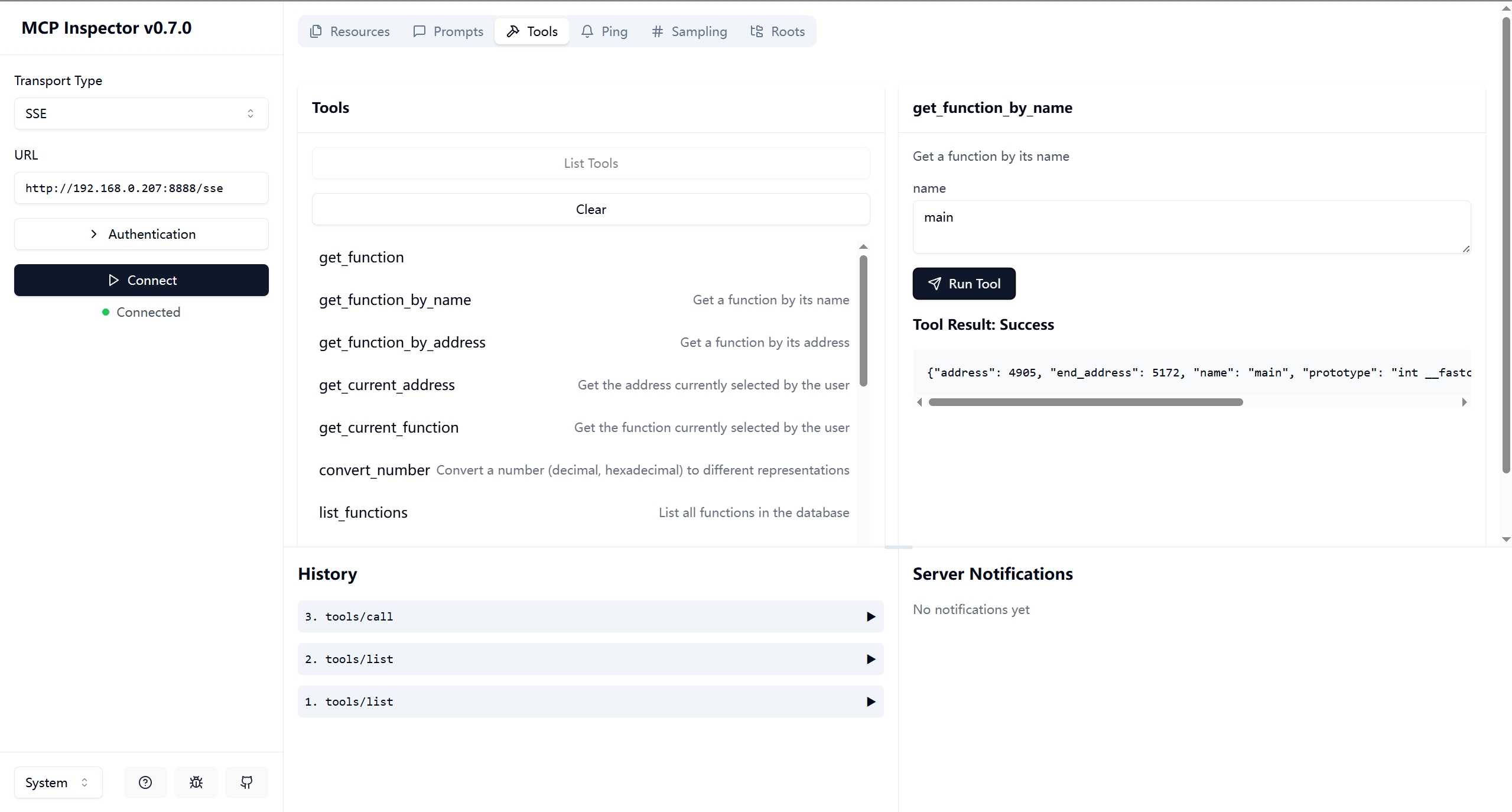
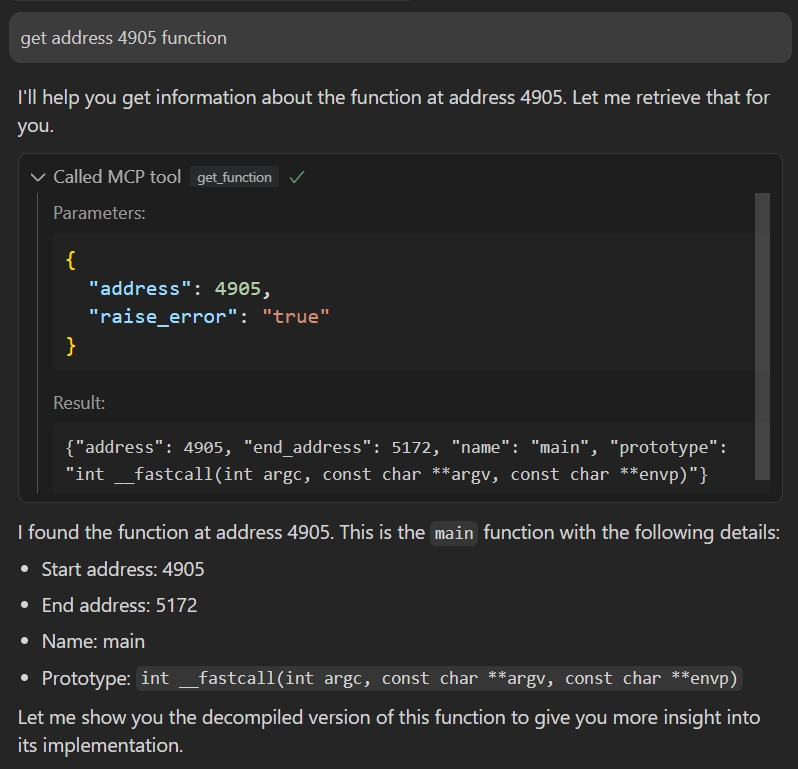
2. Connect to the server using an MCP client:
Debug it:
npx -y @modelcontextprotocol/inspector
or
{
"mcpServers": {
"ida": {
"command": "/path/to/uv",
"args": ["--directory","path/to/headless-ida-mcp-server","run","headless_ida_mcp_server"]
}
}
}
Claude Desktop / Cursor
Paste into your MCP client config file to install this server.
{
    "mcpServers": {
        "headless ida pro": {
            "env": {},
            "args": [
                "--directory",
                "path/to/headless-ida-mcp-server",
                "run",
                "headless_ida_mcp_server"
            ],
            "command": "/path/to/uv"
        }
    }
}Linux
{
"env": [],
"args": [
"--directory",
"path/to/headless-ida-mcp-server",
"run",
"headless_ida_mcp_server"
],
"command": "/path/to/uv"
}Macos
{
"env": [],
"args": [
"--directory",
"path/to/headless-ida-mcp-server",
"run",
"headless_ida_mcp_server"
],
"command": "/path/to/uv"
}Windows
{
"env": [],
"args": [
"--directory",
"path/to/headless-ida-mcp-server",
"run",
"headless_ida_mcp_server"
],
"command": "/path/to/uv"
}Analyze binary files and manage functions and variables using IDA Pro's headless mode.
- Tools code adapted fromida-pro-mcpby mrexodia
- Utilizes theheadless-idalibrary by DennyDai
If you want to run the server directly as a cli app, rather than an IDA plugin interactively,you can chose it.
This project uses IDA Pro's headless mode to analyze binary files and provides a suite of tools via MCP to manage and manipulate functions, variables, and more.
- Python 3.12 or higher
- IDA Pro with headless support (idat)https://github.com/DennyDai/headless-ida
git clone https://github.com/cnitlrt/headless-ida-mcp-server.git cd headless-ida-mcp-server
uv python install 3.12 uv venv --python 3.12 uv pip install -e .
Configure the following environment variables in.env:
- IDA_PATH: Path to IDA Pro's headless executable (idat), e.g.,/home/ubuntu/idapro/idat
- PORT: Port number for the MCP server, e.g.,8888
- HOST: Host address for the MCP server, e.g.,127.0.0.1
- TRANSPORT: MCP transport mode (sseorstdio)
Connect to the server using an MCP client:
   {

   "mcpServers": {

      "ida": {

         "command": "/path/to/uv",

         "args": ["--directory","path/to/headless-ida-mcp-server","run","headless_ida_mcp_server"]

      }

   }

   }
This is a web browser that enables your coding agent, such as Claude Code, to visit websites on your behalf and assist you in identifying bugs or creating UI test cases.
AI-powered code quality analysis to detect best practice violations, security issues, and architectural problems in real-time.
Enables LLMs to autonomously reverse engineer applications by exposing core Ghidra functionality.
Exposes binary analysis data from Ghidra, including functions and pseudocode, to LLMs.
A Model Context Protocol server for the IDA Pro disassembler.
Interact with IDA Pro for reverse engineering and binary analysis tasks.
Your Windows syscall hooking factory - feat Canterlot's Gate - All accessible over MCP
24 AI-callable tools for API mocking, chaos engineering, security scanning, SSL checks, CORS debugging, OpenAPI validation, JWT decoding, HAR analysis, distributed tracing, webhook capture, automation workflows, and uptime monitoring. Supports OAuth2 and Bearer token auth.
Production grade MCP for Reverse Engineering (includes almost all necessary tools)
Boost security in your dev lifecycle via SAST, SCA, Secrets & IaC scanning with Cycode.
AI-powered live runtime debugging with Lightrun production context.
Sign in to leave a review
Use Google, GitHub, or an email account so ratings stay tied to real people.
No reviews posted yet.





