
Canvas Assignment Assistant MCP Server
About
An MCP Server for Canvas / Instructure to help pull Assignment details and deadlines
Details
- Author
- mbcrosier
- GitHub stars
- 7
- Downloads
- 239
- Categories
- Productivity, Other, Project Management, AI
Jump to
- List courses filtered by state (active, completed, or all)
- Search assignments across courses with multiple filters
- Filter by search query, due date range, or specific course
- Exclude completed courses from search results
- Get full assignment details in HTML, plain text, or markdown
- Access assignment content via a standardized URI resource
Install the .mcpb bundle in your MCP‑compatible client (Claude Desktop, Cursor, etc.) and configure your Canvas API token and Canvas domain when prompted. Use tools such as list_courses, search_assignments, and get_assignment to fetch and filter data.
Canvas Assignment Assistant MCP Server
Overview
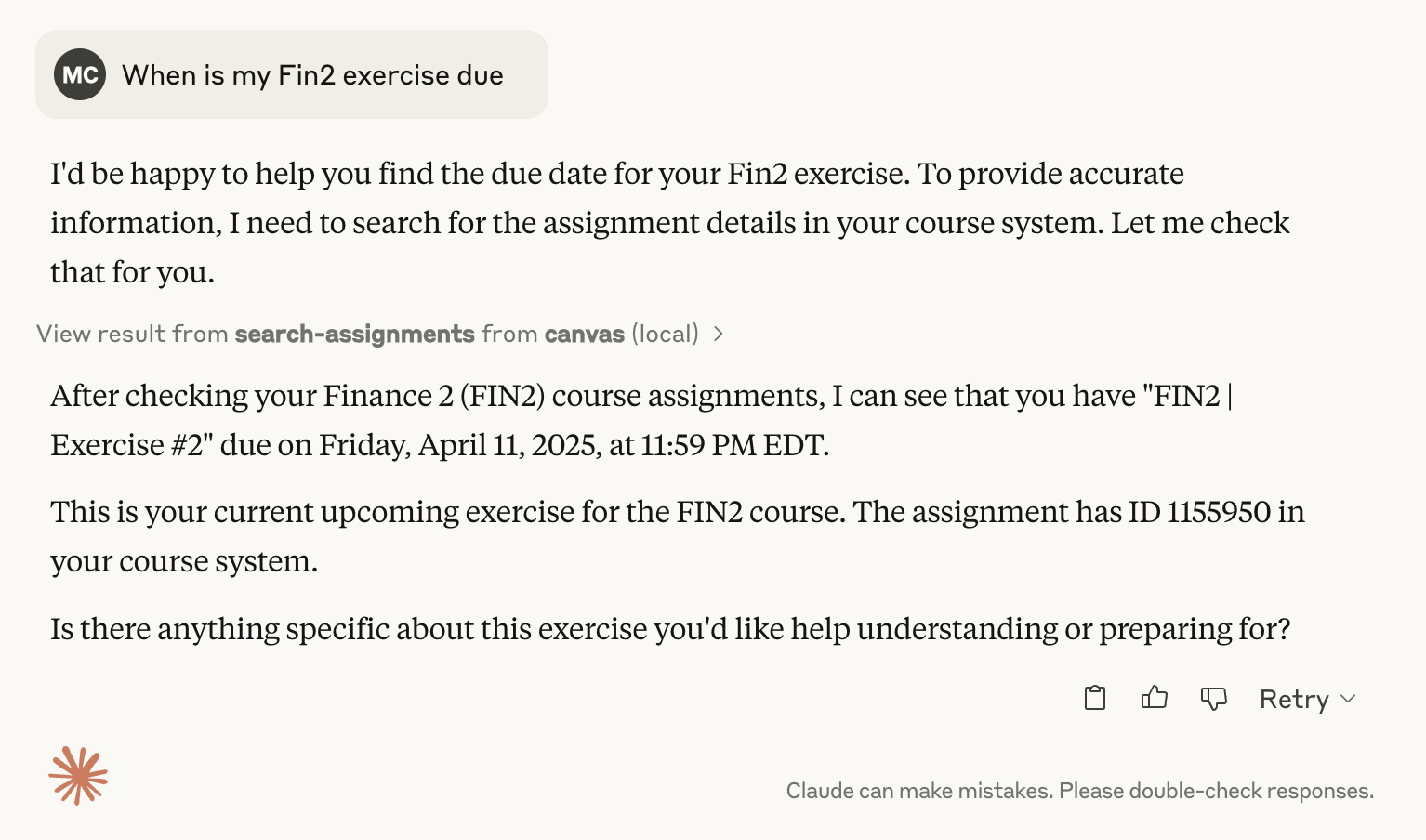
This Model Context Protocol (MCP) server lets you interact with Canvas/Instructure courses and assignments, without leaving your LLM (e.g. Claude Desktop).
It allows you to retrieve, search, and summarize course and assignment information programmatically, for example to check due dates for upcoming assignments:
Features
Tools
1. List Courses
- Retrieve a list of courses
- Filter by course state (active, completed, or all)
2. Search Assignments
- Search across courses for assignments
- Filter by:
- Search query
- Due date range
- Specific course
- Include/exclude completed courses
3. Get Assignment Details
- Fetch detailed information about a specific assignment
- Multiple output formats (full HTML, plain text, markdown)
Resources
- Assignment Content: Retrieve full assignment details using a standardized URI format
Prerequisites
- An MCP-compatible client (Claude Desktop, Cursor, etc.)
- Canvas LMS account
- Canvas API Token
- Canvas Domain
Configuration
When you install the MCP bundle, you'll be prompted to configure:
- Canvas API Token: Your Canvas API access token (see instructions below)
- Canvas Domain: Your Canvas institution's domain (e.g., canvas.youruniversity.edu)
These values are stored securely by your MCP client and are not exposed in your configuration files.
Security Note
Keep your Canvas API token confidential. The bundle marks the token as sensitive, so it will be stored securely by your MCP client.
Installation
This MCP server is distributed as an MCP bundle (.mcpb file) for easy installation.
Option 1: Install from Bundle File (Recommended)
1. Download the bundle
Download the canvas-mcp.mcpb file from the releases page or build it yourself (see Option 2).
2. Install in your MCP client
For Claude Desktop:
- Open Claude Desktop settings
- Navigate to the MCP servers section
- Click "Add Server" or "Install from Bundle"
- Select the canvas-mcp.mcpb file
- When prompted, enter your Canvas API token and domain
For Cursor:
- Open Cursor settings
- Navigate to MCP configuration
- Install the bundle file
- Configure your Canvas API token and domain when prompted
3. Configure your credentials
When you first install the bundle, you'll be prompted to enter:
- Canvas API Token: Your Canvas API access token (see instructions below)
- Canvas Domain: Your Canvas institution's domain (e.g., canvas.youruniversity.edu)
Option 2: Build from Source
If you want to build the bundle yourself:
1. Clone the repository and install dependencies
   git clone https://github.com/mbcrosiersamuel/canvas-mcp.git
   cd canvas-mcp
   npm install
2. Build the bundle
npm run package
This will create a canvas-mcp.mcpb file that you can then install using Option 1.
How to Get Your Canvas API Token
1. Log into Canvas
2. Go to Account > Settings
3. Scroll to the "Approved Integrations" section
4. Click "New Access Token"
5. Copy the generated token
For more details, see these instructions from Canvas.
MCP Tools
-list_courses: Shows all active courses by default. Use flags to show completed or all courses
- search_assignments: Searches assignment titles and descriptions
- get_assignment: Retrieves full assignment details
Troubleshooting
Common Issues
- Token Invalid:
- Regenerate your Canvas API token
- Ensure token has appropriate permissions
- Domain Incorrect:
- Double-check your Canvas institution domain
- Verify there are no typos
Disclaimer
This is an unofficial Canvas MCP, and is not affiliated with Canvas or Instructure. I'm also not a professional software engineer, and this project was vibe-coded using Claude, so please use it at your own risk :)
Thanks!
- Thanks to Luke Harries for inspiration and for part of the text of this Readme.
- Thanks to the Anthropic team for great instructions on how to use LLMs to create MCPs!
Sign in to leave a review
Use Google, GitHub, or an email account so ratings stay tied to real people.
No reviews posted yet.





