
Azure Terminal Copilot
About
A Python-based Azure CLI assistant that provides natural language processing capabilities for Azure commands, leveraging Azure MCP Server.
Details
- Author
- madebygps
- GitHub stars
- 28
- Downloads
- 335
- Categories
- Developer Tools
Jump to
- Natural language to Azure CLI command conversion
- Local execution using Ollama and Azure MCP Server
- Supports any model available through Ollama
- Configurable system prompt for improved responses
- Runs entirely on the user's machine with local dependencies

Setting up with Highlight
This MCP is not yet compatible with Highlight’s one-click setup. However, you can still use it with Highlight by following these steps:
- Download and install Highlight from highlightai.com/download
- Navigate to the plugins tab and select "Add Custom Plugin"
-
Configure the plugin with the settings below
Plugin Name
Azure Terminal CopilotCommand (node, npx, python, etc.)Please refer to the README for specific instructions on how to obtain API keys or other required environment variables.
- Enable "Start Automatically" if you want the plugin to start when Highlight launches





From the repository
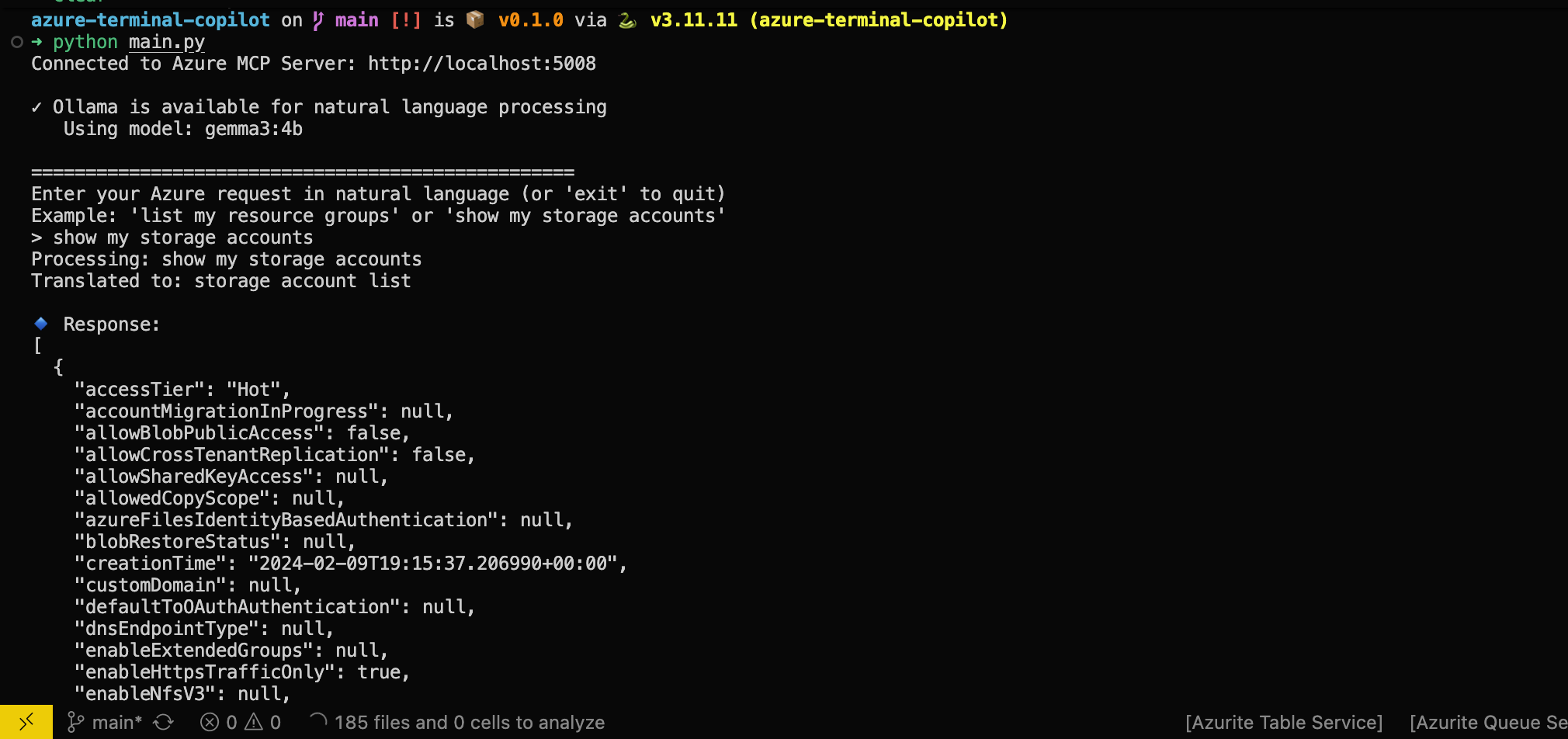
Clone the repository, create a Python virtual environment with uv, install dependencies, run Ollama and Azure MCP Server locally, configure environment variables in .env, then execute python main.py from the terminal. Provide natural language queries such as "list all my resource groups" to see the corresponding Azure CLI command executed.
Claude Desktop / Cursor
Paste into your MCP client config file to install this server.
{
    "mcpServers": {
        "azure terminal copilot": {
            "azure-terminal-copilot": {
                "command": "uv",
                "args": [
                    "venv"
                ]
            }
        }
    }
}McpServers
{
    "azure-terminal-copilot": {
        "command": "uv",
        "args": [
            "venv"
        ]
    }
}
Azure Terminal Copilot
A Python-based Azure CLI assistant that provides natural language processing capabilities for Azure commands, leveraging Azure MCP Server.
Prerequisites
- Python 3.11+ (as specified in pyproject.toml)
- Azure CLI installed and configured
- Ollama with a model downloaded
- uv for Python package management
- Azure MCP server installed and running
Installation
1. Clone the repo
    git clone https://github.com/yourusername/azure-terminal-copilot.git
    cd azure-terminal-copilot
1. Open the terminal and Start a virtual env with uv
uv venv
1. Install packages using uv
uv pip install .
1. Run Ollama and make note of its local address
1. Run Azure MCP server and make note of its local address
1. Rename .env-sample to .env
1. I provided dummy values there so make sure to update with the values that correspond to your locally running ollama, Azure MCP, and model you want to use
1. Now you can run python main.py
Learning
Once the program is running, try a few things:
1. Try providing a query like 'list all my resource groups', is the command you expect to be executed being ran?
1. Try different models, notice which ones perform better?
1. Try tweaking the system prompt, how would you improve it?
Troubleshooting
- Make sure your azure cli is logged in, azure MCP uses that as auth
License
This project is licensed under the MIT License - see the LICENSE file for details.
Sign in to leave a review
Use Google, GitHub, or an email account so ratings stay tied to real people.
No reviews posted yet.





