
aymericzip/intlayer
About
A MCP Server that enhance your IDE with AI-powered assistance for Intlayer i18n / CMS tool: smart CLI access, versioned docs.
Details
- Author
- aymericzip
- Downloads
- 269
- Categories
- Developer Tools, Community, Other
Jump to
—

Setting up with Highlight
This MCP is not yet compatible with Highlight’s one-click setup. However, you can still use it with Highlight by following these steps:
- Download and install Highlight from highlightai.com/download
- Navigate to the plugins tab and select "Add Custom Plugin"
-
Configure the plugin with the settings below
Plugin Name
aymericzip/intlayerCommand (node, npx, python, etc.)Please refer to the README for specific instructions on how to obtain API keys or other required environment variables.
- Enable "Start Automatically" if you want the plugin to start when Highlight launches





From the repository
—
intlayer-init
Initialize Intlayer in the project
intlayer-build
Build the dictionaries. List all content declarations files `.content.{ts,tsx,js,json,...}` to update the content callable using the `useIntlayer` hook.
intlayer-fill
Fill the dictionaries with missing translations / review translations using Intlayer servers
intlayer-push
Push local dictionaries to the server
intlayer-pull
Pull dictionaries from the CMS
intlayer-content-list
List the content declaration (.content.{ts,tsx,js,json,...}) files present in the project. That files contain the multilingual content of the application and are used to build the dictionaries.
intlayer-content-test
Test if there are missing translations in the content declaration files. That files contain the multilingual content of the application and are used to build the dictionaries.
intlayer-extract
Extract strings from an existing component to be placed in a .content file close to the component. Trigger this action to make an existing component multilingual. If the component does not exist, create a normal component including text in JSX, and then trigger this tool to extract it.
intlayer-scan
Scan a website to measure its page size and audit its i18n / SEO health (html lang/dir, canonical, hreflang, x-default, localized internal links, robots.txt, sitemap.xml, and unused bundle locale content). Returns a 0-100 score and per-check results.
intlayer-projects-list
List all Intlayer projects in the directory. Search for configuration files to find all Intlayer projects.
intlayer-install-skills
Install Intlayer documentation and skills to the project to assist AI agents. Ask the user for the platform (Cursor, VSCode, OpenCode, Claude, etc.) and which skills they want to install before calling this tool.
intlayer-install-lsp
Configure the Intlayer Language Server in the project. Writes `intlayer.languageServer.command` and `intlayer.languageServer.args` to `.vscode/settings.json` so that VS Code, Cursor, and Windsurf automatically start the language server, enabling Go-to-Definition for `useIntlayer` and `getIntlayer` calls. Returns next-step instructions for installing the `@intlayer/lsp` binary and, optionally, registering the Intlayer Claude Code plugin.
get-doc-list
Get the list of docs names and their metadata to get more details about what doc to retrieve
get-doc
Get a doc by his key. Example: `./docs/en/getting-started.md`. List all docs metadata first to get more details about what doc key to retrieve.
get-doc-by-slug
Get an array of docs by their slugs. If not slug is provided, return all docs (1.2Mb). List all docs metadata first to get more details about what doc to retrieve.
fetch-doc-chunks
Fetch related doc chunks using keywords or questions. This tool will return the most relevant chunks of documentation based on the input query.
review-doc-blocks
Compare a base markdown document with its translation and return only the blocks that diverge (changed, missing, or stale), with their line ranges and content. Use this to translate a large document incrementally without retranslating it from scratch: it tells you exactly which blocks to (re)translate. Optionally pass the base line numbers that changed (for example from a git diff) so aligned-but-edited blocks are flagged for review.
intlayer-dictionaries-list
List all dictionaries for the selected project. Returns keys, IDs, and metadata.
intlayer-dictionary-get
Get a dictionary by its key, including its full content.
intlayer-dictionary-create
Create a new dictionary in the selected project.
intlayer-dictionary-update
Update an existing dictionary content or metadata.
intlayer-dictionary-delete
Delete a dictionary by its ID. This action is irreversible.
intlayer-tags-list
List all tags for the selected organization.
intlayer-tag-create
Create a new tag in the organization. Tags can be used to group dictionaries and provide AI context.
intlayer-tag-update
Update an existing tag.
intlayer-tag-delete
Delete a tag by its ID.
intlayer-organizations-list
List all organizations the authenticated user belongs to.
intlayer-organization-select
Select an organization as the current active organization. Required before accessing organization-specific resources.
intlayer-organization-update
Update the selected organization name or settings.
intlayer-cms-projects-list
List all Intlayer CMS projects for the selected organization. These are server-side projects, not local project directories.
intlayer-cms-project-select
Select a CMS project as the current active project. Required before accessing project-specific dictionaries.
intlayer-cms-project-create
Create a new CMS project in the selected organization.
intlayer-cms-project-update
Update the selected CMS project settings.
intlayer-cms-environment-select
Select a CMS environment as the current active environment. Required before accessing environment-specific dictionaries.
intlayer-cms-environment-reset
Reset the current active environment to the default production environment.
intlayer-cms-environment-create
Create a new CMS environment in the selected project.
intlayer-cms-environment-update
Update the selected CMS environment settings.
intlayer-cms-environment-delete
Delete a CMS environment by its ID.
intlayer-cms-environment-migrate
Migrate dictionaries and configuration from one environment to another.
Claude Desktop / Cursor
Paste into your MCP client config file to install this server.
{
    "mcpServers": {
        "aymericzip/intlayer": {
            "intlayer": {
                "command": "npx",
                "args": [
                    "-y",
                    "@intlayer/mcp"
                ]
            }
        }
    }
}McpServers
{
    "intlayer": {
        "command": "npx",
        "args": [
            "-y",
            "@intlayer/mcp"
        ]
    }
}
AI-powered translation. Visual Editor. Multilingual CMS.
Docs•Next.js•React + Vite•CMS•Discord
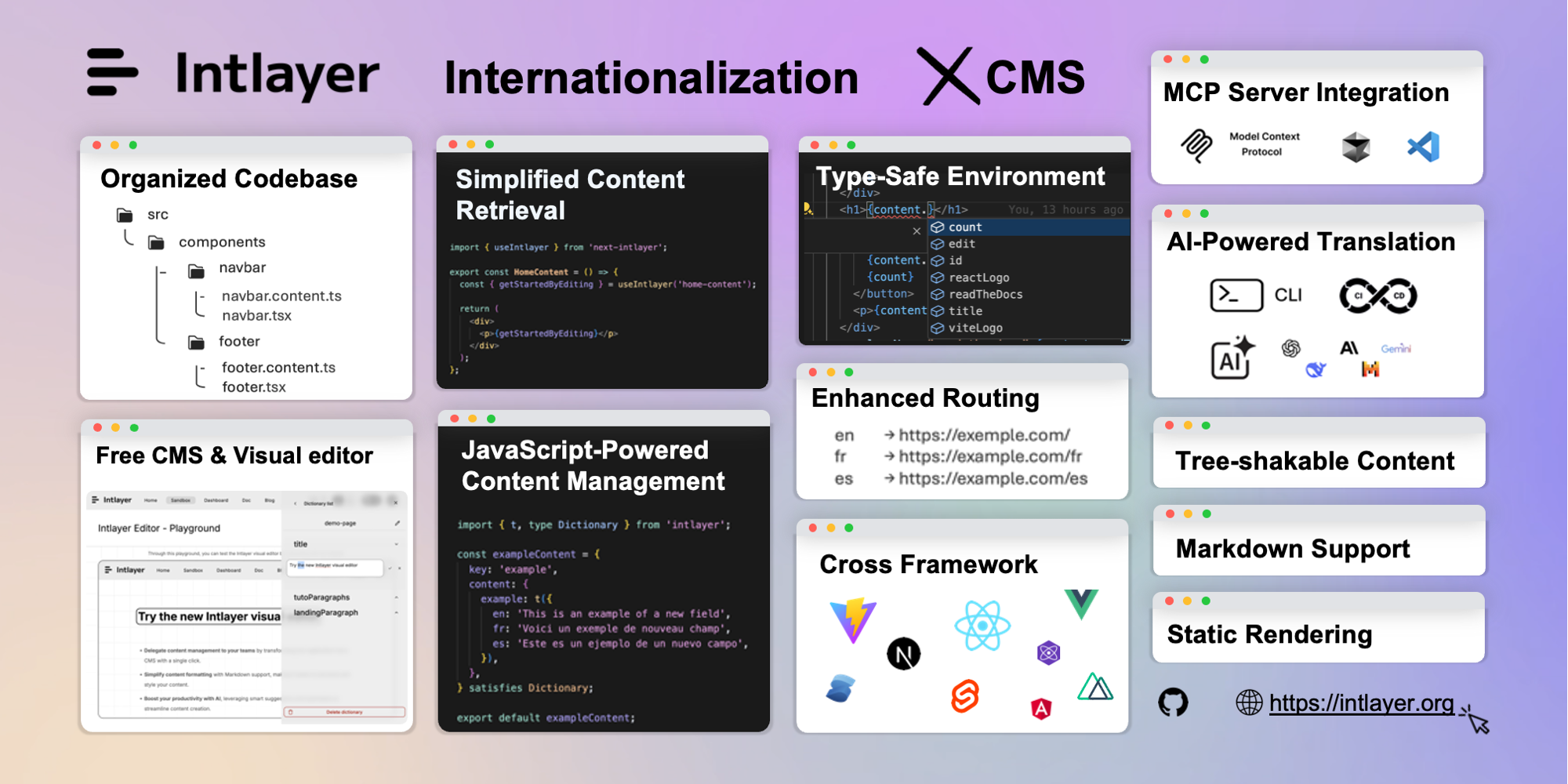
Most i18n libraries are either too complex, too rigid, or not built for modern frameworks.
Intlayer is amodern i18n solutionfor web and mobile apps.
It’s framework-agnostic,AI-powered, and includes a freeCMS & visual editor.
Withper-locale content files,TypeScript autocompletion,tree-shakable dictionaries, andCI/CD integration, Intlayer makes internationalizationfaster, cleaner, and smarter.
Start your journey with Intlayer today and experience a smoother, more powerful approach to internationalization.
// intlayer.config.ts import { Locales, type IntlayerConfig } from "intlayer"; const config: IntlayerConfig = { internationalization: { locales: [Locales.ENGLISH, Locales.FRENCH, Locales.SPANISH], defaultLocale: Locales.ENGLISH, }, }; export default config;
// app/home.content.ts import { t, type Dictionary } from "intlayer"; const content = { key: "home", content: { title: t({ en: "Home", fr: "Accueil", es: "Inicio", }), }, } satisfies Dictionary; export default content;
// app/page.tsx import { useIntlayer } from "react-intlayer"; const HomePage = () => { const { title } = useIntlayer("home"); return <h1>{title}</h1>; };
Explore our comprehensive documentation to get started with Intlayer and learn how to integrate it into your projects.
- How Intlayer Works
- Configuration
- Intlayer CLI
- Compiler
- Intlayer Editor
- Intlayer CMS
- Dictionary
- Per-Locale Content Declaration File
- Translation
- Enumeration
- Condition
- Nesting
- Markdown
- Function Fetching
- Insertion
- File
- Next.js 15
- Next.js 14 (App Router)
- Next.js Page Router
- Next.js using Compiler
- What is i18n
- i18n and SEO
- Intlayer and i18next
- Intlayer and react-intl
- Intlayer and next-intl
More than an i18n library, Intlayer is a completemultilingual content management system. A full CMS is available for free atapp.intlayer.org.
Intlayer connectsdevelopers,copywriters, andAI agentsin one workflow for creating and maintaining multilingual websites effortlessly.Intlayer replaces the following stack in a single solution:
- i18n solutions (e.g.i18next,next-intl,vue-i18n)
- TMSs (Translation Management Systems) (e.g. Crowdin, Phrase, Lokalise)
- Feature flags
- Headless CMSs (e.g. Contentful, Strapi, Sanity)
English•简体中文•Русский•日本語•Français•한국어•Español•Deutsch•العربية•Italiano•English (UK)•Português•हिन्दी•Türkçe
Intlayer is built with and for the community and we’d love your input!
- Have a suggestion?Open an issue
- Found a bug or improvement?Submit a PR
- Need help or want to connect?Join our Discord
For more detailed guidelines on contributing to this project, please refer to theCONTRIBUTING.mdfile. It contains essential information on our development process, commit message conventions, and release procedures. Your contributions are valuable to us, and we appreciate your efforts in making this project better!
Contribute onGitHub,GitLab, orBitbucket.
If you like Intlayer, give us a ⭐ on GitHub. It helps others discover the project!See why GitHub Stars matter.
This is a web browser that enables your coding agent, such as Claude Code, to visit websites on your behalf and assist you in identifying bugs or creating UI test cases.
A Model Context Protocol (MCP) server that enables AI assistants to integrate with Prometheus Alertmanager
A comprehensive MCP server for tooling interactions(40+) and resource accessibility(60+) plus many useful prompts to interact with Algorand Blockchain.
An MCP server that provides control over Android devices through ADB. Offers device screenshot capture, UI layout analysis, package management, and ADB command execution capabilities.
A Binary Ninja plugin, MCP server, and bridge that seamlessly integrates Binary Ninja with your favorite MCP client.
integration that connects BloodHound with AI through MCP, allowing security professionals to analyze Active Directory attack paths using natural language queries instead of Cypher.
A specialized MCP gateway for LLM enhancement prompts and jailbreaks with dynamic schema adaptation. Provides prompts for different LLMs using an enum-based approach.
Obtains latest dependency details for Clojure libraries.
A Model Context Protocol (MCP) server for CODESYS V3 programming environments.
Analyze large codebases and document collections using high-context models via OpenRouter, OpenAI, or Google AI -- very useful, e.g., with Claude Code
Sign in to leave a review
Use Google, GitHub, or an email account so ratings stay tied to real people.
No reviews posted yet.





