
Android Mcp Toolkit
About
A growing collection of MCP tools for Android Development. Currently features a deterministic Figma-SVG-to-Android-XML converter, with plans for Gradle analysis, Resource management, and ADB integration tools.
Details
- Author
- Nam0101
- Downloads
- 273
- Categories
- Developer Tools, Other, Frontend
Jump to

Setting up with Highlight
This MCP is not yet compatible with Highlight’s one-click setup. However, you can still use it with Highlight by following these steps:
- Download and install Highlight from highlightai.com/download
- Navigate to the plugins tab and select "Add Custom Plugin"
-
Configure the plugin with the settings below
Plugin Name
Android Mcp ToolkitCommand (node, npx, python, etc.)Please refer to the README for specific instructions on how to obtain API keys or other required environment variables.
- Enable "Start Automatically" if you want the plugin to start when Highlight launches





From the repository
{
"mcpServers": {
"android-mcp-toolkit": {
"command": "npx",
"args": [
"-y",
"android-mcp-toolkit"
]
}
}
}
convert-svg-to-android-drawable
Convert SVG markup or files into Android VectorDrawable XML quickly, optionally writing to disk.
manage-logcat
Unified tool to read logs, capture crashes, check ANRs, and clear buffers.
get-current-activity
Inspect current focused app/window via dumpsys window.
estimate-text-length-difference
Compare original and translated text lengths to detect layout risk; configurable tolerancePercent (default 30%).
dump-ui-hierarchy
Capture the current UI hierarchy as XML using uiautomator.
take-screenshot
Capture device screenshot and save to a local file.
inject-input
Simulate user input interactions (tap, text, swipe, keyevents) or click by UI element.
Claude Desktop / Cursor
Paste into your MCP client config file to install this server.
{
    "mcpServers": {
        "android mcp toolkit": {
            "android-mcp-toolkit": {
                "command": "npx",
                "args": [
                    "-y",
                    "android-mcp-toolkit"
                ]
            }
        }
    }
}McpServers
{
    "android-mcp-toolkit": {
        "command": "npx",
        "args": [
            "-y",
            "android-mcp-toolkit"
        ]
    }
}
Android MCP Toolkit for AI Agents
Small MCP server with two tools: - Fast SVG → Android VectorDrawable conversion (cached, file or inline). - adb logcat reader with package/pid/tag filters for quick crash triage.Why this exists
The Mission: Bringing Native Android to the AI Agent Era While the AI ecosystem flourishes with web-first tools, Android development often feels left behind. This MCP server is my answer to that gap—a dedicated bridge connecting AI Agents directly to the Android toolchain. ⚡ Zero-Friction Asset Conversion: Convert SVGs to VectorDrawables instantly without the overhead of launching Android Studio. 🔍 Direct Diagnostic Access: Empower agents to pull, filter, and analyze adb logcat streams (by package, PID, or tag) in real-time. 🤖 Agent-Native Architecture: Deliver structured, scriptable outputs that LLMs can parse and act upon efficiently. 🚀 Built for Extensibility: A solid foundation designed to grow, paving the way for future utilities like bitmap helpers and asset validation.Pairing ideas
- Figma MCP: grab SVGs from designs, feed toconvert-svg-to-android-drawable to get XML for Android resources.
- Debugging: while running the app, call read-adb-logcat with package name or tag to capture crashes and filtered logs without leaving the MCP client.
Previews
SVG to VectorDrawable - Figma request → SVG extraction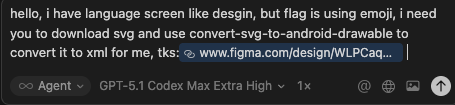 - Flag conversion preview (single)
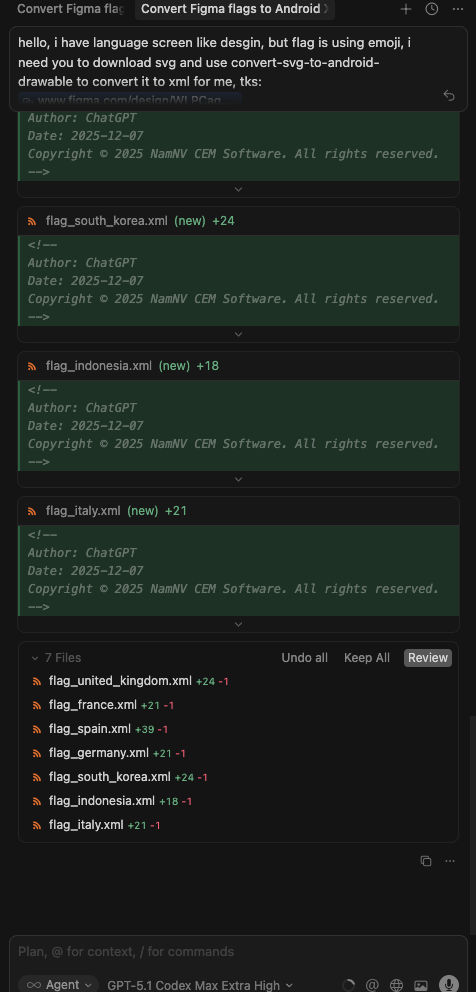
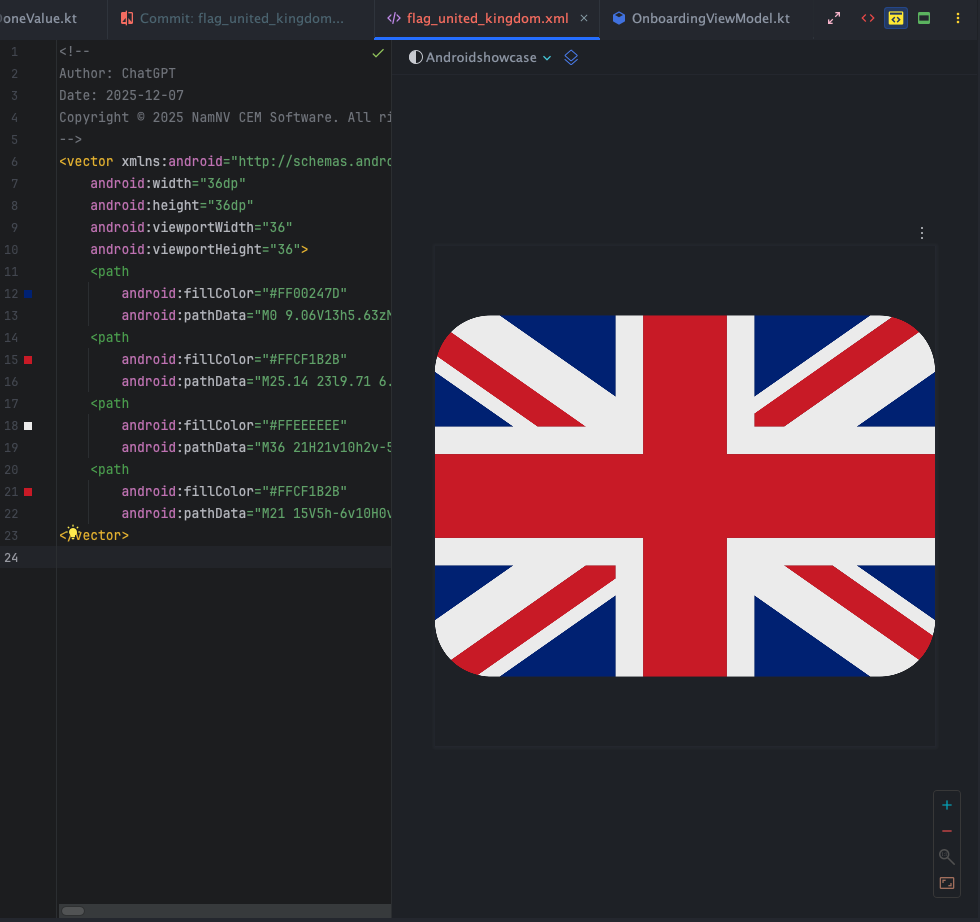 - Batch flag review (side-by-side)
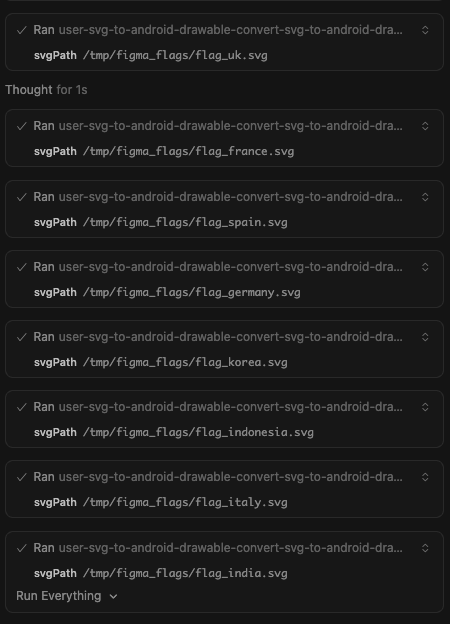
 - Batch run via MCP (console)
 ADB logcat tool
- Crash capture prompt (inputs + filters)
ADB logcat tool
- Crash capture prompt (inputs + filters)
 - Response preview (summarized logcat)

Current tools
-convert-svg-to-android-drawable
- Inputs: svg (inline) or svgPath (file path). Optional: outputPath, floatPrecision (default 2), fillBlack (default false), xmlTag (default false), tint, cache (default true).
- Output: VectorDrawable XML text; also writes to disk when outputPath is provided.
- Performance: LRU cache (32 entries) keyed by SVG + options plus fast reuse in-session.
- Converter: vendored fork in vendor/svg2vectordrawable with fixes for rgb()/rgba(), hsl()/hsla(), and named colors. Upstream license: vendor/svg2vectordrawable/LICENSE (MIT).
- read-adb-logcat
- Inputs: packageName (resolve pid via adb shell pidof -s), pid (explicit), tag, priority (V|D|I|W|E|F|S, default V), maxLines (tail count, default 200, max 2000), timeoutMs (default 5000, max 15000).
- Behavior: Runs adb logcat -d -t <maxLines> with optional --pid=<pid> and -s tag:priority.
- Output: Returns the logcat text; if no lines are returned, responds with a short message.
- Notes: Requires adb available in PATH and a connected device/emulator. Provide at least one of packageName, pid, or tag to scope logs.
- get-pid-by-package
- Inputs: packageName (required), timeoutMs (default 5000, max 15000).
- Behavior: Resolves pid via adb shell pidof -s <package>.
- Notes: Use this first, then pass pid to other logcat tools for noise-free filtering.
- get-current-activity
- Inputs: timeoutMs (default 5000, max 15000).
- Behavior: Parses adb shell dumpsys window for mCurrentFocus / mFocusedApp to reveal the currently focused window (useful even in single-activity setups to confirm top window).
- fetch-crash-stacktrace
- Inputs: packageName (optional, resolves pid), maxLines (default 400, max 2000), timeoutMs (default 5000, max 15000).
- Behavior: Pulls crash buffer via adb logcat -b crash -d -t <maxLines>; filters by --pid when package is provided.
- check-anr-state
- Inputs: maxLines (default 400, max 2000), timeoutMs (default 5000, max 15000).
- Behavior: Fetches ActivityManager:E *:S (recent ANR logs) and best-effort reads /data/anr/traces.txt (stat + tail 200 lines). May require root/debuggable.
- clear-logcat-buffer
- Inputs: timeoutMs (default 5000, max 15000).
- Behavior: Runs adb logcat -c to clear buffers before a new scenario.
Roadmap (planned)
- Additional MCP tools for Android assets (e.g., batch conversions, validations, optimizers). - Optional resource prompts for common Android drawables/templates. - Upcoming MCP utilities (planned): - Logcat reader: stream and filter Android logcat output via MCP. - Asset checkers: flag common drawable issues (size, alpha, color profile). - Batch conversions: multi-SVG to VectorDrawable with consistent options. - Template prompts: quick-start drawable/XML snippets for common patterns.Quick start
-npm install
- npm run build
- node dist/index.js (stdio MCP server)
Run via npx
- Global:npx android-mcp-toolkit
Use in Cursor (MCP config)
Add to your Cursor settings JSON: ``json
{
"mcpServers": {
"figma-desktop": {
"url": "http://127.0.0.1:3845/mcp"
},
"android-mcp-toolkit": {
"command": "npx",
"args": [
"-y",
"android-mcp-toolkit"
]
}
}
}
`
The npx call downloads the published package; no local path required.

Quick install via Cursor deep link:
-
cursor://anysphere.cursor-deeplink/mcp/install?name=android-mcp-toolkit&config=eyJjb21tYW5kIjoibnB4IC15IGFuZHJvaWQtbWNwLXRvb2xraXQifQ%3D%3D
Examples

- Input SVG:
sample_svg.svg
- Output VectorDrawable: examples/sample_svg.xml
Notes

- Transport: stdio via
@modelcontextprotocol/sdk`.
- Base deps kept minimal; everything needed to convert SVGs is vendored/included.
Contact
- nam.nv205106@gmail.comSign in to leave a review
Use Google, GitHub, or an email account so ratings stay tied to real people.
No reviews posted yet.





