
YouTube Search Assistant with ADK, MCP and Gemma 3
About
Build AI Agent using Google ADK , MCP and Gemma 3 model
Details
- Author
- arjunprabhulal
- GitHub stars
- 27
- Downloads
- 434
- Categories
- AI
Jump to
- Search for YouTube videos using natural language queries
- Powered by Gemma 3 running locally on Ollama
- Formats search results in a clean, easy-to-read format
- Built with Google’s Agent Development Kit (ADK)
- Integrates Model Context Protocol (MCP) for tool communication
- Uses SERP API to access YouTube data

Setting up with Highlight
This MCP is not yet compatible with Highlight’s one-click setup. However, you can still use it with Highlight by following these steps:
- Download and install Highlight from highlightai.com/download
- Navigate to the plugins tab and select "Add Custom Plugin"
-
Configure the plugin with the settings below
Plugin Name
YouTube Search Assistant with ADK, MCP and Gemma 3Command (node, npx, python, etc.)Please refer to the README for specific instructions on how to obtain API keys or other required environment variables.
- Enable "Start Automatically" if you want the plugin to start when Highlight launches





From the repository
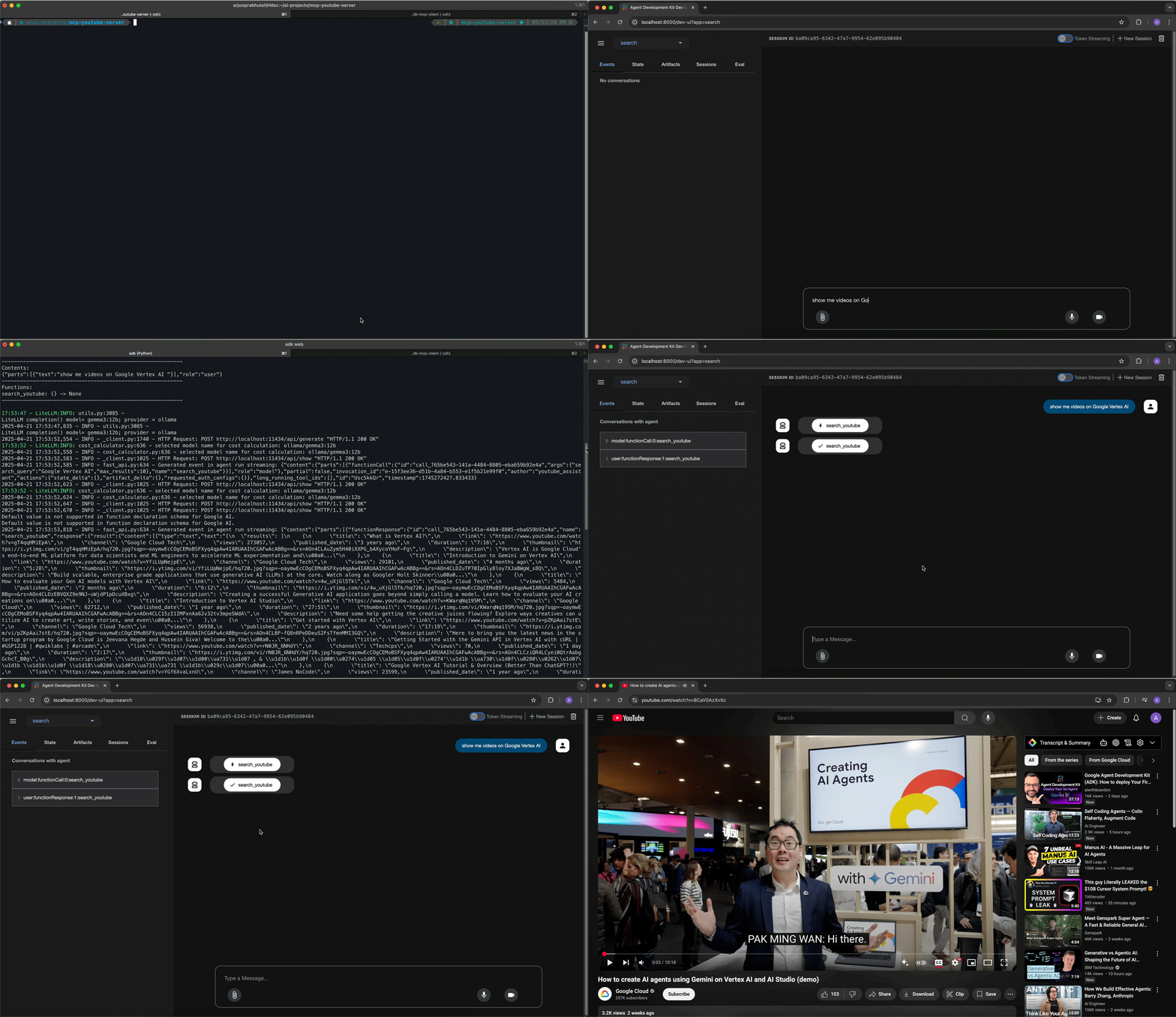
Clone the repository, install dependencies, set up a .env file with your SERP API key, and pull the Gemma 3 model with Ollama. Then run adk web for a browser-based UI or python -m search for command‑line interaction. Example queries include “Find videos about Google Cloud Next 25” or “Search for YouTube tutorials on Python programming.”
Claude Desktop / Cursor
Paste into your MCP client config file to install this server.
{
    "mcpServers": {
        "youtube search assistant with adk, mcp and gemma 3": {
            "adk-mcp-gemma3": {
                "command": "python",
                "args": [
                    "-m",
                    "venv",
                    ".venv"
                ]
            }
        }
    }
}McpServers
{
    "adk-mcp-gemma3": {
        "command": "python",
        "args": [
            "-m",
            "venv",
            ".venv"
        ]
    }
}
YouTube Search Assistant with ADK, MCP and Gemma 3
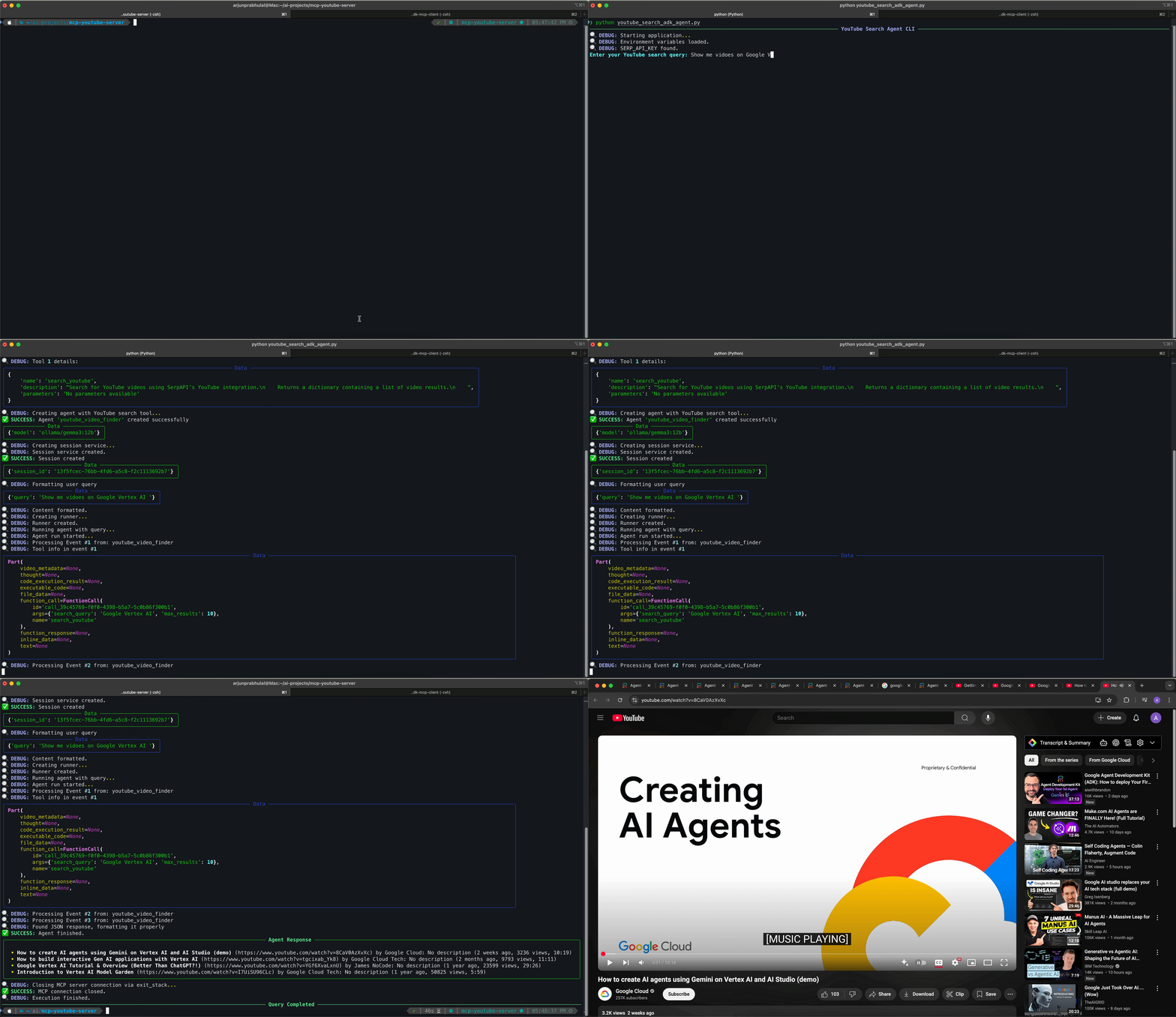
A practical implementation demonstrating YouTube search functionality using Google's Agent Development Kit (ADK), Model Context Protocol (MCP), and the Gemma 3 model via Ollama.
📚 Table of Contents
🔍 Introduction
🏗️ Architecture
🧩 Core Components
📊 Architecture Diagram
🔄 Data Flow
✨ Technology Highlights
🚀 Features
🧠 Core Concepts
ADK - Agent Development Kit
MCP - Model Context Protocol
Agents in ADK
Tools with MCP
Ollama Integration
📋 Requirements
🚦 Getting Started
1. Installation Steps
2. Setup
3. Usage
🔄 How It Works
📁 Project Structure
⚠️ Troubleshooting
📦 Repository
👨💻 Author
📄 License
🔍 Introduction
This project showcases how to leverage Google's ADK (Agent Development Kit) and MCP (Model Context Protocol) to build an agent powered by Gemma 3, Google's latest large language model. It demonstrates how to:
Connect to locally-hosted Gemma 3 via Ollama
Implement YouTube search functionality using MCP
Create a conversational agent that can format and present search results
🏗️ Architecture
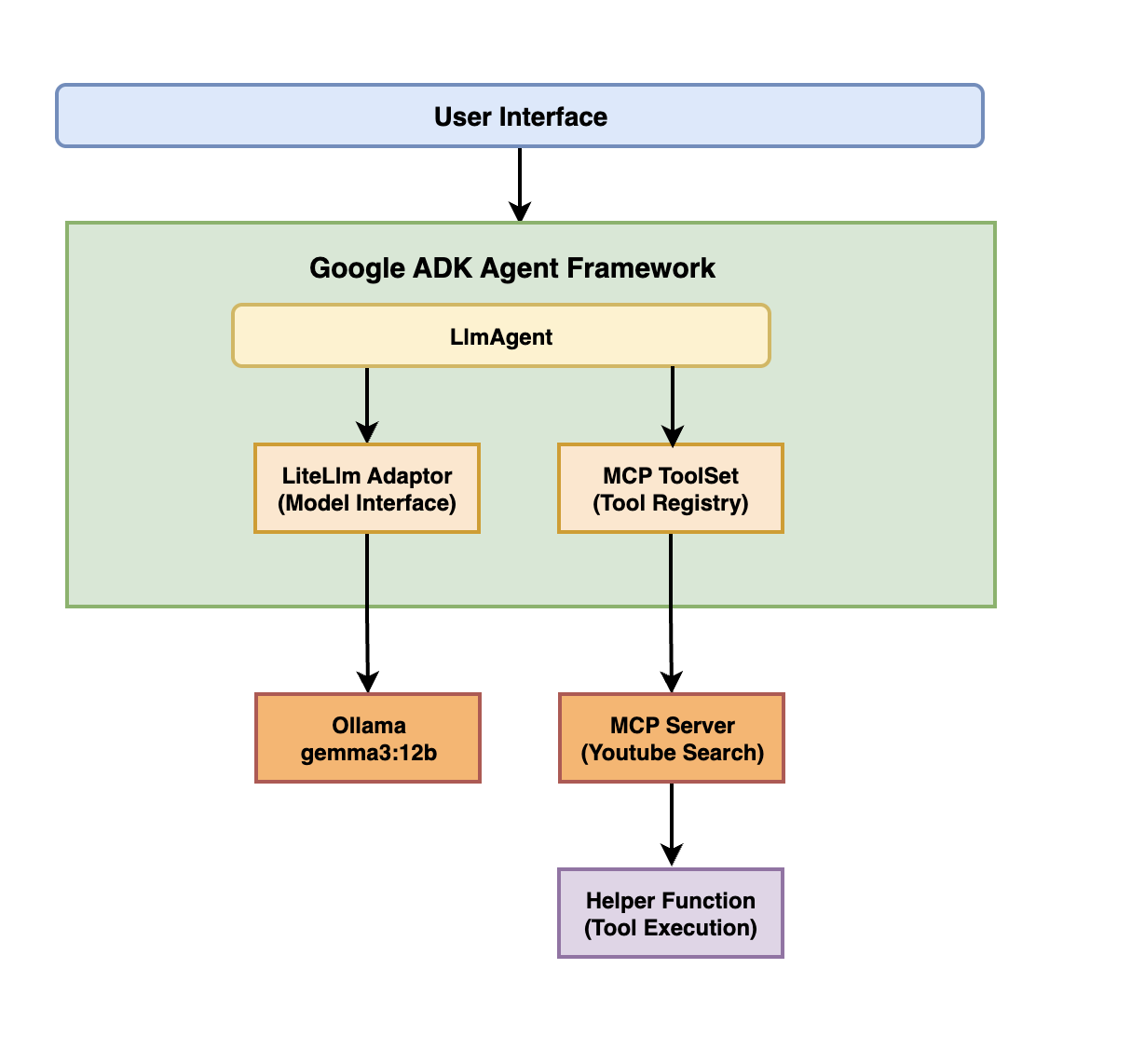
🧩 Core Components
Google ADK - Provides the agent framework
Model Context Protocol (MCP) - Standardizes tool communication
Gemma 3 (12B) - Powers the language understanding and generation
Ollama - Hosts the Gemma model locally
MCP YouTube Search - Provides YouTube search capabilities
Python 3.9+ - Base runtime environment
📊 Architecture Diagram
🔄 Data Flow
1. User submits a query through the interface
2. ADK Agent Framework processes the query and determines intent
3. If a YouTube search is needed:
- The request is routed to the MCP Tool Registry
- The MCP YouTube Search tool receives the query
- SERP API is called to fetch YouTube results
- Results are returned through the MCP standardized format
4. Gemma 3 model (via Ollama and LiteLlm):
- Receives the search results
- Generates a natural language response
- Formats the search results into readable bullet points
5. The formatted response is returned to the user interface
✨ Technology Highlights
Google ADK
Manages conversation flow and tool orchestration.
Model Context Protocol (MCP)
Enables standardized communication between models and tools.
Gemma 3 via Ollama
Delivers high-quality text generation with tool-calling capabilities.
LiteLlm Integration
Connects ADK to Ollama-hosted models seamlessly.
SERP API
Provides access to YouTube data through search API.
🚀 Features
🔍 Search for YouTube videos using natural language queries
🤖 Powered by Gemma 3 running on Ollama
📋 Formats search results in a clean, easy-to-read format
🛠️ Built with Google's Agent Development Kit (ADK)
🔄 Integrates MCP (Model Context Protocol) for seamless tool communication
🧠 Core Concepts
ADK - Agent Development Kit
Agent Development Kit (ADK) is an open-source, code-first Python toolkit for building intelligent AI agents.
MCP - Model Context Protocol
Model Context Protocol (MCP) is a standard for communication between models and tools. It allows for:
Consistent tool invocation patterns
Structured data exchange
Tool composition and chaining
Language-agnostic tool definitions
Agents in ADK
An Agent in ADK acts as the orchestrator for AI interactions. In this project, we use LlmAgent, which is a core component in ADK acting as the "thinking" part of your application that:
Leverages a Large Language Model (LLM) for reasoning and understanding
Manages conversation history and context
Coordinates tool usage based on user queries
Tools with MCP
Tools in this project are implemented using the MCP (Model Context Protocol) framework, which:
Defines a standard interface for tool interaction
Makes tools easily discoverable by the LLM
Structures input/output formats
Facilitates tool composition
The MCP YouTube Search tool provides a standardized way for the agent to interact with YouTube search functionality.
Ollama Integration
Ollama provides a way to run Gemma 3 and other large language models locally. Google ADK connects to Ollama through:
LiteLlm - A wrapper that standardizes communication with different LLM providers
Custom configurations to optimize model performance
📋 Requirements
Python 3.9+
Ollama installed with Gemma 3 model
- A SERP API key for YouTube search
🚦 Getting Started
1. Installation Steps
Clone this repository:
git clone https://github.com/arjunprabhulal/adk-mcp-gemma3.git

cd adk-mcp-gemma3
2. Setup
Create and activate a virtual environment:
python -m venv .venv
source .venv/bin/activate  # On Windows: .venv\Scripts\activate
Install dependencies:
pip install -r requirements.txt
Set up your SERP API key:
Create a.env file in the root directory with your SERP API key:
SERP_API_KEY=your_serp_api_key_here
Pull the Gemma 3 model:
ollama pull gemma3:12b
3. Usage
Option 1: Web-based UI (Recommended for debugging)
Run the agent using ADK's browser-based developer UI:
```bash
Sign in to leave a review
Use Google, GitHub, or an email account so ratings stay tied to real people.
No reviews posted yet.



