
Pieces MCP Net
About
Pieces MCP Net is a C# implementation of the Model Context Protocol (MCP) that uses Pieces Long‑Term Memory to answer questions about data from the past 7 days. It integrates with the Pieces C# SDK and is intended for users who want to query Pieces LTM through MCP‑compatible…
Details
- Author
- jimbobbennett
- Downloads
- 313
- Categories
- Other
Jump to
- Answers questions using Pieces Long‑Term Memory (last 7 days)
- Self‑contained single‑file binary output
- Registered via standard MCP JSON configuration
- Built on the Pieces C# SDK
- Designed for use with Claude for Desktop
Install .NET 9 SDK and the Pieces app with the LTM engine enabled. Build and publish a single binary using dotnet publish -r <platform>, then register the binary in your claude_desktop_config.json under the mcpServers key. After relaunching Claude, prompt with “Ask Pieces LTM <question>” and allow the Pieces tool for the chat.
Pieces MCP Net
A C# implementation of MCP (Model context protocol) using Pieces Long-Term Memory powered by the Pieces C# SDK.
This contains an MCP tool that answers questions using the Pieces Long-Term Memory for the past 7 days. This limit is hard coded, but this code can be expanded to make this configurable.
Setup
This requires:
- .NET 9 SDK installed
- Pieces installed, and the LTM engine enabled
Build the code
It is easiest to build and publish a single binary that you can then call from your MCP server. This project is configured for a self-contained single file output.
To build and publish, use this command:
dotnet publish -r <platform>
Replace <platform> with the RID of your platform of choice.
This will create a single executable in the Release/net9.0/<platform>/publish/ folder called PiecesMCPNet
Register with Claude for Desktop
To register this with Claude for Desktop, add the following to your claude_desktop_config.json file:
{
  "mcpServers": {
    "PiecesLTM": {
      "command": "<location>PiecesMCPNet"
    }
  }
}
Replace <location> with the path to this file.
You can now re-launch Claude for Desktop, and this tool will be registered.
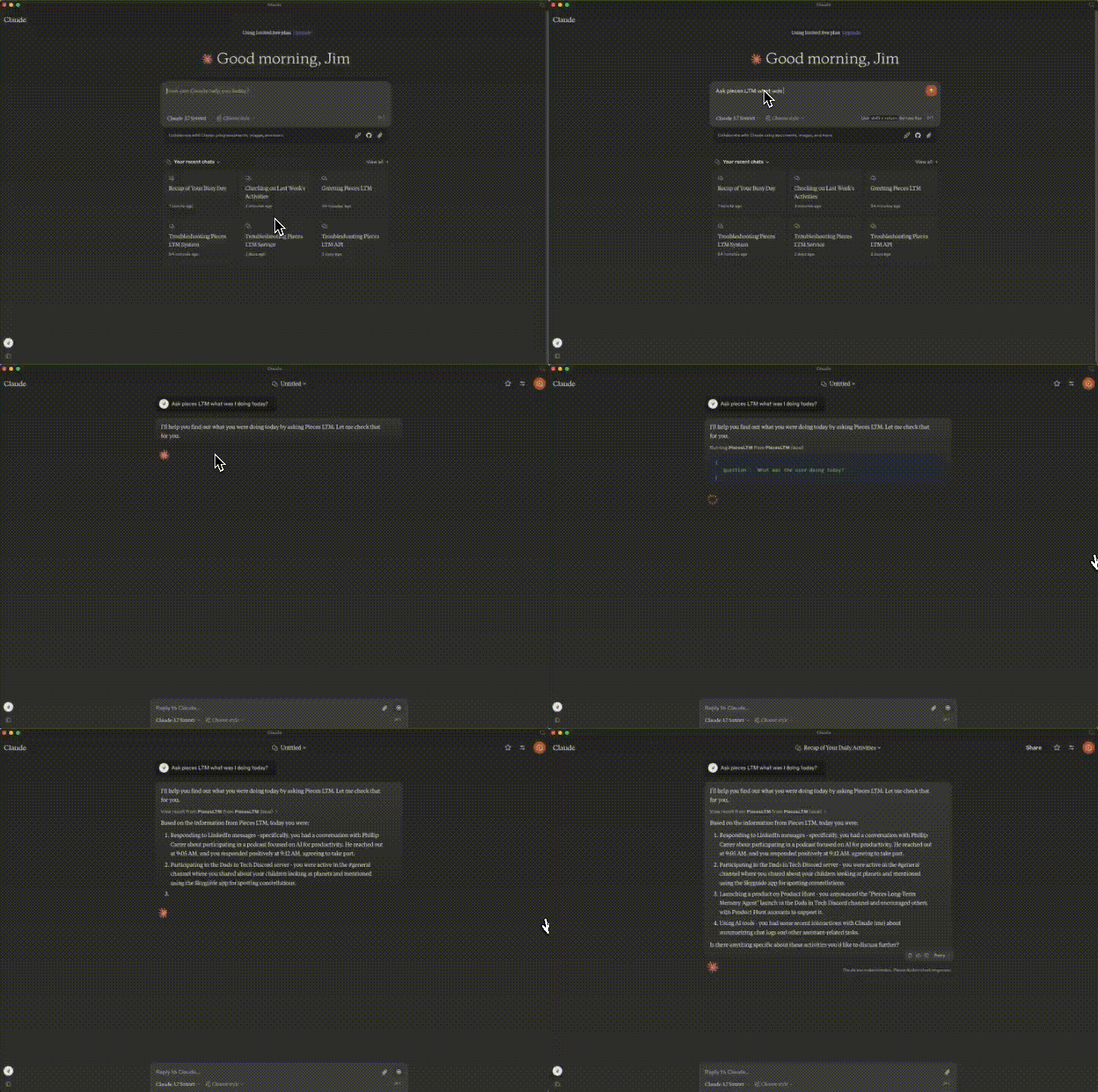
To invoke it, prompt with:
Ask Pieces LTM <question>
You will need to allow Pieces for the chat or single message in Claude for Desktop.
Sign in to leave a review
Use Google, GitHub, or an email account so ratings stay tied to real people.
No reviews posted yet.





