
NetStone.MCP
About
MCP Toolset for FFXIV Lodestone — Integrates NetStone into a modern, natural-language-driven MCP server for character and world data queries.
Details
- Author
- dks50217
- Downloads
- 287
- Categories
- Other
Jump to
- Character Search: find FFXIV characters by name and world
- Character Profile: fetch detailed profiles with job levels and biography
- Free Company Search: search Free Companies by name and server
- Free Company Profile: retrieve members, activities, and rank data
- World List: list all supported FFXIV worlds
- House List: list all purchasable houses

Setting up with Highlight
This MCP is not yet compatible with Highlight’s one-click setup. However, you can still use it with Highlight by following these steps:
- Download and install Highlight from highlightai.com/download
- Navigate to the plugins tab and select "Add Custom Plugin"
-
Configure the plugin with the settings below
Plugin Name
NetStone.MCPCommand (node, npx, python, etc.)Please refer to the README for specific instructions on how to obtain API keys or other required environment variables.
- Enable "Start Automatically" if you want the plugin to start when Highlight launches





From the repository
For Claude Desktop, add the server configuration to claude_desktop_config.json using dotnet run with the path to the NetStoneMCP.csproj file. For a custom WPF client, set the OPENAI_API_KEY environment variable and run dotnet run --project tests\NetStoneClient\NetStoneClient.csproj. The server requires .NET and access to the listed data sources.
Claude Desktop / Cursor
Paste into your MCP client config file to install this server.
{
    "mcpServers": {
        "netstone.mcp": {
            "NetStone MCP Server": {
                "command": "dotnet",
                "args": [
                    "run",
                    "--project",
                    "C:\\Users\\Desktop\\NetStoneMCP\\src\\NetStoneMCP.csproj",
                    "--no-build"
                ]
            }
        }
    }
}McpServers
{
    "NetStone MCP Server": {
        "command": "dotnet",
        "args": [
            "run",
            "--project",
            "C:\\Users\\Desktop\\NetStoneMCP\\src\\NetStoneMCP.csproj",
            "--no-build"
        ]
    }
}
NetStone.MCP
🧩 MCP Toolset for FFXIV Lodestone — Integrates NetStone into a natural-language-capable MCP server for querying character and world data from Final Fantasy XIV.
Overview
This project transforms the powerful, modern .NET FFXIV Lodestone API library NetStone into a set of Model Context Protocol tools, allowing you to use natural language prompts to query Lodestone data via an MCP-compatible LLM client such as OpenAI or Claude.
Data Source
NetStone
FFXIV_PaissaHouse
FFXIVStore
Setup
Claude Desktop
add mcpServers in claude_desktop_config.json
{
  "mcpServers": {
    "NetStone MCP Server" :{
      "command": "dotnet",
      "args": [
        "run",
        "--project",
        // NetStoneMCP.csproj path ex:
        "C:\\Users\\Desktop\\NetStoneMCP\\src\\NetStoneMCP.csproj",
        "--no-build"
      ]
    }
  }
}
Custom WPF
export OPENAI_API_KEY=your_api_key_here
dotnet run --project tests\NetStoneClient\NetStoneClient.csproj
ChatGPT Desktop
I hope ChatGPT Desktop will support adding MCP soon.
Sample
Claude Desktop
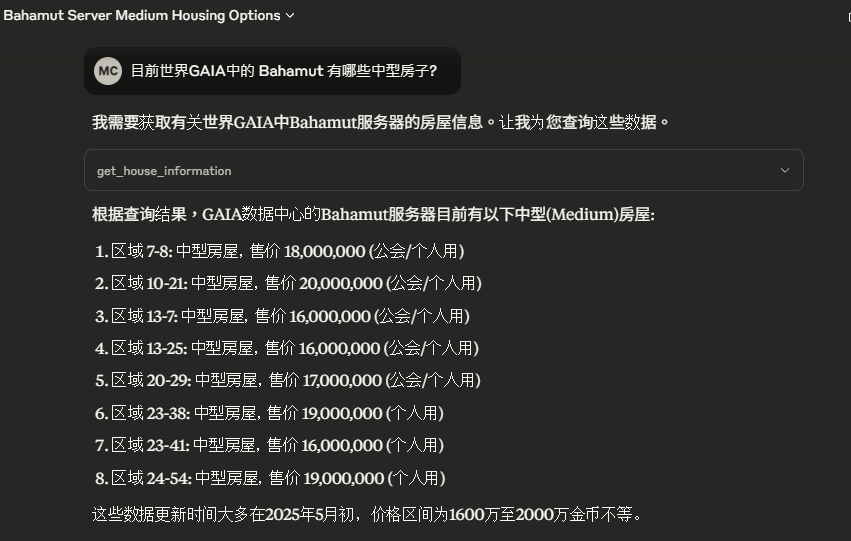
<br>
Custom Console
<br>
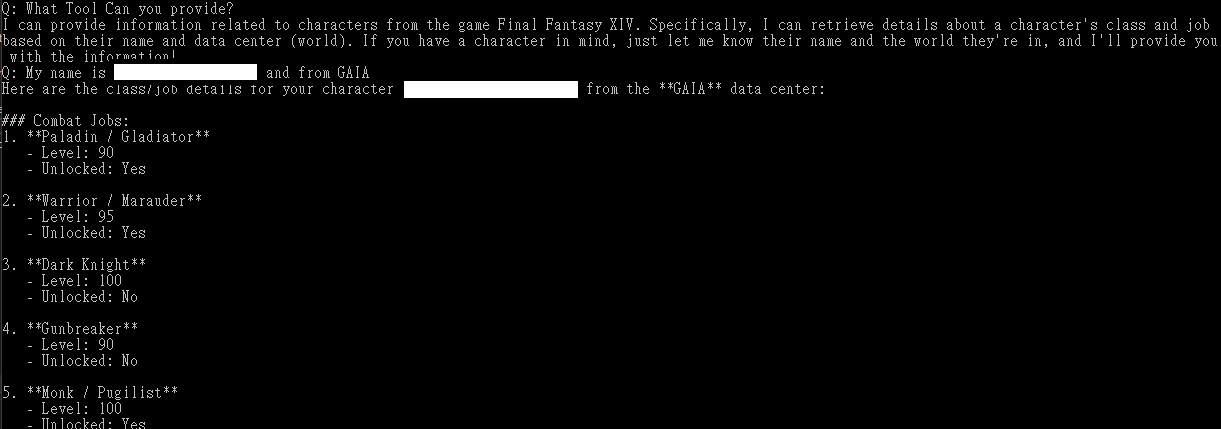
<br>
- Custom WPF
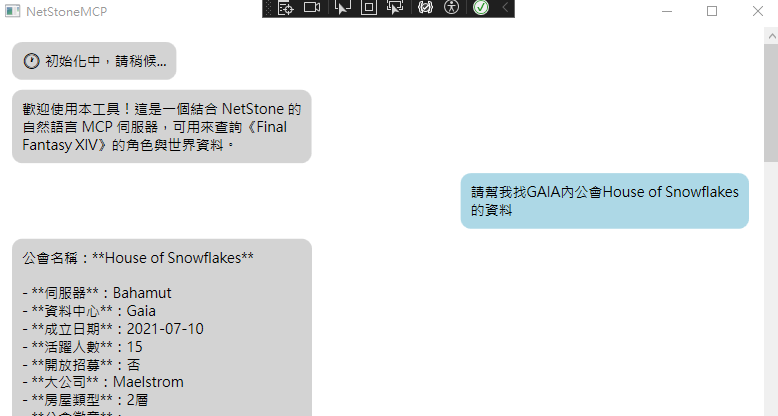
<br>
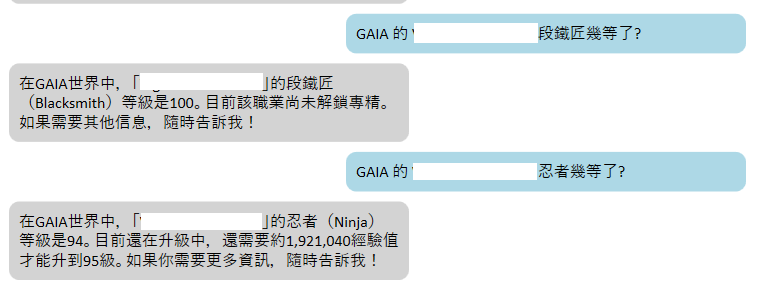
<br>

Features (Planned or Implemented)
✅ = Implemented
🛠️ = In Progress
🔜 = Planned
- ✅ Character Search Tool
Search for FFXIV characters by name and world.
- ✅ Character Profile Tool
Fetch detailed character profiles (job levels, biography, etc).
- ✅ Free Company Search Tool
Search for Free Companies by name and server.
- ✅ Free Company Profile Tool
Retrieve members, activities, and rank data.
- ✅ World List Tool
List all supported FFXIV worlds.
- ✅ House List Tool
List all purchasable houses.
- 🔜 Store List Tool
TBD
Sign in to leave a review
Use Google, GitHub, or an email account so ratings stay tied to real people.
No reviews posted yet.





