
Motion MCP Server
About
MCP Server for Use Motion Task Management System
Details
- Author
- devondragon
- GitHub stars
- 26
- Downloads
- 569
- Categories
- Other, Project Management
Jump to

Setting up with Highlight
This MCP is not yet compatible with Highlight’s one-click setup. However, you can still use it with Highlight by following these steps:
- Download and install Highlight from highlightai.com/download
- Navigate to the plugins tab and select "Add Custom Plugin"
-
Configure the plugin with the settings below
Plugin Name
Motion MCP ServerCommand (node, npx, python, etc.)Please refer to the README for specific instructions on how to obtain API keys or other required environment variables.
- Enable "Start Automatically" if you want the plugin to start when Highlight launches





From the repository
{
"mcpServers": {
"MotionMCP": {
"command": "npx",
"args": [
"motionmcp"
],
"env": {
"MOTION_API_KEY": "your_api_key"
}
}
}
}
Claude Desktop / Cursor
Paste into your MCP client config file to install this server.
{
    "mcpServers": {
        "motion mcp server": {
            "MotionMCP": {
                "command": "npx",
                "args": [
                    "motionmcp"
                ],
                "env": {
                    "MOTION_API_KEY": "your_api_key"
                }
            }
        }
    }
}McpServers
{
    "MotionMCP": {
        "command": "npx",
        "args": [
            "motionmcp"
        ],
        "env": {
            "MOTION_API_KEY": "your_api_key"
        }
    }
}
Motion MCP Server
Motion is an AI-powered calendar and task management app that auto-schedules your work. This MCP server bridges Motion's API with LLMs like Claude and ChatGPT via the Model Context Protocol, so you can manage tasks, search projects, check your schedule, and more — all through natural conversation. It works on desktop, web, and mobile.
Preview
<a href="sample.png">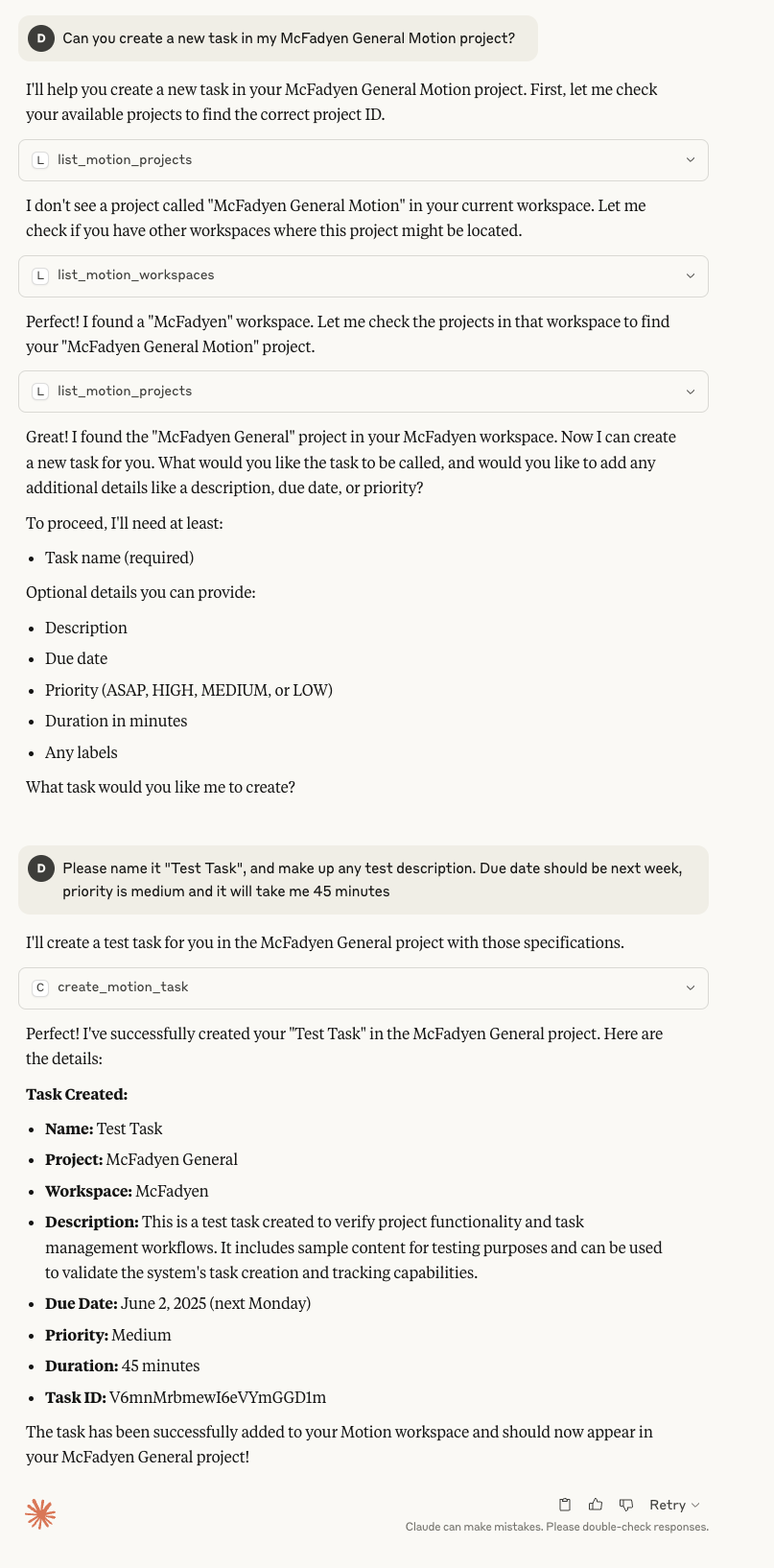 </a>
</a>
Click the image above to view full size
Getting Started
Prerequisites: Node.js 18+ and a Motion API key.
Local Setup (npx)
For desktop MCP clients — Claude Desktop, Claude Code, Cursor, and similar.
Add to your claude_desktop_config.json:
{
  "mcpServers": {
    "motion": {
      "command": "npx",
      "args": ["motionmcp"],
      "env": {
        "MOTION_API_KEY": "your_api_key"
      }
    }
  }
}
Test from the command line:
MOTION_API_KEY=your_api_key npx motionmcp
> Tip: npx always runs the latest published version — no install needed.
Remote Setup (Cloudflare Workers)
For mobile and web clients — Claude mobile/web, ChatGPT mobile/web, or any HTTP MCP client.
One-click deploy
After deploy, set your secrets in the Cloudflare dashboard (Workers > your worker > Settings > Variables):
- MOTION_API_KEY — your Motion API key
- MOTION_MCP_SECRET — a random string (generate with openssl rand -hex 16)
Manual deploy
```bash
Sign in to leave a review
Use Google, GitHub, or an email account so ratings stay tied to real people.
No reviews posted yet.





