
MCPXcode
About
MCPXcode is an open-source implementation of the Model Context Protocol (MCP) for Xcode. It bridges Xcode’s development environment with AI assistants by wrapping command-line tools like xcrun and xctrace and leveraging macOS accessibility features, enabling structured context…
Details
- Author
- everettjf
- GitHub stars
- 8
- Downloads
- 188
- Categories
- Other
Jump to
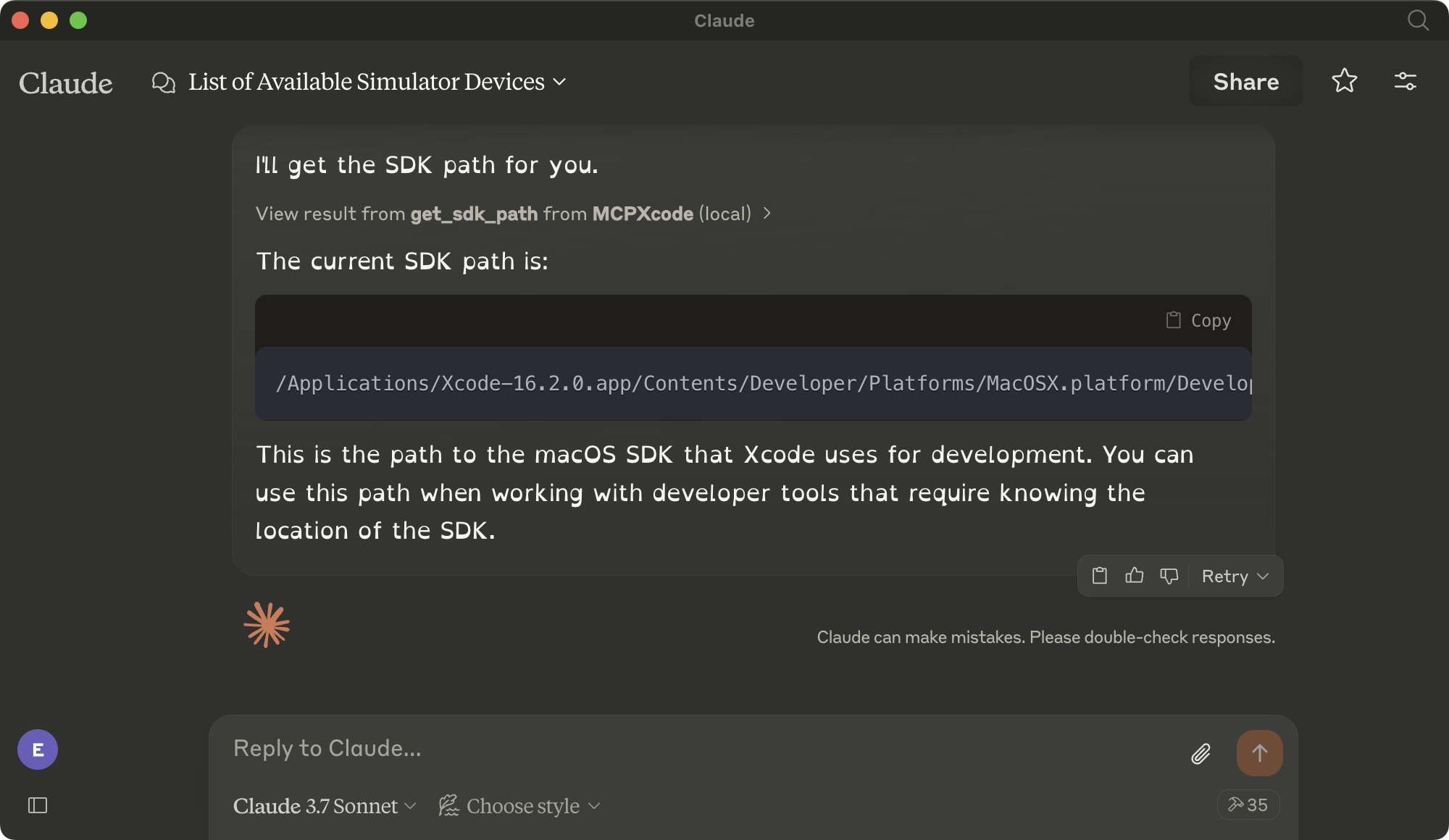
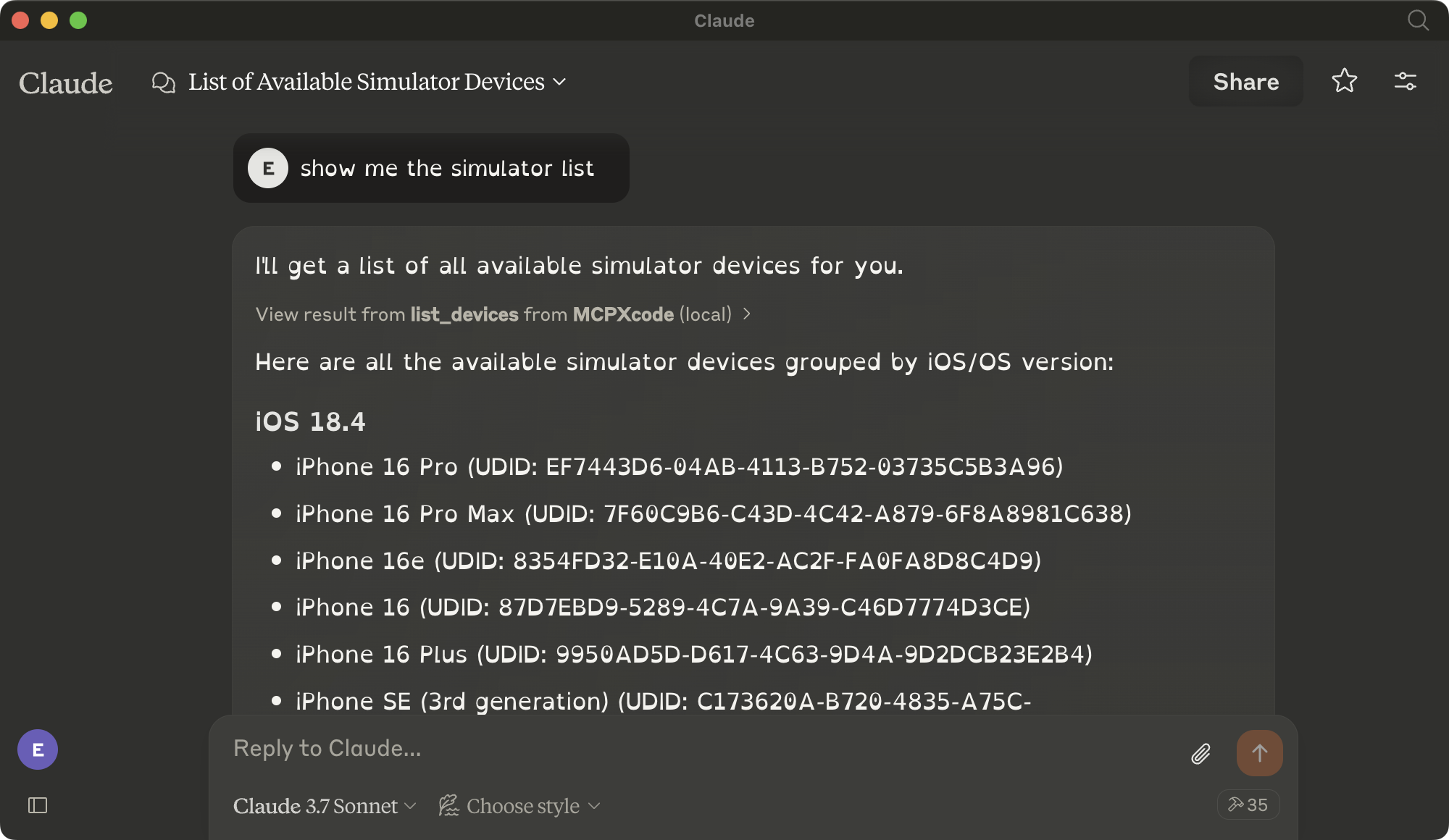
- Simulator control: list, boot, shutdown devices; install and launch apps
- SDK tools: get paths, version, platform path, find developer tools
- xcrun tools: list SDKs/schemes, build, validate, upload, extract symbols
- xctrace tools: record, export, compare, analyze performance traces
- Structured output formatting designed for AI consumption

Setting up with Highlight
This MCP is not yet compatible with Highlight’s one-click setup. However, you can still use it with Highlight by following these steps:
- Download and install Highlight from highlightai.com/download
- Navigate to the plugins tab and select "Add Custom Plugin"
-
Configure the plugin with the settings below
Plugin Name
MCPXcodeCommand (node, npx, python, etc.)Please refer to the README for specific instructions on how to obtain API keys or other required environment variables.
- Enable "Start Automatically" if you want the plugin to start when Highlight launches





From the repository
Install uv, clone the repository, add the mcp[cli] dependency, then configure your MCP client (e.g., Claude Desktop) with the JSON snippet specifying the uv command, directory path, and main.py as the run target. Once configured, the server exposes MCP tools that can be invoked via natural language prompts.
Claude Desktop / Cursor
Paste into your MCP client config file to install this server.
{
    "mcpServers": {
        "mcpxcode": {
            "MCPXcode": {
                "command": "uv",
                "args": [
                    "--directory",
                    "<Path>/MCPXcode",
                    "run",
                    "main.py"
                ]
            }
        }
    }
}McpServers
{
    "MCPXcode": {
        "command": "uv",
        "args": [
            "--directory",
            "<Path>/MCPXcode",
            "run",
            "main.py"
        ]
    }
}
MCPXcode
!!! This Project is in Active Development, So May Have Unexpected Issues
Introduction
MCPXcode is an open-source implementation of the Model Context Protocol (MCP) for Xcode. It enables seamless integration between Xcode and AI assistants by providing a structured protocol for context exchange and tool execution within the Xcode environment.
Following the MCP specification, this project creates a bridge between Xcode's development environment and AI tools, allowing for enhanced developer workflows through contextual understanding and programmable interactions. It wraps common command-line tools (xcrun, xctrace) and leverages macOS accessibility features to enable AI-assisted automation of Xcode operations.
Screenshots
<p align="center">
</p>
Installation
```bash
Sign in to leave a review
Use Google, GitHub, or an email account so ratings stay tied to real people.
No reviews posted yet.





