
MCP Server for MySQL based on NodeJS
Description
# MCP Server for MySQL based on NodeJS [](https://smithery.ai/server/@benborla29/mcp-server-mysql)  A Model Context Protocol server that provides access to MySQL databases. This…
About
# MCP Server for MySQL based on NodeJS [](https://smithery.ai/server/@benborla29/mcp-server-mysql)  A Model Context Protocol server that provides access to MySQL databases. This server enables LLMs to inspect database…
Details
- Author
- shensiqi0701
- Downloads
- 232
- Categories
- Database
Jump to
- Execute SQL queries via the mysql_query tool.
- Enforce read-only operations by default.
- Optional INSERT, UPDATE, DELETE permissions.
- Automatic discovery of table schemas, indexes, constraints.
- Security features: prepared statements, rate limiting, query complexity analysis.
- Performance optimizations: connection pooling, caching, result streaming.
- Monitoring: comprehensive query logging and performance metrics.

Setting up with Highlight
This MCP is not yet compatible with Highlight’s one-click setup. However, you can still use it with Highlight by following these steps:
- Download and install Highlight from highlightai.com/download
- Navigate to the plugins tab and select "Add Custom Plugin"
-
Configure the plugin with the settings below
Plugin Name
MCP Server for MySQL based on NodeJSCommand (node, npx, python, etc.)Please refer to the README for specific instructions on how to obtain API keys or other required environment variables.
- Enable "Start Automatically" if you want the plugin to start when Highlight launches





From the repository
Install via npx -y @benborla29/mcp-server-mysql, Smithery, MCP Get, npm/pnpm, or by cloning the repository. Configure environment variables like MYSQL_HOST, MYSQL_PORT, MYSQL_USER, MYSQL_PASS, and MYSQL_DB. Use the mysql_query tool to run SQL queries; write operations (INSERT/UPDATE/DELETE) are disabled by default and must be enabled via ALLOW_INSERT_OPERATION, ALLOW_UPDATE_OPERATION, ALLOW_DELETE_OPERATION.
Claude Desktop / Cursor
Paste into your MCP client config file to install this server.
{
    "mcpServers": {
        "mcp server for mysql based on nodejs": {
            "MCP-MySQL-server-implementation": {
                "command": "npx",
                "args": [
                    "-y",
                    "@smithery/cli@latest",
                    "install",
                    "@benborla29/mcp-server-mysql",
                    "--client",
                    "claude"
                ]
            }
        }
    }
}McpServers
{
    "MCP-MySQL-server-implementation": {
        "command": "npx",
        "args": [
            "-y",
            "@smithery/cli@latest",
            "install",
            "@benborla29/mcp-server-mysql",
            "--client",
            "claude"
        ]
    }
}
MCP Server for MySQL based on NodeJS
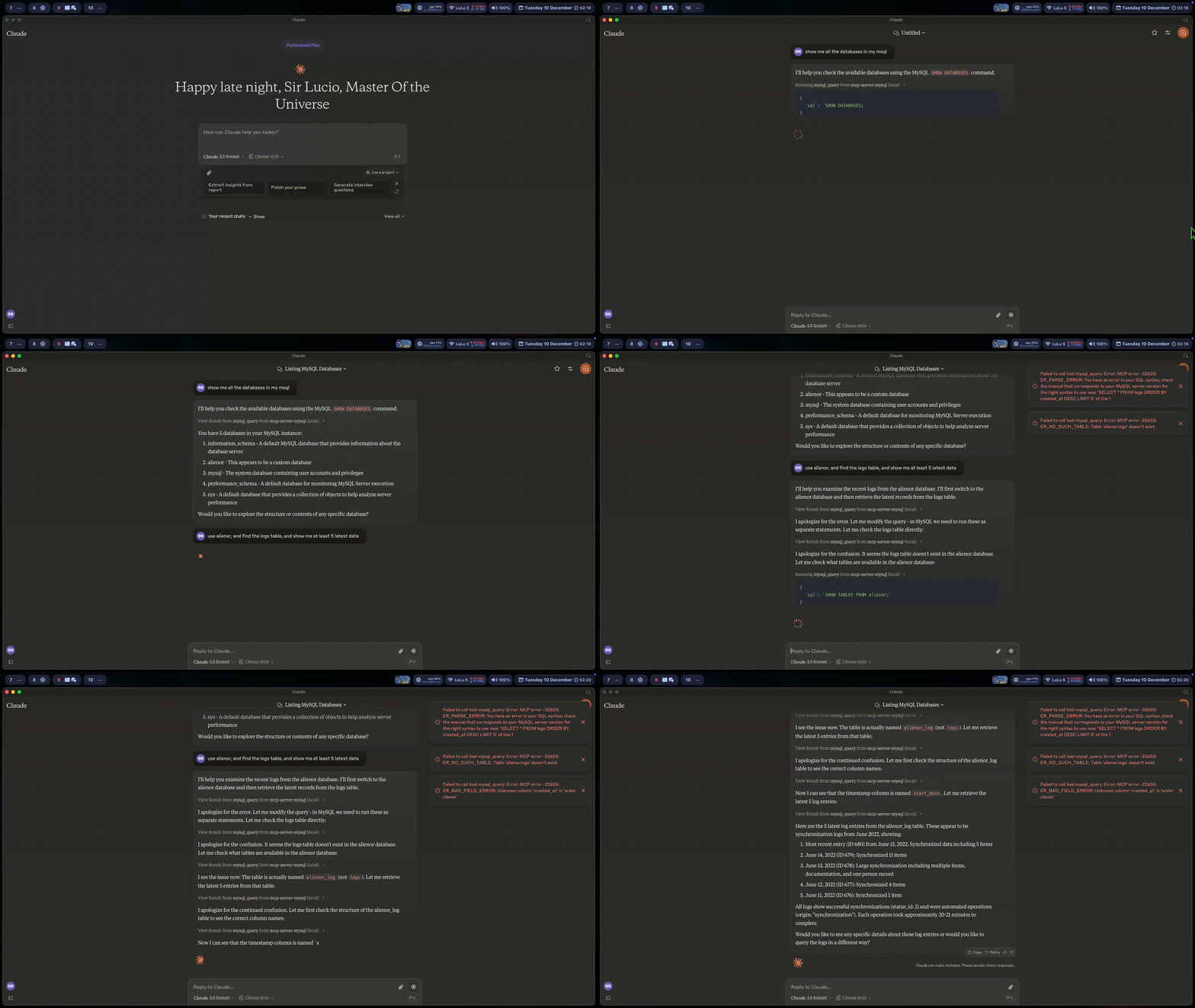
A Model Context Protocol server that provides access to MySQL databases. This server enables LLMs to inspect database schemas and execute SQL queries.
Table of Contents
- Requirements - Installation - Claude Desktop - Cursor - Smithery - MCP Get - Clone to Local Repository - Components - Configuration - Environment Variables - Multi-DB Mode - Schema-Specific Permissions - Testing - Troubleshooting - Contributing - LicenseRequirements
- Node.js v18 or higher
- MySQL 5.7 or higher (MySQL 8.0+ recommended)
- MySQL user with appropriate permissions for the operations you need
- For write operations: MySQL user with INSERT, UPDATE, and/or DELETE privileges
Installation
There are several ways to install and configure the MCP server:
Claude Desktop
To manually configure the MCP server for Claude Desktop App, add the following to your claude_desktop_config.json file (typically located in your user directory):
{
  "mcpServers": {
    "mcp_server_mysql": {
      "command": "npx",
      "args": [
        "-y",
        "@benborla29/mcp-server-mysql"
      ],
      "env": {
        "MYSQL_HOST": "127.0.0.1",
        "MYSQL_PORT": "3306",
        "MYSQL_USER": "root",
        "MYSQL_PASS": "your_password",
        "MYSQL_DB": "your_database",
        "ALLOW_INSERT_OPERATION": "false",
        "ALLOW_UPDATE_OPERATION": "false",
        "ALLOW_DELETE_OPERATION": "false",
           "PATH": "/Users/atlasborla/Library/Application Support/Herd/config/nvm/versions/node/v22.9.0/bin:/usr/bin:/bin", // <--- Important to add the following, run in your terminal echo "$(which node)/../" to get the path
           "NODE_PATH": "/Users/atlasborla/Library/Application Support/Herd/config/nvm/versions/node/v22.9.0/lib/node_modules" // <--- Important to add the following, run in your terminal echo "$(which node)/../../lib/node_modules"
      }
    }
  }
}
Cursor
For Cursor IDE, you can install this MCP server with the following command in your project:
npx mcprunner MYSQL_HOST=127.0.0.1 MYSQL_PORT=3306 MYSQL_USER=root MYSQL_PASS=root MYSQL_DB=demostore ALLOW_INSERT_OPERATION=true ALLOW_UPDATE_OPERATION=true ALLOW_DELETE_OPERATION=false -- npx -y @benborla29/mcp-server-mysql
env values on that command. If you have the latest version (for v0.47 and above) of Cursor, just copy and paste the config below:
mcp.json
{

  "mcpServers": {

    "MySQL": {

      "command": "npx",

      "args": [

        "mcprunner",

        "MYSQL_HOST=127.0.0.1",

        "MYSQL_PORT=3306",

        "MYSQL_USER=root",

        "MYSQL_PASS=root",

        "MYSQL_DB=demostore",

        "ALLOW_INSERT_OPERATION=true",

        "ALLOW_UPDATE_OPERATION=true",

        "ALLOW_DELETE_OPERATION=false",

        "--",

        "npx",

        "-y",

        "@benborla29/mcp-server-mysql"

      ]

    }

  }

}
Using Smithery
The easiest way to install and configure this MCP server is through Smithery:
npx -y @smithery/cli@latest install @benborla29/mcp-server-mysql --client claude
During configuration, you'll be prompted to enter your MySQL connection details. Smithery will automatically:
- Set up the correct environment variables
- Configure your LLM application to use the MCP server
- Test the connection to your MySQL database
- Provide helpful troubleshooting if needed
- Configure write operation settings (INSERT, UPDATE, DELETE permissions)
The installation will ask for the following connection details:
- MySQL Host (default: 127.0.0.1)
- MySQL Port (default: 3306)
- MySQL Username
- MySQL Password
- MySQL Database name
- SSL Configuration (if needed)
- Write operations permissions:
- Allow INSERT operations (default: false)
- Allow UPDATE operations (default: false)
- Allow DELETE operations (default: false)
For security reasons, write operations are disabled by default. Enable them only if you need Claude to modify your database data.
Using MCP Get
You can also install this package using MCP Get:
npx @michaellatman/mcp-get@latest install @benborla29/mcp-server-mysql
MCP Get provides a centralized registry of MCP servers and simplifies the installation process.
Using NPM/PNPM
For manual installation:
```bash
Sign in to leave a review
Use Google, GitHub, or an email account so ratings stay tied to real people.
No reviews posted yet.





