
🧳 MCP Travel Desk — A Minimal MCP Client & Server Demo
About
This project demonstrates how to build a minimal MCP server using the `mcp` Python SDK and connect it to Claude Desktop as a client. It simulates a simple Travel Desk system with tools to submit, view, and track employee travel requests — all accessible directly from Claude's int
Details
- Author
- ChaitanyaK77
- Downloads
- 299
- Categories
- Media, AI
Jump to
- submit_travel_request – submit a new employee travel request
- get_travel_history – retrieve travel history for an employee
- approved_trips_count – count approved trips for an employee
- greeting – a simple demo tool that responds with a greeting
- Demonstrates building an MCP server and using Claude Desktop as client

Setting up with Highlight
This MCP is not yet compatible with Highlight’s one-click setup. However, you can still use it with Highlight by following these steps:
- Download and install Highlight from highlightai.com/download
- Navigate to the plugins tab and select "Add Custom Plugin"
-
Configure the plugin with the settings below
Plugin Name
🧳 MCP Travel Desk — A Minimal MCP Client & Server DemoCommand (node, npx, python, etc.)Please refer to the README for specific instructions on how to obtain API keys or other required environment variables.
- Enable "Start Automatically" if you want the plugin to start when Highlight launches





From the repository
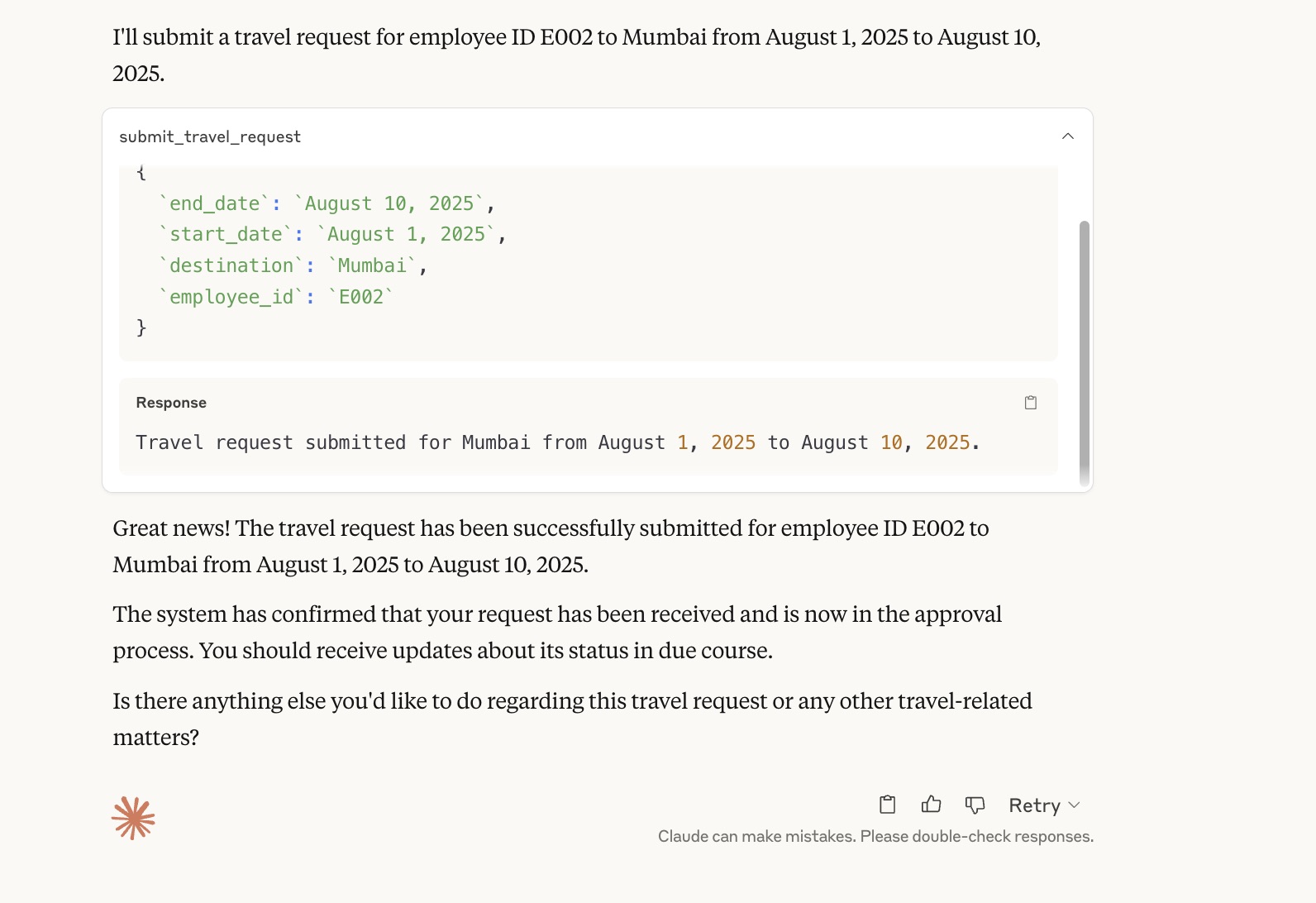
Install Claude Desktop, then install the MCP Python SDK (pip install mcp) and uv (Python package manager). Create a main.py file with the server code and run uv run mcp install main.py to register the server in Claude’s configuration. Once installed, the tools appear in Claude’s UI and you can ask queries like “Submit a travel request for E001 to Paris.”
Claude Desktop / Cursor
Paste into your MCP client config file to install this server.
{
    "mcpServers": {
        "\ud83e\uddf3 mcp travel desk \u2014 a minimal mcp client & server demo": {
            "MCP-Client-and-Server-Demo": {
                "command": "uv",
                "args": [
                    "init"
                ]
            }
        }
    }
}McpServers
{
    "MCP-Client-and-Server-Demo": {
        "command": "uv",
        "args": [
            "init"
        ]
    }
}
🧳 MCP Travel Desk — A Minimal MCP Client & Server Demo
This is a simple demonstration of building an MCP server and using Claude Desktop as a client. It simply shows a Travel Desk system to handle employee travel requests, approvals, and history tracking — all accessible directly from Claude.
---
🚀 Setup Instructions
1. Install Claude Desktop
Download and install Claude Desktop from Anthropic. This acts as your MCP client.---
2. Install MCP Python SDK
pip install mcp
3. Install uv (Python Package Manager)
pip install uv
brew install uv
4. Initialize MCP Server
uv init
5. Create main.py
append the main.py code in the repo6. Install the Server into Claude
uv run mcp install main.py
Create a virtual environment (.venv)
Add your server to Claude config
Output logs like:
Added server 'TravelDesk' to Claude config

Successfully installed TravelDesk in Claude app
7. macOS Troubleshooting
If the server doesn't start in Claude:
Run:
brew install uv
Restart Claude Desktop
Go to Claude → Developer Settings and ensure the server is Running
8. Use Claude as MCP Client
Claude reads the MCP config from .mcp/claude.json.9. Tools Appear in Claude UI
Once installed, the following tools will be available inside Claude:submit_travel_request
get_travel_history
approved_trips_count
greeting://{name}
10. Ask Queries via Claude
Try asking:
Submit a travel request for E001 to Paris from 2025-01-01 to 2025-01-05
How many approved trips does E002 have?
Get travel history for E001
greeting://Chaitanya
Sign in to leave a review
Use Google, GitHub, or an email account so ratings stay tied to real people.
No reviews posted yet.




