
IDE Memory MCP
About
IDE Memory MCP gives AI coding agents a persistent memory layer that works across any IDE supporting the Model Context Protocol. Write project context once — the AI remembers it everywhere.
Details
- Author
- prasanna00019
- Downloads
- 125
- Categories
- Knowledge Base, Database, File Management, Other, Developer Tools, AI, Productivity
Jump to
- Cross‑IDE memory persistence across multiple MCP‑compatible IDEs
- Context‑optimized reads that return a compact summary table
- Smart warnings for stale, oversized, or old memory sections
- Built‑in agent prompts for session start, bootstrap, and updates
- Section‑based storage: overview, decisions, active_context, progress
- Append mode for incremental updates without overwriting

Setting up with Highlight
This MCP is not yet compatible with Highlight’s one-click setup. However, you can still use it with Highlight by following these steps:
- Download and install Highlight from highlightai.com/download
- Navigate to the plugins tab and select "Add Custom Plugin"
-
Configure the plugin with the settings below
Plugin Name
IDE Memory MCPCommand (node, npx, python, etc.)Please refer to the README for specific instructions on how to obtain API keys or other required environment variables.
- Enable "Start Automatically" if you want the plugin to start when Highlight launches





From the repository
Install the package with pip install ide-memory-mcp (or uv pip install ide-memory-mcp). Run ide-memory-mcp setup to auto‑configure your IDEs, then restart your IDE. Manual configuration is also available via IDE‑specific JSON files.
Claude Desktop / Cursor
Paste into your MCP client config file to install this server.
{
    "mcpServers": {
        "ide memory mcp": {
            "IDE-Memory-MCP": {
                "command": "uv",
                "args": [
                    "pip",
                    "install",
                    "ide-memory-mcp"
                ]
            }
        }
    }
}McpServers
{
    "IDE-Memory-MCP": {
        "command": "uv",
        "args": [
            "pip",
            "install",
            "ide-memory-mcp"
        ]
    }
}
IDE Memory MCP
<p align="center">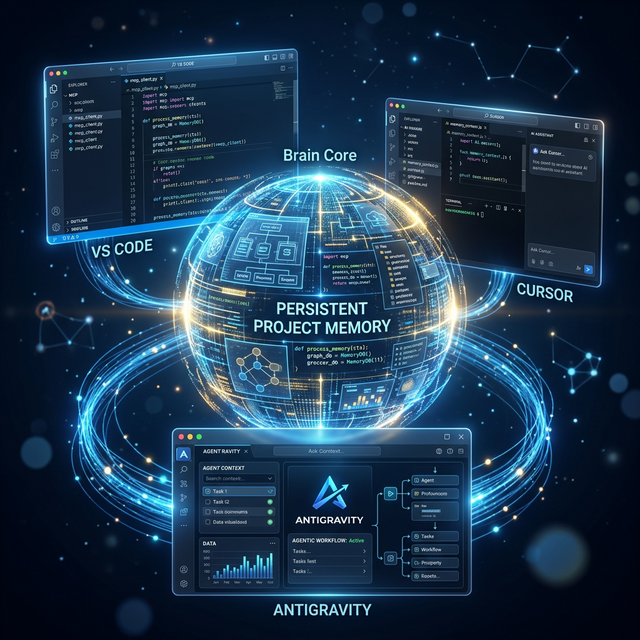 </p>
> Cross-IDE persistent memory for AI coding agents — your AI remembers every project, across every IDE.
</p>
> Cross-IDE persistent memory for AI coding agents — your AI remembers every project, across every IDE.


 ---
---
The Problem
Every time you open a project in a new IDE or start a fresh AI conversation, your AI assistant forgets everything: - What the project does - Architecture decisions you've made - What you're currently working on - Your progress and milestones You end up repeating yourself. Every. Single. Time.The Solution
IDE Memory MCP gives AI coding agents a persistent memory layer that works across any IDE supporting the Model Context Protocol. Write project context once — the AI remembers it everywhere. ``
Cursor ←──→ IDE Memory MCP ←──→ VS Code
   ↑              ↓                 ↑
   └── same project memory ────────┘
`
---

Key Features


- Cross-IDE Memory — Project context persists across Cursor, VS Code, Windsurf, Claude Desktop, and any MCP-compatible IDE
- Context-Optimized — Default reads return a compact summary table, not a context-window-destroying content dump. The AI loads only what it needs.
- Smart Warnings — Automatically detects stale sections (>7 days), oversized content (>10k chars), and suggests pruning when memory gets old (>30 days)
- Agent Prompts — Built-in MCP prompts guide the AI on how to start sessions, bootstrap memory for new projects, and update memory after changes
- Smart Project Matching — Recognizes projects by path or git remote URL. Move folders, switch machines — your memory follows.
- Section-Based Storage — Organized into overview, decisions, active_context, progress + custom sections
- Append Mode — Add incremental updates without rewriting entire sections
- Version History — Previous content auto-saved before each overwrite (last 5 snapshots)
- Zero Config — Works out of the box. No database, no cloud, just local markdown files.
---
Quick Start
1. Install
``bashSign in to leave a review
Use Google, GitHub, or an email account so ratings stay tied to real people.
No reviews posted yet.





