
ColorsMCP - Model Context Protocol (MCP) Server
About
ColorsMCP is a Model Context Protocol (MCP) server built with .NET 9.0 that provides knowledge about colors. It supports multiple transport modes for integration with MCP clients, including STDIO, HTTP Streamable (Docker), and SSE (Azure Function App).
Details
- Author
- markharrison
- GitHub stars
- 3
- Downloads
- 244
- Categories
- Other
Jump to
- .NET 9.0 implementation
- Supports STDIO, HTTP, and SSE transports
- Docker image for HTTP Streamable mode
- Azure Functions deployment for SSE
- Optional OAuth authentication/authorization for HTTP
Install and run the server using the .NET CLI for STDIO, build and run a Docker image for HTTP, or deploy an Azure Function App for SSE. Configure your MCP client (e.g., VS Code) with a mcp.json file pointing to the appropriate server endpoint as shown in the README.
ColorsMCP - Model Context Protocol (MCP) Server
Overview
This is a Model Context Protocol (MCP) server implementation built with .NET 9.0.
This can be used to access knowledge about Colors.
More information https://markharrison.io/doc-mcp
Different projects are provided to support:
- STDIO
- Http Streamable - Docker Image
- Http Streamable with OAuth authentication/authorization - Docker Image
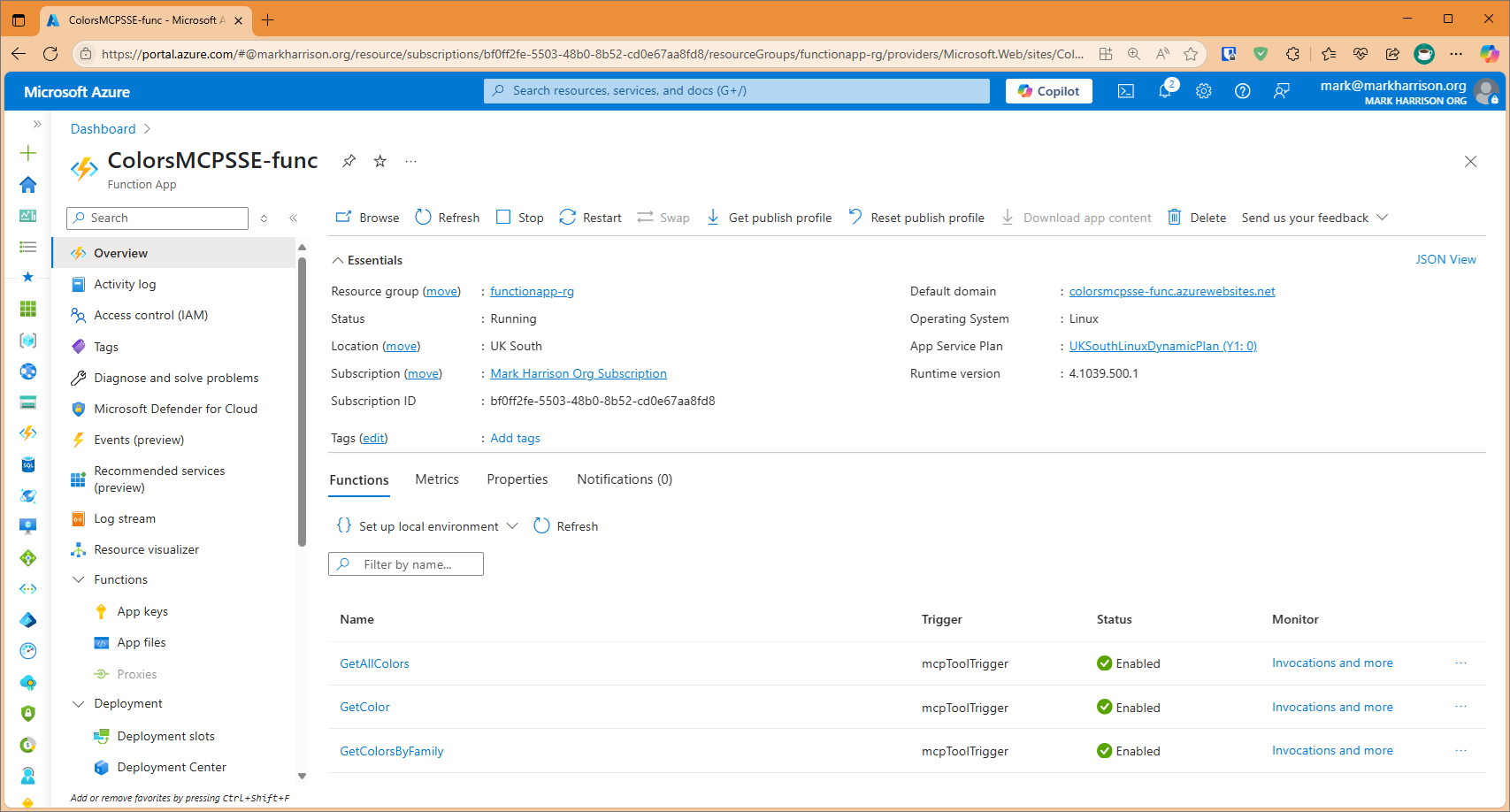
- SSE - Azure Function App
Example
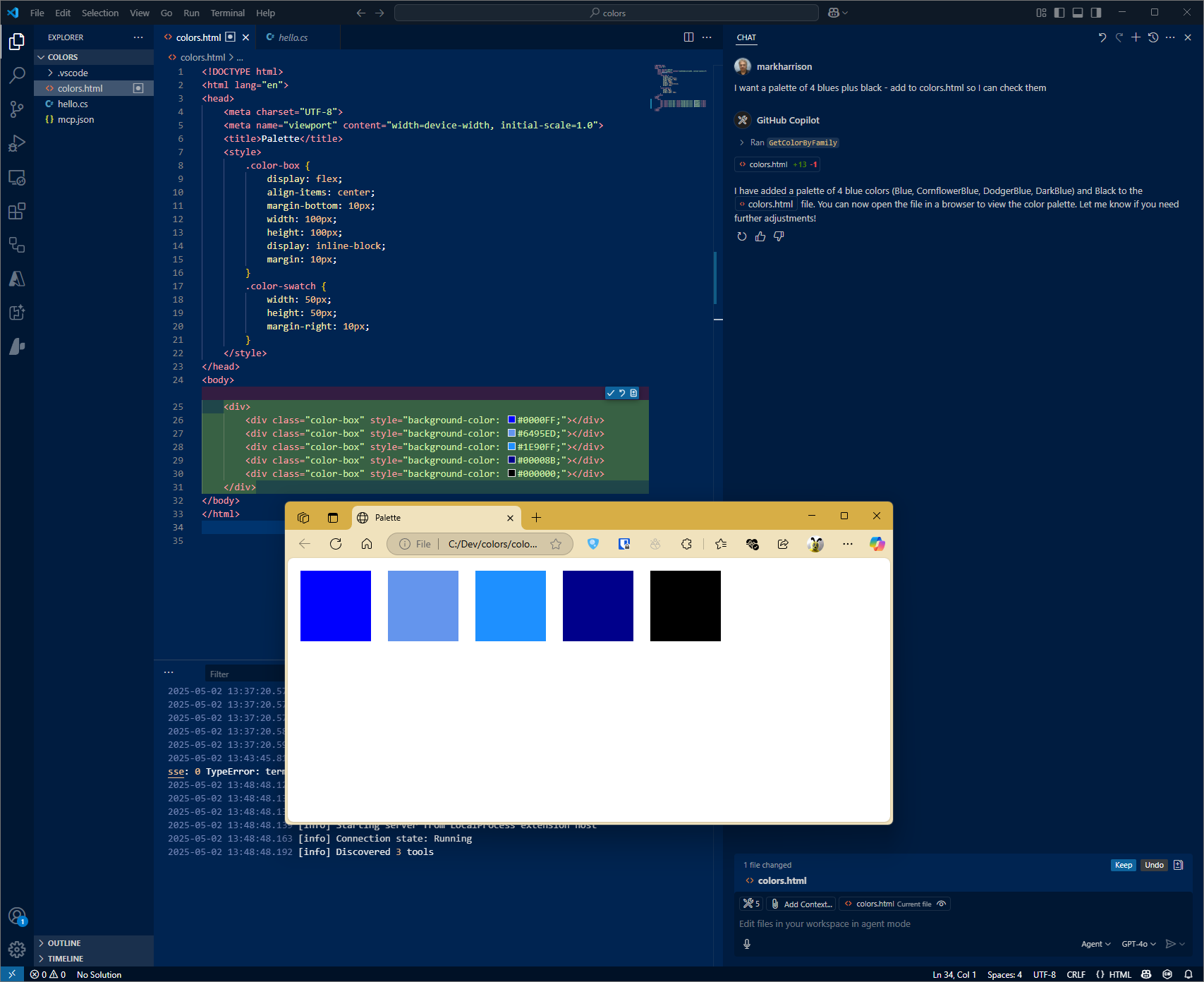
I need a palette of four colors from the blue family - plus black ...
   please add to colors.html so I can inspect
Configuration STDIO
VSCode config
Filename: .vscode\mcp.json
{
    "servers": {
        "colorsserver": {
            "type": "stdio",
            "command": "dotnet",
            "args": [
                "run",
                "--project",
                "c:/dev/ColorsMCP/ColorsMCP/ColorsMCP.csproj"
            ]
        }
    }
}
Configuration HTTP - Docker
Build Docker file
cd <projectroot>
docker build -f colorsmcp-http/Dockerfile -t colorsmcp-http:latest .
docker images
Run Docker file
docker run -p 3000:8080 -p 3001:8081 -d colorsmcp-http:latest
VSCode config
Filename: .vscode\mcp.json
{
    "servers": {
        "colorsserver": {
            "type": "http",
            "url": "http://localhost:3000"
        }
    }
}
Configuration SSE - Azure Function App
Azure Functions
There is a project to build an Azure Function App.
Note that the Url of the MCP Server will be http://xxxxx.azurewebsites.net/runtime/webhooks/mcp/sse.
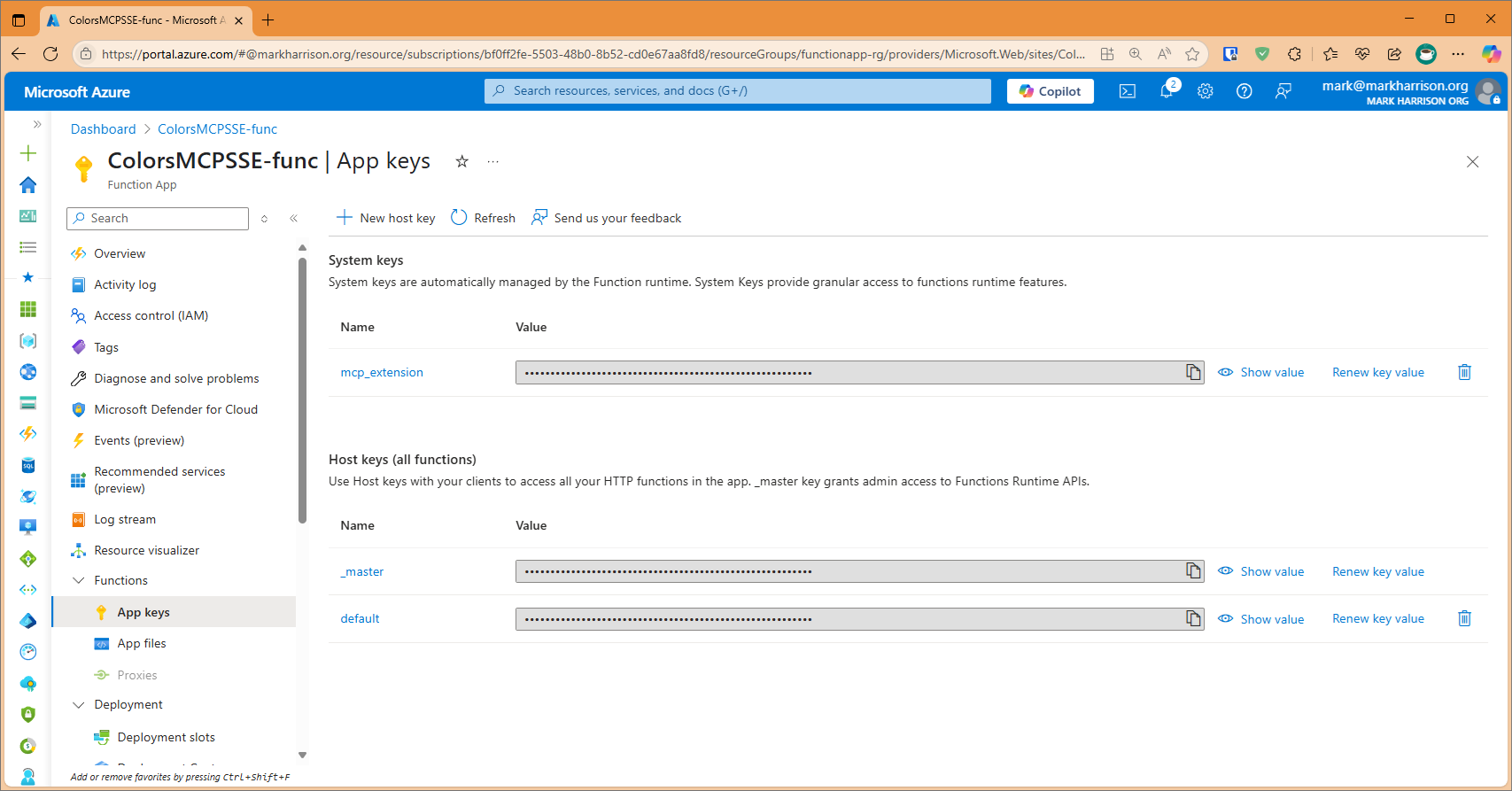
In addition a key is needed. This is located on Function App | Keys blade and is callled mcp_extension.
The header for this key is called x-functions-key.
VSCode config
The VS Code config would look like:
{
    "servers": {
        "colorsserver": {
            "type": "sse",
            "url": "https://xxxxx.azurewebsites.net//runtime/webhooks/mcp/sse",
            "headers": {
                "x-functions-key": "key"
            }
        }
    }
}
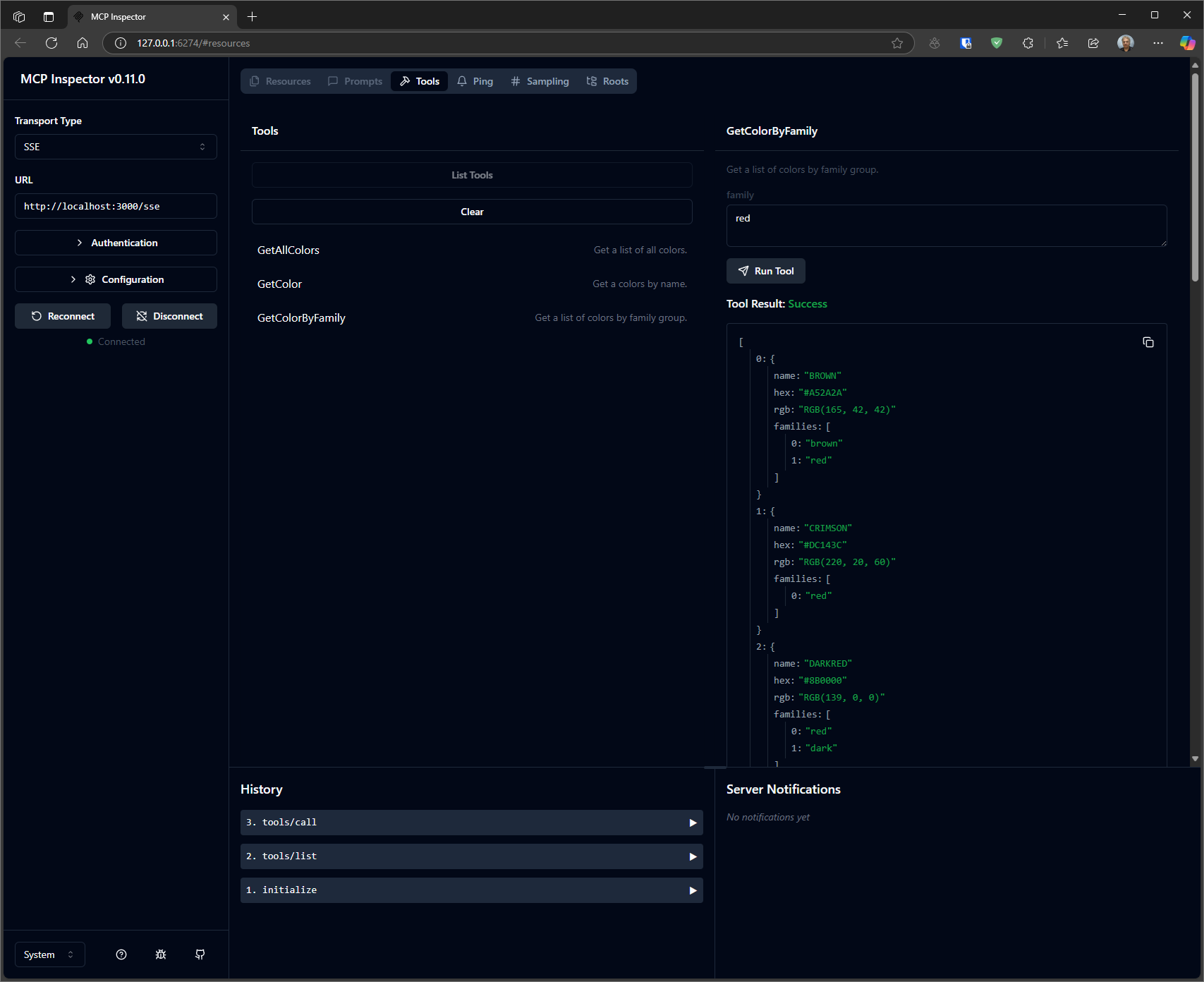
Test
$env:DANGEROUSLY_OMIT_AUTH = 'true'
npx @modelcontextprotocol/inspector
Sign in to leave a review
Use Google, GitHub, or an email account so ratings stay tied to real people.
No reviews posted yet.





