

Hyperact's BBC News MCP Server Demo
About
An example MCP Server utilising FastMCP and feedparser to inject BBC articles into Claude Desktop
Details
- Author
- HyperactUK
- Downloads
- 196
- Categories
- Other, AI
Jump to
- Exposes live BBC News headlines via MCP tools
- Built with FastMCP and Feedparser
- Runs locally on your machine
- Integrates directly with Claude Desktop
- Accompanies a blog post on MCP strategy

Setting up with Highlight
This MCP is not yet compatible with Highlight’s one-click setup. However, you can still use it with Highlight by following these steps:
- Download and install Highlight from highlightai.com/download
- Navigate to the plugins tab and select "Add Custom Plugin"
-
Configure the plugin with the settings below
Plugin Name
Hyperact's BBC News MCP Server DemoCommand (node, npx, python, etc.)Please refer to the README for specific instructions on how to obtain API keys or other required environment variables.
- Enable "Start Automatically" if you want the plugin to start when Highlight launches





From the repository
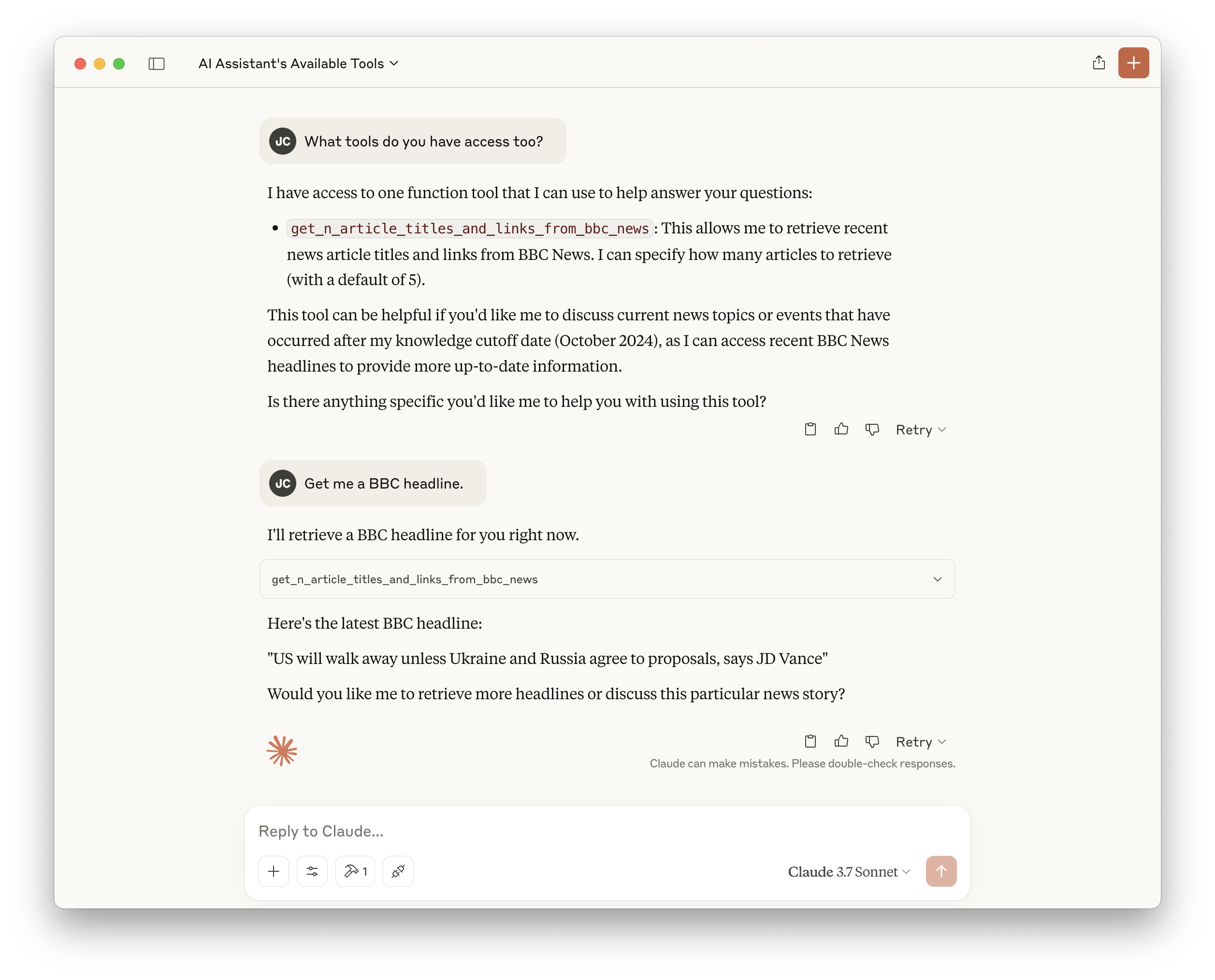
On macOS with Claude Desktop installed, install uv via Homebrew, set up a Python 3.12 virtual environment, install dependencies with uv pip install ., then run uv run mcp install to register the server with Claude Desktop. After restarting Claude Desktop, ask “What tools do you have access to?” and “Get me a BBC headline.”
Claude Desktop / Cursor
Paste into your MCP client config file to install this server.
{
    "mcpServers": {
        "hyperact's bbc news mcp server demo": {
            "BBC-News-MCP-Server-Demo": {
                "command": "uv",
                "args": [
                    "pin",
                    "python",
                    "3.12"
                ]
            }
        }
    }
}McpServers
{
    "BBC-News-MCP-Server-Demo": {
        "command": "uv",
        "args": [
            "pin",
            "python",
            "3.12"
        ]
    }
}
Hyperact's BBC News MCP Server Demo
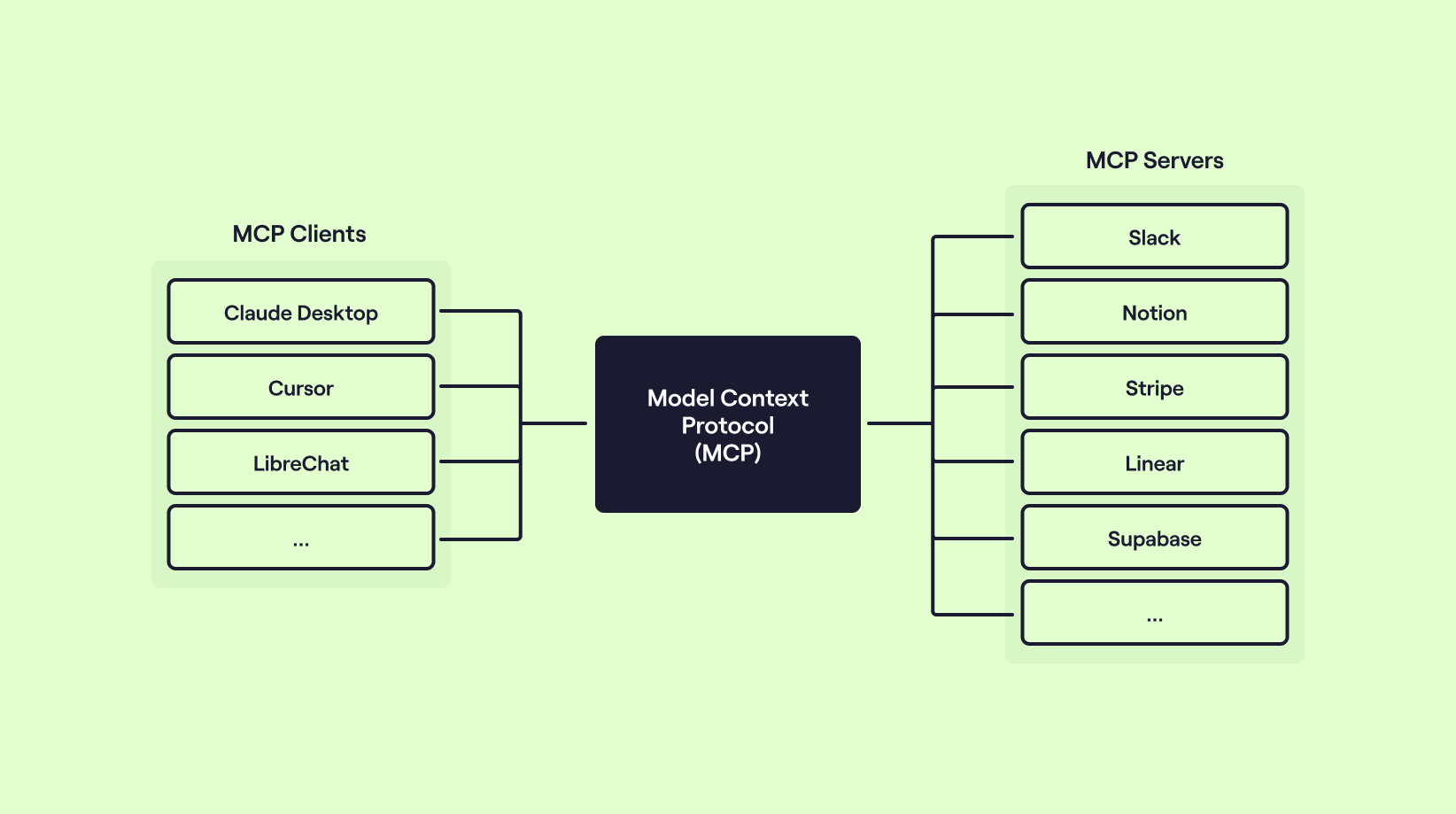
An example MCP Server running locally, utilising FastMCP and Feedparser to expose the latest live BBC News articles into Claude Desktop.
This repository accompanies the Hyperact blog post Should I adopt MCP as part of my API Product strategy.
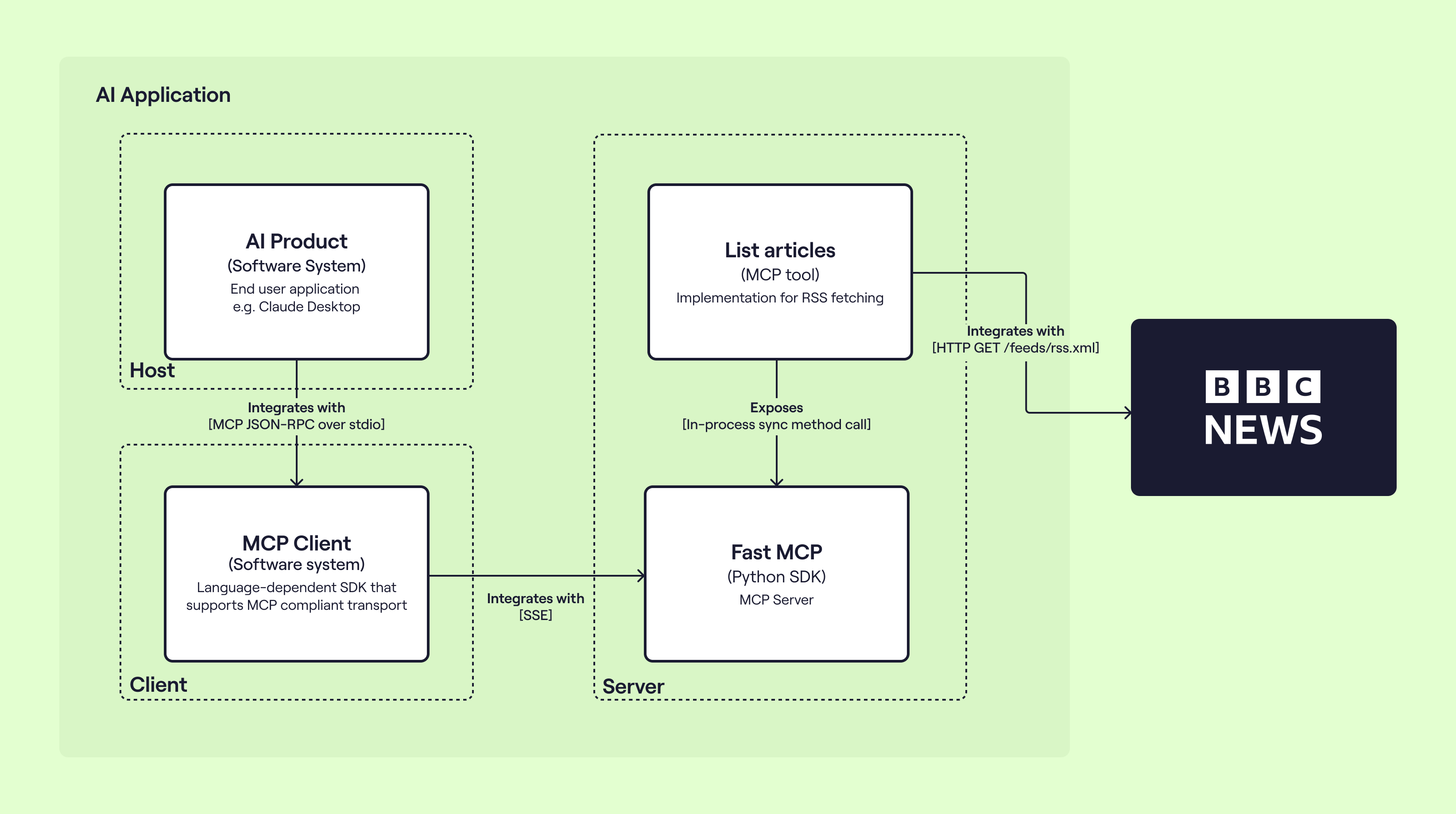
Setting up
Assuming you're on macOS, with Claude Desktop installed and logged in, grab uv via brew:
brew install uv
Make sure you have a modern Python runtime installed, pinned and dependencies gathered:
uv install python 3.12
uv pin python 3.12
uv venv
uv pip install .
Finally, you can install the MCP server into Claude Desktop:
uv run mcp install
Restart Claude Desktop, you can then ask it "What tools do you have access too?" and "Get me a BBC headline.".
Sign in to leave a review
Use Google, GitHub, or an email account so ratings stay tied to real people.
No reviews posted yet.





