
Aspire.MCP.Sample
About
Aspire.MCP.Sample is a sample project demonstrating a Model Context Protocol (MCP) server and client setup using Aspire, written in C#. It shows how to establish and manage MCP communication within a structured Aspire environment.
Details
- Author
- elbruno
- GitHub stars
- 46
- Downloads
- 303
- Categories
- Other
Jump to
- Aspire integration for containerized orchestration and service management.
- MCP server to manage client communication.
- Blazor Chat MCP client for connecting and communicating.
- Supports Azure AI Foundry, Ollama, and GitHub Models.
- Function calling from the MCP server using the selected model.
- Displays tool result in the chat interface.
- Azure deployment via azd commands.
Clone the repository, navigate to the Aspire project directory (src/McpSample.AppHost), and run dotnet run. In the Aspire Dashboard, open the Blazor Chat client, define the model (Azure AI Foundry, GitHub Models, or Ollama) in Chat Settings, then chat with the model to see function calls and tool results.
Aspire.MCP.Sample
Sample MCP Server and MCP client using Aspire.
Overview
This sample demonstrates a Model Context Protocol (MCP) Server and client setup using Aspire. It showcases how to establish and manage MCP communication, using C# in a structured Aspire environment.
Quick Demo
Check out this 5-minute video overview to see the project in action.

Check out this 5-minute video overview to see how to deploy the solution to Azure, and how to consume the deployed MCP Server in Azure from Visual Studio Code.

Features
- Aspire Integration: Uses Aspire for containerized orchestration and service management.
- MCP Server: Implements an MCP server to manage client communication.
- MCP Client: Sample Blazor Chat client demonstrating how to connect and communicate with the MCP server.
- Model Selection: The Chat Client can use LLMs from Azure AI Foundry, Ollama or GitHub models. The selected model must support function calling to be able to call the MCP server functions.
- Function Calling: Demonstrates how to call functions from the MCP server using the selected model.
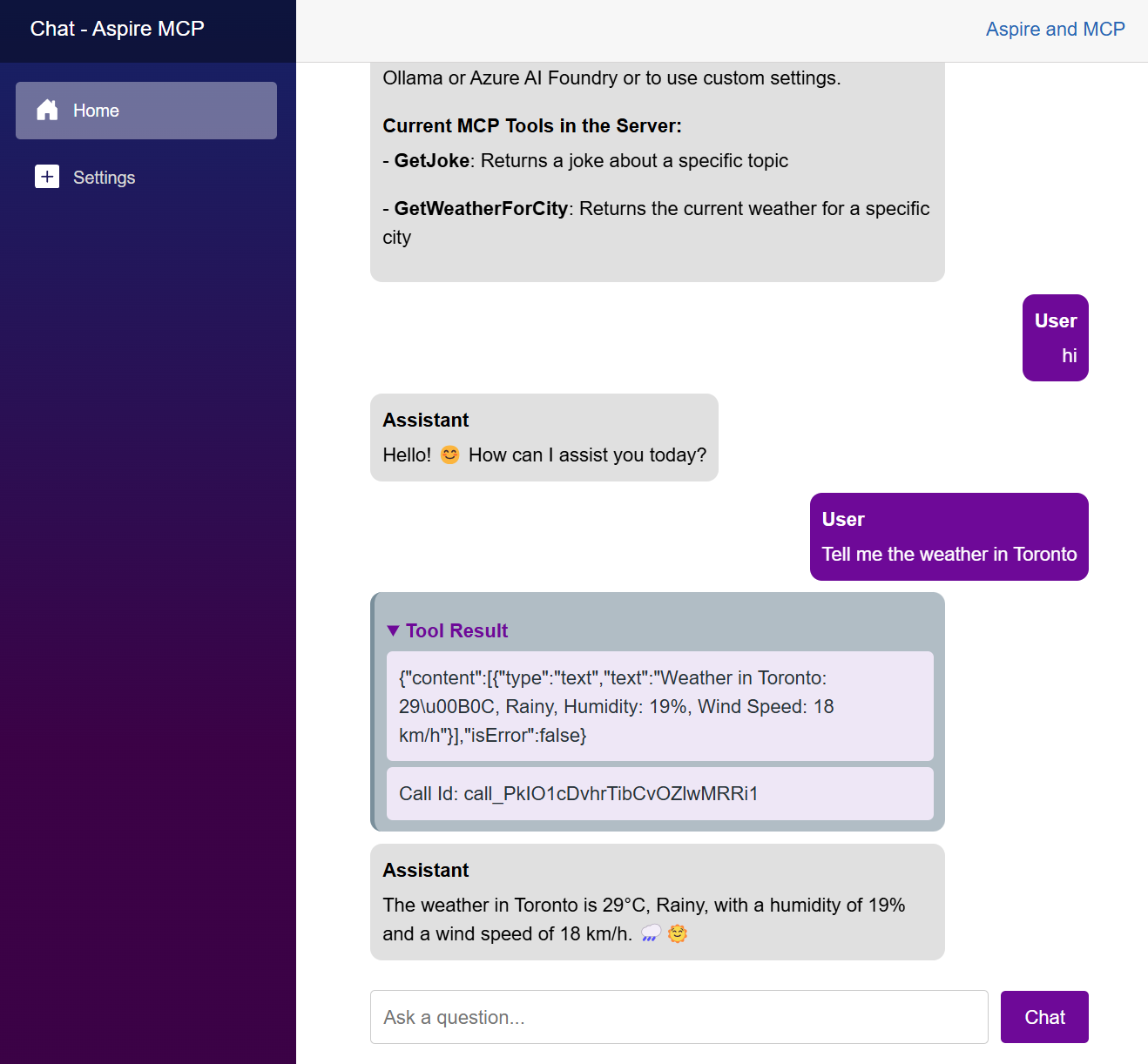
- Tool Result: Displays the result of the function call in the chat interface.
- Azure Deployment: The project can be easily deployed to Azure using azd commands.
Getting Started
Prerequisites
- .NET SDK 9.0 or later
- Visual Studio 2022 or Visual Studio code
- LLM or SLM that supports function calling.
- Azure AI Foundry to run models in the cloud. IE: gpt-4o-mini
- GitHub Models to run models in the cloud. IE: gpt-4o-mini
- Ollama for running local models. Suggested: phi4-mini, llama3.2 or Qwq
Run locally
1. Clone the repository:
1. Navigate to the Aspire project directory:
cd .\src\McpSample.AppHost\
1. Run the project:
dotnet run
1. In the Aspire Dashboard, navigate to the Blazor Chat client project.
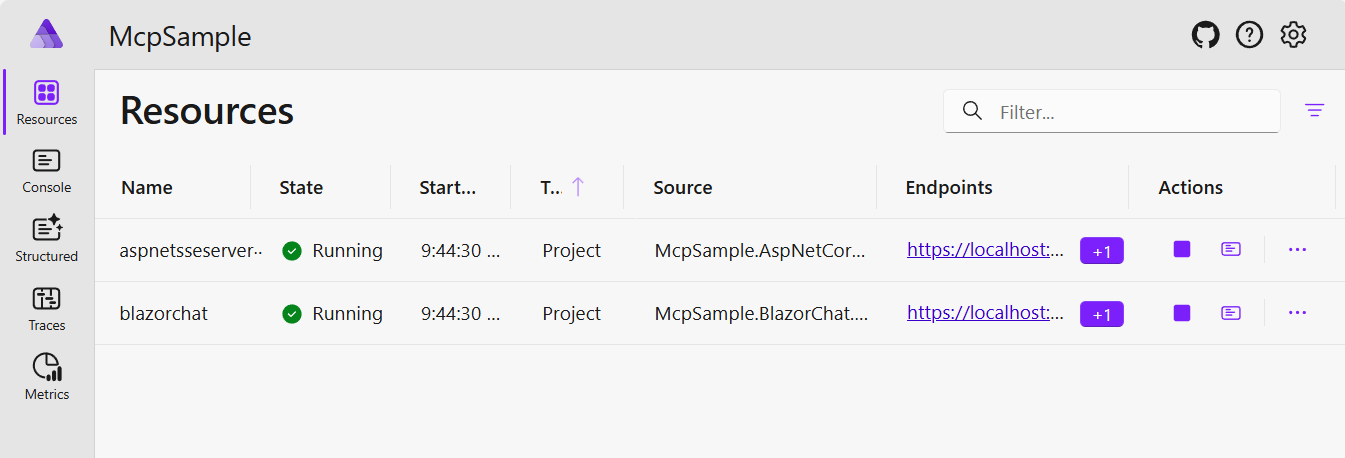
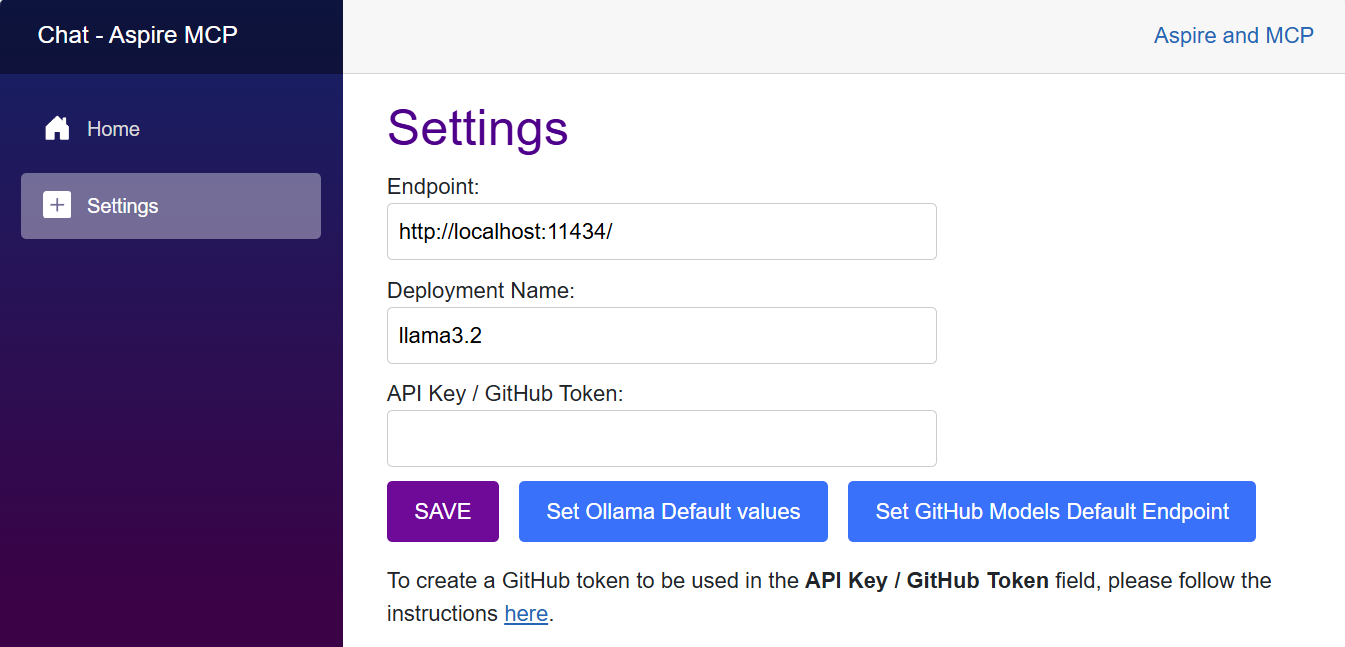
1. In the Chat Settings page, define the model to be used. You choose to use models in Azure AI Foundry (suggested gpt-4o-mini), GitHub Models or locally with ollama (suggested llama3.2)
1. Now you can chat with the model. Everytime that one of the functions of the MCP server is called, the Tool Result section will be displayed in the chat.
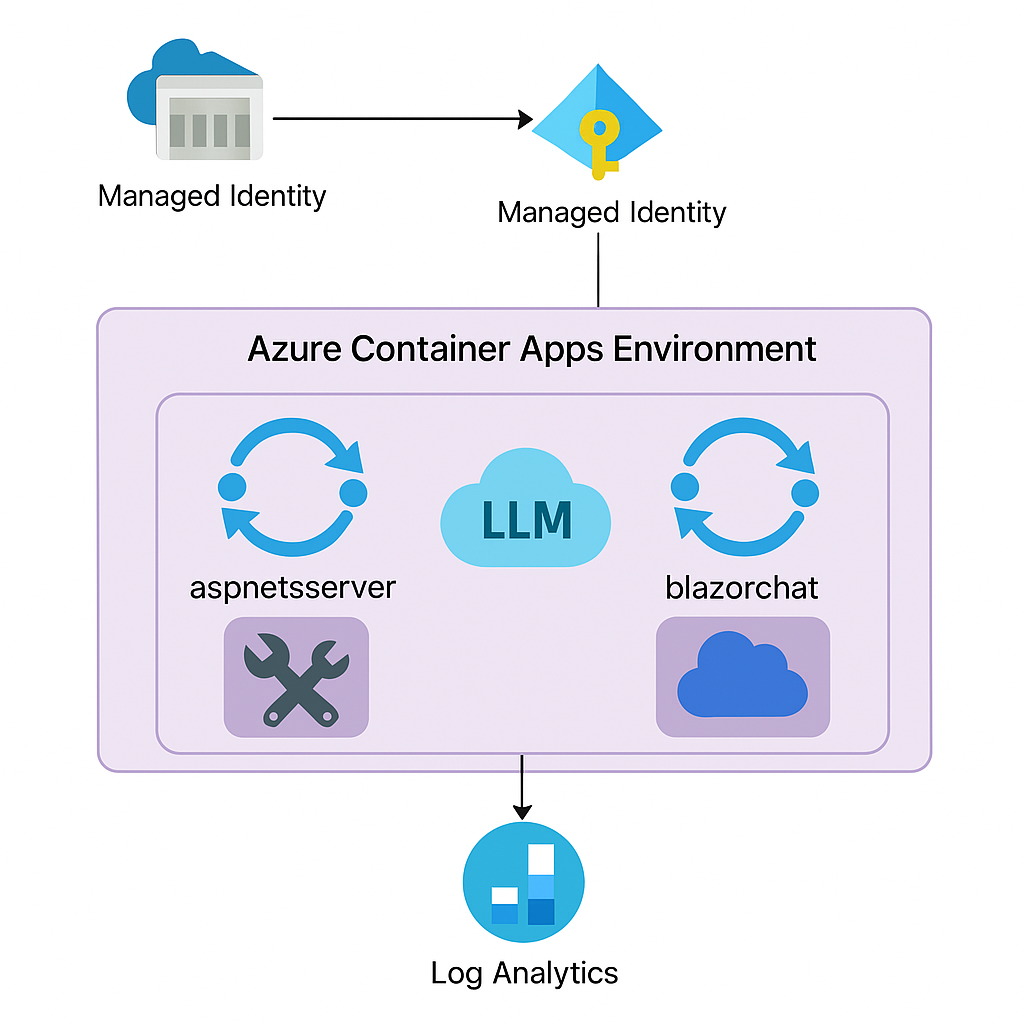
Architecture Diagram
GitHub Codespaces
(WIP)
- Codespaces configuration will be added soon.
Deployment
Once you've opened the project in Codespaces, or locally, you can deploy it to Azure.
From a Terminal window, open the folder with the clone of this repo and run the following commands.
1. Login to Azure:
azd auth login
1. Provision and deploy all the resources:
azd up
It will prompt you to provide an azd environment name (like "aspiremcp"), select a subscription from your Azure account, and select a location.
1. When azd has finished deploying, you'll see the list of resources created in Azure and a set of URIs in the command output.
1. Visit the blazorchat URI, and you should see the MCP Chat App! 🎉
Note: The deploy files are located in the ./src/McpSample.AppHost/infra/ folder. They are generated by the Aspire AppHost project.
Contributing
Contributions are welcome! Feel free to submit issues and pull requests.
License
This project is licensed under the MIT License.
Sign in to leave a review
Use Google, GitHub, or an email account so ratings stay tied to real people.
No reviews posted yet.





