
Agentmemory
About
MCP-native memory layer for Claude Code, Cursor, Cline, Continue, and 16 other AI tools. Hybrid search (BM25 + pgvector + graph), self-hosted on Supabase + Vercel, 100% MIT, no paywall.
Details
- Author
- Obidel
- Downloads
- 348
- Categories
- Developer Tools, AI, Other, Knowledge Base, Database
Jump to
- Visual memory graph with semantic relations
- 9 MCP tools (add, search, list, find similar, delete, etc.)
- 3 MCP resources (rules, graph, projects)
- Supports 20+ AI tools (Claude, Cursor, Cline, etc.)
- Self-hostable, no telemetry, no lock-in
- Import/export to CLAUDE.md, .cursorrules, MemGPT JSON

Setting up with Highlight
This MCP is not yet compatible with Highlight’s one-click setup. However, you can still use it with Highlight by following these steps:
- Download and install Highlight from highlightai.com/download
- Navigate to the plugins tab and select "Add Custom Plugin"
-
Configure the plugin with the settings below
Plugin Name
AgentmemoryCommand (node, npx, python, etc.)Please refer to the README for specific instructions on how to obtain API keys or other required environment variables.
- Enable "Start Automatically" if you want the plugin to start when Highlight launches





From the repository
Clone the repo and run npm install then npm run dev for the web UI (local mode), or npm run mcp to start the MCP server. Configure the MCP server in your AI tool’s settings (e.g., claude_desktop_config.json) with the command npx tsx /absolute/path/to/agentmemory/mcp/index.ts. Optionally sign in for cloud sync via Supabase.
Claude Desktop / Cursor
Paste into your MCP client config file to install this server.
{
    "mcpServers": {
        "agentmemory": {
            "agentmemory": {
                "command": "npx",
                "args": [
                    "-y",
                    "agentmemory"
                ],
                "env": []
            },
            "agentmemory-cloud": {
                "url": "https://agentmemory-dusky.vercel.app/mcp"
            }
        }
    }
}McpServers
{
    "agentmemory": {
        "command": "npx",
        "args": [
            "-y",
            "agentmemory"
        ],
        "env": []
    },
    "agentmemory-cloud": {
        "url": "https://agentmemory-dusky.vercel.app/mcp"
    }
}
AgentMemory.fyi
> Visual memory manager for AI agents. One source of truth for Claude Code, Cursor, Cline, Continue.
<p align="center">
<a href="https://agentmemory-dusky.vercel.app/">
<a href="https://github.com/Obidel/Agentmemory/stargazers">
<a href="./LICENSE">
</p>
<sub align="center">* <b>Hosted preview</b> on Vercel — sign in with email or GitHub to try. Your data stays private to your account via <a href="https://supabase.com/docs/guides/auth/row-level-security">Supabase RLS</a>. For self-hosting or local-only mode, see <a href="#quick-start">Quick start</a> below.</sub>
Screenshots
<p align="center">
</p>
<p align="center">
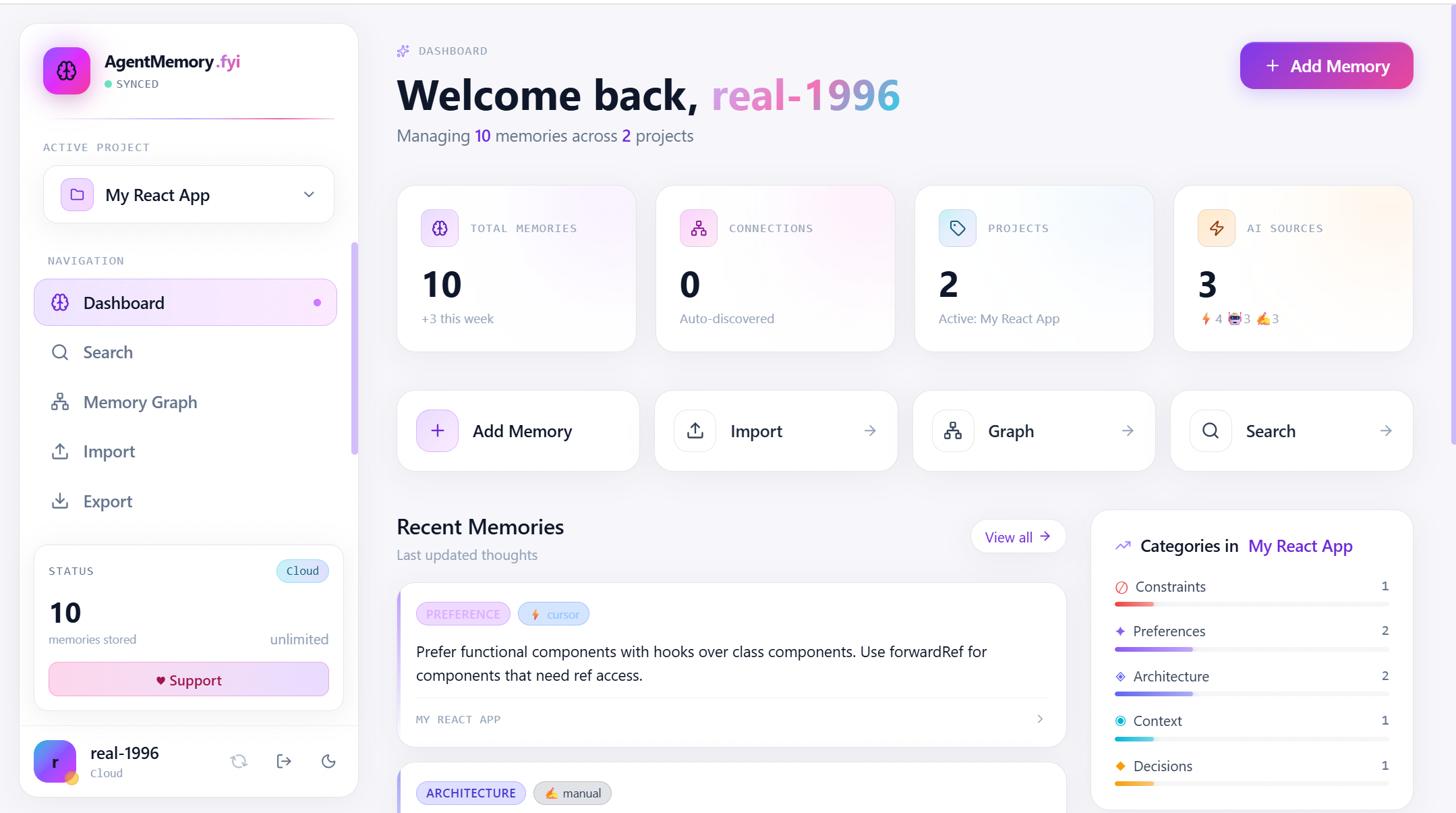
<em>Dashboard — at-a-glance stats, recent memories, category breakdown, and quick actions</em>
</p>
<p align="center">
</p>
<p align="center">
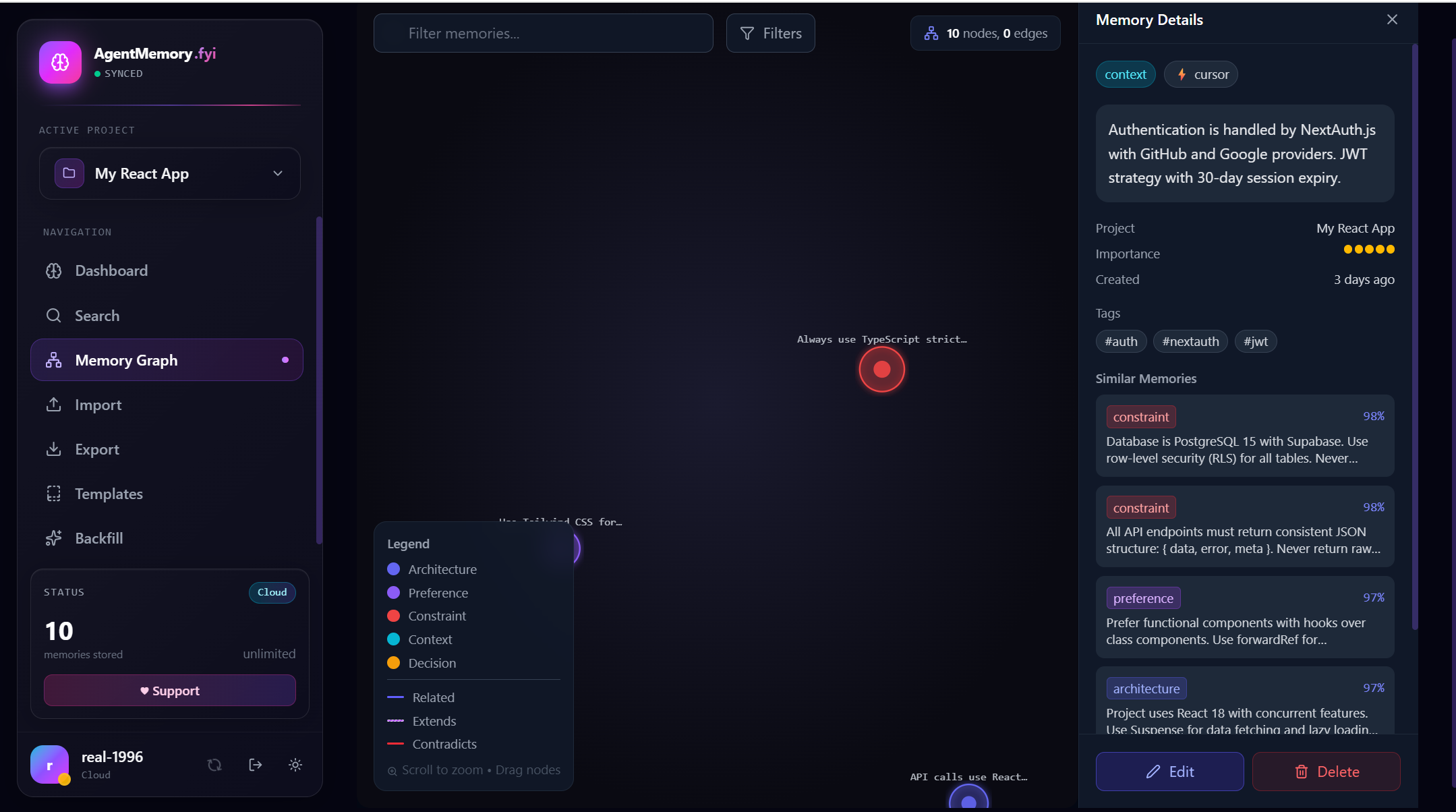
<em>Memory Graph — D3 force-directed view with inline Memory Details panel and Similar Memories (98% / 97% match) ranked by vector distance</em>
</p>
<p align="center">
</p>
<p align="center">
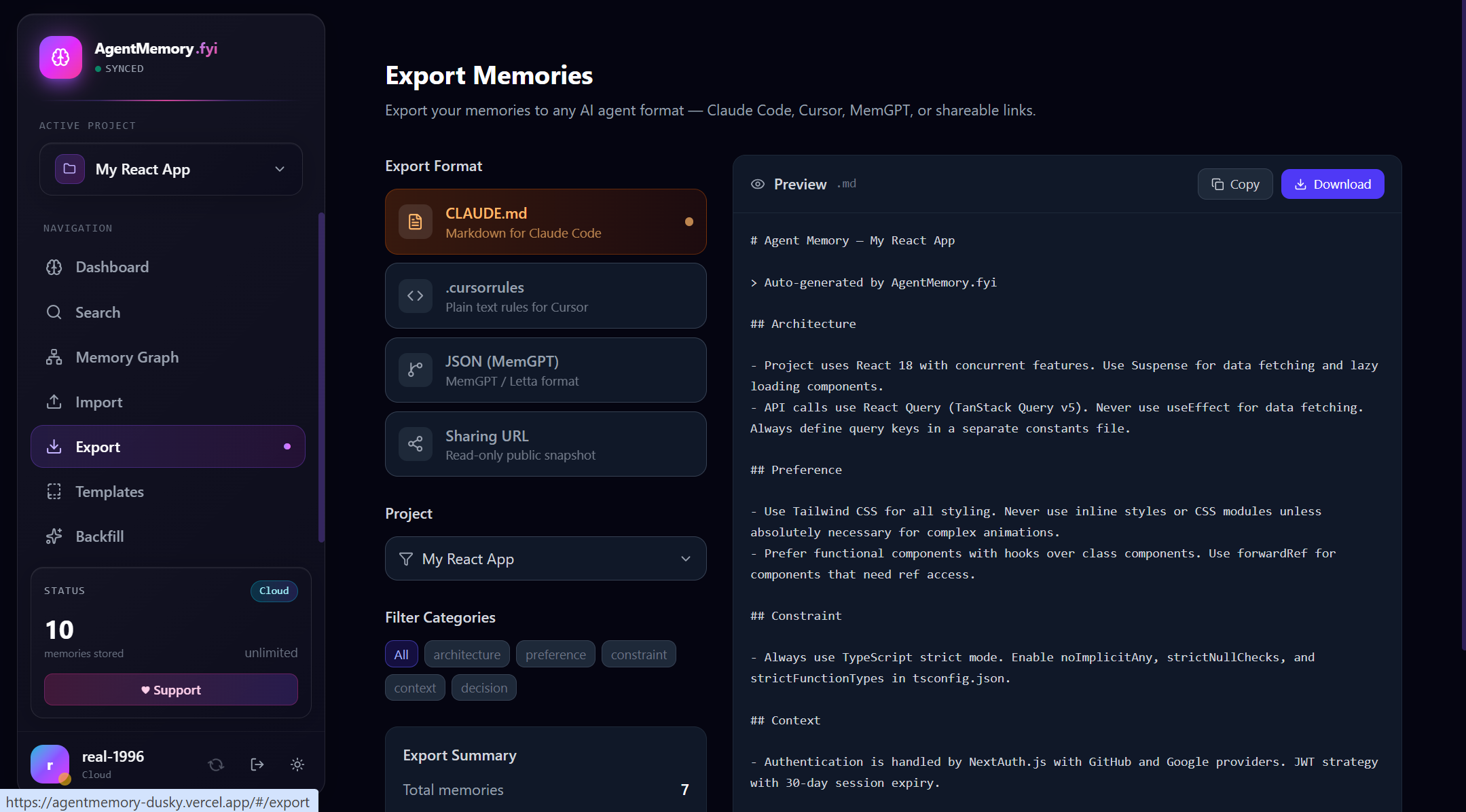
<em>Export — one-click CLAUDE.md, .cursorrules, MemGPT JSON, or shareable read-only URL, with live preview and category filters</em>
</p>
100% free, forever
AgentMemory is open source under MIT. No paywalls, no premium tiers, no limits.
- Free for everyone — unlimited memories, unlimited projects
- Self-hostable — run locally forever, no telemetry, no lock-in
- MCP-native — works as a Model Context Protocol server in Claude Desktop, Cursor, Cline, Continue, Windsurf, Roo Code, Kilo Code, Zed, Aider, Goose, Warp, Codex CLI, Gemini CLI, GitHub Copilot CLI, Qwen Code CLI, Google Antigravity, AWS Kiro, Droid, OpenCode, OpenClaw, and pi-mono. See Connect to your AI tool below.
- Visual — graph view of all memories and their semantic relations
- Portable — import/export to .cursorrules, CLAUDE.md, MemGPT JSON, Claude Code .jsonl sessions
- Optional cloud sync — sign in to sync your memories across devices via Supabase
Support the project
AgentMemory is built and maintained in spare time. If it saves you time, consider supporting development:
- Donate on DonationAlerts — cards, SBP, YooMoney, crypto, 100+ methods
- Star the repo — the best $0 donation
- Report bugs or request features
- Contribute PRs
- Spread the word on Twitter / Reddit / HackerNews
Quick start
Web UI (local-only mode)
```bash
npm install
npm run dev
Sign in to leave a review
Use Google, GitHub, or an email account so ratings stay tied to real people.
No reviews posted yet.





