
小红书MCP服务
- other
小红书MCP服务 x-s x-t js逆向
About
What is 小红书MCP服务?
小红书MCP服务 is an MCP (Model Context Protocol) server that enables AI assistants to interact with Xiaohongshu (Little Red Book) through HTTP APIs. It uses JavaScript reverse engineering to extract the required x-s and x-t parameters, avoiding the need for a full browser automation tool like Playwright. This service is intended for developers who want to integrate Xiaohongshu features into AI workflows.
How to use 小红书MCP服务?
To set up 小红书MCP服务, clone the repository and install dependencies using uv sync. Obtain your Xiaohongshu cookie by logging into the web version and copying it from the browser. Then configure the MCP server in your AI client’s settings (e.g., Claude Desktop) by providing the cookie as the XHS_COOKIE environment variable and running main.py via uv.
Key features of 小红书MCP服务
- Search for notes on Xiaohongshu
- Retrieve full note content
- Fetch comments on a note
- Post comments to a note
- Lightweight, no Playwright required
Use cases of 小红书MCP服务
- Search Xiaohongshu notes and extract content for analysis
- Gather user comments on specific posts
- Automatically respond or comment on notes (with responsibility)
- Integrate Xiaohongshu data into an AI assistant’s responses
FAQ from 小红书MCP服务
What operations does 小红书MCP服务 support?
It supports searching notes, retrieving note content, fetching comments, and posting comments.
What environment is required to run 小红书MCP服务?
You need Node.js, Python 3.12, and uv installed. Dependencies are managed with uv sync.
How do I get the Xiaohongshu cookie for authentication?
Log into the Xiaohongshu website (xiaohongshu.com) and extract your cookie from the browser’s developer tools. This cookie must be set as the XHS_COOKIE environment variable.
Is 小红书MCP服务 free to use?
The project is provided for learning and communication only. Any commercial use is prohibited, and users bear all risks.
How is the MCP server configured in my AI client?
Add an entry to your mcpServers JSON configuration with command: "uv", arguments pointing to the project directory and main.py, and the XHS_COOKIE environment variable.
Details
- Author
- jobsonlook
- GitHub stars
- 155
- Category
- other
- Repository
- jobsonlook/xhs-mcp
小红书MCP服务
特点
- [x] 采用js逆向出x-s,x-t,直接请求http接口,无须笨重的playwright - [x] 搜索笔记 - [x] 获取笔记内容 - [x] 获取笔记的评论 - [x] 发表评论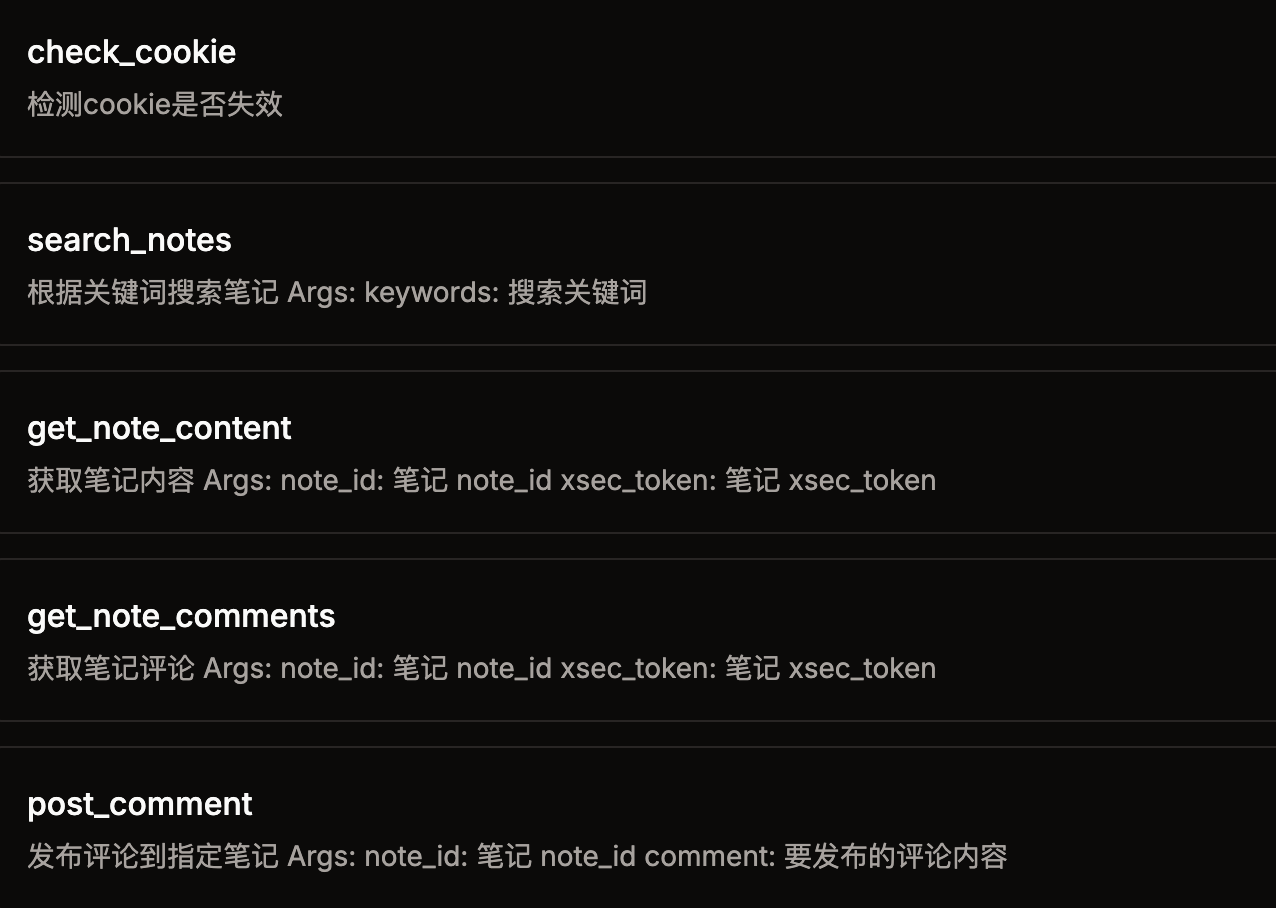
快速开始
1. 环境
node python 3.12 * uv (pip install uv)2. 安装依赖
git clone git@github.com:jobsonlook/xhs-mcp.git
cd xhs-mcp

uv sync
3. 获取小红书的cookie
打开web小红书 登录后,获取cookie,将cookie配置到第4步的 XHS_COOKIE 环境变量中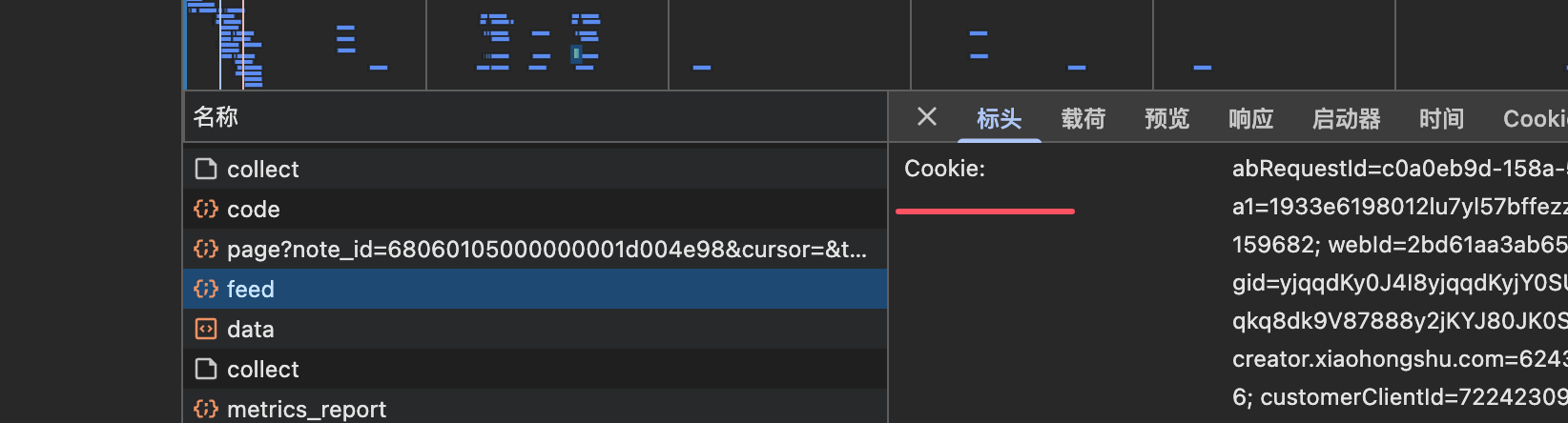
4. 配置mcp server
{
    "mcpServers": {
        "xhs-mcp": {
            "command": "uv",
            "args": [
                "--directory",
                "/Users/xxx/xhs-mcp",
                "run",
                "main.py"
            ],
            "env": {
                "XHS_COOKIE": "xxxx"
            }
        }
    }
}










