
Remote MCP Chat
MCP Client
5 stars
- other
Simple LLM-based chat with connection to remote MCP servers
About
What is Remote MCP Chat?
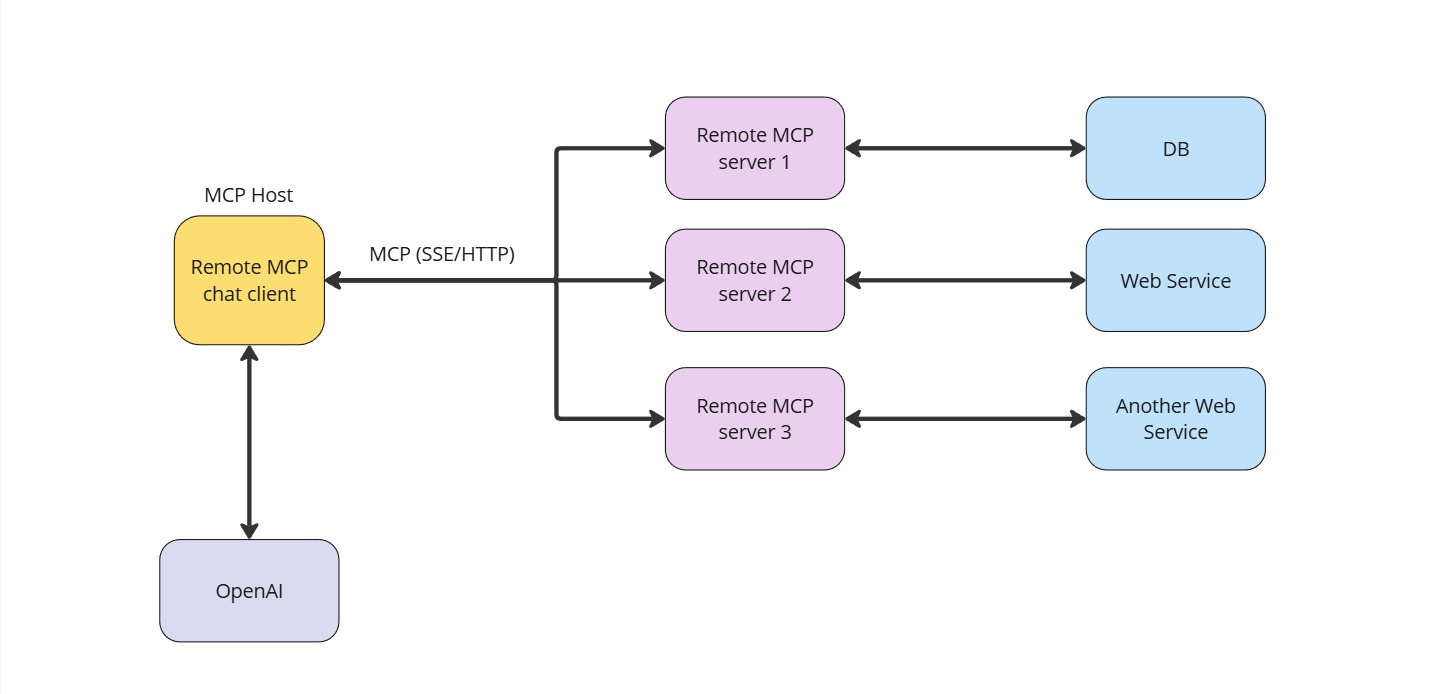
Remote MCP Chat is a command-line chat client that connects to remote MCP (Model Context Protocol) servers and uses the OpenAI API for AI-powered conversations. It is designed for developers and users who want to interact with AI models while leveraging external tools and data sources via MCP.How to
Details
- Author
- anycontext-ai
- GitHub stars
- 5
- Category
- other
- Repository
- anycontext-ai/remote-mcp-chat
Remote MCP Chat
Architecture
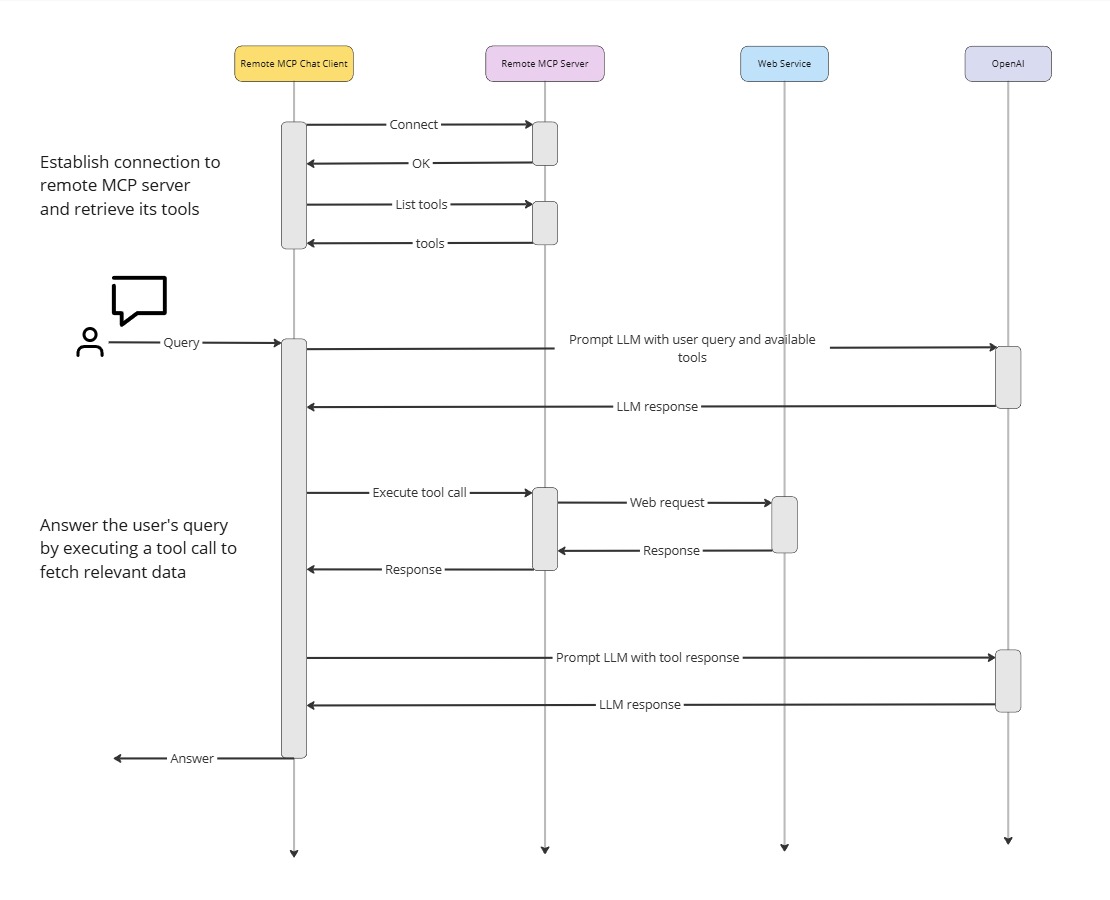
How it works
Prerequisites
- Python >3.10 - uv - OpenAI API key - Remote MCP serverSetup environment
1. Create.env file: cp .env.example .env
2. Add your OpenAI API key and MCP server url to the .env file.
3. Create virtual environment: uv venv
4. Activate virtual environment (windows): .venv\Scripts\activate
4. Install dependencies: uv pip install -r pyproject.toml
5. Run chat client: uv run client.py


