Openmcp Client
- ide
A MCP Client for MCP/OpenMCP
About
What is Openmcp Client?
Openmcp Client is an integrated MCP server debugger plugin for VSCode, Trae, and Cursor. It combines Inspector functionality with MCP client basics for development and testing within the editor.
How to use Openmcp Client?
Install the plugin from the marketplace, then set up your MCP servers via the project management panel. The plugin works out of the box—press F5 after building to start debugging. No CLI commands are required.
Key features of Openmcp Client
- Integrated MCP Inspector and client in one plugin
- Test resources, tools, and prompts on MCP servers
- Interactive LLM testing with completed tools
- Complete project-level MCP management panel
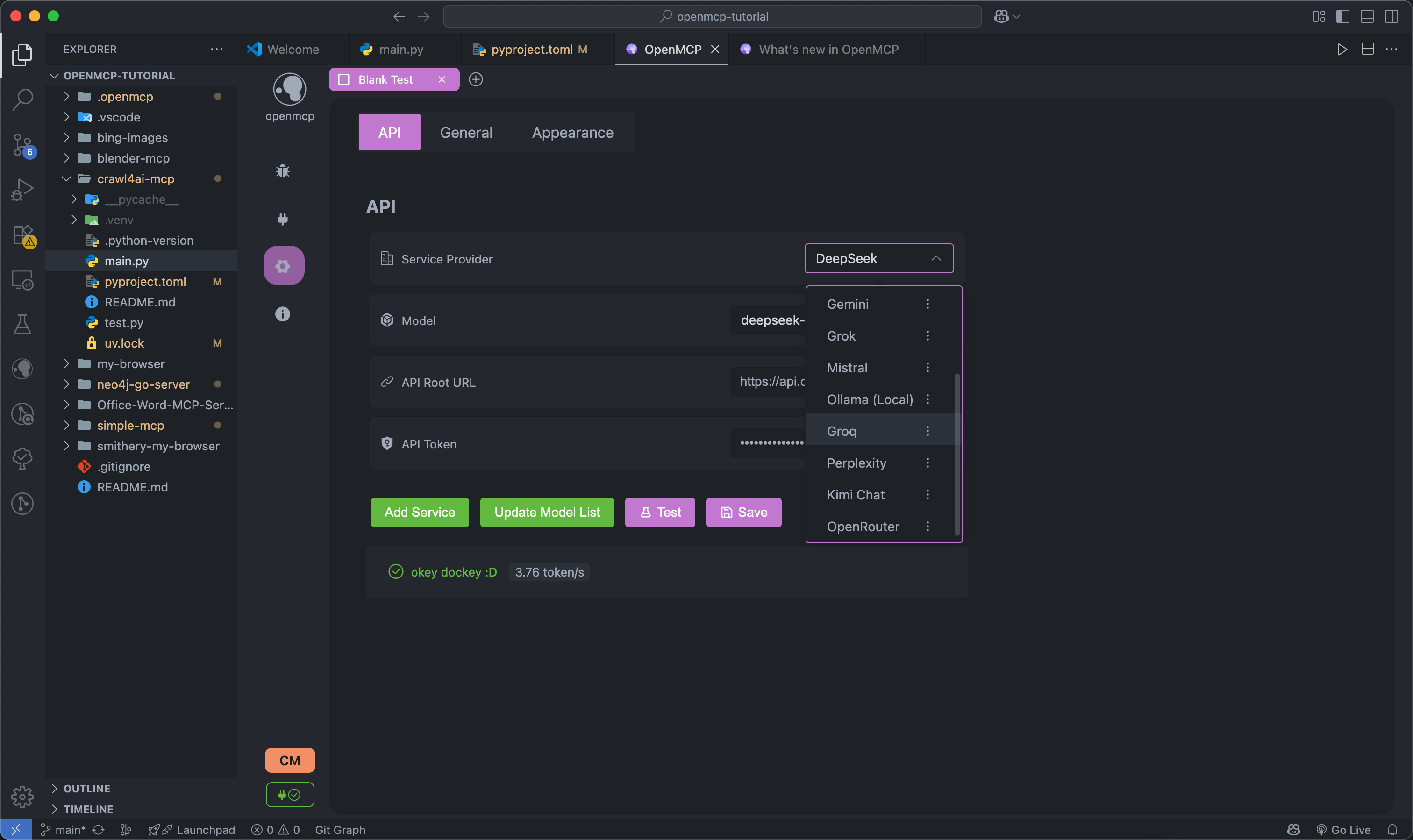
- Supports multiple LLMs via custom OpenAI API protocol
Use cases of Openmcp Client
- Debugging MCP server implementations during development
- Validating tool definitions and prompt outputs against LLMs
- Managing multiple MCP server configurations per project
FAQ from Openmcp Client
What platforms or editors does Openmcp Client support?
Openmcp Client is a plugin for Visual Studio Code, Trae, and Cursor.
What LLM APIs can be used with Openmcp Client?
It supports any LLM that follows the OpenAI API protocol, allowing custom endpoints to be configured.
Does Openmcp Client support debugging multiple MCP servers at once?
Yes, it supports debugging multiple MCP servers simultaneously.
Is Openmcp Client free?
The README does not provide pricing information. The plugin appears to be open-source, but license details are not explicitly stated.
Can I save debugging sessions for later review?
Yes, the plugin allows saving debugging work content for each server.
Details
- Author
- lstm-kirigaya
- GitHub stars
- 133
- Category
- ide
- Repository
- lstm-kirigaya/openmcp-client
<div align="center">

<h3>OpenMCP: 一体化 MCP Server 调试器</h3>
<a href="https://kirigaya.cn/openmcp" target="_blank" style="display: inline-block; padding: 8px 16px; background-color: rgb(84, 176, 84); color: white; border-radius: .5em; text-decoration: none;"> 📄 OpenMCP 文档网站</a>
<a href="https://qm.qq.com/cgi-bin/qm/qr?k=C6ZUTZvfqWoI12lWe7L93cWa1hUsuVT0&jump_from=webapi&authKey=McW6B1ogTPjPDrCyGttS890tMZGQ1KB3QLuG4aqVNRaYp4vlTSgf2c6dMcNjMuBD" target="_blank" style="display: inline-block; padding: 8px 16px; background-color: #CB81DA; color: white; border-radius: .5em; text-decoration: none;">👉 加入 OpenMCP正式级技术组</a>
<a href="https://discord.gg/SKTZRf6NzU" target="_blank" style="display: inline-block; padding: 8px 16px; background-color: rgb(84, 176, 84); color: white; border-radius: .5em; text-decoration: none;"> 加入 OpenMCP Discord频道</a>
</div>
OpenMCP
一款用于 MCP 服务端调试的一体化 vscode/trae/cursor 插件。
<video src="https://github.com/user-attachments/assets/ab214d58-b77c-4bd3-8b6e-55552f4036ff" width="100%"></video>
<video src="https://github.com/user-attachments/assets/c17a4ad7-83b4-47ff-8627-85b57ad18940" width="100%"></video>
集成 Inspector + MCP 客户端基础功能,开发测试一体化。
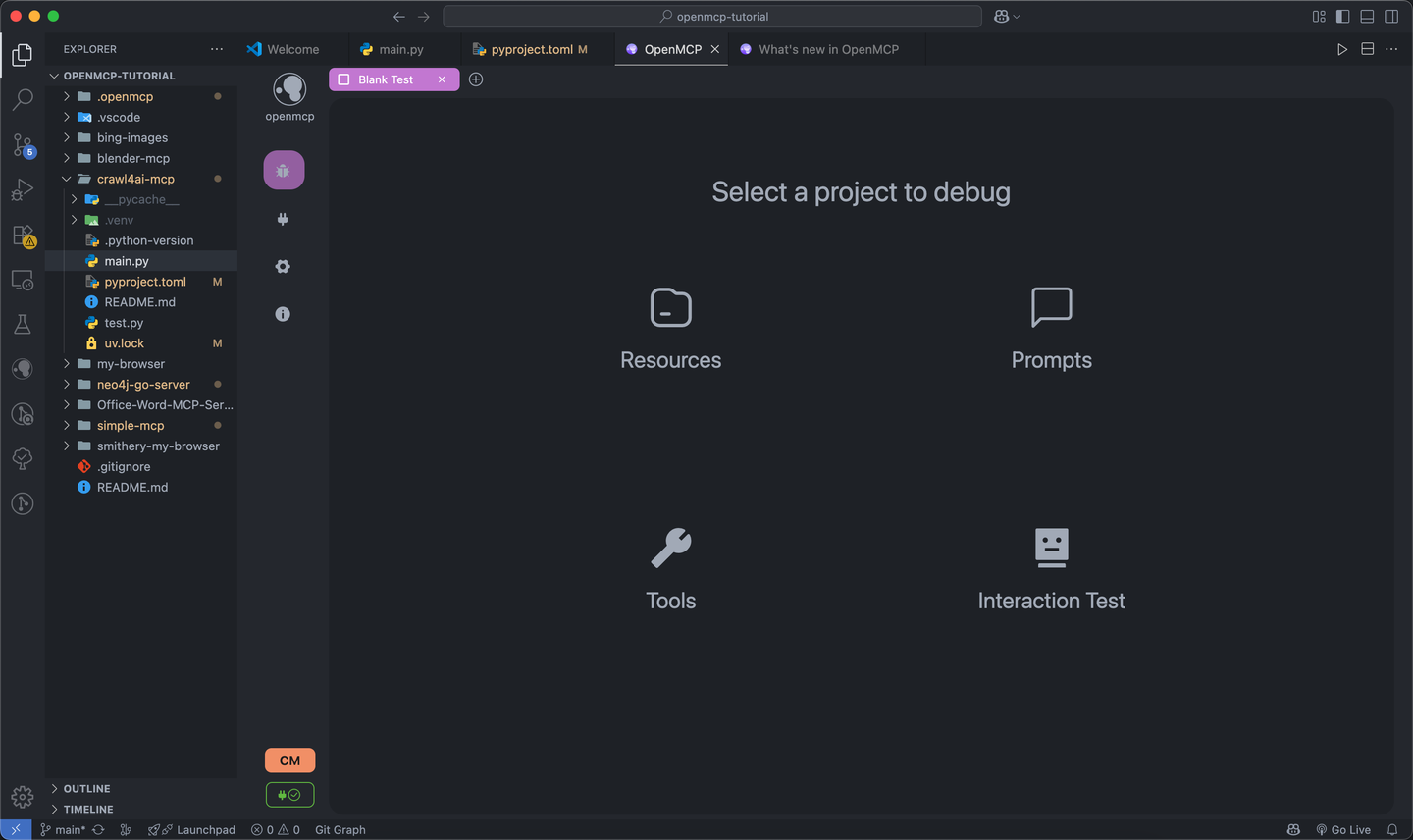
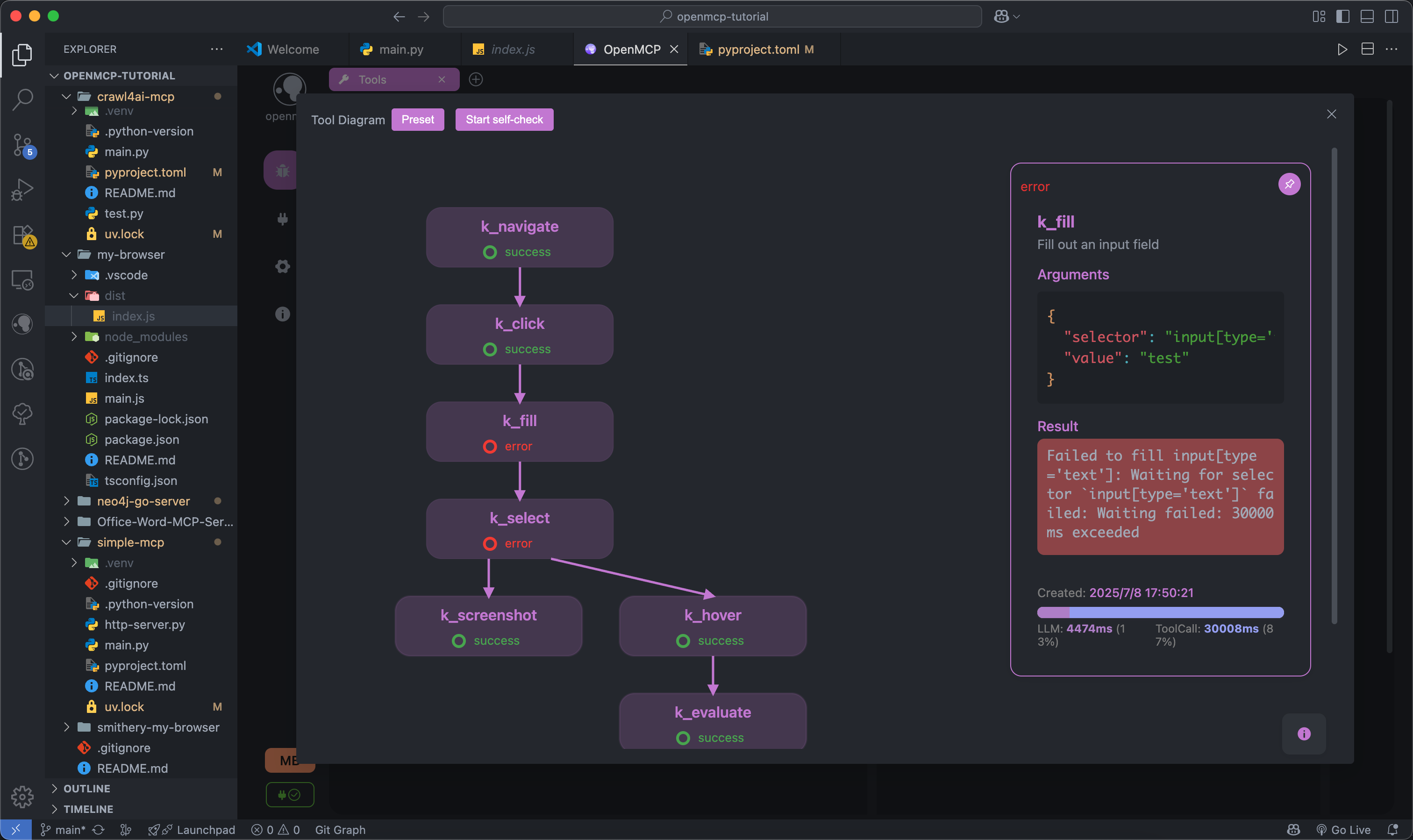
进行资源协议、工具、Prompt 的 MCP 服务器测试。
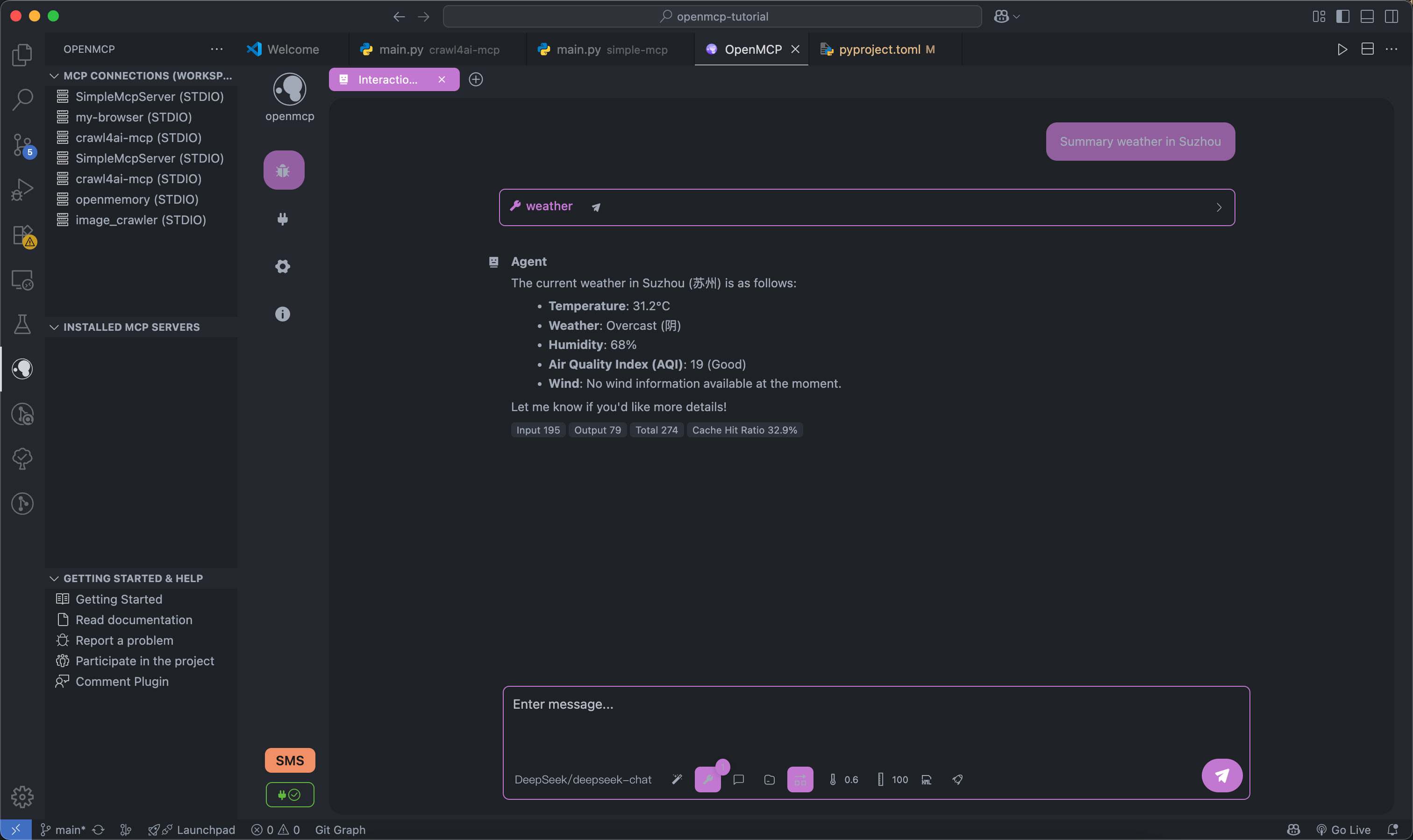
测试完成的工具可以放入 「交互测试」 模块之间进行大模型交互测试。
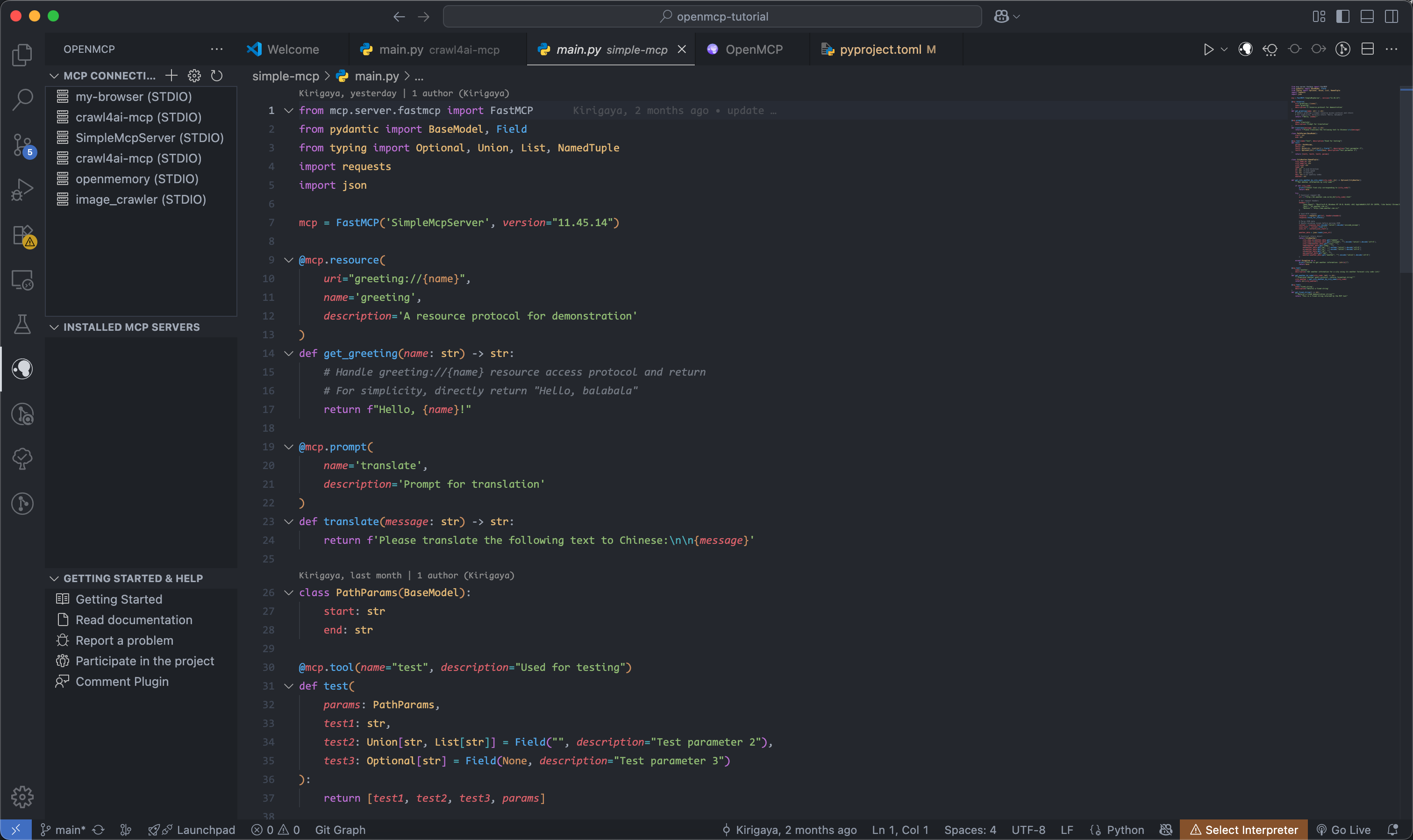
完整的项目级管理面板,更加方便的进行项目和全局的 mcp 项目管理。
支持多种大模型
TODO
需求规划
| 所在模块 | 需求内容 | 功能优先级 | 当前状态 | 修复优先级 |
|---------|---------|--------|---------|-----------|
| all | 完成最基本的各类基础设施 | 完整版本 | 100% | Done |
| render | chat 模式下支持进行成本分析 | 迭代版本 | 100% | Done |
| ext | 支持基本的 MCP 项目管理 | 迭代版本 | 100% | P0 |
| service | 支持自定义支持 openai 接口协议的大模型接入 | 完整版本 | 100% | Done |
| service | 支持自定义接口协议的大模型接入 | MVP | 0% | P1 |
| all | 支持同时调试多个 MCP Server | MVP | 100% | P0 |
| all | 支持通过大模型进行在线验证 | 迭代版本 | 100% | Done |
| all | 支持对用户对应服务器的调试工作内容进行保存 | 迭代版本 | 100% | Done |
| render | 高危操作权限确认 | MVP | 0% | P1 |
| service | 对于连接的 mcp server 进行热更新 | MVP | 0% | P1 |
| service | 系统配置信息云同步 | MVP | 0% | P1 |
| all | 系统提示词管理模块 | 迭代版本 | 100% | Done |
| service | 工具 wise 的日志系统 | MVP | 0% | P1 |
| service | 自带 OCR 进行字符识别 | 迭代版本 | 100% | Done |
项目概念
openmcp 采用分层模块化设计,通过组装不同的模块,可以将它实现成不同平台上的不同模式。
flowchart TD
    subgraph OpenMCP核心组件
        renderer[Renderer]
        openmcpservice[OpenMCPService]
    end
subgraph OpenMCP_Web["OpenMCP Web"]

        renderer

        openmcpservice

        nginx[Nginx]

    end
subgraph OpenMCP_插件["OpenMCP 插件"]

        renderer

        openmcpservice

        vscode[VSCode 插件代码]

    end
subgraph OpenMCP_App["OpenMCP App"]

        renderer

        openmcpservice

        electron[Electron 代码]

    end
subgraph QQ机器人["基于 OpenMCP 的 QQ 机器人"]

        lagrange[Lagrange.OneBot]

        openmcpservice

    end
%% 依赖关系

    OpenMCP_Web -->|前端渲染| renderer

    OpenMCP_Web -->|后端服务| openmcpservice

    OpenMCP_Web -->|反向代理| nginx
OpenMCP_插件 -->|UI 界面| renderer

    OpenMCP_插件 -->|核心逻辑| openmcpservice

    OpenMCP_插件 -->|集成开发| vscode
OpenMCP_App -->|前端界面| renderer

    OpenMCP_App -->|本地服务| openmcpservice

    OpenMCP_App -->|桌面封装| electron
QQ机器人 -->|协议适配| lagrange

    QQ机器人 -->|业务逻辑| openmcpservice
---
Dev
- renderer: 前端 UI 的定义
- service: 测试 renderer 的部分,包含一个简易的转发层
- src: vscode 插件端定义
Renderer & Service Dev
flowchart LR
D[renderer] <--> A[Dev Server] <--ws--> B[service]
B <--mcp--> m(MCP Server)
配置项目
npm run setup
启动 dev server
npm run dev
> 端口占用: 8282 (renderer) + 8081 (service)
Extention Dev
flowchart LR
D[renderer] <--> A[extention.ts] <--> B[service]
B <--mcp--> m(MCP Server)
负载部署
npm run build
and just press f5, いただきます