MCP Client Example ☀️
- agent-framework
MCP CLIENT using python sdk.
About
What is MCP Client Example ☀️?
MCP Client Example ☀️ is a demonstration project that implements a simple client-server application using the Model Context Protocol (MCP). It runs on Python 3.9+ and is intended for developers learning how to connect large language models with external tools and data.
How to use MCP Client Example ☀️?
Install Python 3.9+ and uv, then run uv install -e . followed by uv run src/client/mcp_client.py. The client automatically starts the server via stdio, lists available tools, and calls sample tools (BMI calculator and weather fetcher). The project can also be tested with MCP Inspector by running mcp dev src/server/example_server.py and visiting http://localhost:5173.
Key features of MCP Client Example ☀️
- Implements a standard MCP client-server architecture
- Includes two ready-to-use example tools: calculate_bmi and fetch_weather
- Connects to the server via stdio and initializes an MCP session
- Demonstrates both synchronous and asynchronous tool calls
- Provides a tutorial video and MCP Inspector integration
- Licensed under the MIT License
Use cases of MCP Client Example ☀️
- Learning how to build MCP servers and clients from scratch
- Prototyping custom tool integrations for large language models
- Understanding the MCP protocol flow (connect, list tools, call tools)
FAQ from MCP Client Example ☀️
What is the Model Context Protocol?
MCP is a standardized way to connect large language models with tools and data.
What tools are included in the example server?
The server exposes two tools: calculate_bmi (calculates Body Mass Index) and fetch_weather (retrieves weather data from an external API).
What are the prerequisites to run this project?
Python 3.9+ and uv (Python package manager) are required.
How do I run the example client?
Execute uv run src/client/mcp_client.py after installing dependencies with uv install -e ..
What is the license for this project?
The project is licensed under the MIT License.
Details
- Author
- dev-mahfuj80
- Category
- agent-framework
- Repository
- dev-mahfuj80/mcp_client
MCP Client Example ☀️
This project demonstrates a simple client-server implementation using the Model Context Protocol (MCP), which is a standardized way to connect large language models with tools and data.
Overview
This example shows how to:
- Create an MCP server with custom tools
- Connect to the server using an MCP client
- Call tools and get responses from the server
Tutorial Video
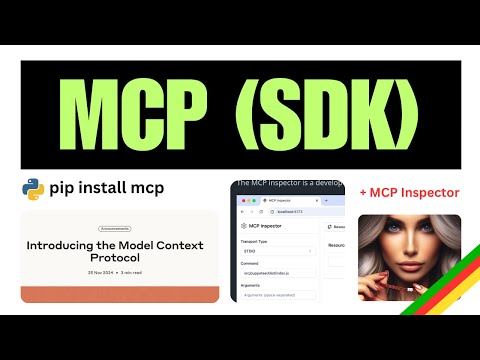
Click the image above to watch a tutorial on MCP implementation.
Project Structure
.
├── pyproject.toml
├── README.md
├── src
│   ├── client
│   │   └── mcp_client.py      # MCP client implementation
│   └── server
│       └── example_server.py  # MCP server with tools
└── uv.lock
Server Implementation
The server exposes two tools:
1. calculate_bmi - A simple calculator that computes Body Mass Index
2. fetch_weather - An async tool that retrieves weather data from an external API
Client Implementation
The client connects to the server via stdio, initializes a session, and calls the server's tools.
Getting Started
Prerequisites
- Python 3.9+
- uv (Python package manager)
Installation
# Install dependencies
uv install -e .
Running the Example
1. Start the client (which will automatically start the server):
uv run src/client/mcp_client.py
Usage
The client will:
1. Connect to the server
2. List available tools
3. Call the BMI calculator with sample data
4. Call the weather tool with sample coordinates
Example Response
Available tools: meta=None nextCursor=None tools=[...]
BMI calculation result: 22.857142857142858
Weather data: {"current_weather":{"temperature":14.2,"windspeed":12.6, ...}}
Test with MCP Inspector
( run command below and then visit http://localhost:5173 ) ❯ mcp dev src/server/example_server.py
Starting MCP inspector...
Proxy server listening on port 3000
🔍 MCP Inspector is up and running at http://localhost:5173 🚀
New SSE connection
Query parameters: {
transportType: 'stdio',
command: 'uv',
args: 'run --with mcp mcp run src/server/example_server.py',
Resources
This project uses:
- Model Context Protocol Python SDK
- MCP Official Documentation
License
This project is licensed under the MIT License - see the LICENSE file for details.