
Llama MCP Streamlit
- other
AI assistant built with Streamlit, NVIDIA NIM (LLaMa 3.3:70B) / Ollama, and Model Control Protocol (MCP).
About
What is Llama MCP Streamlit?
Llama MCP Streamlit is an interactive AI assistant built with Streamlit, NVIDIA NIM's API (LLaMa 3.3:70b)/Ollama, and Model Control Protocol (MCP). It provides a conversational interface where users can interact with an LLM to execute real-time external tools via MCP, retrieve data, and perform actions. The app runs as a Streamlit web application and is intended for developers and users who want an LLM-powered chat with tool integration.
How to use Llama MCP Streamlit?
1. Configure the .env file with your API keys for NVIDIA NIM or Ollama.
2. Install dependencies using Poetry: poetry install.
3. Run the app with poetry run streamlit run llama_mcp_streamlit/main.py.
Alternatively, use Docker: docker build -t llama-mcp-assistant . then docker compose up.
4. To change the MCP server, edit utils/mcp_server.py and set the desired StdioServerParameters (NPX or Docker).
Key features of Llama MCP Streamlit
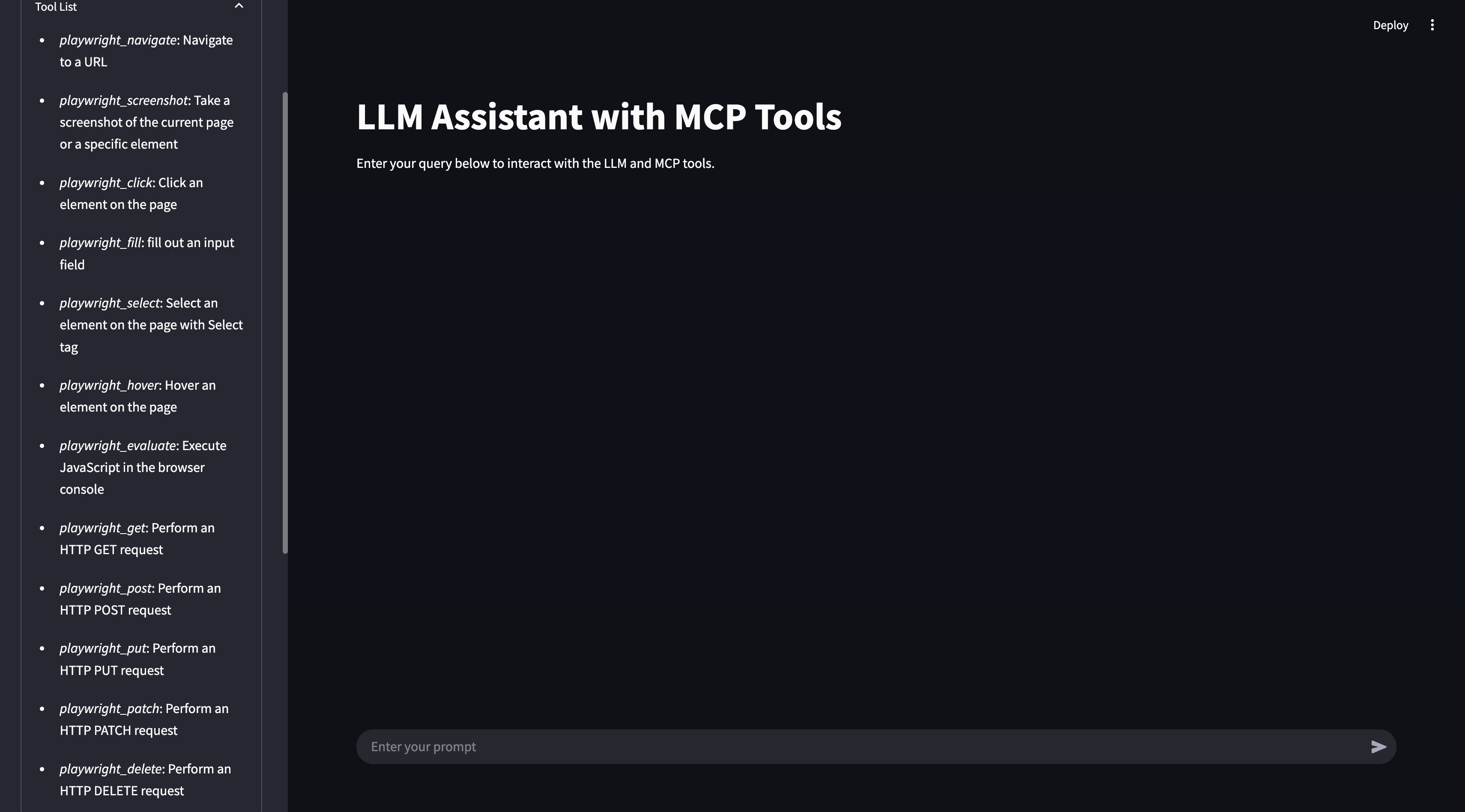
- Real-time tool execution via MCP
- LLM-powered chat interface with Streamlit
- Support for multiple LLM backends (NVIDIA NIM & Ollama)
- Custom model selection and API configuration
- Docker support for easy deployment
- Configurable MCP server using NPX or Docker
Use cases of Llama MCP Streamlit
- Interact with an LLM that can execute external tools to retrieve or modify data
- Build a conversational AI assistant that accesses files and performs actions
- Experiment with MCP tool integration in a Streamlit-based chat interface
- Use different LLM backends (NVIDIA NIM or Ollama) for the same tool-driven workflow
FAQ from Llama MCP Streamlit
What LLM backends are supported?
The app supports NVIDIA NIM's API (LLaMa 3.3:70b) and Ollama, configured via environment variables.
How do I configure the MCP server?
Update the utils/mcp_server.py file to set StdioServerParameters for either NPX (e.g., @modelcontextprotocol/server-filesystem) or Docker (e.g., mcp/filesystem).
What is the license for Llama MCP Streamlit?
The project is licensed under the MIT License.
Can I run the app without Docker?
Yes, the app can be run using Poetry (Python 3.11+ required) – see the installation steps above.
Details
- Author
- nikunj2003
- GitHub stars
- 39
- Category
- other
- Repository
- nikunj2003/llama-mcp-streamlit
Llama MCP Streamlit
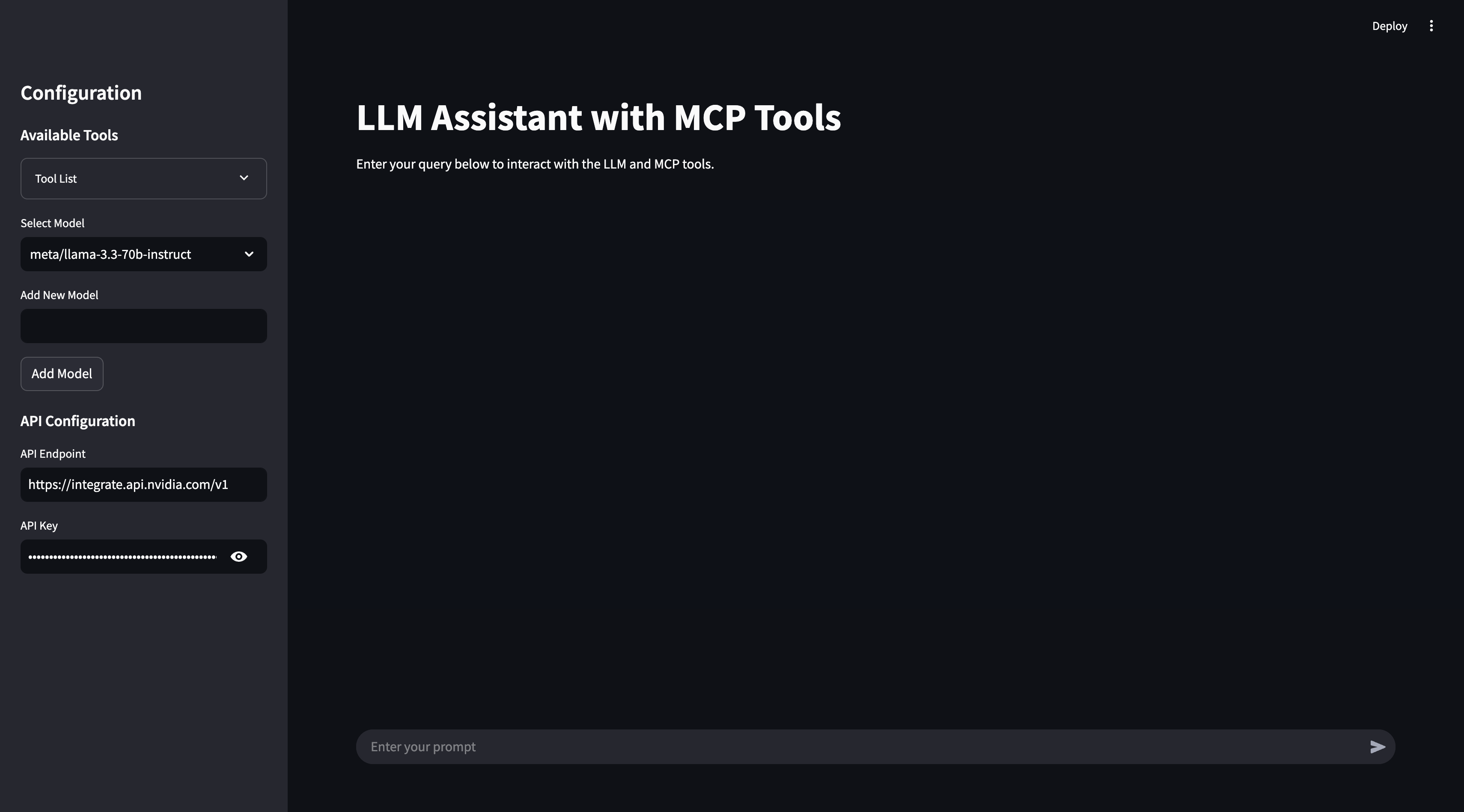
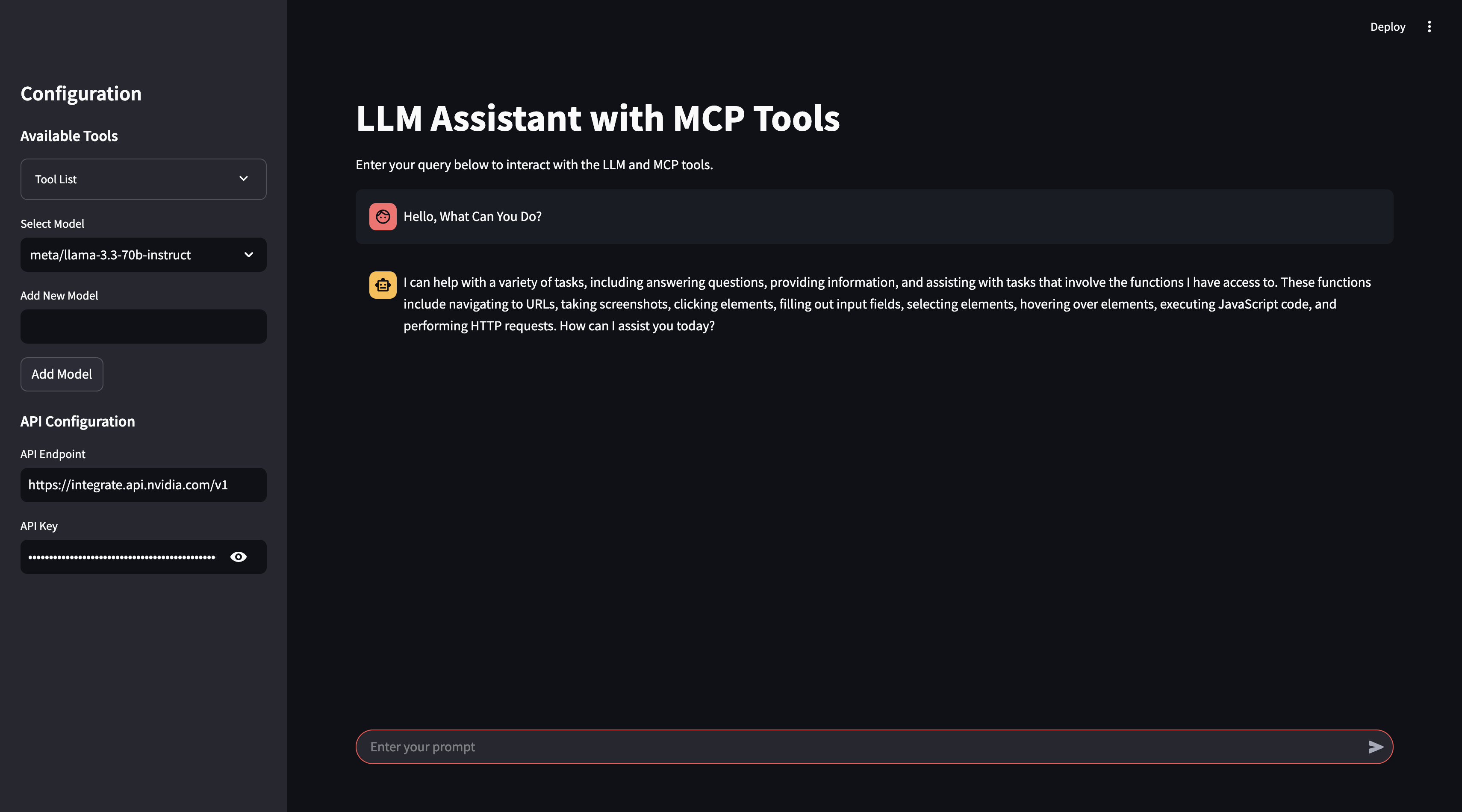
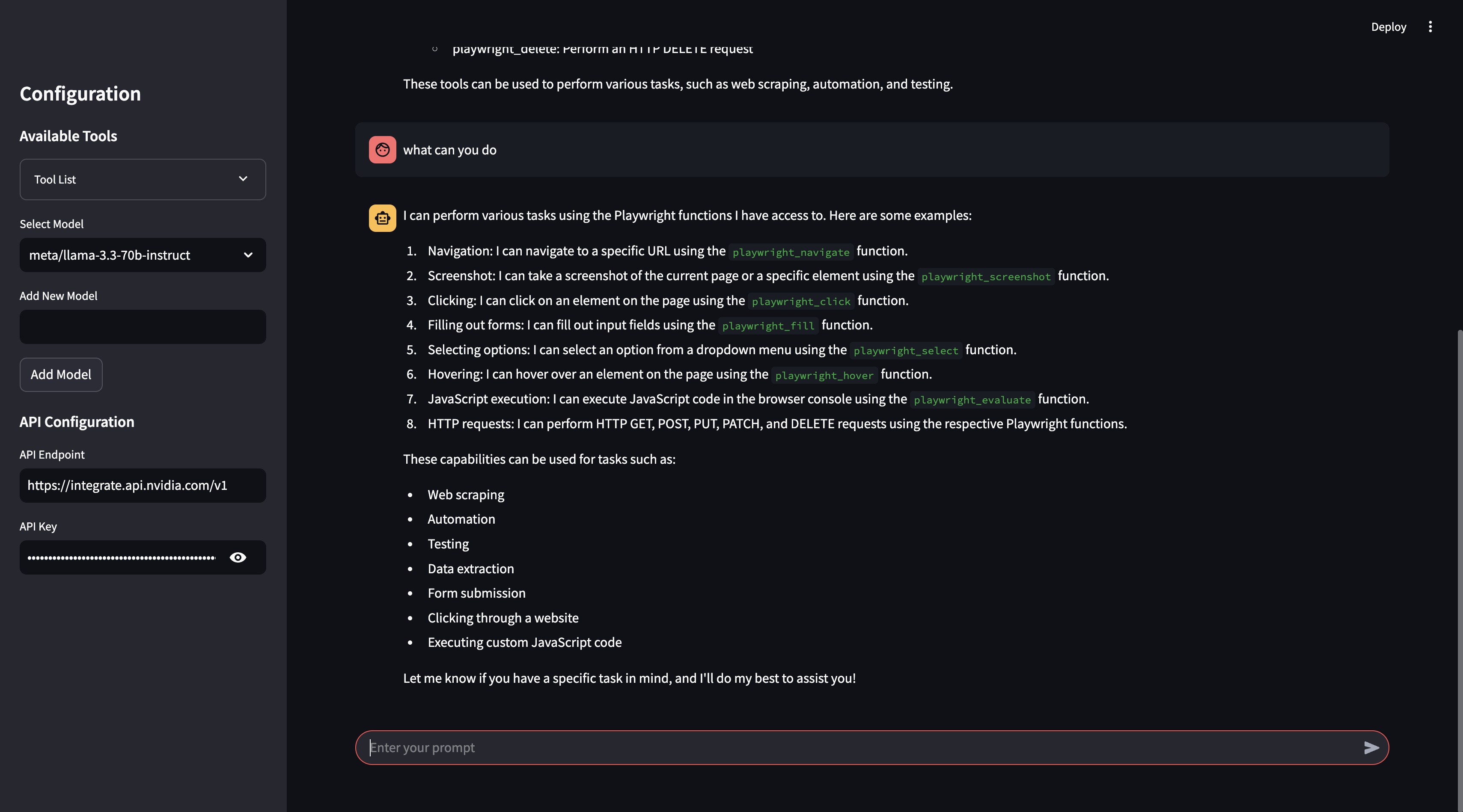
This project is an interactive AI assistant built with Streamlit, NVIDIA NIM's API (LLaMa 3.3:70b)/Ollama, and Model Control Protocol (MCP). It provides a conversational interface where you can interact with an LLM to execute real-time external tools via MCP, retrieve data, and perform actions seamlessly.
The assistant supports:
- Custom model selection (NVIDIA NIM / Ollama)
- API configuration for different backends
- Tool integration via MCP to enhance usability and real-time data processing
- A user-friendly chat-based experience with Streamlit
📸 Screenshots
---
📁 Project Structure
llama_mcp_streamlit/
│── ui/
│   ├── sidebar.py       # UI components for Streamlit sidebar
│   ├── chat_ui.py       # Chat interface components
│── utils/
│   ├── agent.py         # Handles interaction with LLM and tools
│   ├── mcp_client.py    # MCP client for connecting to external tools
│   ├── mcp_server.py    # Configuration for MCP server selection
│── config.py            # Configuration settings
│── main.py              # Entry point for the Streamlit app
.env                      # Environment variables
Dockerfile                # Docker configuration
pyproject.toml            # Poetry dependency management
---
🔧 Environment Variables
Before running the project, configure the .env file with your API keys:
# Endpoint for the NVIDIA Integrate API
API_ENDPOINT=https://integrate.api.nvidia.com/v1
API_KEY=your_api_key_here
Endpoint for the Ollama API
API_ENDPOINT=http://localhost:11434/v1/
API_KEY=ollama
---
🚀 Running the Project
Using Poetry
1. Install dependencies:
poetry install
2. Run the Streamlit app:
poetry run streamlit run llama_mcp_streamlit/main.py
Using Docker
1. Build the Docker image:
docker build -t llama-mcp-assistant .
2. Run the container:
docker compose up
---
🔄 Changing MCP Server Configuration
To modify which MCP server to use, update the utils/mcp_server.py file.
You can use either NPX or Docker as the MCP server:
NPX Server
server_params = StdioServerParameters(
    command="npx",
    args=[
        "-y",
        "@modelcontextprotocol/server-filesystem",
        "/Users/username/Desktop",
        "/path/to/other/allowed/dir"
    ],
    env=None,
)
Docker Server
server_params = StdioServerParameters(
    command="docker",
    args=[
        "run",
        "-i",
        "--rm",
        "--mount", "type=bind,src=/Users/username/Desktop,dst=/projects/Desktop",
        "--mount", "type=bind,src=/path/to/other/allowed/dir,dst=/projects/other/allowed/dir,ro",
        "--mount", "type=bind,src=/path/to/file.txt,dst=/projects/path/to/file.txt",
        "mcp/filesystem",
        "/projects"
    ],
    env=None,
)
Modify the server_params configuration as needed to fit your setup.
---
📌 Features
- Real-time tool execution via MCP
- LLM-powered chat interface
- Streamlit UI with interactive chat elements
- Support for multiple LLM backends (NVIDIA NIM & Ollama)
- Docker support for easy deployment
---
🛠 Dependencies
- Python 3.11+
- Streamlit
- OpenAI API (for NVIDIA NIM integration)
- MCP (Model Control Protocol)
- Poetry (for dependency management)
- Docker (optional, for containerized deployment)
---
📜 License
This project is licensed under the MIT License.
---
🤝 Contributing
Feel free to submit pull requests or report issues!
---
📬 Contact
For any questions, reach out via GitHub Issues.
---


