DISCLAIMER
- agent-framework
MCP-Hub and -Inspector, Multi-Model Workflow and Chat Interface
About
What is FLUJO?
FLUJO is an open-source platform that bridges workflow orchestration, Model Context Protocol (MCP), and AI tool integration. It runs locally via a web interface or as an Electron desktop application, providing a unified interface for managing AI models, MCP servers, and complex workflows.
How to use FLUJO?
Install Node.js (v18+), clone the repository, run npm install, then npm run dev for development or npm run build && npm start for production. Docker is also supported. After launching, set up API keys in Settings, add models on the Models page, install MCP servers, create workflows on the Flows page, and interact via the Chat interface.
Key features of FLUJO
- Secure encrypted storage for API keys and environment variables
- Multiple AI model configurations with pre‑defined prompts
- MCP server installation from GitHub, filesystem, or Docker
- Visual flow builder for creating and connecting workflow nodes
- Chat interface with flow interaction, file attachments, and audio transcription
- OpenAI compatible endpoint for external tool integration
Use cases of FLUJO
- Centralized management of AI models and MCP servers in one local platform
- Building and running multi‑step workflows that chain different AI models and tools
- Using FLUJO as a backend for AI applications via its OpenAI‑compatible endpoint
- Securely storing and reusing API keys across the entire application
FAQ from FLUJO
What is FLUJO and how is it different from other MCP clients?
FLUJO is an open‑source platform that integrates workflow orchestration, MCP servers, and AI models locally with a visual flow builder and centralized credential storage, unlike simpler MCP clients.
What platforms and models does FLUJO support?
FLUJO runs on any system with Node.js (v18+) as a web application or Electron desktop app. It supports AI providers such as OpenAI, Anthropic, and local models via Ollama.
Does FLUJO support MCP servers?
Yes, FLUJO provides comprehensive MCP server integration including installation, management, tool inspection, environment variable binding, and Docker‑based servers.
What is the licensing and pricing of FLUJO?
FLUJO is open‑source under the MIT License and free to use.
Are there any known limitations or security notes?
FLUJO is an early preview with extensive logging that may expose encrypted API keys in terminal output. File and audio processing are currently listed as “really bad” and will be improved.
Details
- Author
- mario-andreschak
- GitHub stars
- 460
- Category
- agent-framework
- Repository
- mario-andreschak/flujo
DISCLAIMER
FLUJO is still an early preview! Here's a 30 second video to show it off:For anything that you struggle with (MCP Installation, Application Issues, Usability Issues, Feedback): PLEASE LET ME KNOW!
-> Create a Github Issue or write on Discord (https://discord.gg/KPyrjTSSat) and I will look into it! Maybe a response will take a day, but I will try to get back to each and every one of you.
Here's a video guiding you through the whole thing - from installation to output! (15min)
Sorry for the bad audio, a new Video is coming soon!
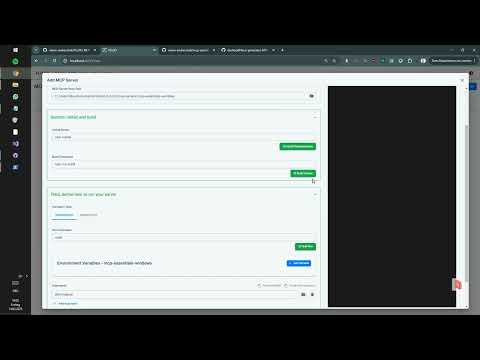
FLUJO animated Short #1 - "A sad song about MCP"
IMPORTANT SECURITY NOTE
FLUJO has currently EXTENSIVE logging enabled by default! This may expose your encrypted API-Keys to the terminal output!. Be VERY careful when grabbing videos or streaming and showing the terminal output!FLUJO


FLUJO is an open-source platform that bridges the gap between workflow orchestration, Model-Context-Protocol (MCP), and AI tool integration. It provides a unified interface for managing AI models, MCP servers, and complex workflows - all locally and open-source.
FLUJO is powered by the PocketFlowFramework and built with CLine and a lot of LOVE.
🌟 Key Features
🔑 Environment & API Key Management
- Secure Storage: Store environment variables and API keys with encryption
- Global Access: Use your stored keys across the entire application
- Centralized Management: Keep all your credentials in one secure place
🤖 Model Management
- Multiple Models: Configure and use different AI models simultaneously
- Pre-defined Prompts: Create custom system instructions for each model
- Provider Flexibility: Connect to various API providers (OpenAI, Anthropic, etc.)
- Local Models: Integrate with Ollama for local model execution
🔌 MCP Server Integration
- Easy Installation: Install MCP servers from GitHub or local filesystem
- Server Management: Comprehensive interface for managing MCP servers
- Tool Inspection: View and manage available tools from MCP servers
- Environment Binding: Connect server environment variables to global storage
- Docker Support: Run Docker-based MCP servers within Flujo
🔄 Workflow Orchestration
- Visual Flow Builder: Create and design complex workflows
- Model Integration: Connect different models in your workflow
- Tool Management: Allow or restrict specific tools for each model
- Prompt Design: Configure system prompts at multiple levels (Model, Flow, Node)
💬 Chat Interface
- Flow Interaction: Interact with your flows through a chat interface
- Message Management: Edit or disable messages or split conversations to reduce context size
- File Attachments: Attach documents or audio for LLM processing (really bad atm, because for this you should use mcp!)
- Transcription: Process audio inputs with automatic transcription (really bad atm, see roadmap)
🔄 External Tool Integration
- OpenAI Compatible Endpoint: Integrate with tools like CLine or Roo
- Seamless Connection: Use FLUJO as a backend for other AI applications
🚀 Getting Started
Manual installation:
Prerequisites
- Node.js (v18 or higher)
- npm or yarn
Installation
1. Clone the repository:
   git clone https://github.com/mario-andreschak/FLUJO.git

   cd FLUJO
2. Install dependencies:
   npm install

   # or

   yarn install
3. Start the development server:
   npm run dev

   # or

   yarn dev
4. Open your browser and navigate to:
http://localhost:4200
5. FLUJO feels and works best if you run it compiled:
   npm run build

   npm start
6. To run as a desktop application:
   npm run electron-dev    # Development mode

   # or

   npm run electron-dist   # Build and package for your platform
📖 Usage
Setting up often used API keys
1. Navigate to Settings
2. Save your API Keys globally to secure them
Setting Up Models
1. Navigate to the Models page
2. Click "Add Model" to create a new model configuration
3. Configure your model with name, provider, API key, and system prompt
4. Save your configuration
Managing MCP Servers
1. Go to the MCP page
2. Click "Add Server" to install a new MCP server
3. Choose from GitHub repository or local filesystem
4. Configure server settings and environment variables
5. Start and manage your server
Using SSE MCP-Servers
1. Got to the MCP Page 2. Click "Add Server" to install a new MCP server 3. Select "Local Server" 4. Enter a Server Name, enter "/" as Server Root Path 5. Leave Build Command and Install Command empty 6. Enter "npx" as Run Command 7. Add 1. Argument "mcp-remote" 8. Add 2. Argument "(your MCP SSE-Url here)"Using official Reference servers
1. Go to the MCP page
2. Click "Add Server" to install a new MCP server
3. Go to the "Reference Servers" Tab
4. (First time executing:) Click "Refresh" and waaaaaaait.
5. Click a server of your choice, wait for the screen to change, click "Save" / "Update Server" at the bottom.
Using Docker-based MCP Servers
When running FLUJO in Docker, you can use Docker-based MCP servers:
1. Go to the MCP page
2. Click "Add Server" to install a new MCP server
3. Choose "Docker" as the installation method
4. Provide the Docker image name and any required environment variables
5. Start and manage your server
Creating Workflows
1. Visit the Flows page
2. Click "Create Flow" to start a new workflow
3. Add processing nodes and connect them
4. Configure each node with models and tools
5. Save your flow
Branching
1. Connect one MCP node to multiple subsequent ones
2. Define the branching in the prompt, using the handoff-tools on the "Agent Tools" tab
Loops
1. Same as branching, but connect back to a previous node
Orchestration
1. Same as loops but with multiple ones
Using the Chat Interface
1. Go to the Chat page
2. Select a flow to interact with
3. Start chatting with your configured workflow
🔄 MCP Integration
FLUJO provides comprehensive support for the Model Context Protocol (MCP), allowing you to:
- Install and manage MCP servers
- Inspect server tools
- Connect MCP servers to your workflows
- Reference tools directly in prompts
- Bind environment variables to your global encrypted storage
Docker Installation
The easiest way to run FLUJO is using Docker, which provides a consistent environment and supports running Docker-based MCP servers.
Prerequisites
- Docker and Docker Compose installed on your system
Using Docker Compose
1. Clone the repository:
   git clone https://github.com/mario-andreschak/FLUJO.git

   cd FLUJO
2. Build and start the container:
docker-compose up -d
3. Access FLUJO in your browser:
http://localhost:4200
Using Docker Scripts
For more control over the Docker build and run process, you can use the provided scripts:
1. Build the Docker image:
./scripts/build-docker.sh
2. Run the Docker container:
./scripts/run-docker.sh
Options for run-docker.sh:
- --tag=<tag>: Specify the image tag (default: latest)
- --detached: Run in detached mode
- --no-privileged: Run without privileged mode (not recommended)
- --port=<port>: Specify the host port (default: 4200)
For more detailed information about Docker support, including Docker-in-Docker capabilities, persistent storage, and troubleshooting, see DOCKER.md.
📄 License
FLUJO is licensed under the MIT License.
🚀 Roadmap
Here's a roadmap of upcoming features and improvements:
- Real-time Voice Feature: Adding support for Whisper.js or OpenWhisper to enable real-time voice capabilities.
- Visual Debugger: Introducing a visual tool to help debug and troubleshoot more effectively.
- MCP Roots Support: Implementing Checkpoints and Restore features within MCP Roots for better control and recovery options.
- MCP Prompts: Enabling users to build custom prompts that fully leverage the capabilities of the MCP server.
- MCP Proxying STDIO<>SSE: Likely utilizing SuperGateway to proxy standard input/output with Server-Sent Events for enhanced communication: Use MCP Servers managed in FLUJo in any other MCP client.
- Enhanced Integrations: Improving compatibility and functionality with tools like Windsurf, Cursor, and Cline.
- Advanced Orchestration: Adding agent-driven orchestration, batch processing, and incorporating features inspired by Pocketflow.
- Online Template Repository: Creating a platform for sharing models, flows, or complete "packages," making it easy to distribute FLUJO flows to others.
- Edge Device Optimization: Enhancing performance and usability for edge devices.
🤝 Contributing
Contributions are welcome! Feel free to open issues or submit pull requests.
1. Fork the repository
2. Create your feature branch (git checkout -b feature/amazing-feature)
3. Commit your changes (git commit -m 'Add some amazing feature')
4. Push to the branch (git push origin feature/amazing-feature)
5. Open a Pull Request
📬 Contact
- GitHub: mario-andreschak
- LinkedIn: https://www.linkedin.com/in/mario-andreschak-674033299/
Notes:
- You can add ~FLUJO=HTML, ~FLUJO=MARKDOWN, ~FLUJO=JSON, ~FLUJO=TEXT in your message to format the response, this will give varying results in different tools where you integrate FLUJO. - You can add ~FLUJOEXPAND=1 or ~FLUJODEBUG=1 somewhere in your message to show more details - in config/features.ts you can change the Logging-level for the whole application - in config/features.ts you can enable SSE support which is currently disabled by default ---FLUJO - Empowering your AI workflows with open-source orchestration.