MCP Agent Strategy
- other
About
What is MCP Agent Strategy?
MCP Agent Strategy is a Dify Agent strategy plugin that integrates MCP tool calls and common function calls capabilities. It runs on the Dify platform and is designed for developers building agent-based AI applications.
How to use MCP Agent Strategy?
Configure a single MCP server by providing its SSE URL (e.g., http://localhost:8000/sse). For multiple servers, supply a JSON object with per‑server URL, headers, timeout, and sse_read_timeout parameters. No additional commands or config files are required beyond the plugin’s configuration interface.
Key features of MCP Agent Strategy
- Full compatibility with the official function call agent strategy
- Seamless integration with MCP tool calls
- Supports single and multiple MCP server connections
- Configuration via URL or detailed JSON parameters
- SSE transport for MCP server communication
Use cases of MCP Agent Strategy
—
FAQ from MCP Agent Strategy
How do I configure a single MCP server?
Provide the server’s SSE URL directly, for example http://localhost:8000/sse.
How do I configure multiple MCP servers?
Use a JSON object where each key is a server name and the value contains the URL and optional parameters like headers, timeout, and sse_read_timeout.
How do I change the MCP server transport from stdio to SSE?
You can modify the source code by setting mcp.run(transport='sse') or use a proxy tool like mcp-proxy to wrap a stdio server as SSE.
What platforms does MCP Agent Strategy support?
It is a plugin for Dify, an AI application platform, and requires Dify to be installed.
What MCP transports are supported?
The plugin supports SSE transport natively. stdio can be used by converting to SSE via code modification or a proxy.
Details
- Author
- hjlarry
- GitHub stars
- 14
- Category
- other
- Repository
- hjlarry/dify-plugin-mcp_agent
MCP Agent Strategy
Author: hjlarry
Version: 0.0.2
Type: agent strategy
Repo&Issue: https://github.com/hjlarry/dify-plugin-mcp_agent
A Dify Agent strategy plugin that integrates MCP tool calls and common function calls capabilities.
Features
- Full compatibility with official function call agent strategy
- Seamless integration with MCP tool calls
- Flexible MCP server connection options
Getting Started
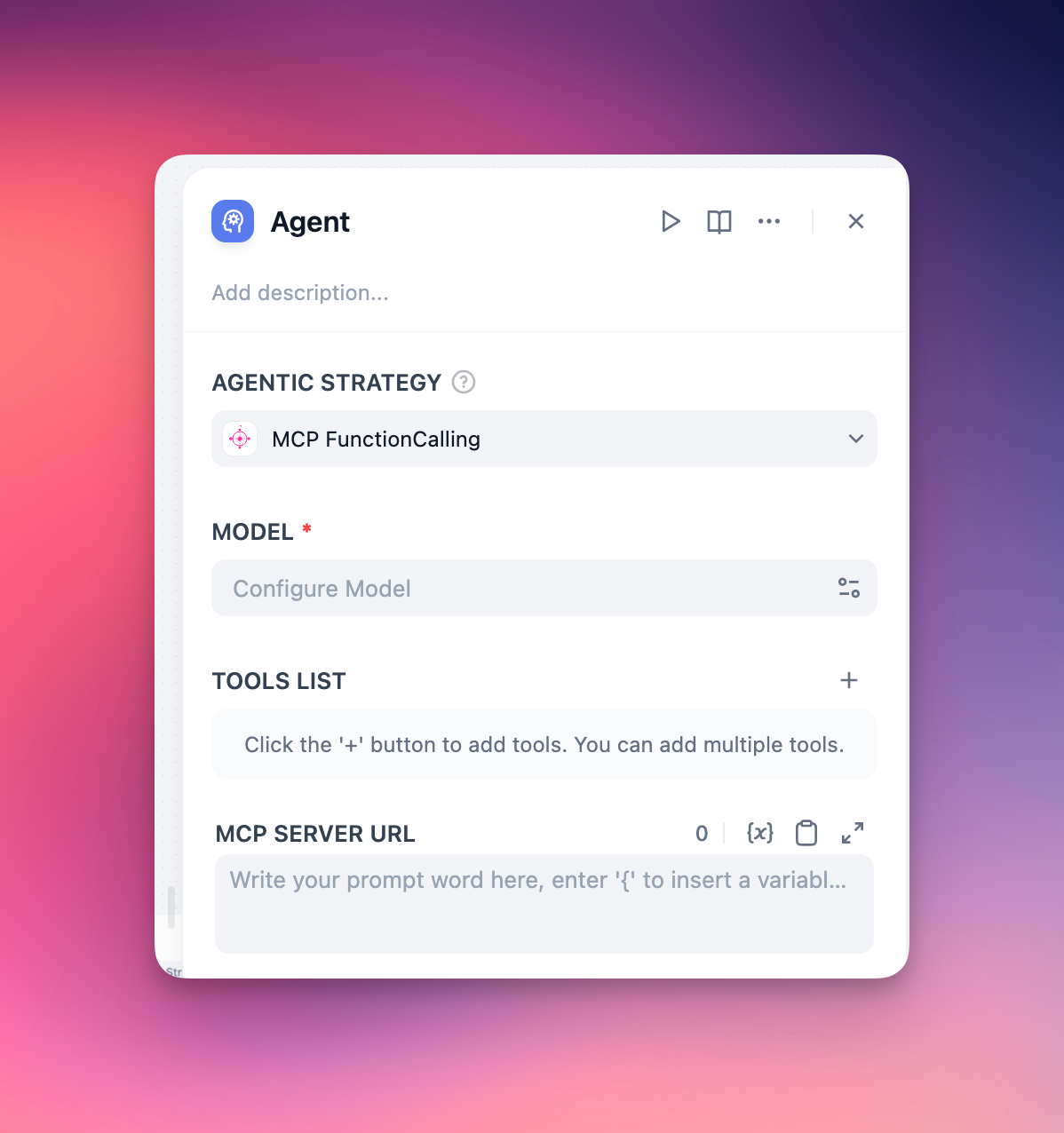
Basic Configuration
For single MCP server setup, simply provide the server URL:
http://localhost:8000/sse
Advanced Configuration
For multiple MCP servers with detailed connection parameters:
{

  "server_name1": {

    "url": "http://127.0.0.1:8000/sse",

    "headers": {},

    "timeout": 5,

    "sse_read_timeout": 300

  },

  "server_name2": {

    "url": "http://127.0.0.1:8001/sse"

  }

}
How to change MCP server from stdio to sse ?
Option 1: source code modification
if __name__ == "__main__":
    mcp.run(transport='sse')
Option 2: using the mcp-proxy
uv tool install mcp-proxy
mcp-proxy --sse-host=0.0.0.0 --sse-port=8080 uvx your-server